Free trial
A free start is offered: one image generated without a credit card. Browsing the gallery needs no account. No separate trial period is described.
Learn moreText to image generation for social posts, ads, headshots and art styles

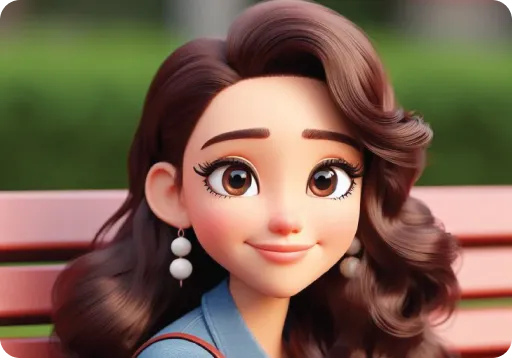
AI2image is an anime generator tool. A prompt to image generator built on OpenAI's latest image models, with presets for social posts, ad creative, headshots, product photos, logos and anime or Ghibli art. Browse without an account, start with one free image, and click any gallery sample to reuse its prompt.
AI2image is a browser based image generator that turns written prompts into finished visuals. The site runs on OpenAI's latest image models, so the output quality rests on an established engine rather than a proprietary model. The interface is built around speed: a prompt box sits at the top, a row of popular use case chips (Ghibli art, product photo, photo enhancer, Instagram post, headshot, anime portrait) sits below it, and results appear in seconds. No design background is assumed at any point. The product is organized less like a blank canvas and more like a menu of jobs. A gallery of sample images doubles as a prompt library: clicking any picture loads its exact prompt, which makes it easy to see how phrasing shapes style, lighting and composition. Further down, the tools are grouped into four families. Social Media covers Instagram posts and stories, LinkedIn, Facebook, X, YouTube thumbnails, Pinterest pins and stock photos. Ad Creative covers banner, display and platform specific ad formats. The AI Image Generator group holds anime, headshot, cartoon, photo enhancer, Ghibli art and product photo presets. Design Generator covers logos, icons, illustrations, t-shirt and sticker designs, typography art, book covers and patterns. The tool suits solo creators, small marketing teams, print on demand sellers and anyone who needs a visual quickly without opening a full design suite. Photographers and ecommerce sellers get the most from the headshot and product photo presets, while hobbyists tend toward anime, fantasy and Ghibli styles. Compared with general purpose generators, AI2image trades open ended experimentation for guided presets, which lowers the learning curve but narrows the range of output. The site advertises use by 500+ creators and states that browsing requires no sign up.
A free start is offered: one image generated without a credit card. Browsing the gallery needs no account. No separate trial period is described.
Learn moreThe site offers a free start with one image and states that no credit card is needed. Browsing requires no sign up. No subscription prices or paid tier details appear on the homepage.
Learn morePrompt to image generation on OpenAI's latest models, with preset tools for social posts (Instagram, LinkedIn, Facebook, X, YouTube thumbnails, Pinterest), ad creative (banner, display, platform ads), generator styles (anime, headshot, cartoon, photo enhancer, Ghibli, product photo) and design output (logos, icons, illustrations, t-shirts, stickers, typography, book covers, patterns).
 AI Angels400+ customizable AI girlfriends for NSFW chat, voice calls, and roleplay
 Candy AIExperience the future of companionship with AI friends who chat, role-play, and connect with you on a human level.
 ourdream.aiA vast AI roleplay platform with millions of characters for chat, images, video and voiceAI Angels400+ customizable AI girlfriends for NSFW chat, voice calls, and roleplayCandy AIExperience the future of companionship with AI friends who chat, role-play, and connect with you on a human level.ourdream.aiA vast AI roleplay platform with millions of characters for chat, images, video and voice