Free trial
Signing up includes free credits and access to the V1.0 draft model, which produces untextured GLB output suitable for testing and 3D printing.
Learn moreAI 3D model generator that turns prompts and photos into exportable assets.
Create3D.io generates downloadable 3D models from text prompts, single photos, or multiple reference views, then supports texturing, repair, remeshing, rendering, and export to GLB, OBJ, FBX, STL, PLY, USDZ, and 3MF. Free utilities include a 3D viewer, converter, and volume calculator.
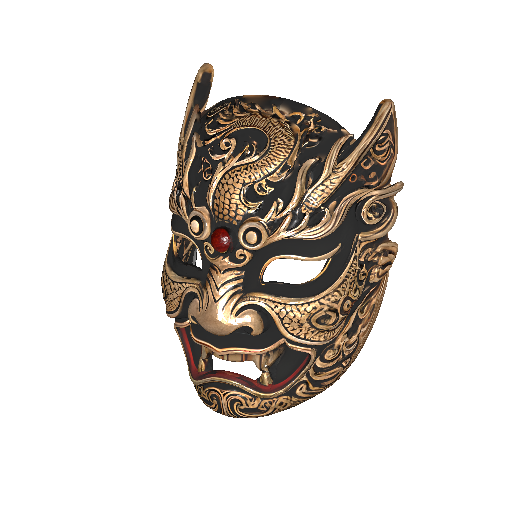
Create3D.io is a browser-based AI studio that generates downloadable 3D models from a text prompt, a single reference photo, or a set of multiple views. The generator is positioned as a shortcut around polygon-by-polygon modeling: you describe the object, style, material, and purpose, or upload imagery, and the service returns a mesh you can inspect and download. Output formats cover GLB, OBJ, FBX, STL, PLY, USDZ, and 3MF, which is broad enough to feed game engines, slicers, AR viewers, and web pipelines without a separate conversion step in many cases. Three model tiers shape the results. V1.0 is the free draft model: fast, colorless, and useful for testing scale or printing rough forms. V3.0 adds color, optional textures, PBR materials, detailed geometry, and quad mesh support. V4.0 is the flagship tier, aimed at cleaner geometry, richer textures, and artist-friendly visual styles. The homepage demonstrates the gap directly with one shared castle prompt rendered on V1.0 as a clay-style base mesh and on V4.0 as a textured, production-oriented asset, so expectations are set before you commit credits. What separates Create3D.io from a bare prompt-to-mesh toy is the post-generation toolset. Once a model exists, the studio offers AI texturing, geometry repair for holes and non-manifold edges, remeshing for cleaner topology, AI render generation for previews and product pages, texture baking, and a rotating preview video export. Standalone free utilities sit alongside the generator: an online viewer, a format converter, and a volume calculator for print and packaging estimates. Paid plans add unlimited downloads, private assets, a commercial license certificate, higher monthly credit allowances, and up to 12 concurrent tasks. Who it suits: indie game developers blocking out props and creatures, product and e-commerce teams needing visual mockups, makers preparing STL and 3MF concepts for printing, AR and web creators who need GLB or USDZ quickly, and educators building classroom models. It is asset-first rather than a full DCC replacement. Users who need precise parametric control, rigging, or animation will still finish work in dedicated software, but the generated mesh can serve as a starting point. Beginners can produce something usable on the free tier; heavier iteration pushes users toward the subscription tiers for credits and download rights.
Signing up includes free credits and access to the V1.0 draft model, which produces untextured GLB output suitable for testing and 3D printing.
Learn morePaid plans grant 600 to 8,000 credits per month, unlimited downloads across seven formats, private assets, a commercial license certificate, up to 12 concurrent tasks, full access to V3.0 and V4.0, and unlimited use of the viewer, converter, compressor, volume calculator, preview video, and AI render tools. Exact prices are listed on the pricing page.
Learn morePremium plans advertise 24/7 customer support for subscribers, available around the clock.
Text to 3D, photo to 3D, and multiview to 3D generation across V1.0, V3.0, and V4.0 models. Post-generation tooling covers AI texturing, geometry repair, remeshing, texture baking, AI render images, and rotating preview videos. Supporting free utilities include an online 3D viewer, format converter, model compressor, and volume calculator, with export to GLB, OBJ, FBX, STL, PLY, USDZ, and 3MF.
Learn more AI Angels400+ customizable AI girlfriends for NSFW chat, voice calls, and roleplay
 Candy AIExperience the future of companionship with AI friends who chat, role-play, and connect with you on a human level.
 ourdream.aiA vast AI roleplay platform with millions of characters for chat, images, video and voiceAI Angels400+ customizable AI girlfriends for NSFW chat, voice calls, and roleplayCandy AIExperience the future of companionship with AI friends who chat, role-play, and connect with you on a human level.ourdream.aiA vast AI roleplay platform with millions of characters for chat, images, video and voice