Free trial
Example images can be generated without login or credit cost, and a basic preview engine is included by default. No time limited trial is described on the homepage.
Learn moreTurn a single image into a downloadable 3D model, no modeling skills needed

Image3D AI is a convert image to 2D tool that turns a single image into a downloadable 3D model, no modeling skills needed. Image3D AI converts photos, sketches and product shots into 3D models in the browser, offering four generation engines, selectable texture quality, STL, OBJ and GLB export, and follow-on tools for rigging, animation, retopology and UV unwrapping.
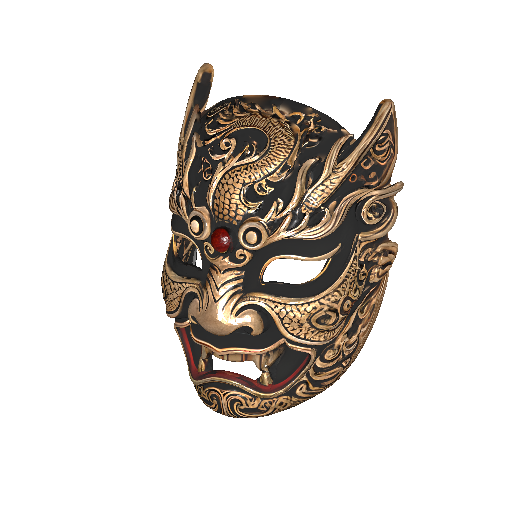
Image3D AI is a browser based workspace for converting 2D images into usable 3D assets. A user uploads a photo, sketch, logo, concept art or product shot (PNG, JPEG or WEBP, up to 10MB) and receives a mesh that can be previewed in the browser and downloaded as STL, OBJ or GLB. The pitch is breadth: the platform routes each job through one of four generation engines, a fast preview model included by default plus Tripo 3D, Meshy, Hunyuan and Pixal3D as premium options, so a user can trade speed against fidelity without leaving the page. Texture quality is selectable between standard and extreme. Beyond straight conversion, the toolset covers the work that usually follows a raw generated mesh. AI auto rigging adds bones and skin weights to an uploaded character, a character animation generator and a text to 3D motion tool produce reusable motion with animated FBX export, and texture, retopology and UV unwrapping tools clean up assets for production. Side utilities include a model splitter for separating parts, a photo to 3D avatar and figurine generator, and a library of format converters covering GLB, OBJ and FBX into STL, USDZ, MP4 or GIF. The audience is practical rather than artistic: game developers pulling quick props and characters into Unity or Unreal, 3D printing hobbyists who want an STL from a clean silhouette, e-commerce teams building AR product previews, and architects blocking out forms. Three generation modes map to those jobs. Normal balances quality and speed, Low Poly targets game and AR budgets, and Geometry outputs an untextured white model aimed at printing or structural review. Single image input suits flat designs and cartoons, while multi-view input from front, side and back images is recommended for real objects. Comparisons to photogrammetry are fair: one image instead of twenty plus, a preview in roughly a minute rather than hours, and cleaner low-poly output instead of noisy scans. That convenience comes with the usual generative caveats, since results depend heavily on source image contrast and background simplicity. Pricing sits behind a credit system with a login requirement, and no API is documented on the homepage.
Example images can be generated without login or credit cost, and a basic preview engine is included by default. No time limited trial is described on the homepage.
Learn moreAccess runs on a credit system: each generation shows a credit cost (the homepage example lists 4), premium engines and extreme texture quality sit on paid tiers, and example images are free. Exact plans and rates are published on the pricing page rather than the homepage.
Learn moreSupport is handled by email at support@aiimageto3d.com for questions and suggestions about the tool. A refund policy page also exists on the site.
Learn moreGenerated assets are described as ready to import into Unity and Unreal Engine. No API, plugin or third party account integration is documented on the homepage.
Image to 3D conversion across four premium engines plus an included fast preview model, standard or extreme texture quality, and Normal, Low Poly and Geometry modes. Exports STL, OBJ and GLB. Additional tools cover auto rigging, character animation, text to 3D motion, PBR texture generation, retopology, UV unwrapping, model splitting, photo to avatar, figurine creation and sketch to 3D, plus format converters for STL, USDZ, MP4, GIF and FBX.
Learn more AI Angels400+ customizable AI girlfriends for NSFW chat, voice calls, and roleplay
 Candy AIExperience the future of companionship with AI friends who chat, role-play, and connect with you on a human level.
 ourdream.aiA vast AI roleplay platform with millions of characters for chat, images, video and voiceAI Angels400+ customizable AI girlfriends for NSFW chat, voice calls, and roleplayCandy AIExperience the future of companionship with AI friends who chat, role-play, and connect with you on a human level.ourdream.aiA vast AI roleplay platform with millions of characters for chat, images, video and voice