Free trial
The homepage invites visitors to try AI Interview Copilot for free, but does not state a trial length, usage cap or which features are included.
Learn moreReal time AI answers and code for live job interviews
Own AI Interview Copilot? Verify ownership to get a dofollow link

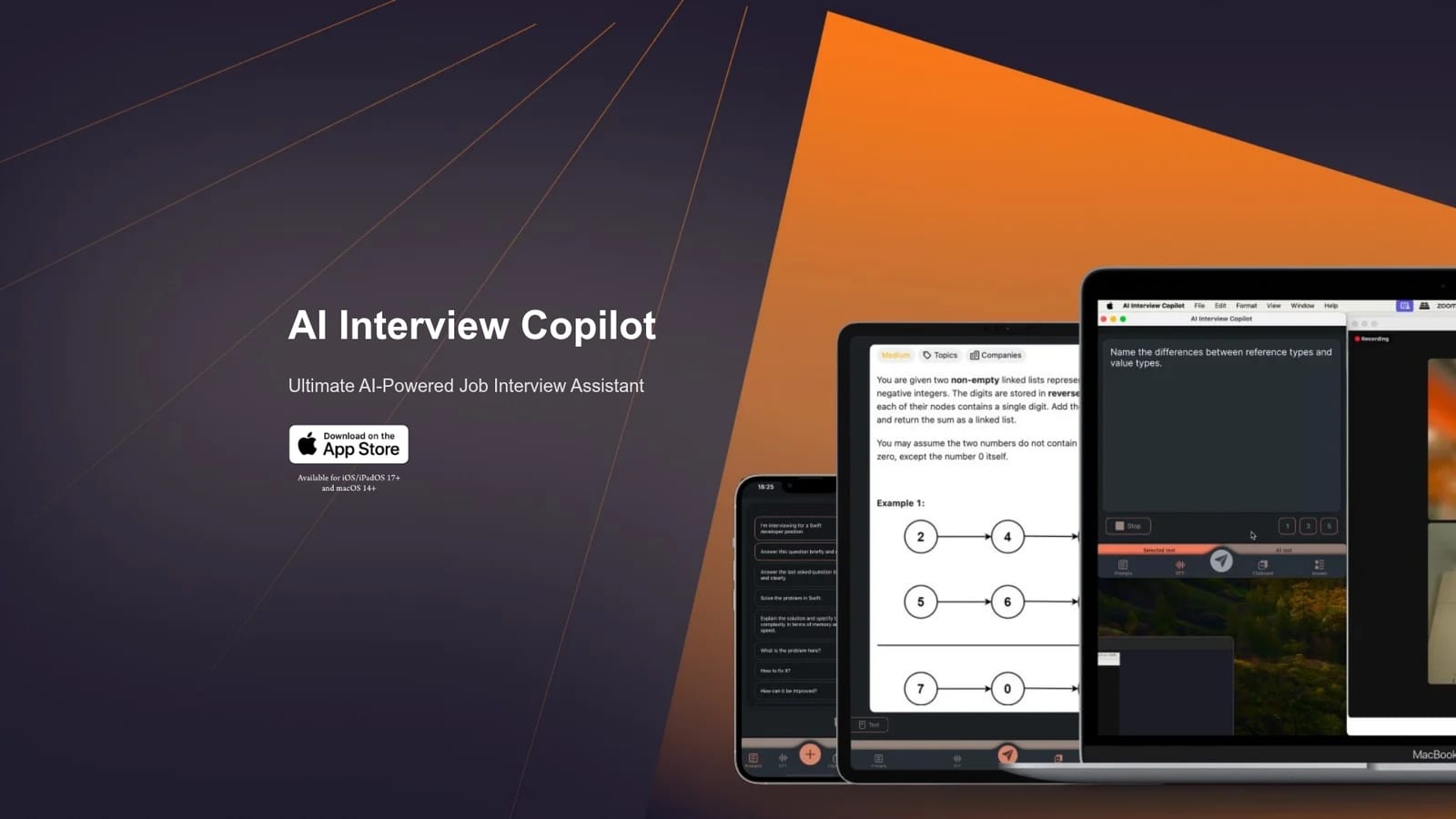
AI Interview Copilot is an AI screen analyzer tool. AI Interview Copilot listens to interviews in 57 languages, transcribes the conversation live and generates GPT-4o answers to spoken questions. It also solves algorithmic problems, writes code snippets and analyzes pasted screenshots without any typing during the call.
AI Interview Copilot is a companion app for live job interviews, built for candidates who want a second brain running quietly alongside the conversation. It transcribes the interviewer's speech into text in real time across 57 languages, then drafts answers to those questions using GPT-4o. The result is read back on screen within the same conversation, so the candidate can glance at a structured response instead of stalling. For technical roles the tool goes further than conversation support. It works as an algorithm problem solver, producing code snippets for coding challenges while the interview is in progress. Screenshots are a first class input: an image can be saved to the clipboard and pasted straight into the app, where it gets analyzed and answered. That makes whiteboard snapshots, shared code windows and take home style tasks usable as prompts without retyping anything. Control is deliberately minimal. After the initial prompt setup, everything runs from a mouse or trackpad, with one button triggering a question and a simple switch moving between saved prompts. Nothing needs to be typed mid call. On Apple hardware the shared clipboard becomes a stealth feature: a screenshot copied on one device can be pasted into the app on another, which matters when the interview screen is being shared and the copilot is running on a phone nearby. The app targets two groups: candidates in non technical interviews who want help structuring spoken answers under pressure, and software engineers facing live coding rounds who want fast problem breakdowns and code scaffolding. It sits in the same space as other interview copilots, but emphasizes clipboard based image input and no typing during the call. It requires iOS or iPadOS 17 and up, or macOS 14 and up, so Windows and Android users are left out.
The homepage invites visitors to try AI Interview Copilot for free, but does not state a trial length, usage cap or which features are included.
Learn moreSupport is handled through a contact form on the site. No documentation, chat or email support details are published on the homepage.
Learn moreThe only integration described is the shared clipboard across Apple devices, which lets a screenshot copied on one device be pasted into the app on another.
Live voice transcription in 57 languages, GPT-4o generated answers to interview questions, an algorithm problem solver that writes code snippets during live coding rounds, image and screenshot recognition via clipboard paste, one button question sending, saved prompt switching, and cross device clipboard support across Apple hardware.
 AI Angels400+ customizable AI girlfriends for NSFW chat, voice calls, and roleplay
 Candy AIExperience the future of companionship with AI friends who chat, role-play, and connect with you on a human level.
 ourdream.aiA vast AI roleplay platform with millions of characters for chat, images, video and voiceAI Angels400+ customizable AI girlfriends for NSFW chat, voice calls, and roleplayCandy AIExperience the future of companionship with AI friends who chat, role-play, and connect with you on a human level.ourdream.aiA vast AI roleplay platform with millions of characters for chat, images, video and voice


