Free trial
No free trial is stated. AI image generation requires paid credits, though the interface can be explored before buying and the separate 2D kitchen planner is free.
Learn moreTurn a kitchen photo into AI redesign concepts in 18 preset styles
Own AI Kitchen Design? Verify ownership to get a dofollow link

AI Kitchen Design is a design tool that turns a kitchen photo into AI redesign concepts in 18 preset styles. KitchenDesign.io turns an uploaded kitchen photo into AI redesign concepts using 18 preset styles or custom instructions. Paid plans from $14/month supply image credits, and a separate free 2D planner handles layouts.
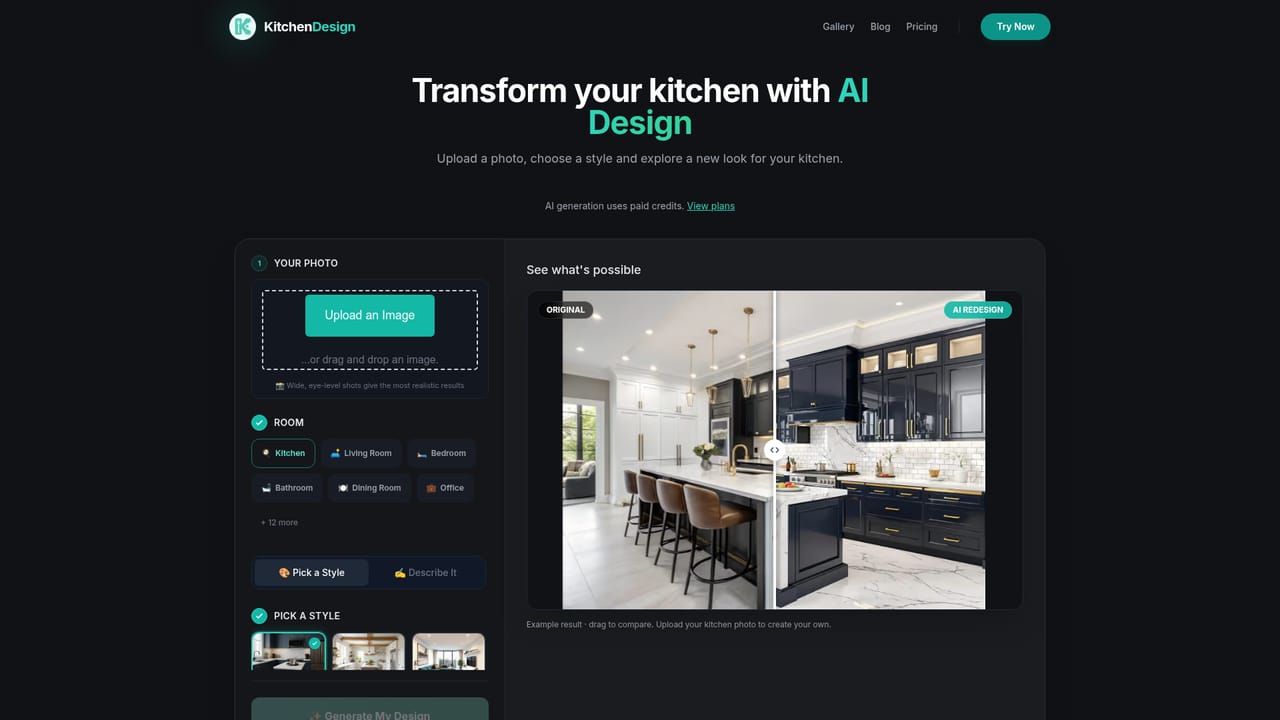
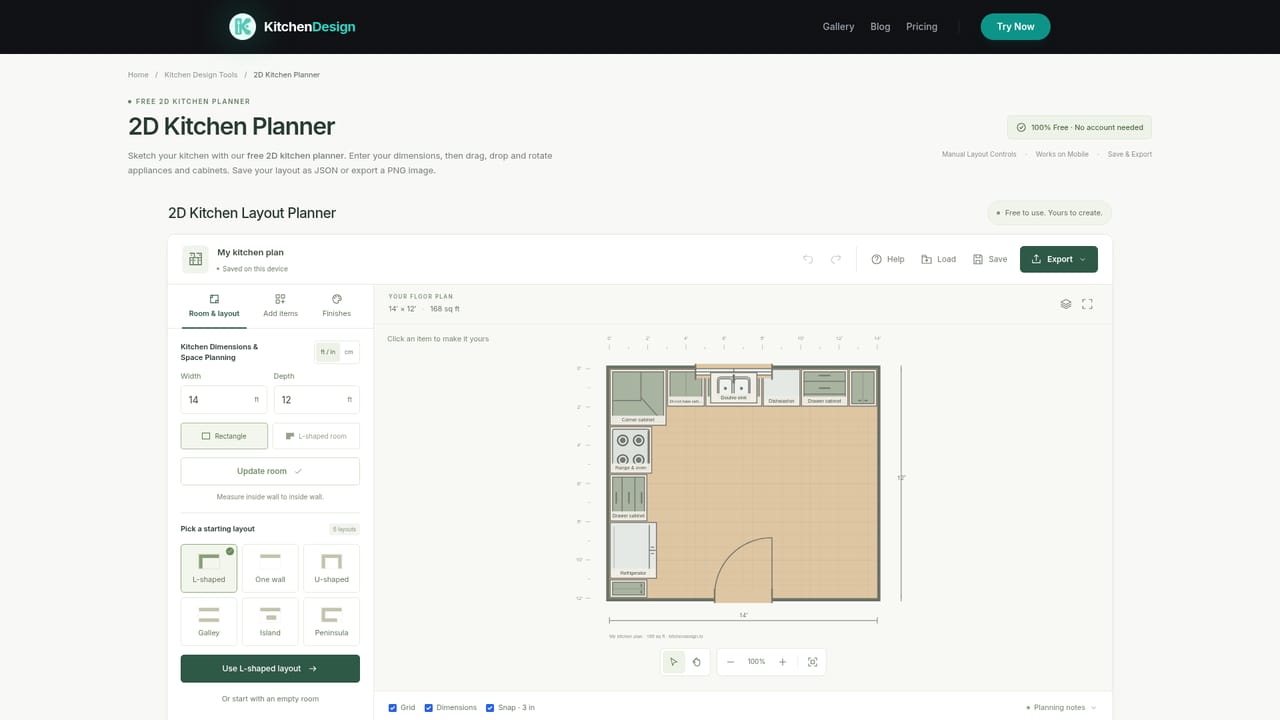
AI Kitchen Design, published at KitchenDesign.io, is a photo-based redesign tool for kitchens and other home rooms. A user uploads a picture of an existing space, picks a visual style or types custom instructions, and receives generated images that show how new cabinet colors, countertops, flooring and finishes might look in that same room. The output is meant as a set of concepts to compare against the original photo, not as a technical plan. The workflow has three stages. First comes the upload, where the site asks for a clear, well-lit shot, ideally a wide view from a corner, in JPG, PNG, WebP or AVIF format. Next the user chooses a room type, one of 18 preset styles (modern, farmhouse, industrial, coastal, Scandinavian and others) and a change level: Refresh for surface updates, Remodel, or Redesign for broader rethinking. Color preferences, material notes and reference images can be added. Finally, the user signs in and spends credits to generate images, then either tries another style or selects a result and asks for a refinement. Generated images can be downloaded, and paid plans include commercial usage rights. The platform also covers bedrooms, living rooms and bathrooms through a separate AI Interior Design tool with its own credit allowance, while kitchen generation shares a pool with an idea generator. A free 2D kitchen planner sits alongside for sketching layouts at no cost. The site is open that AI images may change details and cannot supply reliable dimensions, clearances or construction plans, so measurements need confirming separately. The audience is mostly homeowners planning a remodel, renters and enthusiasts testing looks, and small professionals who want a quick visual to show a contractor or client. Compared with full 3D planners and CAD-based kitchen design software, it trades precision for speed and ease: no drawing, no catalog setup, only a photo. Compared with general image generators, it offers a purpose-built flow with room-specific styles. Image generation requires a paid subscription, which makes it less suited to casual one-off experimentation.
No free trial is stated. AI image generation requires paid credits, though the interface can be explored before buying and the separate 2D kitchen planner is free.
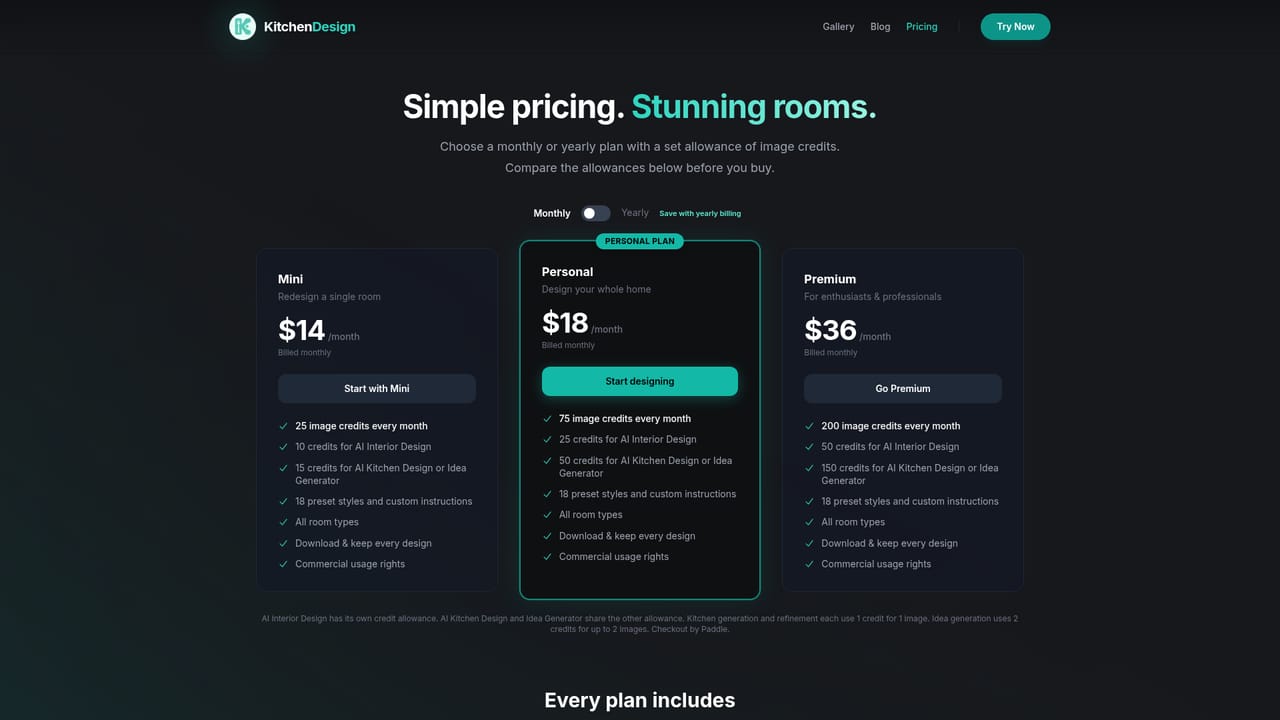
Learn moreThree monthly plans: Mini $14 (25 image credits), Personal $18 (75 credits), Premium $36 (200 credits). Kitchen generation and refinement cost 1 credit per image; idea generation costs 2 credits for up to 2 images. Checkout by Paddle.
Learn moreThe homepage points visitors to a customer support team for unanswered questions and includes an FAQ covering photos, formats, styles and credits. No support channels or response times are listed.
Photo-based kitchen redesign, 18 preset styles, custom instructions and reference images, Refresh/Remodel/Redesign change levels, refinement of generated images, downloads, multiple room types, and a free 2D kitchen planner.
Learn more


