AI Picture Generator

Multi-model text-to-image, photo remixing and short video in one browser workspace

Beginner
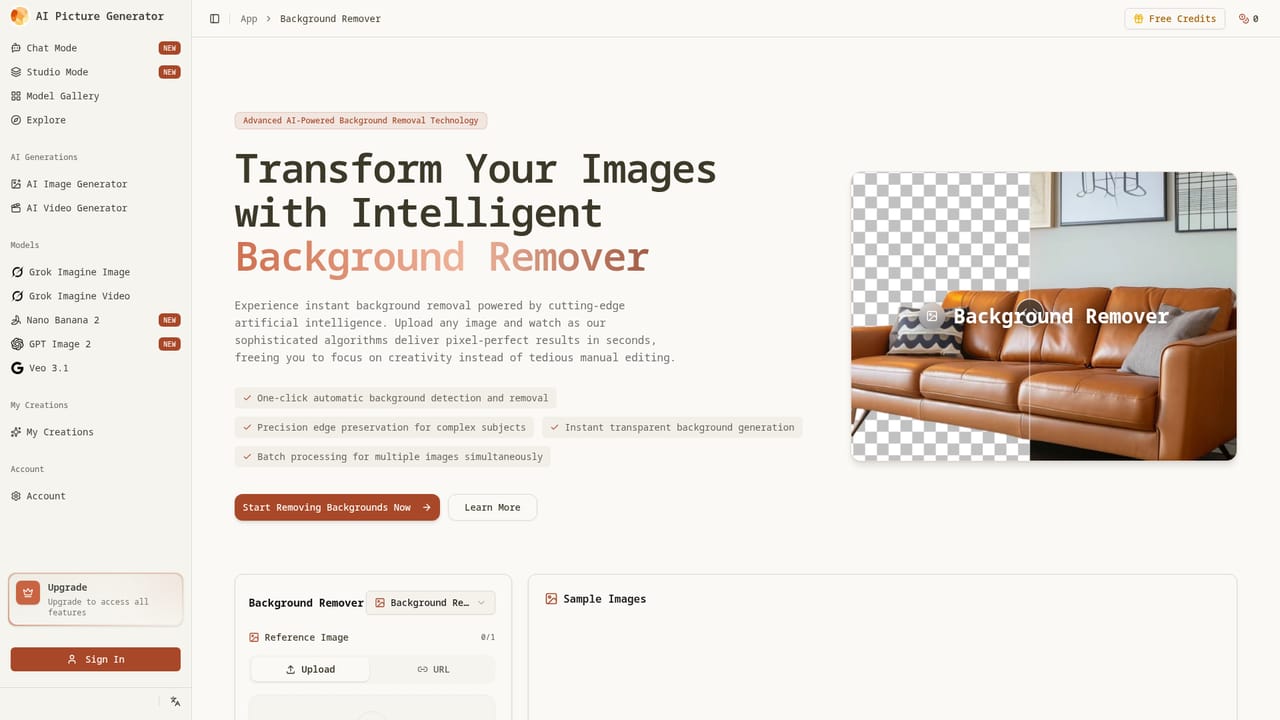
Screenshot of AI Picture Generator, Multi-model text-to-image, photo remixing and short video in one browser workspace

What is AI Picture Generator?

AI Picture Generator is an image generator tool. A web-based image generator offering text-to-image, image-to-image, batch runs, a background remover and image-to-video, with a switchable model library, a remixable prompt gallery and credit-based plans that include commercial rights.

AI Picture Generator is a browser-based image creation service that covers text-to-image, image-to-image, batch generation and short image-to-video clips from a single workspace. Users choose from a library of models spanning photoreal, anime and illustration styles, with faster models for drafts and higher-quality ones for final renders, and they set aspect ratio and style before each run. Separate pages cover individual models such as Nano Banana Pro and the Veo 3.1 video model, and a background remover handles transparent PNG exports. In practice a session begins from one of three starting points: a written prompt, an uploaded reference photo, or a remix of a public gallery example, where a "Make same" button copies the original setup. The first run produces a set of candidates, and image-to-image then keeps the structure of a chosen result while lighting, style or background changes. Batch runs return two to four outputs each, which suits A/B testing of ad creatives and product visuals. Generations are charged in credits, a failed run is compensated under the page rules, and a saved history keeps earlier results available for re-download. Finished images export in common aspect ratios at high resolution, and a favorite can be animated into a short clip, with about 15 seconds quoted when the queue is light. The audience is marketers, e-commerce sellers, content creators and designers who want usable output without learning prompt craft. The gallery of shared prompts lowers the barrier for beginners, and paid plans include a commercial license with unrestricted usage rights. Compared with single-model generators, the appeal is model switching and a prompt library under one roof. Compared with full design suites, editing here is prompt driven rather than layer based, so precise manual control is limited. Credit-based pricing also means heavy users need to watch how quickly a plan is consumed, especially when running large batches on premium models.

How do you use AI Picture Generator?

  1. 1Open the generator workspace
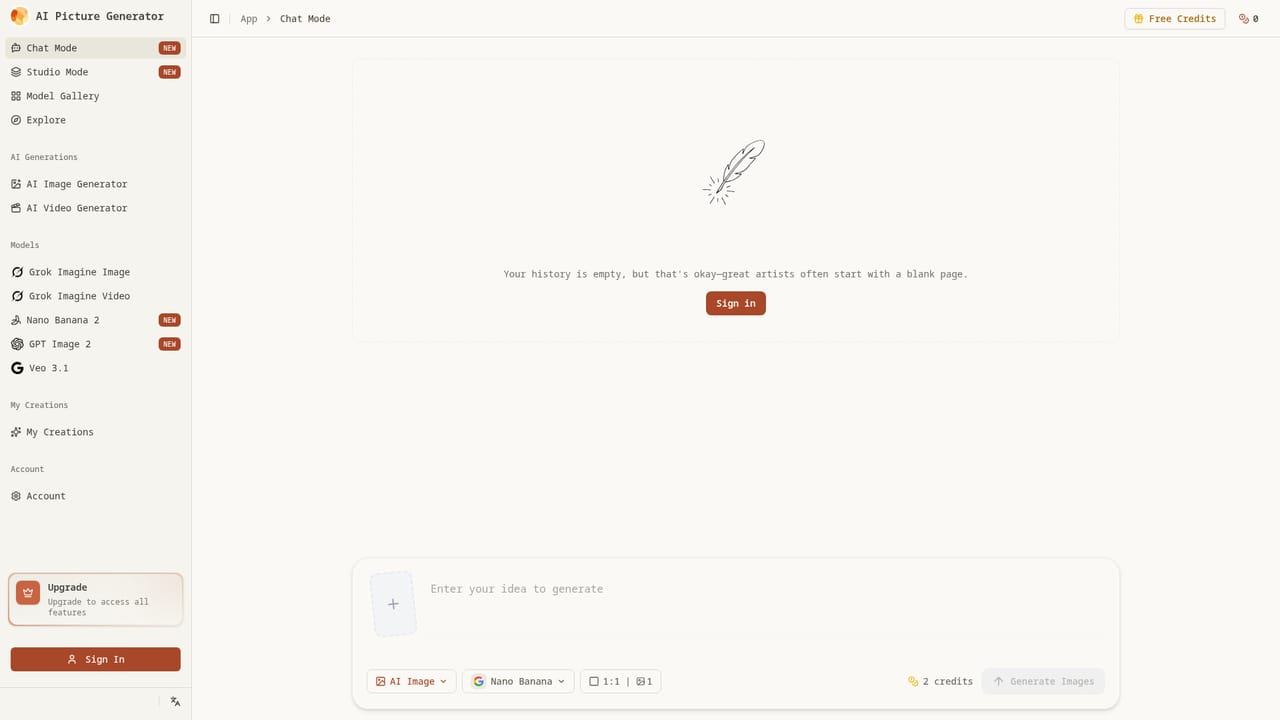
    Go to the app page and choose a starting point: type a prompt, upload a reference photo, or begin from a gallery remix.
    AI Picture Generator — Open the generator workspace
  2. 2Browse the gallery for a proven setup
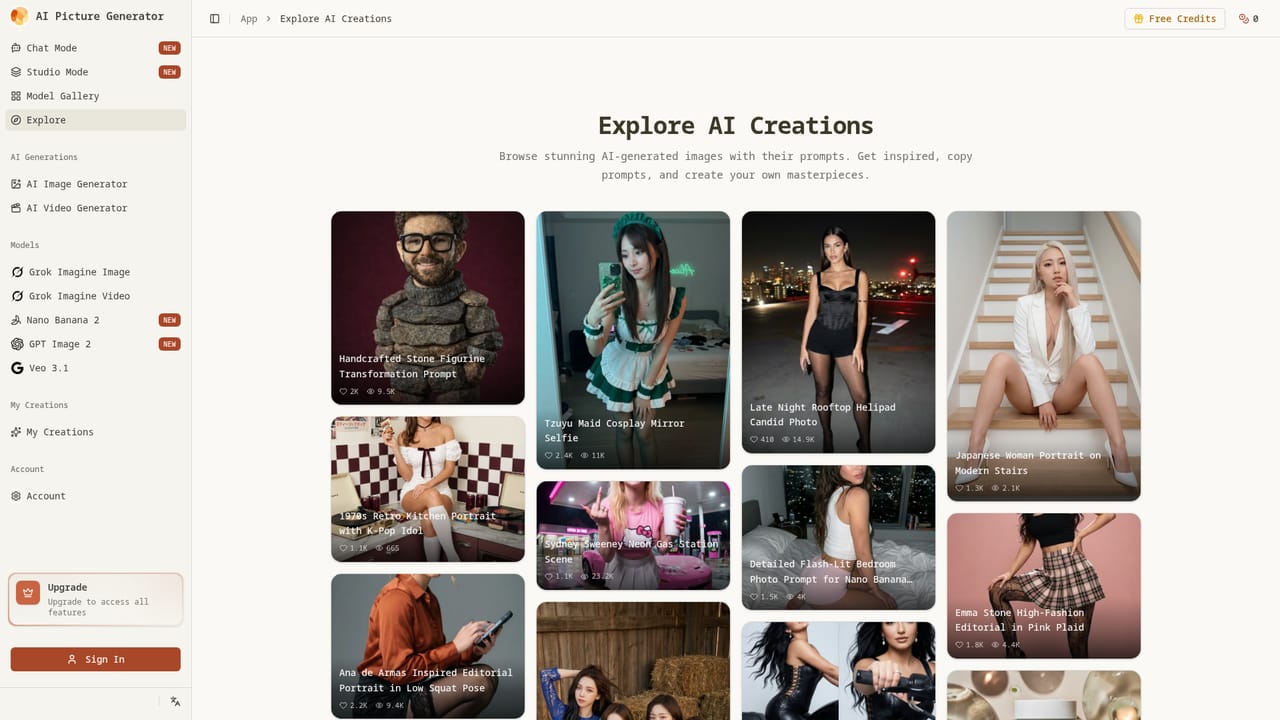
    Open the Explore gallery, find an image close to the goal and use Make same to copy its prompt and settings.
    AI Picture Generator — Browse the gallery for a proven setup
  3. 3Pick a model, ratio and style
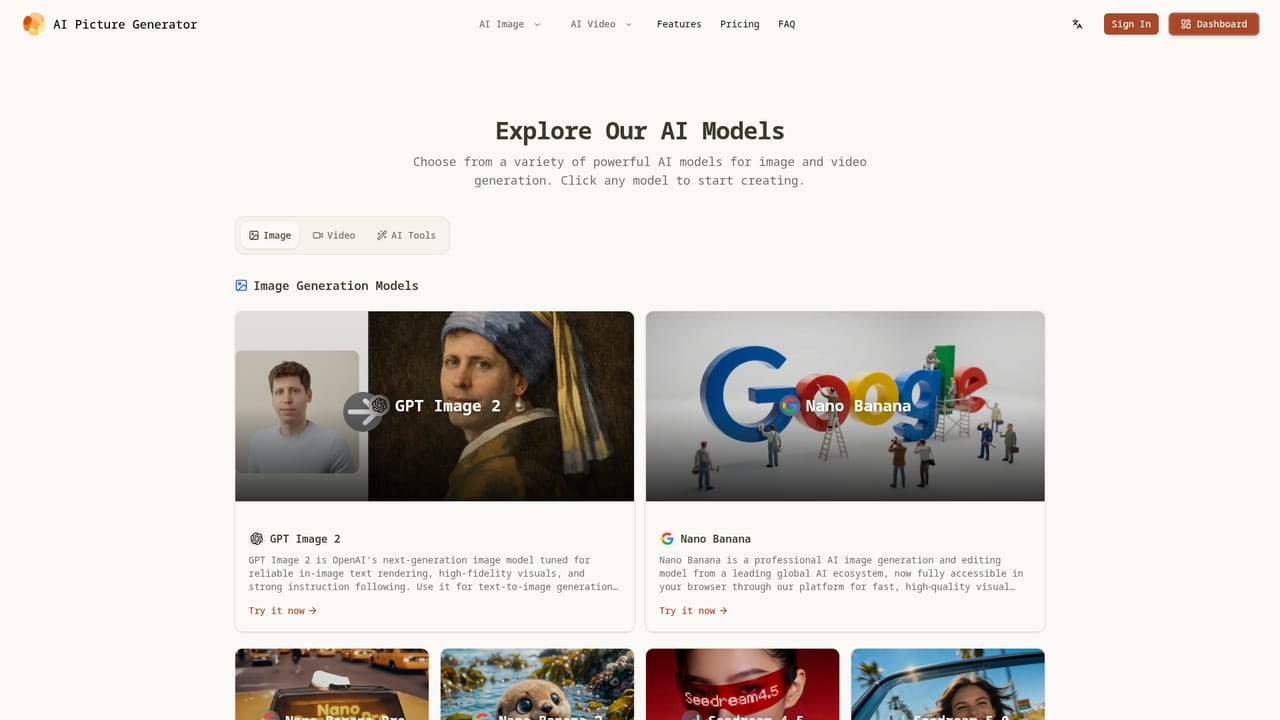
    Compare the available models and select a fast one for drafts or a quality one for final renders, then set the aspect ratio.
    AI Picture Generator — Pick a model, ratio and style
  4. 4Generate variations and refine
    Run a batch to get several candidates, choose the strongest, then use image-to-image to adjust lighting, style or background while keeping the structure.
  5. 5Export or animate the result
    Download the image in a common aspect ratio at high resolution, or turn it into a short video. The background remover can produce a transparent PNG first.
    AI Picture Generator — Export or animate the result

Pros and cons

Pros

  • Several models for photoreal, anime and illustration work, switchable without changing the workflowAI
  • Remixable gallery with shared prompts helps beginners skip writing prompts from scratchAI
  • Batch runs of two to four outputs per generation speed up A/B testing of ad creativesAI
  • Image-to-image keeps structure while changing style, lighting or background for product shotsAI
  • Paid plans include a commercial license, and failed generations are compensated under page rulesAI

Cons

  • Credit-based billing means costs rise quickly with heavy batch use or premium modelsAI
  • Editing is prompt driven, so there is no layer-based control for precise manual adjustmentsAI
  • Premium and unlimited model access is gated behind the higher-priced plansAI
  • Failure compensation is subject to page rules that the homepage does not spell outAI
  • The gallery leans on celebrity-inspired prompts, which may raise likeness and policy questions for commercial workAI

How much does AI Picture Generator cost?

Pricing

Three credit-based plans: Starter (3,600 credits), Standard (8,400) and Premium (18,000), with credits valid for one year. Annual billing lowers the monthly rate by 20 to 40 percent (about $15.9, $27.9 and $35.9 per month). One-time purchase, monthly and annual options are offered, and all plans include a commercial license.

Learn more

Support

Starter includes community support. Standard and Premium add email support with priority.

Features

Text-to-image, image-to-image, batch generation of 2 to 4 outputs, a multi-model library, a remixable prompt gallery, a background remover, image-to-video, a high quality mode, saved generation history and high-resolution export in common aspect ratios.

Learn more

Frequently asked questions about AI Picture Generator

  • How much does AI Picture Generator cost?
    Three credit-based plans: Starter (3,600 credits), Standard (8,400) and Premium (18,000), with credits valid for one year. Annual billing lowers the monthly rate by 20 to 40 percent (about $15.9, $27.9 and $35.9 per month). One-time purchase, monthly and annual options are offered, and all plans include a commercial license.
  • How do you use AI Picture Generator?
    The walkthrough on this page covers 5 steps: 1. Open the generator workspace 2. Browse the gallery for a proven setup 3. Pick a model, ratio and style 4. Generate variations and refine 5. Export or animate the result.
  • What platforms does AI Picture Generator support?
    AI Picture Generator is available on Web App.
  • What are the limitations of AI Picture Generator?
    Credit-based billing means costs rise quickly with heavy batch use or premium models. Editing is prompt driven, so there is no layer-based control for precise manual adjustments. Premium and unlimited model access is gated behind the higher-priced plans.

Status

StatusActive
Views0
Outbound clicks0
Added10/18/2026

Platforms

Web App

Pricing

PaidSubscription