AI Signature Generator Pro

AI toolkit to generate, edit and extract signatures as PNGs

Beginner
Screenshot of AI Signature Generator Pro, AI toolkit to generate, edit and extract signatures as PNGs

What is AI Signature Generator Pro?

AI Signature Generator Pro is a design tool. A web toolkit that uses AI to generate signatures from a name, edit them with text prompts, extract handwritten ones from photos, remove backgrounds and sign PDFs online. Outputs are transparent PNG images.

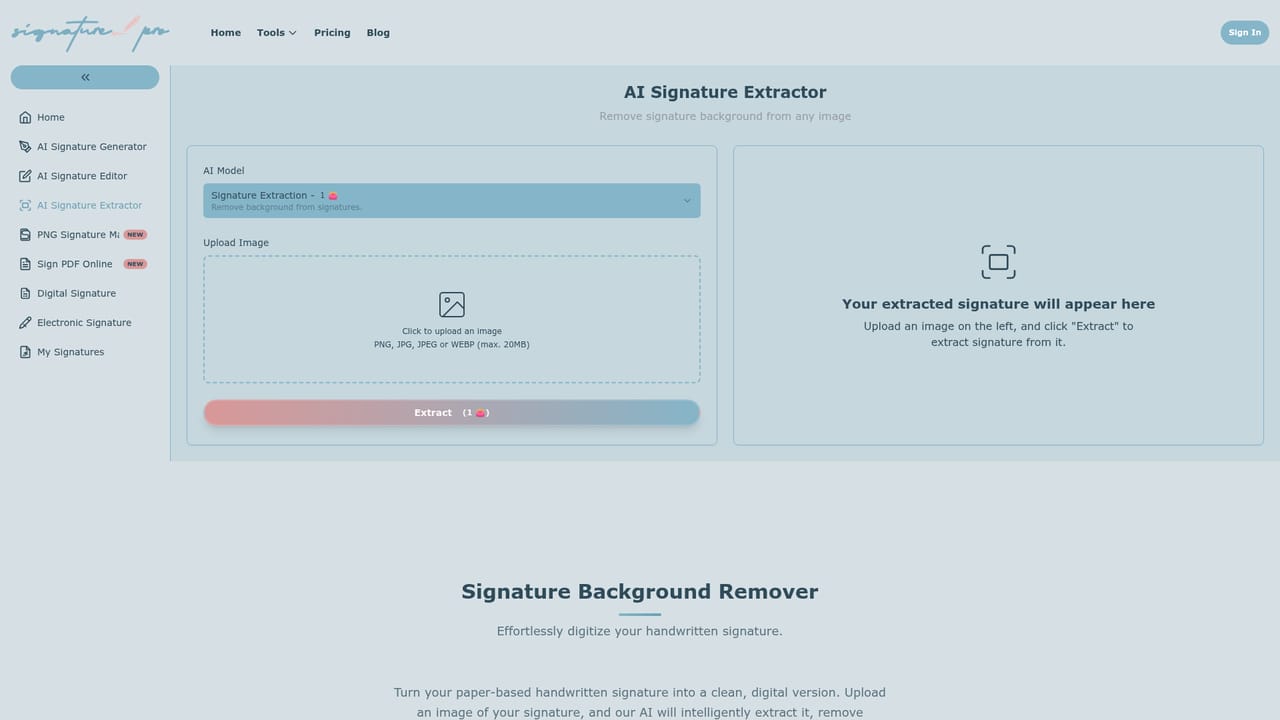
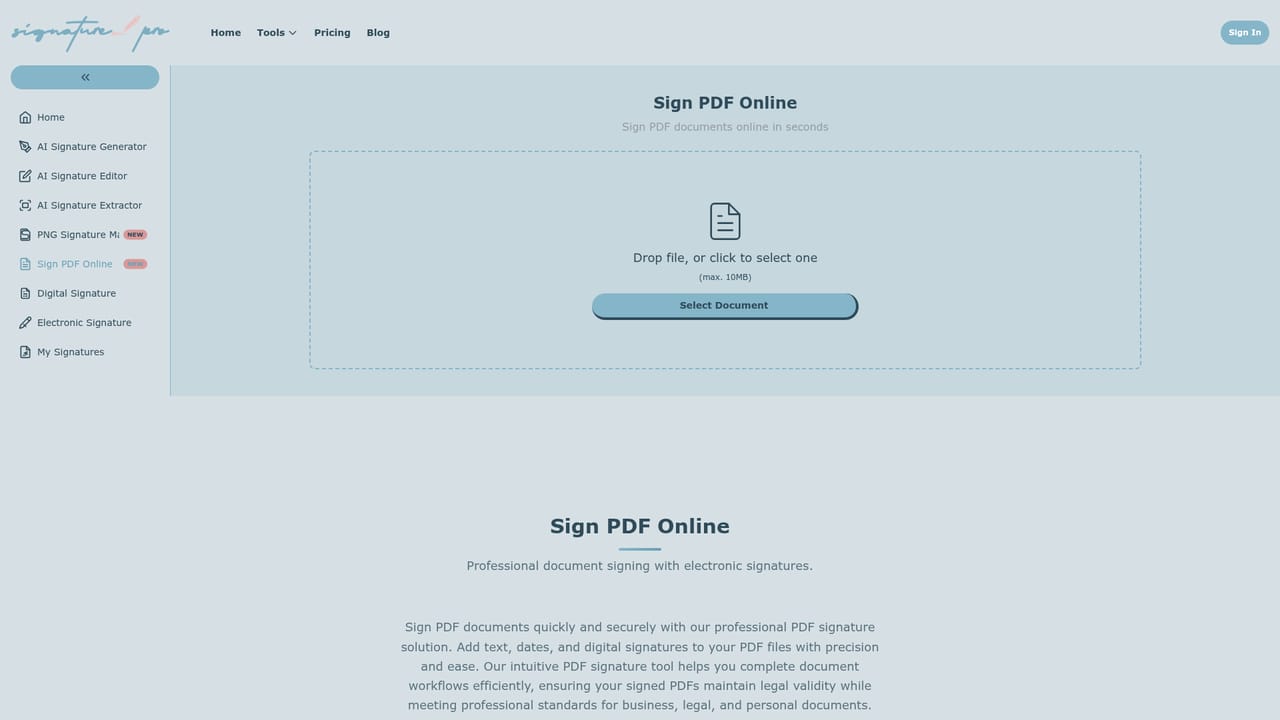
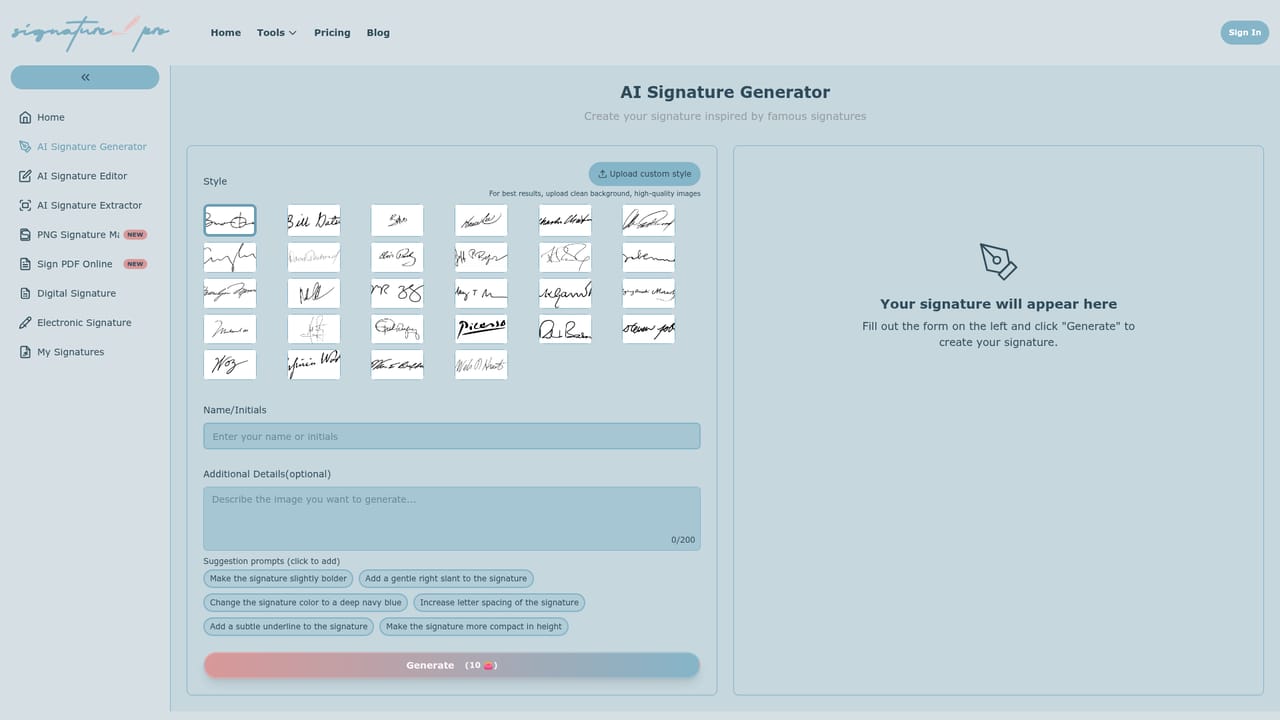
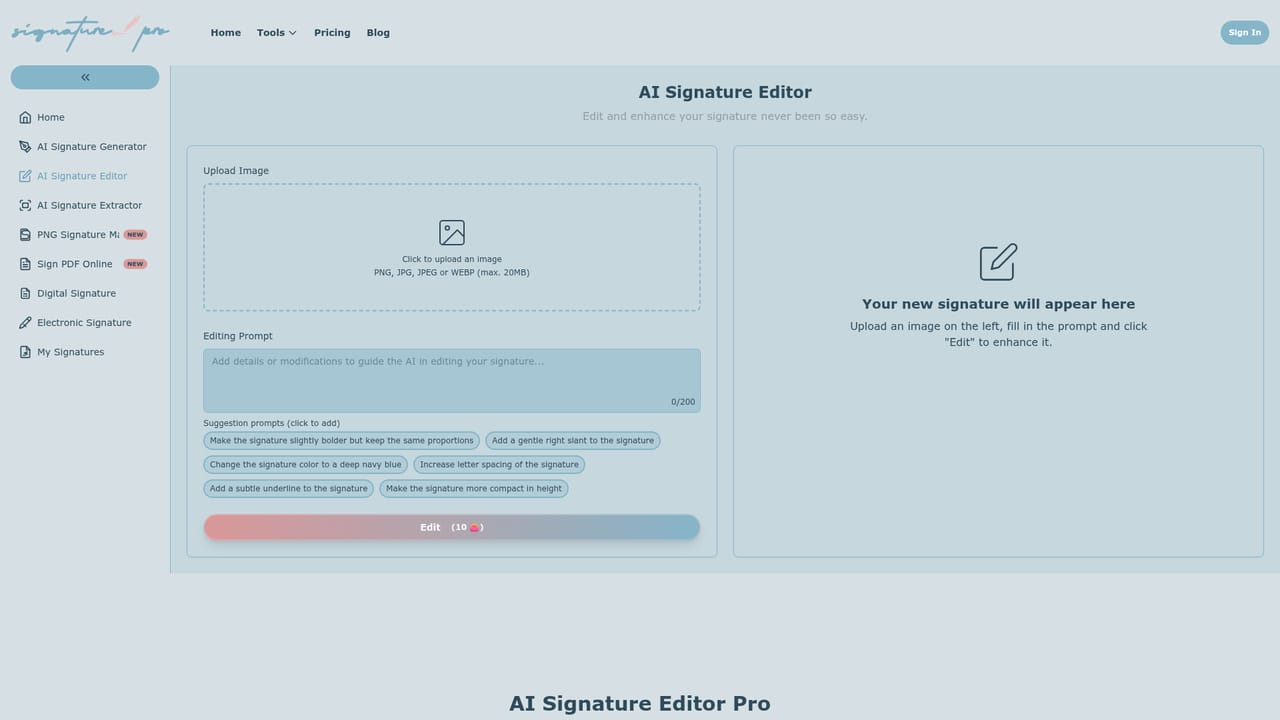
AI Signature Generator is a browser-based toolkit that bundles several signature tasks under one roof: creating a signature from a name or text prompt, editing an existing signature image, and pulling a handwritten signature out of a photo of a paper document. A free background remover for signature images and an online PDF signing page round out the set, along with a PNG signature maker that outputs transparent files. The generator takes a name or initials and produces several signature options in styles such as elegant, bold, cursive and artistic. The site positions this against plain font converters, claiming its trained models imitate the flow of real handwriting. Results can be regenerated and adjusted for size, color, style and font. The editor works from a text instruction: upload a signature image and ask for it to be thicker, more slanted or more elegant. The extractor accepts a clear photo of a signed page, detects the signature, strips the background and returns a clean transparent PNG. A gallery of famous signature styles is shown on the homepage as inspiration. The audience is wide: freelancers and office workers who need a signature image for contracts, emails and forms, small businesses standardizing how documents are signed, and anyone digitizing a paper signature. The Sign PDF Online page lets users add a signature, text and dates to a PDF in the browser without installing software. Downloads are usually images that can be dropped into word processors, PDF editors or email clients. Buyers should read the legal guidance carefully. The site states that the validity of an AI-generated signature depends on jurisdiction and document type, and that binding contracts should follow local e-signature law such as the ESIGN Act or eIDAS. It also says bulk generation is not offered. Among alternatives, it sits between simple signature font generators and full e-signature suites: it focuses on producing the signature artwork itself rather than managing signing workflows, audit trails or multi-party routing. A Pro plan is advertised for priority processing and faster results.
How do you use AI Signature Generator Pro?

  1. 1Open the signature generator
    Go to the AI Signature Generator page and enter your name or initials, along with a style preference such as cursive, bold or elegant.
    AI Signature Generator Pro — Open the signature generator
  2. 2Regenerate and adjust
    Review the options produced and regenerate until one fits, adjusting size, color, style and font as needed.
  3. 3Refine with the editor
    Upload the signature image to the AI Signature Editor and describe a change, for example make it thicker or add more slant.
    AI Signature Generator Pro — Refine with the editor
  4. 4Digitize a paper signature
    To use a real handwritten signature, upload a clear photo to the extractor, which removes the background and returns a transparent PNG.
    AI Signature Generator Pro — Digitize a paper signature
  5. 5Sign a PDF
    Open the Sign PDF page to add your signature, text and dates to a document in the browser, then download the result.
    AI Signature Generator Pro — Sign a PDF

Pros and cons

Pros

  • Covers generation, editing, extraction and background removal in one place, so one site handles most signature image tasksAI
  • Editor accepts plain-language instructions such as making a signature thicker or more slantedAI
  • Extractor turns a photo of a paper signature into a clean transparent PNGAI
  • Includes a free signature background remover and a browser-based PDF signing pageAI
  • States that signature data is not stored after download, which helps privacy-minded usersAI

Cons

  • No bulk signature generation, so each signature must be created one at a timeAI
  • Legal validity of AI-generated signatures varies by jurisdiction, so it may not suit binding contracts without checksAI
  • Not a full e-signature suite: no stated signing workflows, audit trails or multi-party routingAI
  • Priority processing and faster speeds sit behind a Pro upgrade, implying slower handling on the free tierAI
  • Security after signing depends on the document and platform used, not on this toolAI

How much does AI Signature Generator Pro cost?

Free trial

The homepage invites visitors to try the tools for free and offers a free background remover, but it does not describe a time-limited trial.

Learn more

Pricing

A free tier is available, including the free signature background remover. A Pro upgrade is offered for priority processing, faster speeds and premium quality results. Specific prices are not stated on the homepage.

Learn more

Support

The homepage names no support channel. Footer links point to a privacy policy and terms of service only.

Integrations

No integrations are listed. Signatures download as image files (such as transparent PNGs) that can be inserted into word processors, PDF editors or email clients.

Features

AI signature generation from a name or prompt in multiple styles, text-prompt signature editing, handwritten signature extraction from photos, signature background removal, transparent PNG output, and online PDF signing with signature, text and dates.

Frequently asked questions about AI Signature Generator Pro

  • How much does AI Signature Generator Pro cost?
    A free tier is available, including the free signature background remover. A Pro upgrade is offered for priority processing, faster speeds and premium quality results. Specific prices are not stated on the homepage.
  • Does AI Signature Generator Pro offer a free trial?
    The homepage invites visitors to try the tools for free and offers a free background remover, but it does not describe a time-limited trial.
  • How do you use AI Signature Generator Pro?
    The walkthrough on this page covers 5 steps: 1. Open the signature generator 2. Regenerate and adjust 3. Refine with the editor 4. Digitize a paper signature 5. Sign a PDF.
  • What platforms does AI Signature Generator Pro support?
    AI Signature Generator Pro is available on Web App.
  • What does AI Signature Generator Pro integrate with?
    No integrations are listed. Signatures download as image files (such as transparent PNGs) that can be inserted into word processors, PDF editors or email clients.
  • What are the limitations of AI Signature Generator Pro?
    No bulk signature generation, so each signature must be created one at a time. Legal validity of AI-generated signatures varies by jurisdiction, so it may not suit binding contracts without checks. Not a full e-signature suite: no stated signing workflows, audit trails or multi-party routing.

Status

StatusActive
Views0
Outbound clicks0
Added10/18/2026

Platforms

Web App

Pricing

Freemium