AI Video Generator by RenderFlow AI

One video studio, seven model variants, priced in credits per second.

Intermediate
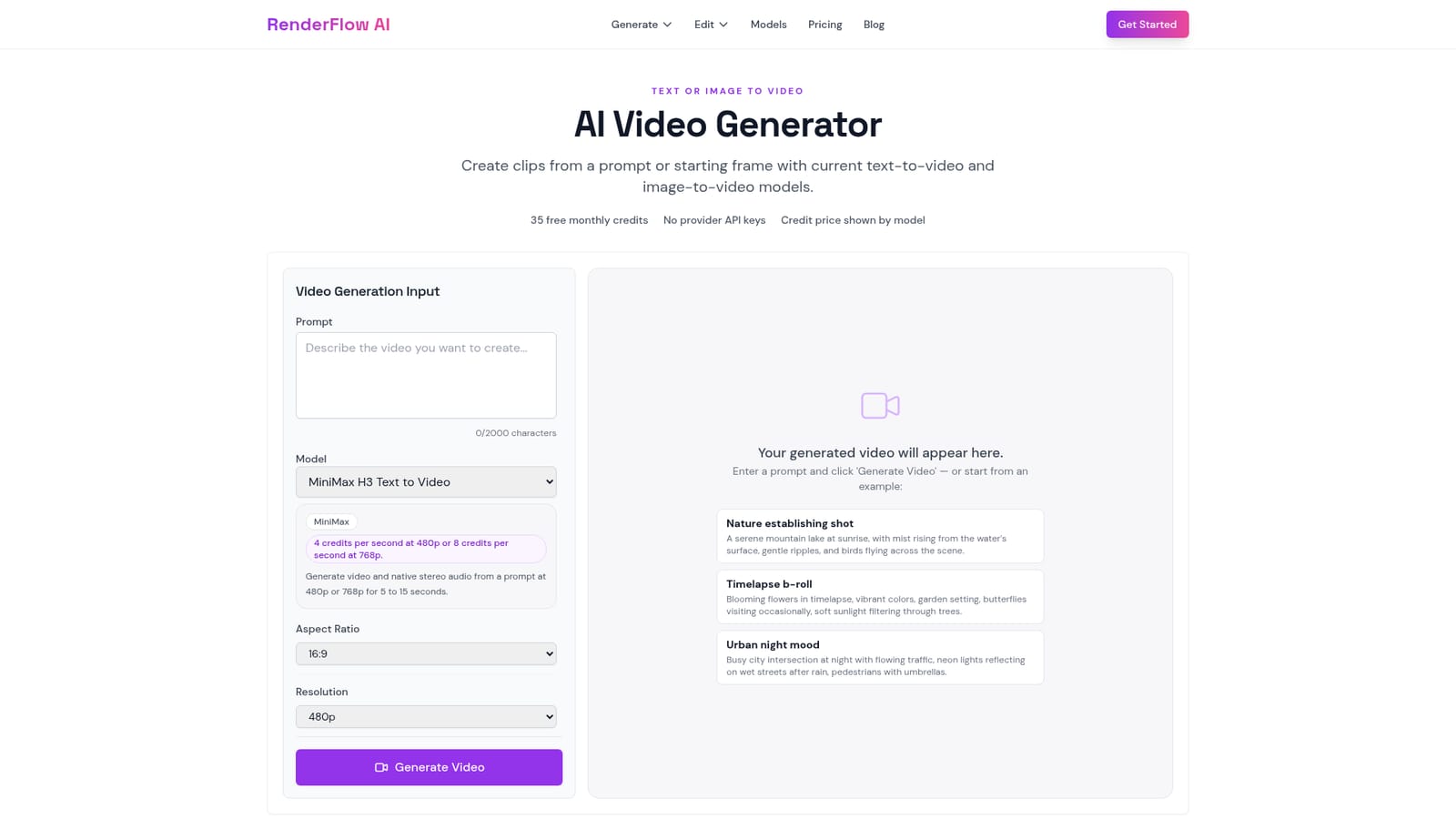
Screenshot of AI Video Generator by RenderFlow AI, One video studio, seven model variants, priced in credits per second

What is AI Video Generator by RenderFlow AI?

AI Video Generator by RenderFlow AI is a generative video tool. A multi-model video workspace that sends a prompt or a still image to MiniMax H3, Seedance 2.0, Wan 2.7 or Kling 3.0, with per-second credit pricing, aspect ratio options, seed control and native audio on several models.

RenderFlow AI's video generator is a single workspace that routes a prompt or a starting image into one of four model families: MiniMax H3, ByteDance Seedance 2.0, Alibaba Wan 2.7 and Kuaishou Kling 3.0. Each family is offered in text to video and image to video variants, so seven options sit behind the same form. MiniMax and Wan take a first frame and an optional last frame, which suits teams that need a shot to start and end on specific visuals. Seedance adds reference images and web search on top of its prompt, and pushes output as high as 4K. The practical difference between the models is duration, resolution, native audio and credit cost, and the site lays all four out in a comparison table. MiniMax H3 runs 5 to 15 seconds at 480p or 768p with native stereo audio, billed at 4 credits per second at the lower resolution and 8 at the higher one. Wan 2.7 goes to 1080p and longer clips, with audio guidance and prompt expansion, from 20 credits for 2 seconds. Seedance 2.0 starts at 40 credits for 4 seconds; Kling 3.0 starts at 34 credits for 3 seconds on text and 42 on image animation. Aspect ratios cover 16:9, 9:16, 1:1, 4:3, 3:4, 21:9 and 9:21, and a seed value keeps experiments repeatable. The tool is built for people who already know the shot they want: marketers producing product reveals and social ads, illustrators animating a still, concept artists blocking out storyboards, editors filling gaps with B-roll. Three example prompts are provided on the page, from a mountain lake establishing shot to a night intersection, and each model family has its own sample gallery with full prompts attached. Those examples are the most useful part of the page for calibration, since they show how much shot structure a prompt needs before the output holds together. Compared with committing to a single model vendor, RenderFlow's value is side by side access and a shared credit balance. The tradeoff is that quality is whatever the underlying model delivers on a given day, and the price ladder rewards short, low resolution drafts over finished footage.

How do you use AI Video Generator by RenderFlow AI?

  1. 1Pick your input type
    Decide whether the shot starts from words or from an existing image. Text to video suits open ended scenes, image to video suits consistency with a still you already have.
    AI Video Generator by RenderFlow AI — Pick your input type
  2. 2Choose a model family
    Select MiniMax for native audio at low credit cost, Wan for 1080p and longer clips, Seedance for references and 4K, or Kling for cinematic motion.
  3. 3Write the prompt and set parameters
    Describe the shot within the 2000 character limit, then set aspect ratio, resolution, duration and a seed if you want repeatable results. Example prompts are linked on the same page.
  4. 4Generate and review
    Run the job and check the result against your prompt. Adjust duration or resolution before re running, since credit cost scales with both.
  5. 5Track and top up credits
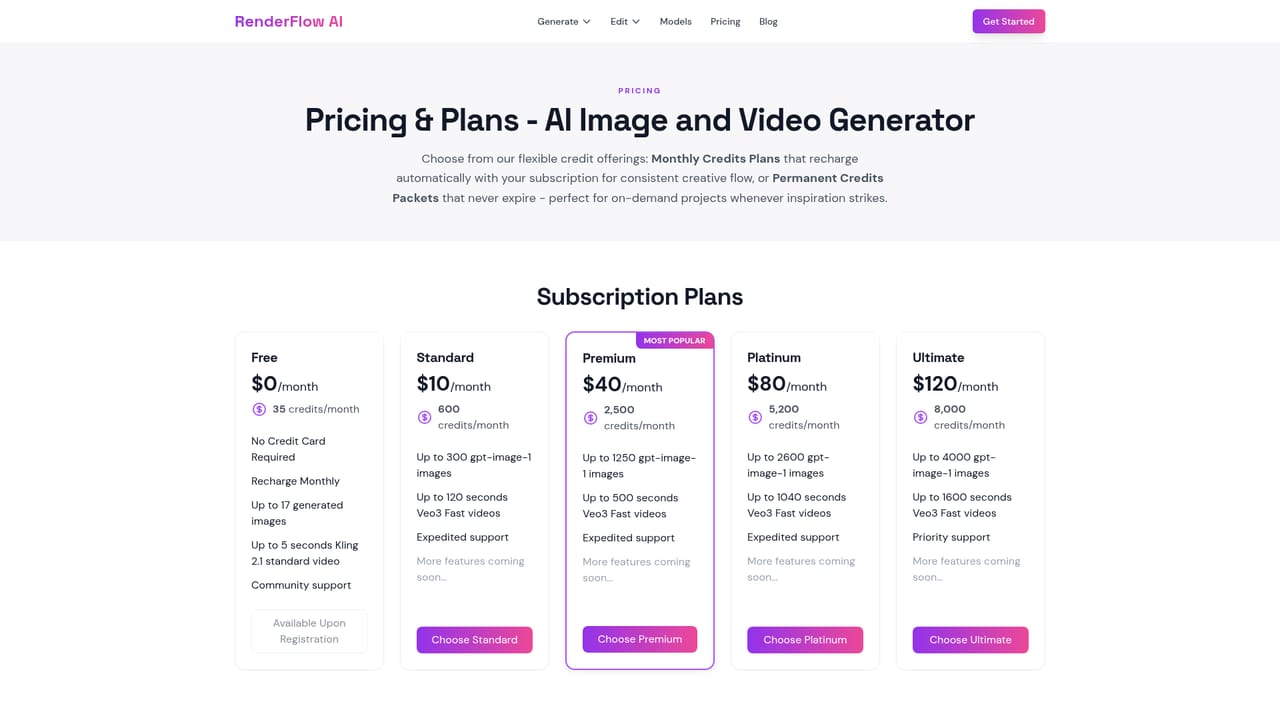
    Watch the balance as you iterate. The pricing page explains how RenderFlow packages credits for repeated generation.
    AI Video Generator by RenderFlow AI — Track and top up credits

Pros and cons

Pros

  • Seven model variants behind one form, so text to video and image to video can be compared without separate accountsAI
  • The model guide states duration, resolution, audio support and credit cost per family in a single tableAI
  • First and last frame targeting on MiniMax and Wan makes it usable for shots that must match existing footageAI
  • Prompt examples are published in full, including multi shot structure and sound cuesAI
  • Aspect ratios include vertical and ultra wide formats for social and cinematic outputAI

Cons

  • Credits burn fast at higher resolutions, so iterating on a 1080p clip gets expensive before it looks rightAI
  • No stated commercial licensing terms, watermark policy or ownership language on the pageAI
  • Model quality shifts with each provider release, and the listing gives no versioning or changelogAI
  • No visible timeline, clip stitching or audio mixing, so multi shot work needs a separate editorAI
  • Prompt length caps at 2000 characters, which is tight for the detailed multi beat prompts shown in the examplesAI

How much does AI Video Generator by RenderFlow AI cost?

Pricing

Credits are charged per second and vary by model and resolution: MiniMax H3 costs 4 credits per second at 480p and 8 at 768p, Wan 2.7 starts at 20 credits for 2 seconds, Kling 3.0 starts at 34 credits for 3 seconds, and Seedance 2.0 starts at 40 credits for 4 seconds.

Learn more

Features

Text to video and image to video across MiniMax H3, Seedance 2.0, Wan 2.7 and Kling 3.0. MiniMax and Wan support first and optional last frames. Seedance adds reference images, web search and output up to 4K. Wan delivers 720p and 1080p with audio guidance and prompt expansion. Native audio appears on MiniMax, Seedance and Wan. All models accept aspect ratios from 9:21 to 21:9, a duration setting and a seed value.

Frequently asked questions about AI Video Generator by RenderFlow AI

  • How much does AI Video Generator by RenderFlow AI cost?
    Credits are charged per second and vary by model and resolution: MiniMax H3 costs 4 credits per second at 480p and 8 at 768p, Wan 2.7 starts at 20 credits for 2 seconds, Kling 3.0 starts at 34 credits for 3 seconds, and Seedance 2.0 starts at 40 credits for 4 seconds.
  • How do you use AI Video Generator by RenderFlow AI?
    The walkthrough on this page covers 5 steps: 1. Pick your input type 2. Choose a model family 3. Write the prompt and set parameters 4. Generate and review 5. Track and top up credits.
  • What platforms does AI Video Generator by RenderFlow AI support?
    AI Video Generator by RenderFlow AI is available on Web App.
  • What are the limitations of AI Video Generator by RenderFlow AI?
    Credits burn fast at higher resolutions, so iterating on a 1080p clip gets expensive before it looks right. No stated commercial licensing terms, watermark policy or ownership language on the page. Model quality shifts with each provider release, and the listing gives no versioning or changelog.

Status

StatusActive
Views0
Outbound clicks0
Added10/21/2026

Platforms

Web App

Pricing

FreemiumSubscription