PixVerse AI

Turn a prompt or a photo into a short video or still image in seconds.

Beginner API
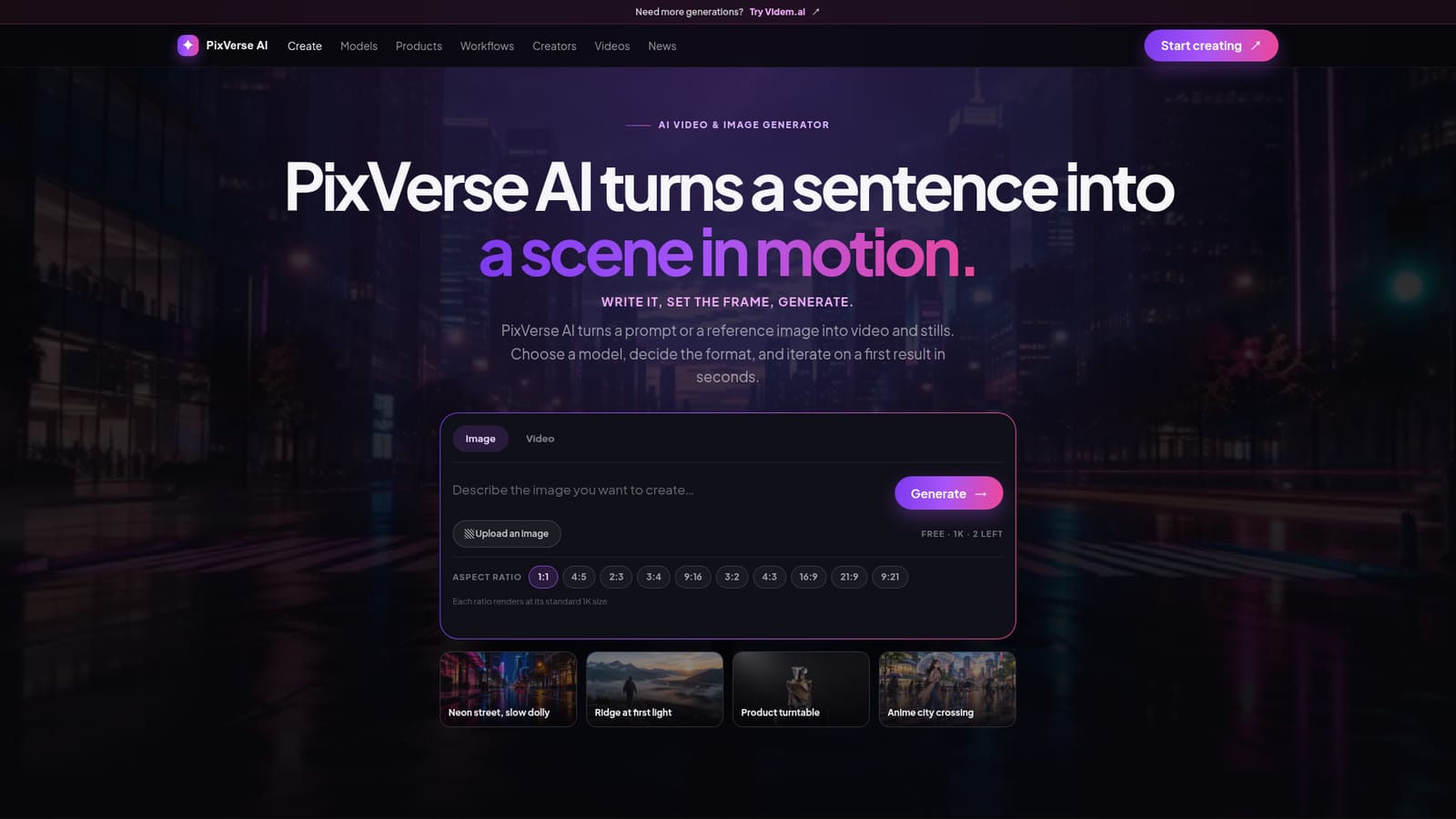
Screenshot of PixVerse AI, Turn a prompt or a photo into a short video or still image in seconds

What is PixVerse AI?

PixVerse AI is a generative image tool that turns a prompt or a photo into a short video or still image in seconds. PixVerse AI generates video clips and still images from text prompts or reference photos, with separate models tuned for general shots, character consistency, and realistic camera motion.

PixVerse AI is a browser based studio that converts a written prompt or a reference image into video clips or still frames. A person picks an image or video mode, sets an aspect ratio, and generates a first result that can be refined by adjusting the instruction that mattered most. The platform organizes its models by job: V6 handles general prompt to video and image to video work, C1 keeps a recurring character, product, or mascot consistent across scenes, and R1 focuses on realistic camera movement and physical motion. The tool is built for people who need a fast first pass on a visual idea rather than a full production pipeline: solo creators testing a concept, marketers building a campaign across several aspect ratios, and small teams that want one shared place for prompts, references, and approved cuts. Beyond the single generator, PixVerse AI offers four working modes. Agent turns a plain language brief into a shot list and a set of generated frames. Marketing Hub reframes one concept into vertical, square, and wide cuts for different placements. Canvas lets a user lay out frames and prompt versions side by side before committing to another render. A CLI mode exposes the same models to a terminal or build script for teams that want generation wired into an existing pipeline. In practice, a session starts with text or an uploaded image, a chosen aspect ratio from square to ultra wide, and a generate action that returns a result in seconds, with daily free generations capped and a quick verification check before each free render. For teams, shared workspaces, role based access, saved brand direction, and a review step before release are built in. Among generative video and image tools, PixVerse AI positions itself around model choice and workflow breadth rather than a single one size fits all generator, which suits people who want to compare approaches before settling on a final shot.
How do you use PixVerse AI?

  1. 1Choose image or video mode
    Pick whether the first generation should be a still image or a video clip before entering a prompt.
    PixVerse AI — Choose image or video mode
  2. 2Write a prompt or upload a reference image
    Describe the subject, setting, and a single camera move, or upload a photo to hold the subject while the prompt drives what changes.
  3. 3Set the aspect ratio
    Select a ratio such as 9:16 for short form vertical, 1:1 for feeds, 16:9 for landscape, or 21:9 for a wide cinematic frame.
  4. 4Pick a model for the shot
    Use V6 for a general first pass, switch to C1 when a character or product needs to stay recognisable, or choose R1 when camera movement is the point.
  5. 5Generate and review the result
    Complete the quick verification check, let the render finish, then review the output for drift before adding more motion or refining the prompt.
  6. 6Explore team workflows for larger projects
    For campaigns or recurring work, try Agent for brief driven generation, Marketing Hub for multi placement cuts, or Canvas to compare versions before rendering again.

Pros and cons

Pros

  • Three distinct models let a user match the tool to the job: general shots, character consistency, or realistic motionAI
  • Supports both prompt only and reference image workflows, including image to video and restyleAI
  • Four working modes (Agent, Marketing Hub, Canvas, CLI) cover solo clips through pipeline integrationAI
  • Team features include shared workspace, role based access, saved brand direction, and a review step before releaseAI

Cons

  • Free generations are capped per day and require a verification check before each render startsAI
  • No concrete pricing tiers or paid plan details are published on the homepageAI
  • Commercial usage rights are described as depending on the plan, with no specifics stated upfrontAI
  • No mobile or desktop apps are mentioned, so work is limited to the web interfaceAI
  • No named third party integrations are listed beyond a generic CLI for pipeline useAI

How much does PixVerse AI cost?

Pricing

The homepage shows a free generation tier marked with a daily limit that resets at 00:00 UTC, gated by a short verification check. No paid plan pricing or tier breakdown is published on the page itself.

Learn more

Integrations

A CLI mode allows calling the same generation models from a terminal or build script so renders can run on a schedule or inside an existing asset pipeline.

Features

Generates video and still images from text prompts or reference photos, with V6, C1, and R1 models for general shots, character consistency, and realistic motion. Offers Agent briefs, Marketing Hub multi format cuts, a Canvas for comparing versions, and a CLI for pipeline use, plus team workspace, roles, and brand direction tools.

Frequently asked questions about PixVerse AI

  • How much does PixVerse AI cost?
    The homepage shows a free generation tier marked with a daily limit that resets at 00:00 UTC, gated by a short verification check. No paid plan pricing or tier breakdown is published on the page itself.
  • Does PixVerse AI have an API?
    Yes, PixVerse AI offers an API.
  • How do you use PixVerse AI?
    The walkthrough on this page covers 6 steps: 1. Choose image or video mode 2. Write a prompt or upload a reference image 3. Set the aspect ratio 4. Pick a model for the shot 5. Generate and review the result 6. Explore team workflows for larger projects.
  • What platforms does PixVerse AI support?
    PixVerse AI is available on Web App.
  • What does PixVerse AI integrate with?
    A CLI mode allows calling the same generation models from a terminal or build script so renders can run on a schedule or inside an existing asset pipeline.
  • What are the limitations of PixVerse AI?
    Free generations are capped per day and require a verification check before each render starts. No concrete pricing tiers or paid plan details are published on the homepage. Commercial usage rights are described as depending on the plan, with no specifics stated upfront.

Status

StatusActive
Views0
Outbound clicks0
Added10/15/2026

Platforms

Web App

Pricing

FreeFreemium