PaletteBrain

ChatGPT shortcuts for every app on your Mac, paid once.

Beginner
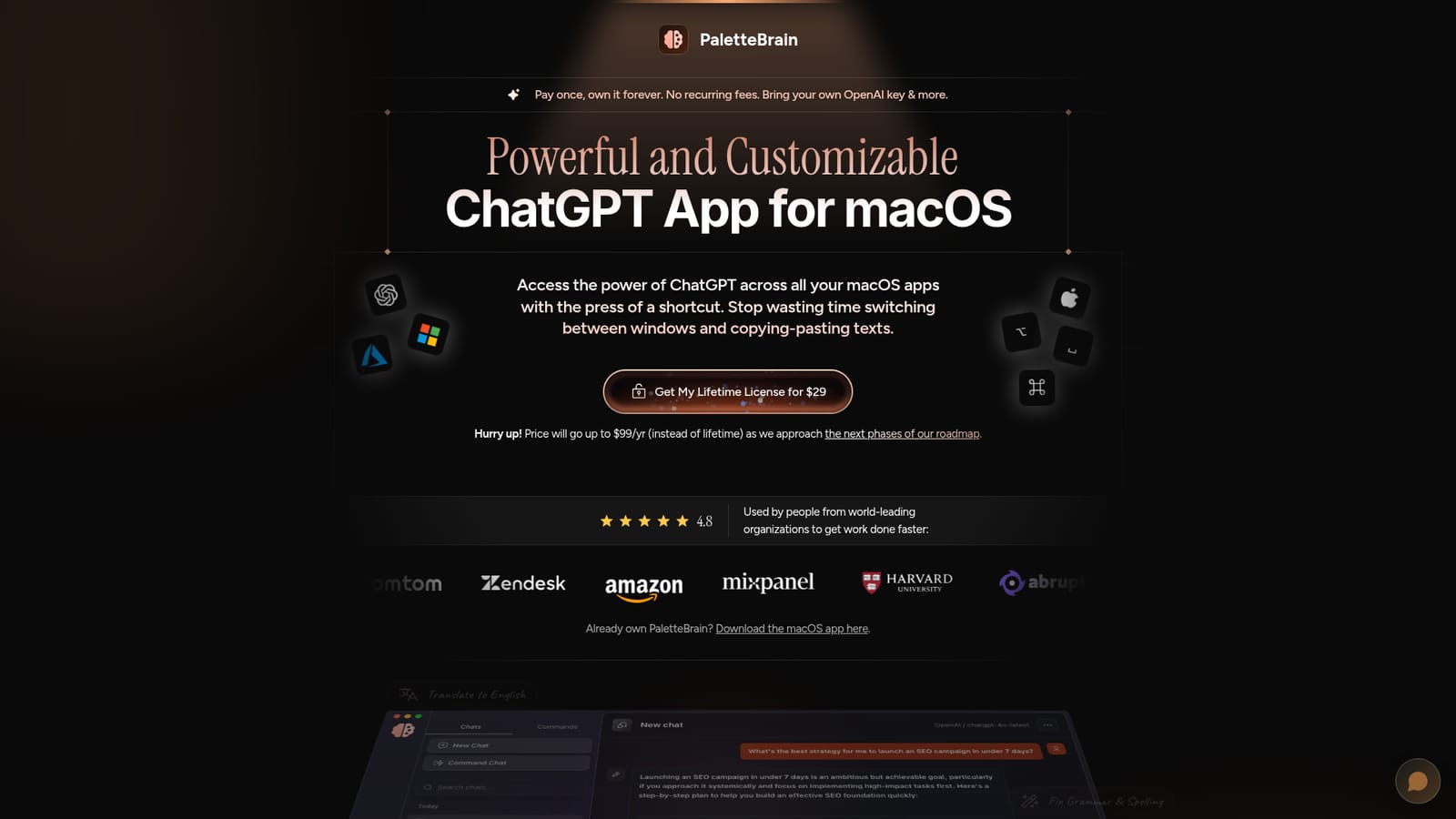
Screenshot of PaletteBrain, ChatGPT shortcuts for every app on your Mac, paid once

What is PaletteBrain?

PaletteBrain is a ChatGPT overlay tool. A macOS command palette that applies ChatGPT actions to selected text in any app or website, using your own OpenAI or Azure key and custom shortcut-bound prompts, sold as a one-time $29 license with no recurring app fee.

PaletteBrain is a macOS utility that puts a ChatGPT command palette on top of every application and website on your machine, triggered with the Option plus Space keyboard shortcut. Selected text is sent to the AI model as context, and the reply can be pasted straight back into the app you were working in with Command plus Shift plus Return. The point is to remove the copy, switch window, paste, copy, switch back loop that normally comes with using a chat assistant alongside real work in Notion, Google Docs, Slack, Discord, Gmail or any other Mac app. Beyond the default actions (fix grammar and spelling, translate to English, summarize to bullet points, convert to blog post), the app lets you build custom commands in seconds. Each command carries its own prompt and model settings, including a creativity control, and can be bound to a keyboard shortcut so a repeated writing, coding or rewriting task becomes one keystroke. A separate palette shortcut opens the command library, and conversations are stored in a dashboard you can clear permanently. PaletteBrain does not resell model access. Users connect their own OpenAI key, and the homepage also describes running models through Microsoft Azure OpenAI for faster infrastructure or experimental models. The developer positions this as privacy between the computer and the chosen provider, and as a cost play: the comparison table sets the $29 lifetime license plus an average base OpenAI cost of under $2 a month against separate subscriptions for Grammarly Pro, DeepL, Raycast Pro, Jasper, ChatGPT Plus and Notion AI. It suits founders, writers, marketers, developers and support staff who already live inside a handful of Mac apps and want AI inline rather than in another browser tab. The tradeoffs are real: macOS only, no web or mobile client, no bundled model credits, and a one-time price the vendor says will move to an annual $99 model in a later roadmap phase.

How do you use PaletteBrain?

  1. 1Buy the lifetime license
    Pick up the one-time license from the pricing section on the homepage before the announced move to annual pricing. Keep the receipt, since it covers the download.
    PaletteBrain — Buy the lifetime license
  2. 2Download and install the macOS app
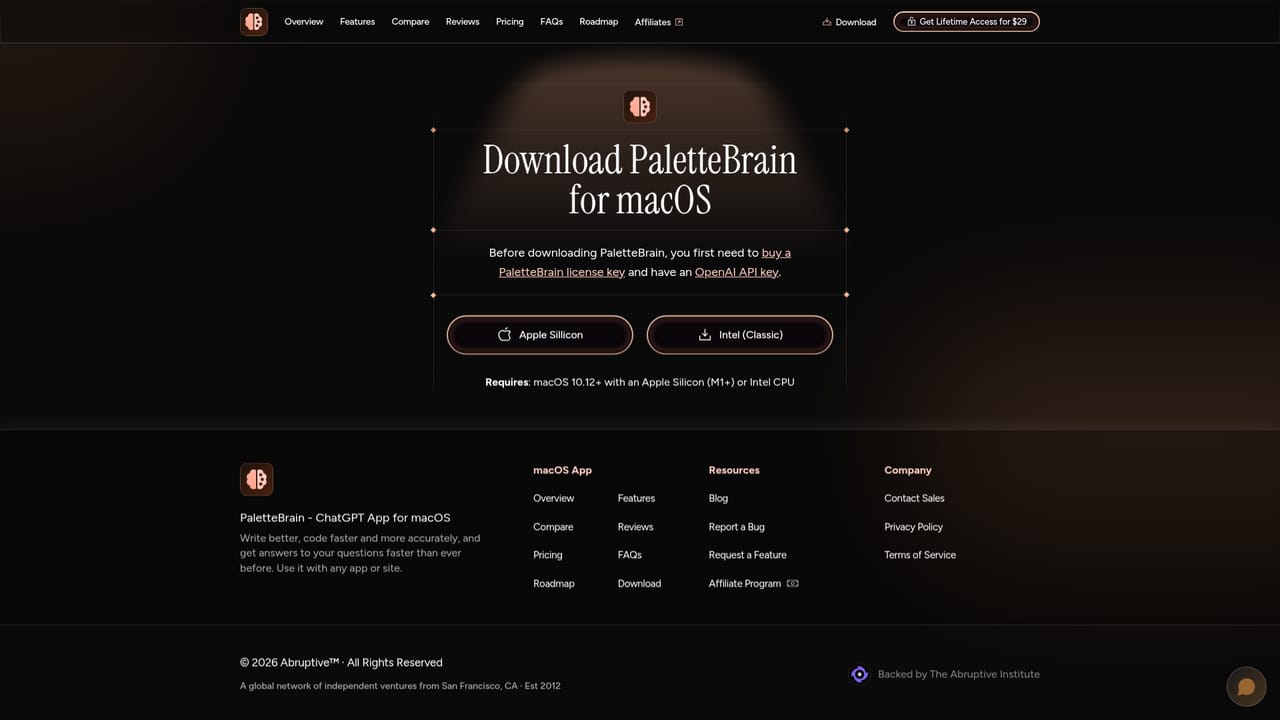
    Grab the macOS build from the download page and install it. It sits in the background rather than in a main window.
    PaletteBrain — Download and install the macOS app
  3. 3Connect your OpenAI or Azure key
    Add your own OpenAI API key in the app settings, or swap in a Microsoft Azure OpenAI key if you want dedicated infrastructure or experimental models.
  4. 4Run your first command on selected text
    Highlight text in any Mac app, press Option plus Space to open the command palette, and run a built-in command such as fix grammar or summarize to bullet points.
  5. 5Paste the reply into the original app
    Press Command plus Shift plus Return to drop the last AI reply back into the app you started from, without switching windows.
  6. 6Create a custom command and bind a shortcut
    Open the command palette with Control plus Command plus Space, define your own prompt and model settings, then assign a keyboard shortcut for repeat use.

Pros and cons

Pros

  • Works on selected text in any Mac app or site, with a paste-back shortcut for the last replyAI
  • Custom commands store your own prompts, model choice and creativity settings and can be bound to shortcutsAI
  • No app subscription: one license plus pay-as-you-go OpenAI usage, which the site estimates under $2 a monthAI
  • Optional Microsoft Azure OpenAI connection for dedicated infrastructure and experimental modelsAI
  • Conversation history is kept in one dashboard and can be deleted permanently, and the app runs quietly in the backgroundAI

Cons

  • macOS only, with no Windows, web or mobile version for people working across devicesAI
  • Requires an OpenAI or Azure API key and separate billing, so the total cost is variable rather than truly fixedAI
  • Pasting replies back is a manual keystroke step, not automatic insertion into the target fieldAI
  • The $29 lifetime price is explicitly temporary and the roadmap points to an annual $99 planAI
  • Homepage claims about privacy and model freshness have no published documentation or independent security review to verify themAI

How much does PaletteBrain cost?

Pricing

One-time lifetime license at $29 for the macOS app, with no recurring app subscription. Model usage is billed separately by OpenAI (or Azure) on your own key; the site estimates an average base OpenAI cost below $2 per month. The vendor states the price will change to $99 per year instead of lifetime as the roadmap advances.

Learn more

Integrations

Works with any macOS app or website, with Notion, Google Docs, Slack, Discord and Gmail named as examples. Model access comes through your own OpenAI API key or Microsoft Azure OpenAI, swapped in the app settings.

Features

Command palette (Option plus Space) that applies AI actions to highlighted text in any Mac app or website, with a shortcut to paste the last reply back. Built-in commands cover grammar fixes, translation to English, bullet summaries and blog post conversion, and you can create custom commands with your own prompt, model choice and creativity level, each bindable to a shortcut. Includes a conversation dashboard with permanent deletion and support for OpenAI or Microsoft Azure OpenAI keys.

Frequently asked questions about PaletteBrain

  • How much does PaletteBrain cost?
    One-time lifetime license at $29 for the macOS app, with no recurring app subscription. Model usage is billed separately by OpenAI (or Azure) on your own key; the site estimates an average base OpenAI cost below $2 per month. The vendor states the price will change to $99 per year instead of lifetime as the roadmap advances.
  • How do you use PaletteBrain?
    The walkthrough on this page covers 6 steps: 1. Buy the lifetime license 2. Download and install the macOS app 3. Connect your OpenAI or Azure key 4. Run your first command on selected text 5. Paste the reply into the original app 6. Create a custom command and bind a shortcut.
  • What platforms does PaletteBrain support?
    PaletteBrain is available on MacOS.
  • What does PaletteBrain integrate with?
    Works with any macOS app or website, with Notion, Google Docs, Slack, Discord and Gmail named as examples. Model access comes through your own OpenAI API key or Microsoft Azure OpenAI, swapped in the app settings.
  • What are the limitations of PaletteBrain?
    macOS only, with no Windows, web or mobile version for people working across devices. Requires an OpenAI or Azure API key and separate billing, so the total cost is variable rather than truly fixed. Pasting replies back is a manual keystroke step, not automatic insertion into the target field.

Status

StatusActive
Views0
Outbound clicks0
Added10/21/2026

Platforms

MacOS

Pricing

Paid