Pricing
A single photo costs $3.99 (shown as a limited-time price against $7.99), paid once with no subscription. Packs: 3 photos $10.49, 5 for $16.99, 10 for $31.99, 20 for $59.99 and 50 for $139.65. A greeting is included.
Learn morePay-once web tool that restores old photos and animates them
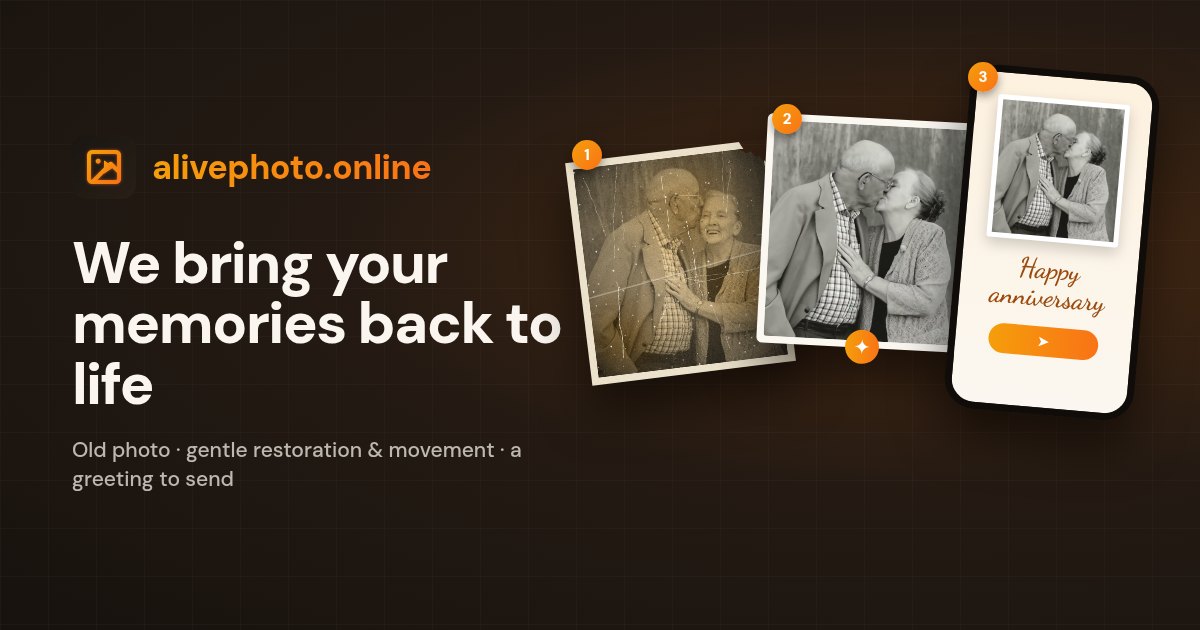
Alive Photo is a no-signup web service that restores old or faded photos and animates them into a short video of about three seconds. It charges per photo ($3.99) instead of a subscription and includes a shareable greeting card.
Alive Photo is a web service that turns a still photograph into a short animated video. A user uploads a JPG, PNG, HEIC or WebP image, the AI analyzes facial landmarks (the site cites 68+), and the service produces a clip of about three seconds with natural movement such as a glance or a smile. No account or registration is required, and the whole flow runs in the browser. The product is aimed at ordinary people rather than video professionals. Its main audience is families who want to animate old prints of parents, grandparents or children, including black and white, scratched or faded pictures. The homepage says such photos are gently restored before they are animated, and that a phone snapshot of a printed photo is enough as input. Other stated uses include gifts, memorial videos, creative projects such as presentations, and holiday or birthday greetings. Portraits, group photos and pets are listed as supported subjects. In practice the process has three steps: pick a photo (up to 10 MB), wait roughly a minute for the video, then download the MP4 or send it as a greeting. The greeting feature builds a shareable page with a personal message, deliverable by link, QR code or common messaging apps, and it is included with every video at no extra charge. Users can delete their photo and video at any time in one click. Pricing is per creation instead of a subscription: a single photo is $3.99 (shown as a limited-time price against $7.99), with discounted photo packs for larger batches. That makes it a different proposition from subscription-based AI video generators and general photo editors, which offer broader controls but more setup. Alive Photo is narrower by design. The site is candid about limits: results are best with clear, well-lit, front-facing faces, occluded or low-resolution faces may show artifacts, and clip length is fixed. It suits occasional, sentimental use better than production work.
A single photo costs $3.99 (shown as a limited-time price against $7.99), paid once with no subscription. Packs: 3 photos $10.49, 5 for $16.99, 10 for $31.99, 20 for $59.99 and 50 for $139.65. A greeting is included.
Learn moreSupport is by email contact form, with replies usually within a few hours. The site also offers guides on animating old photos, memorial videos, costs and colorizing.
Animates portraits, group photos, pets and black and white images into roughly 3-second videos. Restores old prints first, adds colour automatically, and supports JPG, PNG, HEIC and WebP. Includes a greeting card creator with custom text and QR codes, and one-click data deletion.
 AI Angels400+ customizable AI girlfriends for NSFW chat, voice calls, and roleplay
 Candy AIExperience the future of companionship with AI friends who chat, role-play, and connect with you on a human level.
 ourdream.aiA vast AI roleplay platform with millions of characters for chat, images, video and voiceAI Angels400+ customizable AI girlfriends for NSFW chat, voice calls, and roleplayCandy AIExperience the future of companionship with AI friends who chat, role-play, and connect with you on a human level.ourdream.aiA vast AI roleplay platform with millions of characters for chat, images, video and voice


