Pricing
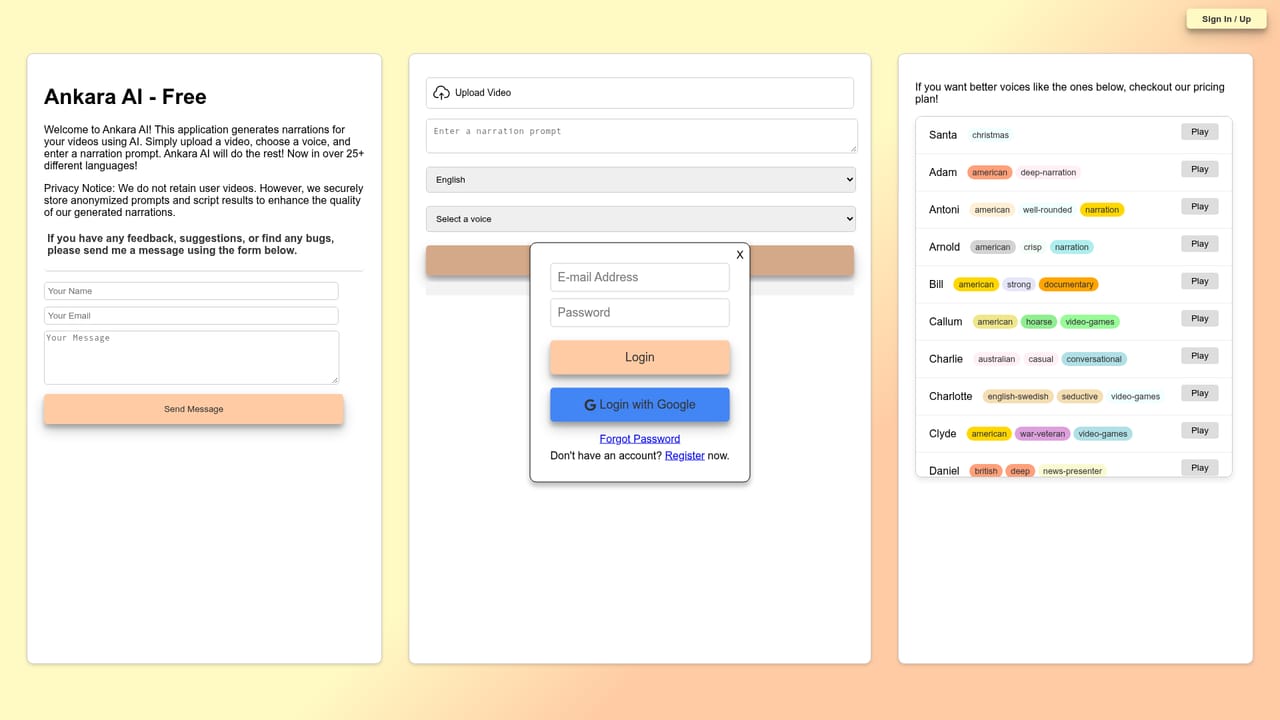
The tool launches as Ankara AI Free with five voices. The homepage states that better voices require a paid plan and links to a pricing option, but no prices, tiers or limits are shown on the landing page.
Learn moreUpload a video, pick a voice, get an AI narration script read aloud.

Ankara is an AI narration tool. Ankara AI generates narration and commentary audio for uploaded videos. Choose from over 25 languages, write a prompt describing the tone, and pick a voice: five are free, around forty more sit behind the paid plan.
Ankara AI is a web tool that turns an uploaded video into a spoken narration or commentary track. The workflow is deliberately short: the user uploads a clip, chooses a language and a voice, and writes a prompt describing the kind of narration wanted. The service generates the narration and returns it as audio, which the user can then lay over the original footage. The homepage names sports commentary for soccer or NBA games, voiceovers for TV advertisements, and general narration for video content as its target applications, and the interface supports more than 25 languages including English, Arabic, Chinese, Hindi, Spanish, Tamil, Turkish and Ukrainian. In practice the prompt is where most of the creative control sits. Rather than transcribing whatever is on screen, Ankara writes an original script from the brief, so a highlight reel can be framed as a broadcast recap, an ad cut can be pitched as a warm product read, or a documentary segment can take a drier reporter tone. Language and voice are selected separately, which means the same footage can be repackaged for several audiences without re-editing the video itself. The free tier offers five voices (Fable, Alloy, Onyx, Nova and Shimmer). A paid tier unlocks a much larger voice library of roughly forty named presets, each with an accent, timbre and style tag: a deep American documentary read, a raspy British narrator, a calm meditation voice, a whisper for ASMR, a ground reporter for news, a casual Australian conversationalist, and many gaming and animation variants. That catalogue starts to matter for anyone doing character work or matching an existing brand voice. Ankara sits between a plain text to speech service and a full video production suite. It does not edit footage, so it suits creators who already have a finished cut and want a voiceover generated from a written brief rather than typed line by line. The site states that uploaded videos are not retained, while anonymised prompts and script results are stored to improve the model. Feedback is collected through a form on the homepage.
The tool launches as Ankara AI Free with five voices. The homepage states that better voices require a paid plan and links to a pricing option, but no prices, tiers or limits are shown on the landing page.
Learn moreSupport is handled through a feedback form on the homepage for comments, suggestions and bug reports. The site also publishes a privacy notice covering video retention and stored prompts.
Upload a video, choose one of 25+ languages and a voice, then enter a prompt describing the narration or commentary. Ankara writes the script and produces the audio. The free tier carries five voices; the paid plan opens a catalogue of around forty named presets tagged by accent and style, covering news, documentary, audiobook, gaming, animation and ASMR reads.
 AI Angels400+ customizable AI girlfriends for NSFW chat, voice calls, and roleplay
 Candy AIExperience the future of companionship with AI friends who chat, role-play, and connect with you on a human level.
 ourdream.aiA vast AI roleplay platform with millions of characters for chat, images, video and voiceAI Angels400+ customizable AI girlfriends for NSFW chat, voice calls, and roleplayCandy AIExperience the future of companionship with AI friends who chat, role-play, and connect with you on a human level.ourdream.aiA vast AI roleplay platform with millions of characters for chat, images, video and voice


