Free trial
A free tier is offered alongside a Try for Free option that requires no credit card. The homepage does not state whether paid plans include a separate trial period.
Learn moreEdit video by editing text, not timelines

Vrew is an AI narration tool that edits video by editing text, not timelines. A desktop AI video editor that works like a word processor: edit the transcript to cut footage, regenerate speech in the original voice, strip silences automatically, and generate voiceovers, images and scripts in one place.
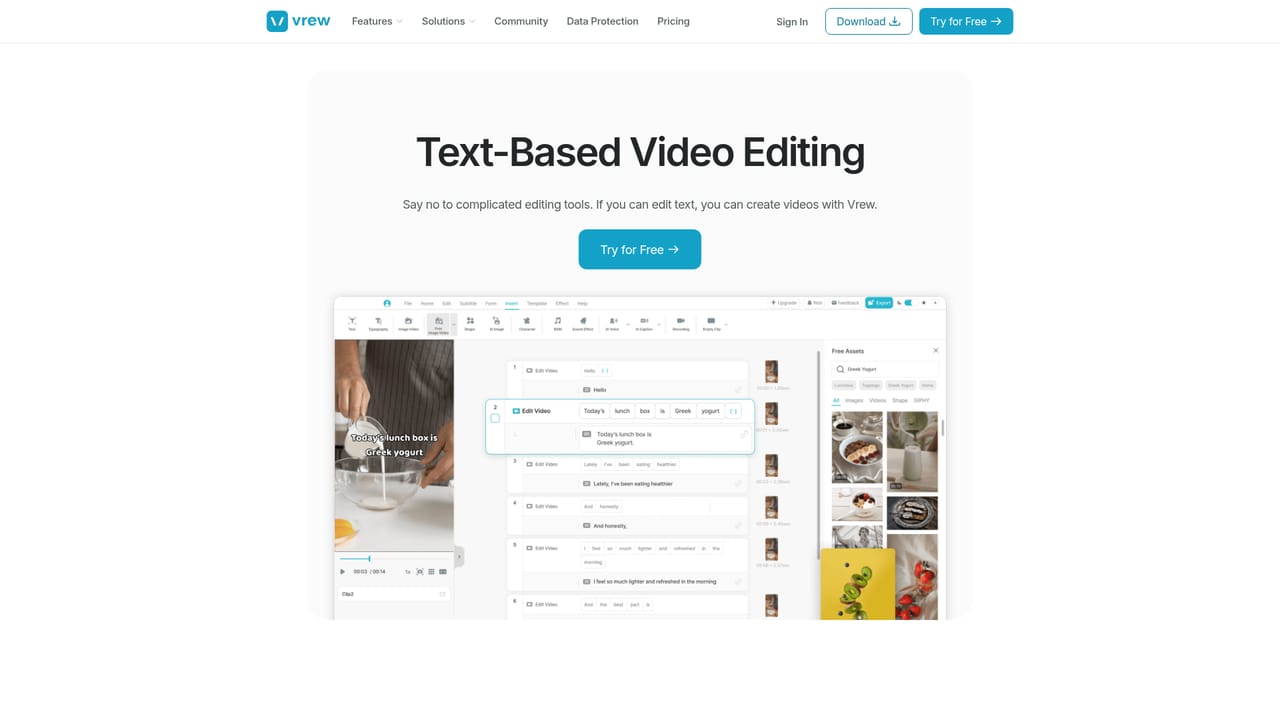
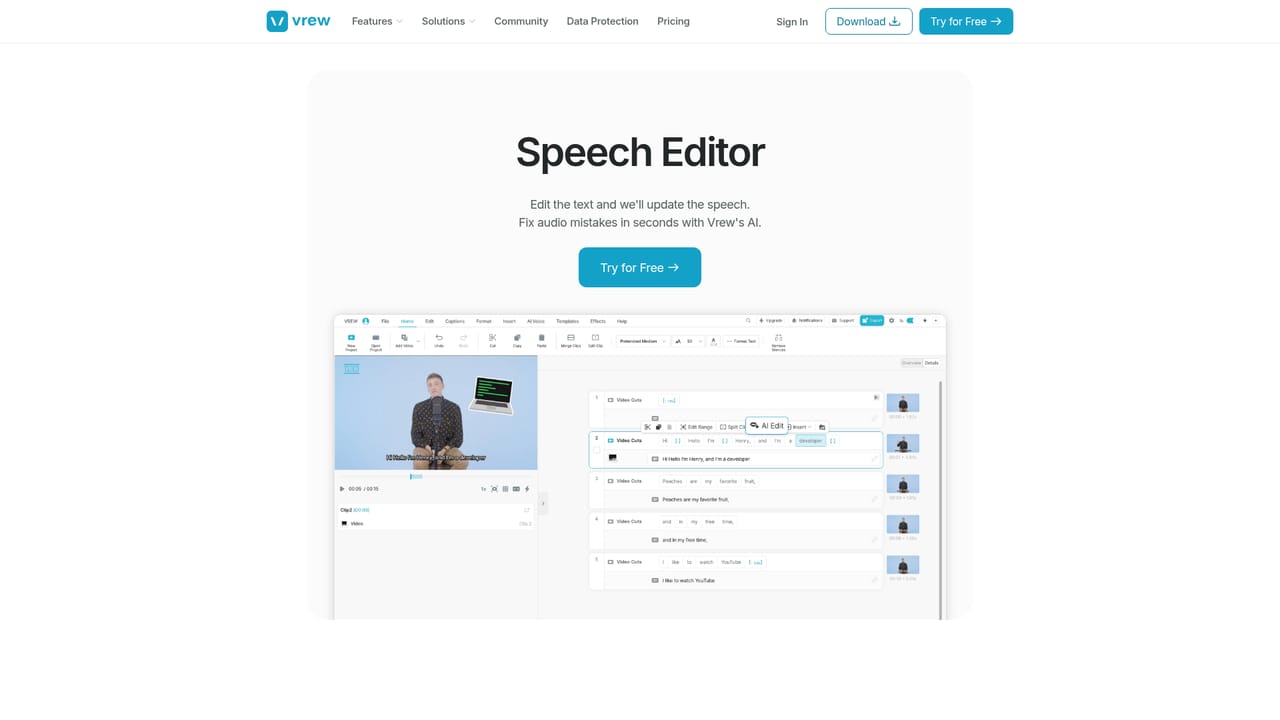
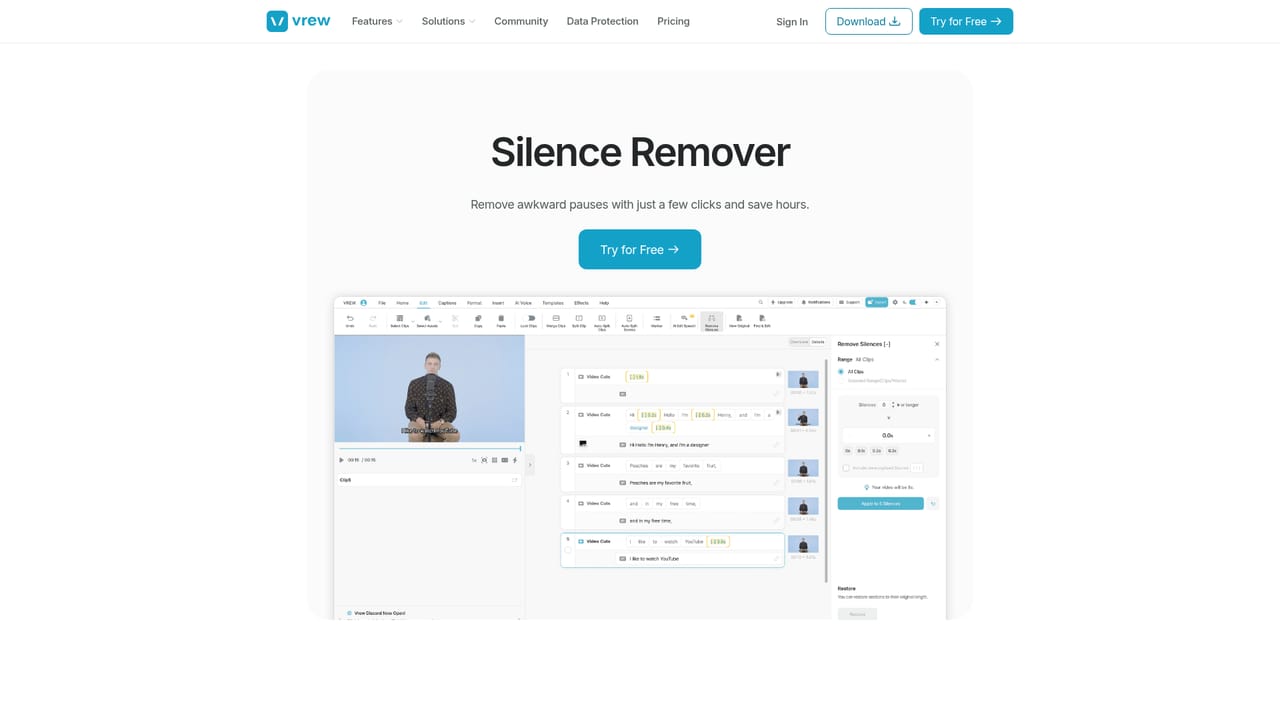
Vrew is a desktop video editor built around a single idea: treat footage as text. The tool transcribes your spoken audio, lays the transcript out as a document, and lets you cut, copy, paste and rearrange clips by editing the words themselves. Deleting a sentence removes that section of video. Moving a paragraph reorders the corresponding scenes. For talking-head videos, interviews, tutorials and shorts, that approach removes most of the scrubbing and trimming that traditional timeline editors demand. Three features do the heavy lifting. Text-based editing handles the cuts, while the Speech Editor lets you fix a stumble without a second take: correct the sentence in the transcript and the AI regenerates the audio in the original voice. The Silence Remover scans the whole clip and strips dead air in one pass. Rounding this out, Vrew's generative tools produce voiceovers, images and draft scripts without leaving the app, so a rough idea can become a finished cut inside one window. The audience is broad and mostly non-professional. Creators use it for vlogs, shorts and long-form uploads; teams use it to convert slide decks into presentation videos and to record quick product demos; teachers use it for lessons and training material, relying on automatic captions so viewers can follow along. Anyone who has avoided video editing because of the learning curve is the core user, though experienced editors also use it for fast first assemblies before polishing elsewhere. Where it fits: Vrew occupies the space between captioning tools that only subtitle and full non-linear editors like Premiere or DaVinci Resolve. It is closer in spirit to Descript, another text-first editor, but Vrew's emphasis on silence removal, voice regeneration and built-in asset generation gives it a self-contained workflow. The client installs on Mac, Windows and Linux, and a browser version is available for quick trials. Data privacy is a stated priority: the company holds ISO/IEC 27001 and 27701 certification and says user content is never used to train AI models.
A free tier is offered alongside a Try for Free option that requires no credit card. The homepage does not state whether paid plans include a separate trial period.
Learn moreFour tiers are shown: Free (listed as forever), Light, Standard (marked Recommended) and Business. All plans use a shared credit system that applies across features. Annual billing shows a 20 percent saving, but the homepage does not display specific prices or credit amounts.
Learn moreCore capabilities are text-based video editing, a Speech Editor that regenerates audio in the original voice, automatic silence removal, and generative tools for voiceovers, images and scripts. Automatic captions, screen recording and slide-to-video conversion are highlighted for education and marketing use cases.
Learn more AI Angels400+ customizable AI girlfriends for NSFW chat, voice calls, and roleplay
 Candy AIExperience the future of companionship with AI friends who chat, role-play, and connect with you on a human level.
 ourdream.aiA vast AI roleplay platform with millions of characters for chat, images, video and voiceAI Angels400+ customizable AI girlfriends for NSFW chat, voice calls, and roleplayCandy AIExperience the future of companionship with AI friends who chat, role-play, and connect with you on a human level.ourdream.aiA vast AI roleplay platform with millions of characters for chat, images, video and voice


