Free trial
New users get 2 credits after email verification, enough for one 1K watermarked Studio preview. No time-limited trial is described.
Learn moreVisualize whole projects, from facade studies to living rooms
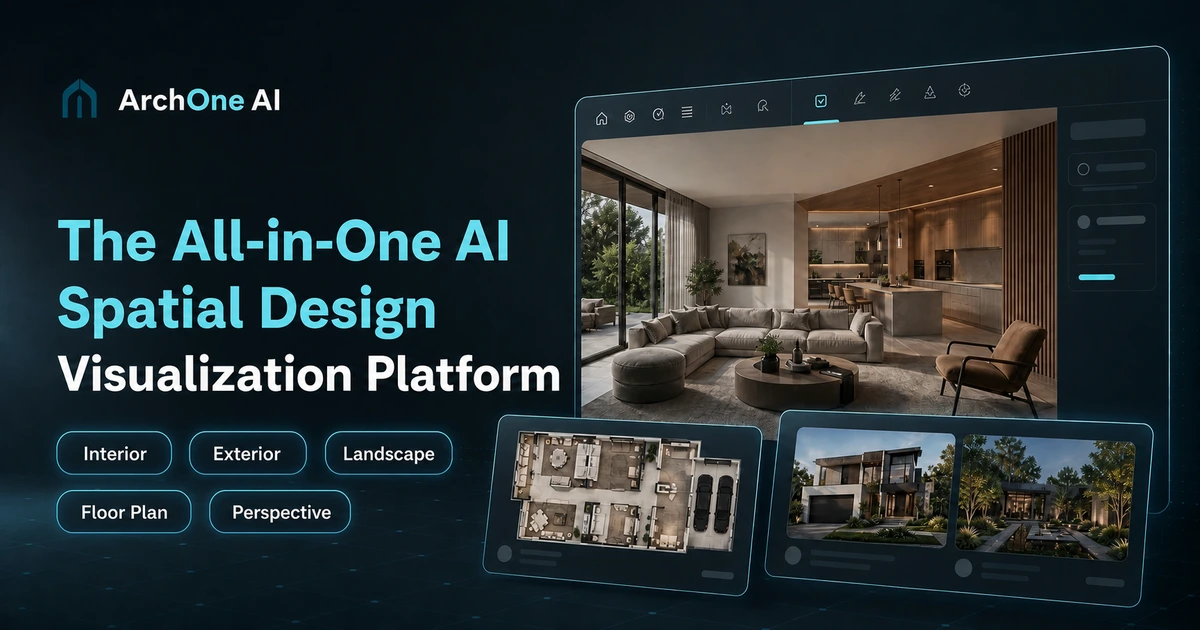
ArchOne AI is an exterior home design tool. An architecture visualization platform covering interiors, exteriors, landscapes, floor plan concepts and perspective changes, with a Studio canvas for comparing and refining directions across a whole project.
ArchOne AI is an architecture visualization platform that turns project inputs into design concepts across interiors, exteriors, landscapes, floor plans and camera viewpoints. It is aimed at architects, interior and landscape designers, small studios and design consultants, and it also opens a simpler path for homeowners who want to test ideas on their own rooms or yards before committing to a renovation. The work happens in two places. Focused tools handle a single task: an interior study that compares materials, lighting and furniture, a facade update, a yard or pool scheme, a floor plan concept built from property details and room counts, or a perspective changer that suggests new camera angles for an existing render. Studio gathers those outputs onto one infinite canvas, where an AI Agent generates, edits, furnishes, enhances and upscales images, and where directions sit side by side for comparison. Inputs can be photos, sketches, renders, reference images or a written brief, and users describe style, materials, atmosphere and the details that must be preserved before generating. The results are concept imagery for exploration, option comparison and client conversation, not measured CAD or BIM files, construction documents or exact 3D models. The site is explicit that structure, code compliance and permitting still need review by qualified professionals. Against one-click render tools, the appeal is coverage: exterior, interior, landscape and plan work stay connected instead of scattered across unrelated services, and the canvas keeps revisions next to the versions they came from. Interior remodels are probably the strongest entry point, though the landscape and exterior tools carry equal weight in the lineup. New accounts receive 2 credits after email verification, enough for one 1K watermarked Studio preview. Paid access runs on a monthly or yearly subscription with monthly credit allowances, and one-time credit packs are sold separately.
New users get 2 credits after email verification, enough for one 1K watermarked Studio preview. No time-limited trial is described.
Learn moreFree plan plus subscriptions billed monthly or yearly (the site advertises up to 20 percent savings on yearly billing), and one-time credit packs that never expire. Plus is shown at $39 per month billed yearly at $468, with 360 credits per month and up to 360 1K direct-tool images or 180 1K Studio images monthly.
Learn moreA contact page is available for reaching the team; the homepage does not describe support channels or response times.
Learn moreStudio bundles 17 tools (render, edit, furnish, enhance, perspective, material, lighting, upscale) on one infinite canvas, with 13 design starting points across interiors, exteriors, landscapes and floor plans. Five input types are supported. Focused tools cover bedrooms, kitchens, bathrooms, living rooms, home offices, facades, yards, gardens, patios, pools, perspective changes and floor plan concepts.
Learn more AI Angels400+ customizable AI girlfriends for NSFW chat, voice calls, and roleplay
 Candy AIExperience the future of companionship with AI friends who chat, role-play, and connect with you on a human level.
 ourdream.aiA vast AI roleplay platform with millions of characters for chat, images, video and voiceAI Angels400+ customizable AI girlfriends for NSFW chat, voice calls, and roleplayCandy AIExperience the future of companionship with AI friends who chat, role-play, and connect with you on a human level.ourdream.aiA vast AI roleplay platform with millions of characters for chat, images, video and voice