RoomStaging

AI virtual staging and room redesign for listing photos

Beginner
Screenshot of RoomStaging, AI virtual staging and room redesign for listing photos

What is RoomStaging?

RoomStaging is a web-based AI tool that stages empty rooms, restyles interiors and exteriors, removes clutter and enhances listing photos in about 15 to 30 seconds, with 50+ styles and plans from $0.07 per photo.

RoomStaging is a browser-based AI service that turns ordinary property photos into staged, redesigned or cleaned-up images. A user uploads a picture of an empty, cluttered or dated room, selects a design style, and receives a photorealistic result in roughly 15 to 30 seconds. The output is aimed at real estate listings and client presentations, where a furnished-looking room usually communicates a space far better than bare floors and blank walls. Virtual staging is the core feature, but the platform covers several neighbouring jobs. Interior design restyles a room with new palettes and decor so changes can be previewed before buying or renovating. Exterior design reworks a home's facade with different materials, lighting and seasons. Interior renovation swaps flooring, wall colors and finishes, while object removal clears out furniture and clutter to leave an empty room ready for staging. Image enhancement, marked as a PRO feature, fixes lighting, colors and clarity, replaces dull skies and corrects perspective to produce MLS-ready photos. More than 50 design styles are available across these tools. The workflow is deliberately short: upload a photo, pick a style, download the result. No design background is required, and the interface is offered in several languages with uploaded photos stored for later access. The company reports use by more than 10,000 professionals and a 4.7 out of 5 rating based on 55 reviews. Visitors can start without a credit card, and plans start at $0.07 per photo, with the comparison table listing entry pricing from $19 for 100 photos. In the crowded field of AI interior tools, RoomStaging positions itself against ChatGPT, HomeDesignsAI and RoomGPT, citing its own same-photo tests for speed and structure preservation. Those claims come from the vendor, and a competitor lists more styles. One user review points out that repeated changes to the same generated picture consume extra credits. The tool suits agents, photographers, stagers and designers who want quick single-image results rather than full 3D rendering or a human stager.
How do you use RoomStaging?

  1. 1Upload a room photo
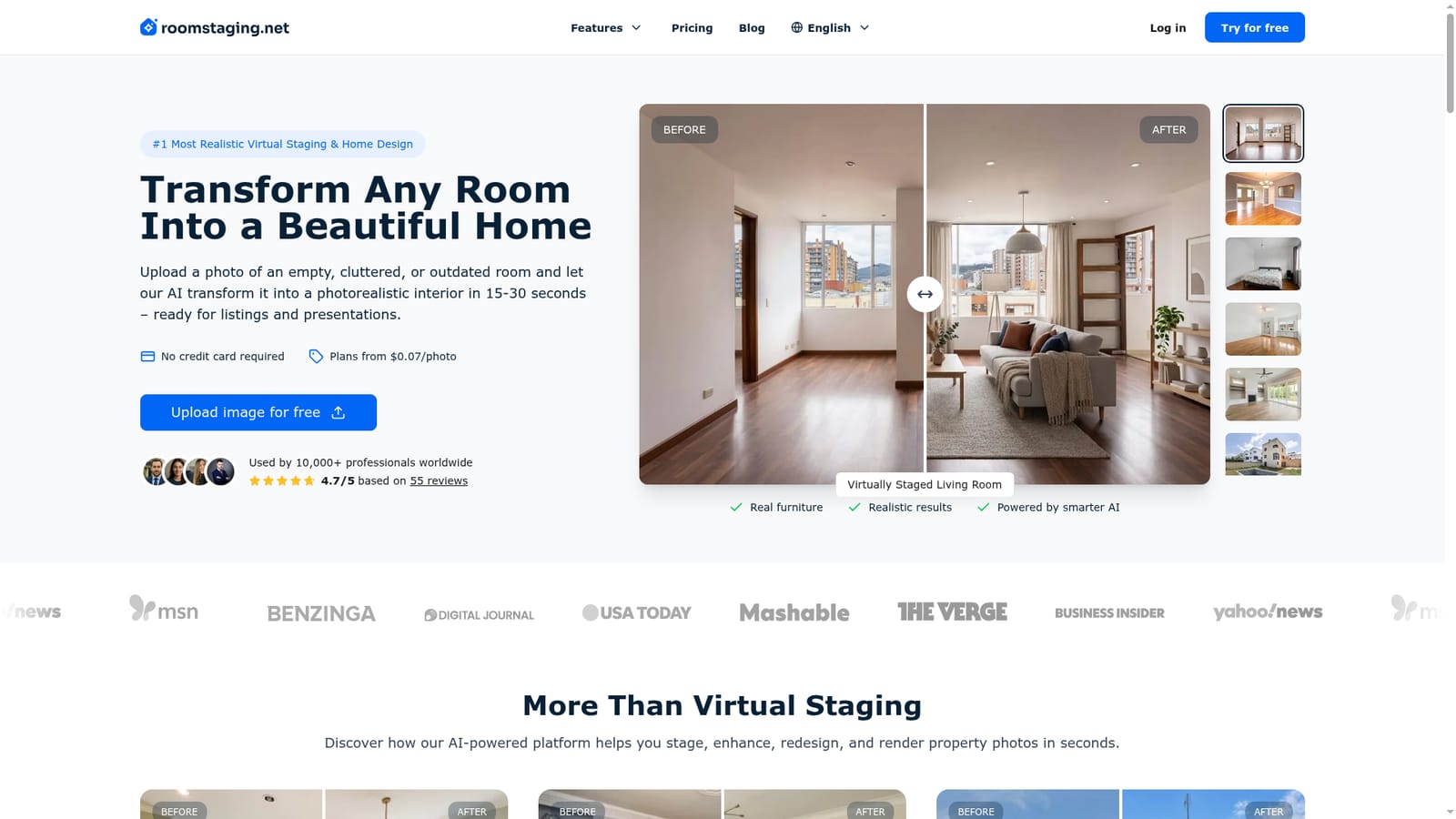
    Start on the homepage and upload an empty, furnished or outdated room photo. No credit card is needed to try the first image.
    RoomStaging — Upload a room photo
  2. 2Pick the right tool
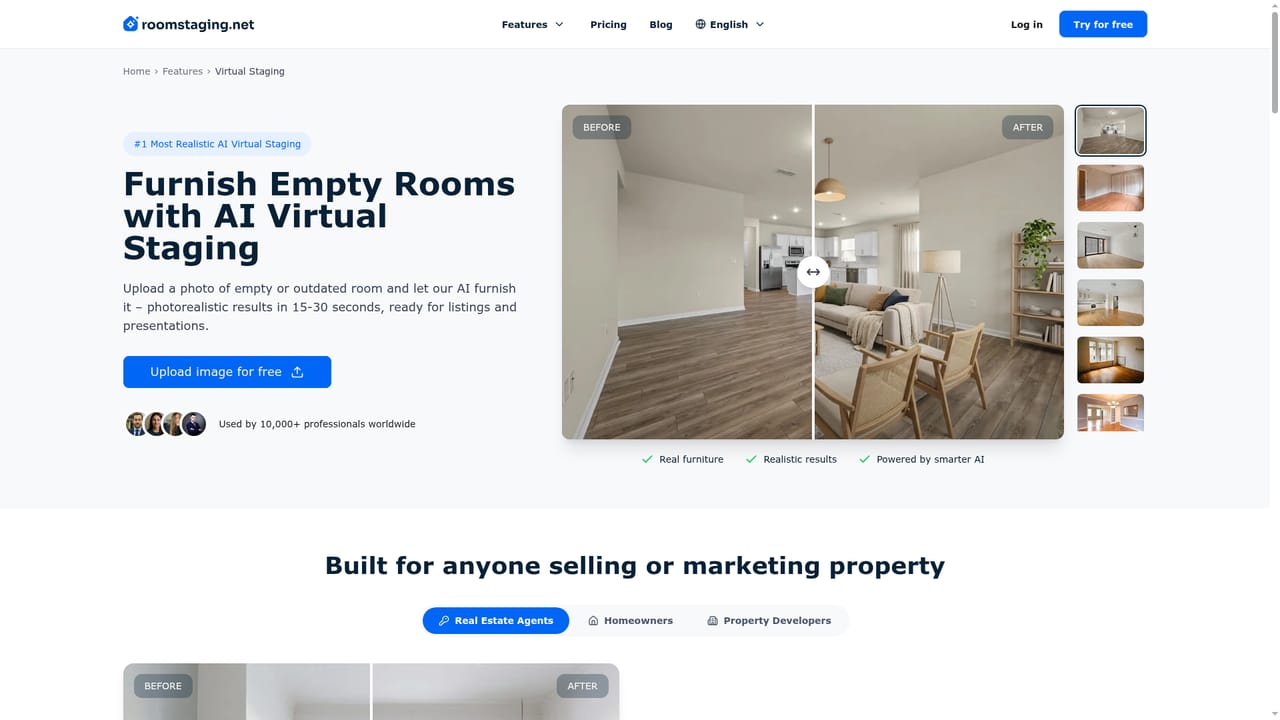
    Choose between virtual staging for empty rooms, interior design for restyling, or object removal to clear clutter first.
    RoomStaging — Pick the right tool
  3. 3Choose a design style
    Select one of the 50+ professional styles that matches the property, such as Scandinavian, modern, coastal or bohemian.
  4. 4Review and download the result
    Wait roughly 15 to 30 seconds, then check the before and after and download the listing-ready image. Remember that further changes may use more credits.
  5. 5Enhance exteriors and finishing touches
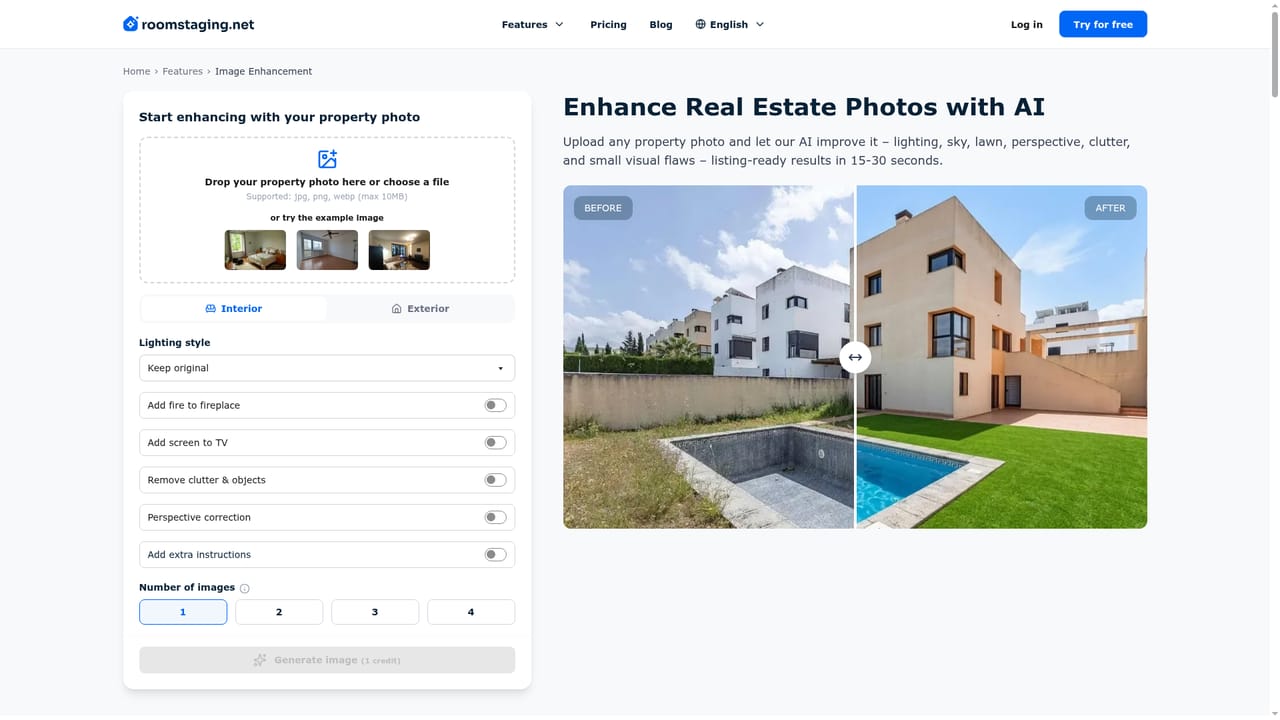
    Use image enhancement to fix lighting, skies and perspective, or exterior design to preview a new facade before listing.
    RoomStaging — Enhance exteriors and finishing touches
  6. 6Compare plans before scaling up
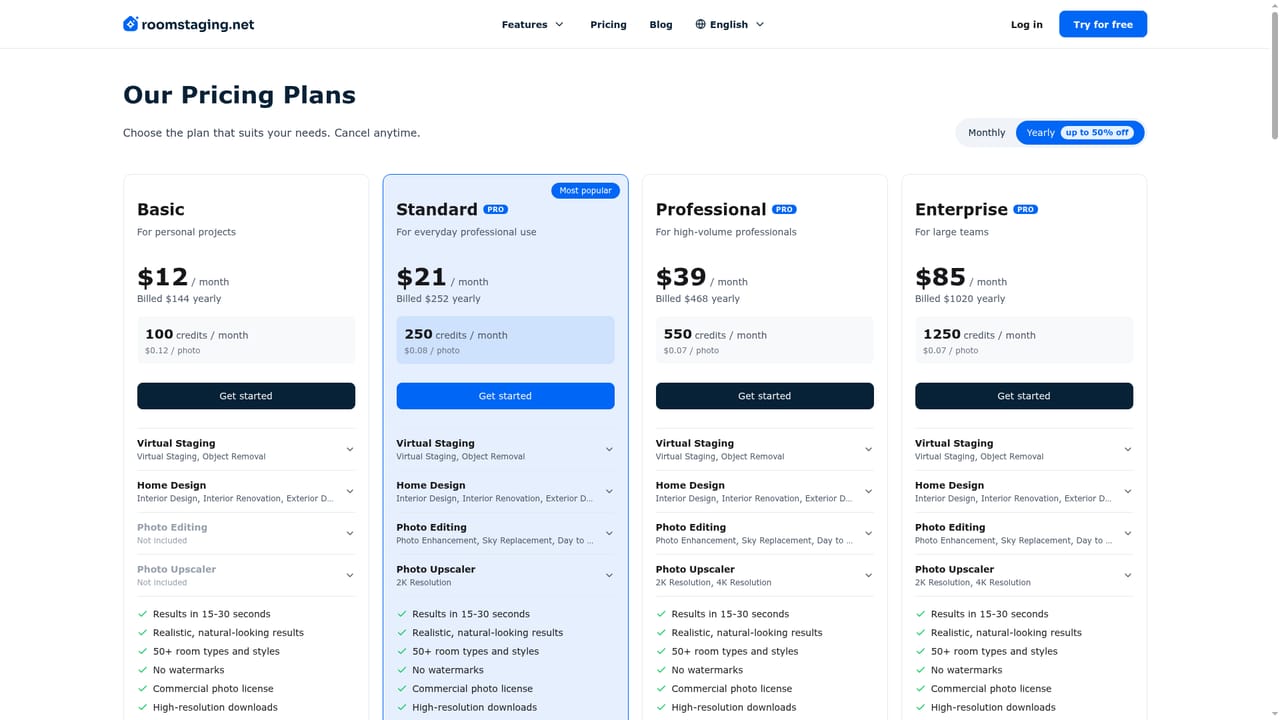
    Check the pricing page to match a plan to the number of photos per month before staging a full portfolio.
    RoomStaging — Compare plans before scaling up

Pros and cons

Pros

  • Delivers results in about 15 to 30 seconds, faster than the competitors in the vendor's own comparisonAI
  • One platform covers staging, interior and exterior redesign, renovation, object removal and enhancementAI
  • More than 50 design styles let one photo be adapted to different property types and buyersAI
  • Free start with no credit card required, so output quality can be checked before payingAI
  • Simple three-step flow that needs no design skills and works from a single photoAI

Cons

  • Revisions to the same generated image use extra credits, as one reviewer notes, which can add upAI
  • Image enhancement is a PRO feature, so not every tool is available on the entry tierAI
  • Comparison claims against ChatGPT and others come from the vendor's own tests, not independent onesAI
  • Offers fewer styles than HomeDesignsAI (80+) according to its own comparison tableAI
  • Works on single photos only, with no stated support for 3D walkthroughs or full floor plan stagingAI

How much does RoomStaging cost?

Free trial

A free start is offered with no credit card required, letting users upload an image and check quality before paying.

Learn more

Pricing

Plans start at $0.07 per photo. The comparison table lists entry pricing from $19 for 100 photos. Further edits to the same generated image use additional credits. Full plan details are on the pricing page.

Learn more

Features

Virtual staging, interior design, exterior design, interior renovation, object removal and image enhancement (PRO). More than 50 design styles, generation in about 15 to 30 seconds, photo storage and a multilingual interface.

Learn more

Frequently asked questions about RoomStaging

  • How much does RoomStaging cost?
    Plans start at $0.07 per photo. The comparison table lists entry pricing from $19 for 100 photos. Further edits to the same generated image use additional credits. Full plan details are on the pricing page.
  • Does RoomStaging offer a free trial?
    A free start is offered with no credit card required, letting users upload an image and check quality before paying.
  • How do you use RoomStaging?
    The walkthrough on this page covers 6 steps: 1. Upload a room photo 2. Pick the right tool 3. Choose a design style 4. Review and download the result 5. Enhance exteriors and finishing touches 6. Compare plans before scaling up.
  • What platforms does RoomStaging support?
    RoomStaging is available on Web App.
  • What are the limitations of RoomStaging?
    Revisions to the same generated image use extra credits, as one reviewer notes, which can add up. Image enhancement is a PRO feature, so not every tool is available on the entry tier. Comparison claims against ChatGPT and others come from the vendor's own tests, not independent ones.

Status

StatusActive
Views0
Outbound clicks0
Added10/18/2026

Platforms

Web App

Pricing

FreemiumPaid