Aster Lab

Turn a YouTube video or PDF into a summary, quiz and flashcards

Beginner
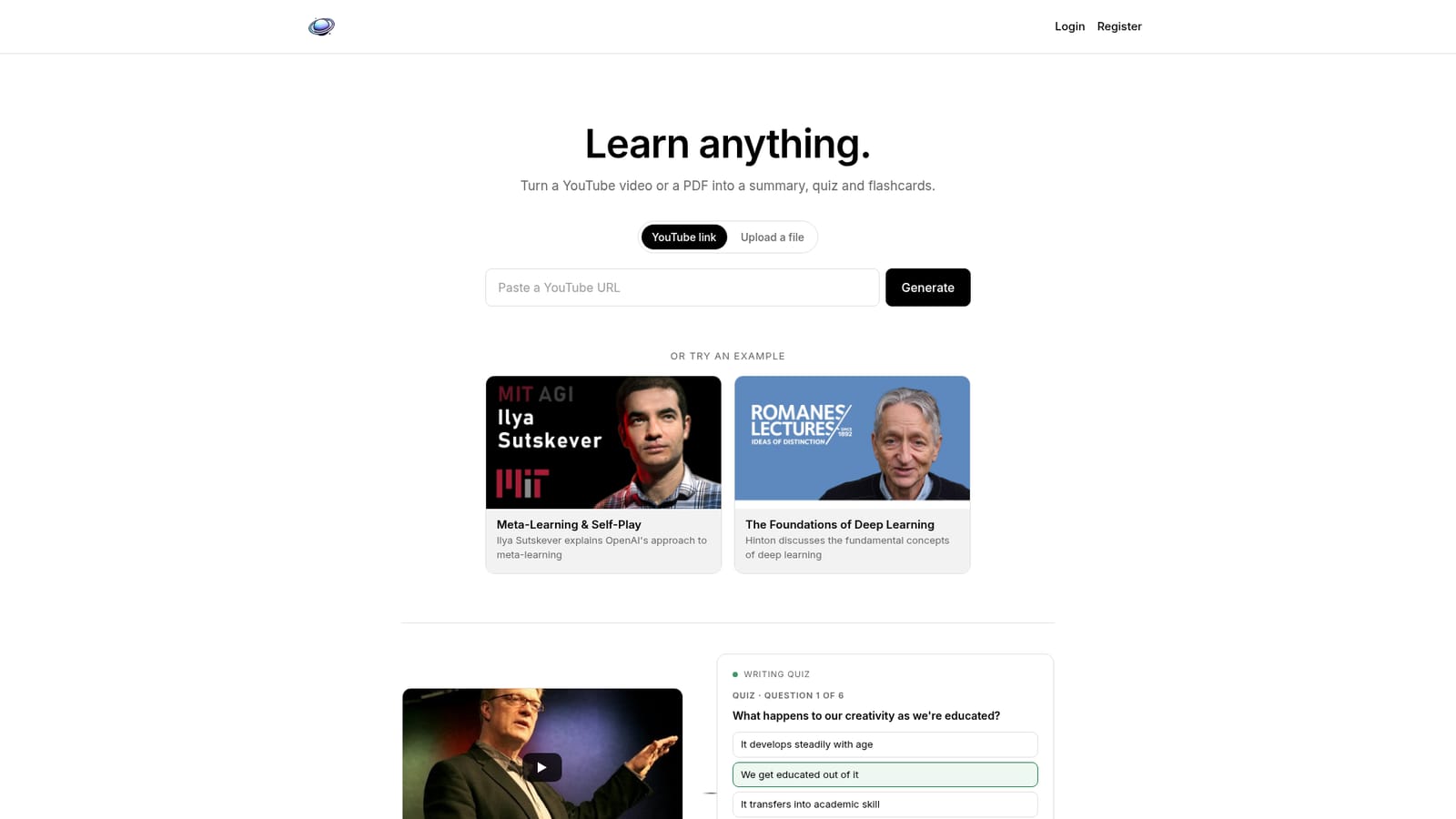
Screenshot of Aster Lab, Turn a YouTube video or PDF into a summary, quiz and flashcards

What is Aster Lab?

Aster Lab is an AI summarizer tool that turns a YouTube video or PDF into a summary, quiz and flashcards. Aster Lab converts a YouTube link or uploaded PDF into a summary, a multiple choice quiz, flashcards, connections and a transcript, aimed at learners who want active recall material from long form video and documents.

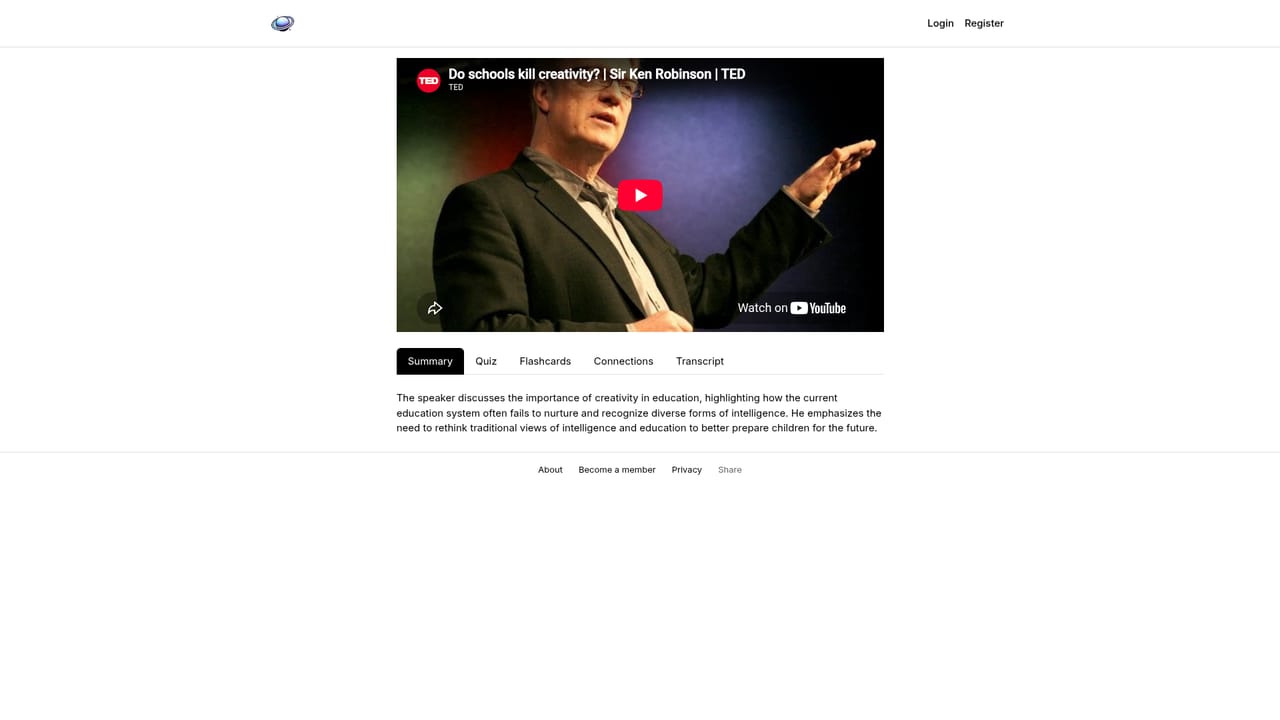
Aster Lab is a study tool that takes a single source, either a YouTube link or an uploaded file, and converts it into a set of learning materials. The homepage describes the core promise plainly: learn anything. A talk or document goes in, and a summary, a quiz and a set of flashcards come out. The processing step is quoted at roughly 20 seconds, during which the tool reads and summarises the source. The output screen is organised into tabs: Summary, Quiz, Flashcards, Connections and Transcript. The summary is written as a short editorial précis rather than a list of bullet points. Using the Ken Robinson TED talk example, the tool states the speaker's central argument in two sentences. The quiz is multiple choice with a fixed question count (six in the sample), and each item offers four options. Flashcards are generated with fill in the blank prompts on the front and the answer on the back, and eight were produced for the same talk. A transcript tab keeps the raw text available for reference, which matters when a learner wants to check the summary against the source. The intended user is a student, self directed learner or professional working through long form video and documents. Someone preparing for an exam from a lecture recording, or trying to retain the argument of a conference talk, gets a structured first pass instead of a passive watch. The flow is deliberately short: paste a link or upload a PDF or text file, press generate, then work through the tabs. The site also offers ready made examples (Ilya Sutskever on meta-learning, Geoffrey Hinton on deep learning foundations, the Robinson talk) so a visitor can see a finished result before committing any of their own material. Against note taking apps and general chatbots, Aster Lab is narrower and more opinionated: it assumes the goal is retention, not reference, which is why quiz and flashcard generation sit alongside the summary. It is not a video editor, a transcript only service or a course platform. Anyone who wants raw transcription alone will find it underused; anyone who wants active recall material from existing media will find the tab structure maps closely to how they already study.

How do you use Aster Lab?

  1. 1Pick your source
    Paste a YouTube link into the input field, or choose the upload option to add a PDF or text file.
    Aster Lab — Pick your source
  2. 2Generate the learning set
    Press Generate and wait for the reading and summarising pass, which the site quotes at about 20 seconds.
  3. 3Read the summary
    Open the Summary tab for a short condensed version of the main argument before you test yourself.
  4. 4Work through the quiz
    Answer the generated multiple choice questions in the Quiz tab to check what actually stuck.
  5. 5Drill the flashcards
    Reveal each fill in the blank card in the Flashcards tab and recall the answer before flipping it.
  6. 6Check the transcript or a sample
    Use the Transcript tab to confirm details against the source, or open a published example result first.
    Aster Lab — Check the transcript or a sample

Pros and cons

Pros

  • Three outputs from one input: summary, quiz and flashcards are generated togetherAI
  • Transcript tab lets you verify the summary against the original wordingAI
  • Prebuilt examples let you inspect a finished result before uploading anythingAI
  • Accepts both YouTube links and uploaded PDF or text filesAI
  • Short two step flow: paste or upload, then generateAI

Cons

  • Only YouTube links and PDF or text uploads are shown, so other video hosts and web articles appear unsupportedAI
  • Quiz length looks fixed by the tool (six questions in the sample) with no stated control over count or difficultyAI
  • No detail on the homepage about pricing, storage of uploaded material or account requirementsAI
  • Example content leans heavily on AI and education talks, so coverage of other subject areas is untestedAI
  • Summary is a condensed editorial read, which may be too short for dense technical documentsAI

How much does Aster Lab cost?

Features

Each source produces five tabs: a condensed Summary, a multiple choice Quiz, generated Flashcards with fill in the blank prompts, a Connections view, and the Transcript. Inputs are YouTube links or uploaded PDF and text files, with processing quoted at roughly 20 seconds. A set of example results is published on the homepage so the output format can be reviewed before use.

Frequently asked questions about Aster Lab

  • How do you use Aster Lab?
    The walkthrough on this page covers 6 steps: 1. Pick your source 2. Generate the learning set 3. Read the summary 4. Work through the quiz 5. Drill the flashcards 6. Check the transcript or a sample.
  • What platforms does Aster Lab support?
    Aster Lab is available on Web App.
  • What are the limitations of Aster Lab?
    Only YouTube links and PDF or text uploads are shown, so other video hosts and web articles appear unsupported. Quiz length looks fixed by the tool (six questions in the sample) with no stated control over count or difficulty. No detail on the homepage about pricing, storage of uploaded material or account requirements.

Status

StatusActive
Views0
Outbound clicks0
Added10/21/2026

Platforms

Web App

Pricing

Freemium