Free trial
Free credits are available to every user and reset each Monday. They cover files up to 30 seconds and 100 MB, are used before paid credits, and produce watermark-free output.
Learn moreBrowser-based face swapping for photos, videos and GIFs
Own BeArt AI Face Swap? Verify ownership to get a dofollow link

BeArt AI Face Swap is a face swap tool. A browser face swap tool for photos, videos and GIFs. Users upload media, pick the face to replace and a target face, then render at Basic, HD or Pro quality.
BeArt AI Face Swap is a web tool that replaces a chosen face in a photo, video clip or animated GIF with a face supplied by the user. The workflow is deliberately short: upload the source file, point to the face that should be replaced, choose a target face, and let the model render the result. Three quality tiers (Basic, HD and Pro) sit next to the Create button, so the same input can be rendered at different fidelity levels depending on how much credit the user wants to spend. Format support covers the usual social video containers (MP4, MOV, M4V, WEBM) plus GIF, and stills in JPG, PNG and WEBP. Free credits cap each task at 30 seconds and 100 MB, while paid credits push the ceiling to 300 seconds and 1000 MB. BeArt states there is no resolution limit, and multiple faces can be swapped inside a single clip, which is the feature that separates a practical tool from a one-face demo. Batch and multi-face modes are exposed as separate tabs on the same page. The practical audience is social creators, meme makers and digital artists who want quick visual gags without installing desktop software. Jobs run in a queue of roughly a minute, and users can stack several tasks while earlier ones process, with finished output collected in a My Creations panel for download or deletion. BeArt positions the product as free and watermark-free, with credits refreshing weekly, which puts it in the same bracket as other browser face swap services but with a multi-face video option that many lightweight rivals lack. It is a fun-first tool rather than a production compositor. There are no manual mask controls, keyframe adjustments or project files described on the homepage, and uploaded media is deleted from the servers within a day. Anyone needing frame-accurate VFX work will still reach for a desktop suite; anyone wanting a fast, shareable swap in a browser will find the feature set sufficient.
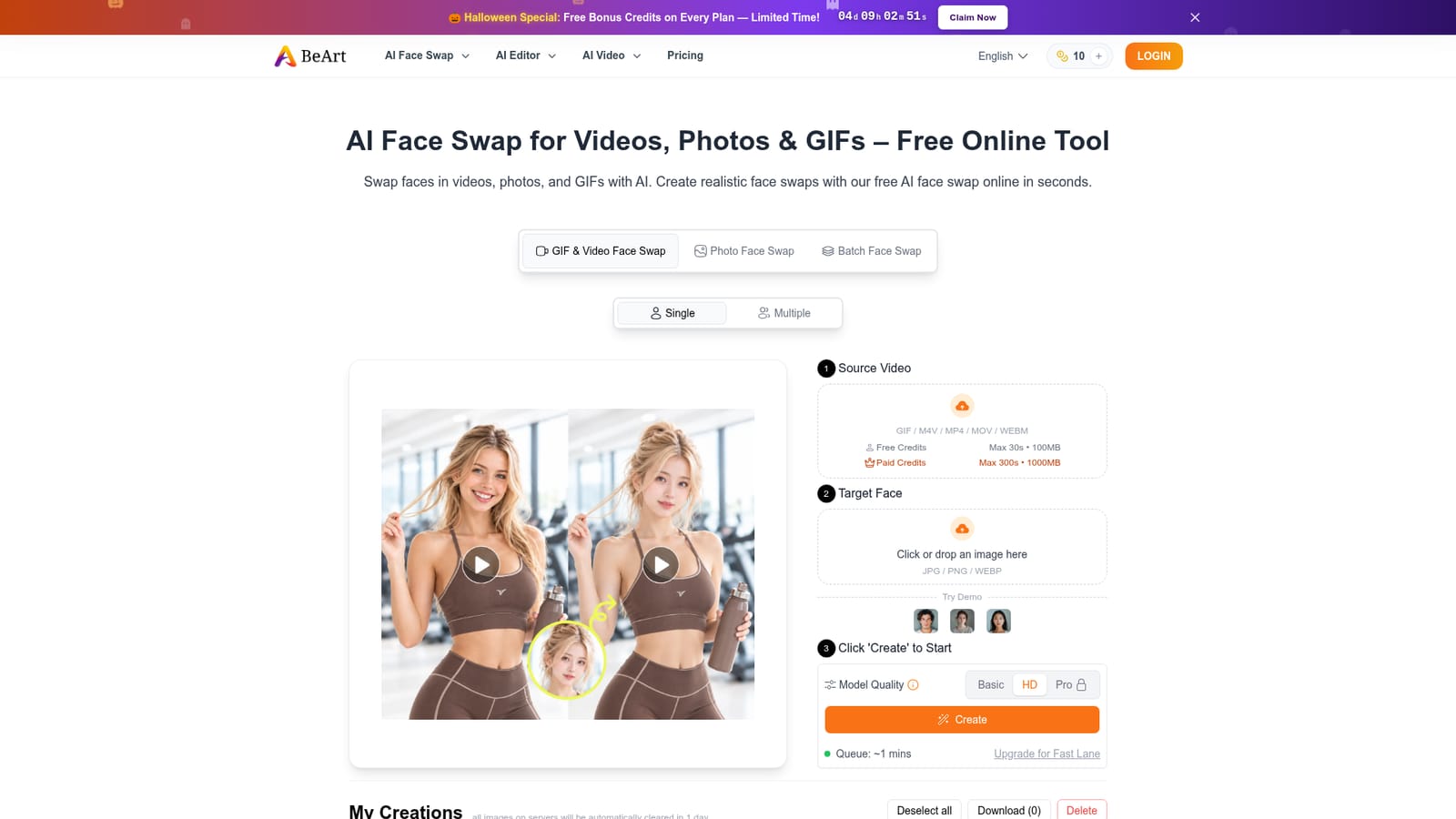
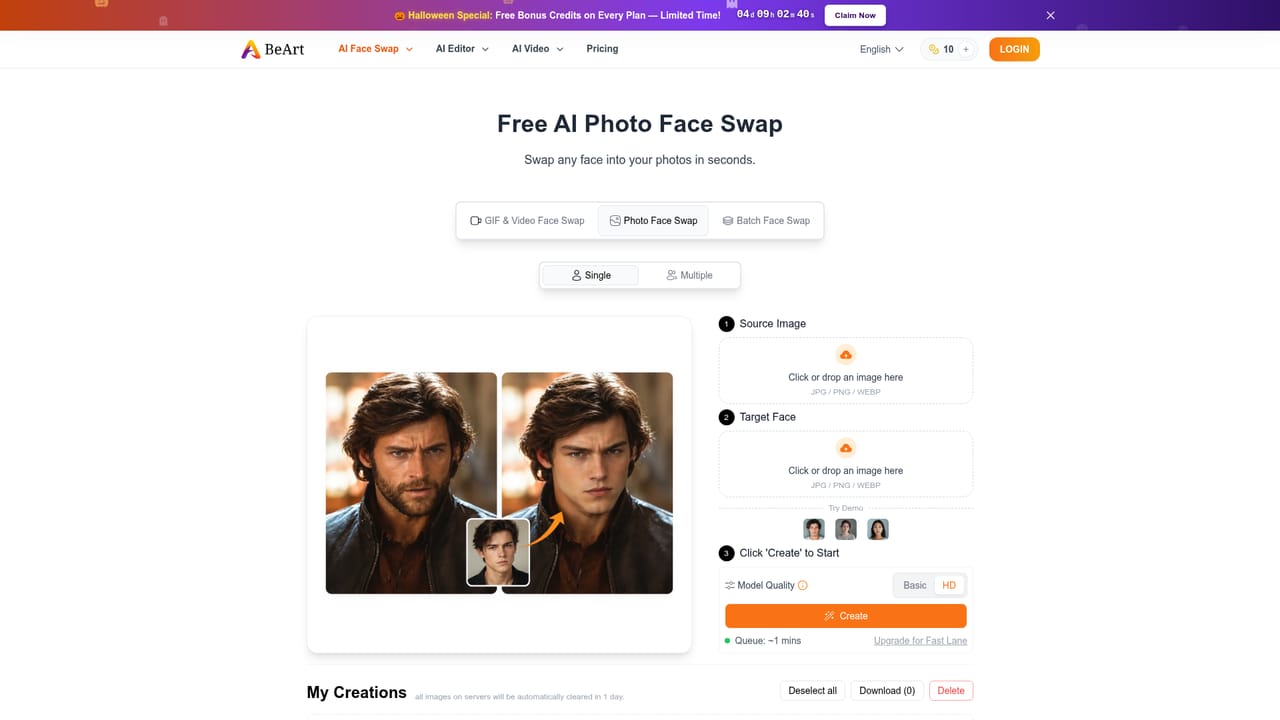
Free credits are available to every user and reset each Monday. They cover files up to 30 seconds and 100 MB, are used before paid credits, and produce watermark-free output.
Learn moreThe homepage describes the tool as free to use with weekly refreshing free credits, and mentions paid credits plus an upgrade for Fast Lane processing. Exact plan prices are not stated on the homepage; the pricing page is the place to check current numbers.
Learn moreA Contact Us link is present on the site and an FAQ section answers common questions about limits, credits and data handling. No dedicated help centre or ticket system is described.
Face swapping for photos, videos and GIFs in the browser. Supports MP4, MOV, M4V, WEBM, GIF, JPG, PNG and WEBP. Three quality levels (Basic, HD, Pro), multi-face swaps in a single video, batch processing, no stated resolution limit, results without watermarks, and automatic deletion of uploaded media.
 AI Angels400+ customizable AI girlfriends for NSFW chat, voice calls, and roleplay
 Candy AIExperience the future of companionship with AI friends who chat, role-play, and connect with you on a human level.
 ourdream.aiA vast AI roleplay platform with millions of characters for chat, images, video and voiceAI Angels400+ customizable AI girlfriends for NSFW chat, voice calls, and roleplayCandy AIExperience the future of companionship with AI friends who chat, role-play, and connect with you on a human level.ourdream.aiA vast AI roleplay platform with millions of characters for chat, images, video and voice


