FaceSwapX

Swap faces in photos, GIFs and videos straight from a link

Beginner
Screenshot of FaceSwapX, Swap faces in photos, GIFs and videos straight from a link

What is FaceSwapX?

FaceSwapX is a face swap tool. A free, no sign up browser face swap tool for photos, GIFs and videos. Its hook is link based input: paste a URL to online media instead of downloading and re-uploading, then supply the target face and swap.

FaceSwapX is a browser based face swap tool that works on photos, GIFs and videos. Its defining feature is how media enters the tool: instead of forcing a download and re-upload, it accepts a public URL to an image, animated GIF or video hosted anywhere online. A user pastes that link, supplies a separate image of the face they want to insert, and the service detects, aligns and blends that face onto the source media. Uploading a local file is also supported when the target clip lives on a device rather than the web. The tool is pitched at casual and semi professional creators rather than studios. Social media users can drop their own face into trending clips, memes and film or anime scenes; meme makers can rework animated GIFs for Reddit or Discord; marketers are pointed toward swapping models or influencers in video ads. It also handles multi person media, swapping several faces in one group photo, GIF or video, which covers the classic party trick of switching faces among friends and family. The FAQ notes support for gender swap and head swap, so the same pipeline can place a head on another body. In practice the workflow is three steps: provide the source (link or upload), provide the target face, press Swap. Everything runs in the browser, and the homepage states that mobile use on iPhone is supported. The homepage also claims that uploaded images and generated results are deleted within 48 hours and that no personal data such as location or usage details is collected. Among face swap services, FaceSwapX competes on convenience and on the free, no sign up positioning rather than on deep editing controls. The homepage promotes it as free and does not describe a pricing structure, subscription tiers or credit system, so buyers should confirm limits before relying on it for regular commercial work. It also publishes no API, plugin or third party integration details.

How do you use FaceSwapX?

  1. 1Open the face swap tool and pick your media type
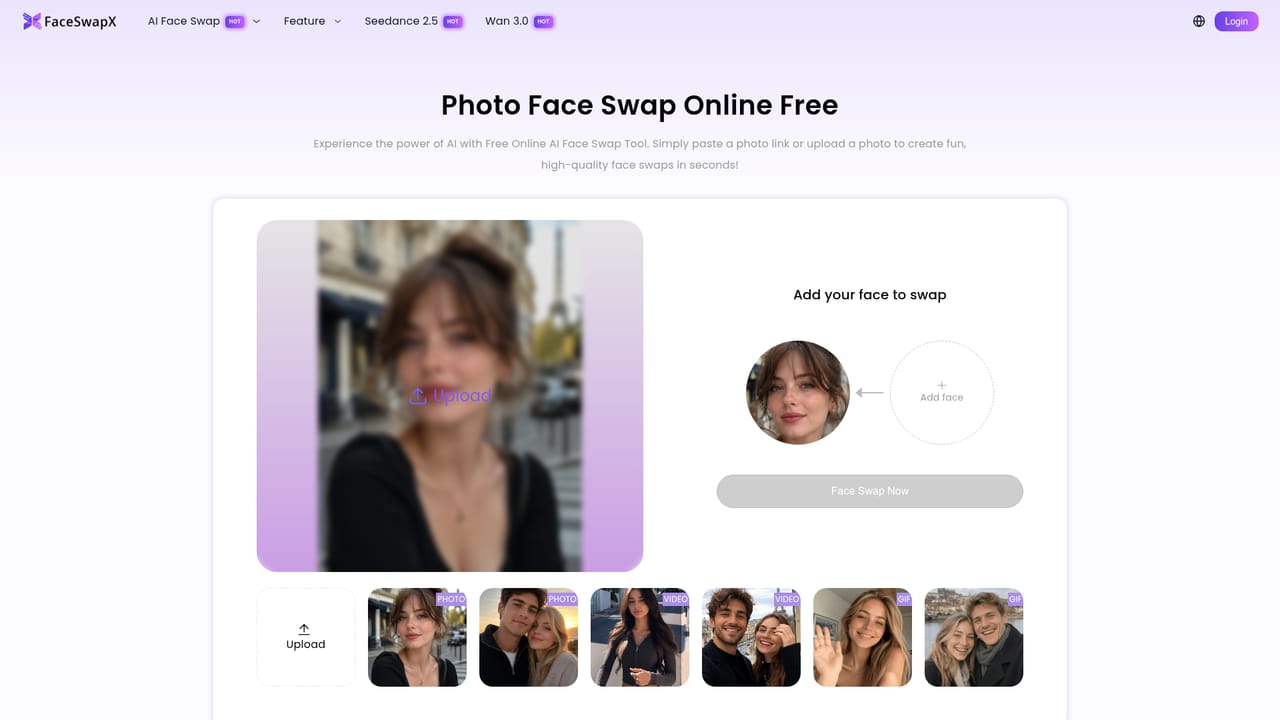
    Go to the face swap page for the media you have: photo, GIF or video. Each has its own entry point on the site.
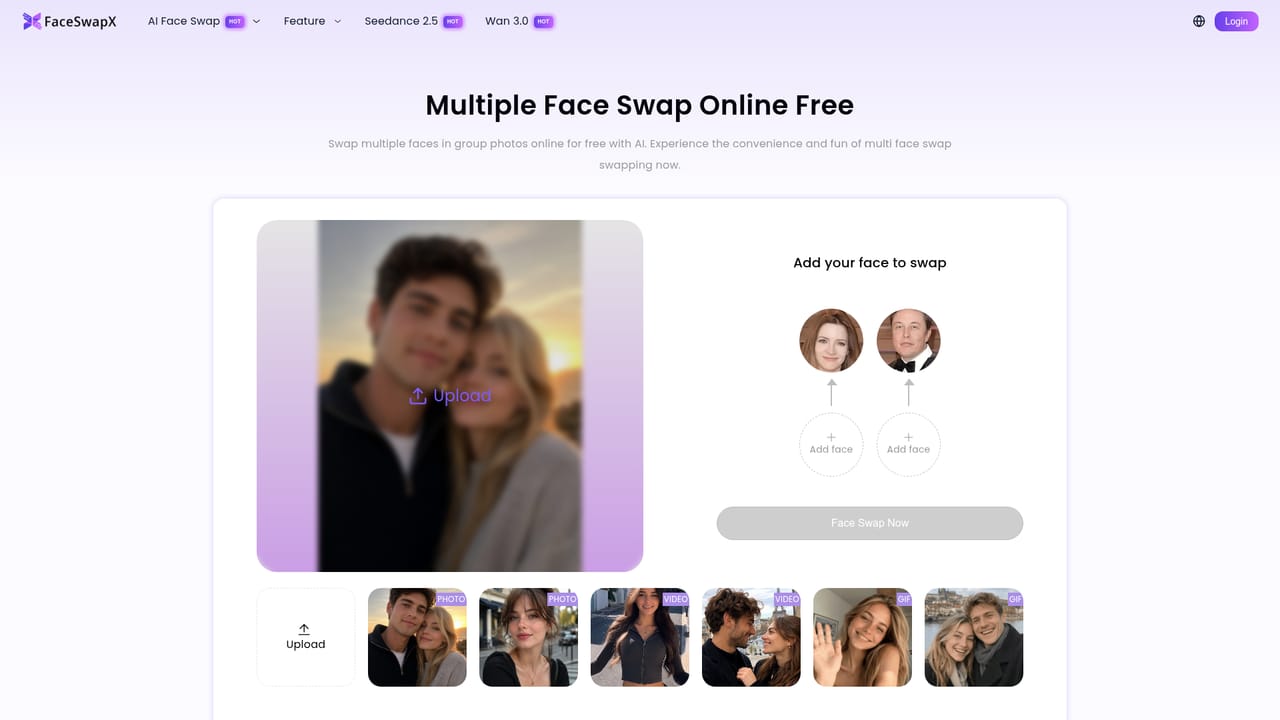
    FaceSwapX — Open the face swap tool and pick your media type
  2. 2Paste a media link or upload a file
    Paste the public URL of an online image, GIF or video, or upload your own file if the media is stored locally.
    FaceSwapX — Paste a media link or upload a file
  3. 3Upload the target face
    Add a clear image of the face you want to insert. The service detects and aligns it automatically before the swap.
  4. 4Run the swap and review the result
    Press the Swap button, wait for processing, then preview the output and download it if you are satisfied.
  5. 5Try multiple faces in group media
    For group photos, GIFs or videos, use the multiple face swap pages to replace several faces in the same piece of media.
    FaceSwapX — Try multiple faces in group media

Pros and cons

Pros

  • Accepts a pasted link to online media, avoiding the download and re-upload step common in rival toolsAI
  • Covers three media types in one place: still photos, animated GIFs and video clipsAI
  • Handles multiple faces in a single photo, GIF or video for group editsAI
  • No sign up required to start, which lowers the barrier for quick one off swapsAI
  • Homepage states uploads and results are deleted within 48 hours and that personal usage data is not collectedAI

Cons

  • Homepage gives no pricing detail beyond calling the tool free, so paid tiers or usage limits are unclearAI
  • No integrations, API or plugin information is published, which rules it out for automated pipelinesAI
  • No stated resolution, length or file size limits, so output quality on long or high resolution video is unknownAI
  • Editing control beyond face selection (blending, lighting, masking) is not describedAI
  • Legality depends on consent and rights to the source media, and the site leaves that judgment entirely to the userAI

How much does FaceSwapX cost?

Pricing

The homepage markets FaceSwapX as a free online AI face swap and mentions no subscription tiers, credits or paid plans. No pricing page is provided, so any usage limits or paid upgrades are not documented in the available material.

Learn more

Support

Support is limited to an on site FAQ covering swapping steps, iPhone use, suitability, legality, safety, gender swap and head swap. No email, chat or help centre channel is listed.

Features

Photo, GIF and video face swap with link based input (paste a URL instead of downloading) or direct upload. Multiple face swap for group media, plus gender swap and head swap. Automatic face detection and alignment, browser based operation, iPhone support, no sign up, and deletion of uploaded and generated files within 48 hours per the homepage.

Learn more

Frequently asked questions about FaceSwapX

  • How much does FaceSwapX cost?
    The homepage markets FaceSwapX as a free online AI face swap and mentions no subscription tiers, credits or paid plans. No pricing page is provided, so any usage limits or paid upgrades are not documented in the available material.
  • How do you use FaceSwapX?
    The walkthrough on this page covers 5 steps: 1. Open the face swap tool and pick your media type 2. Paste a media link or upload a file 3. Upload the target face 4. Run the swap and review the result 5. Try multiple faces in group media.
  • What platforms does FaceSwapX support?
    FaceSwapX is available on Web App.
  • What are the limitations of FaceSwapX?
    Homepage gives no pricing detail beyond calling the tool free, so paid tiers or usage limits are unclear. No integrations, API or plugin information is published, which rules it out for automated pipelines. No stated resolution, length or file size limits, so output quality on long or high resolution video is unknown.

Status

StatusActive
Views0
Outbound clicks0
Added11/3/2026

Platforms

Web App

Pricing

Free