BookTranslator

Translate whole books into 168 languages while keeping the layout intact

Beginner
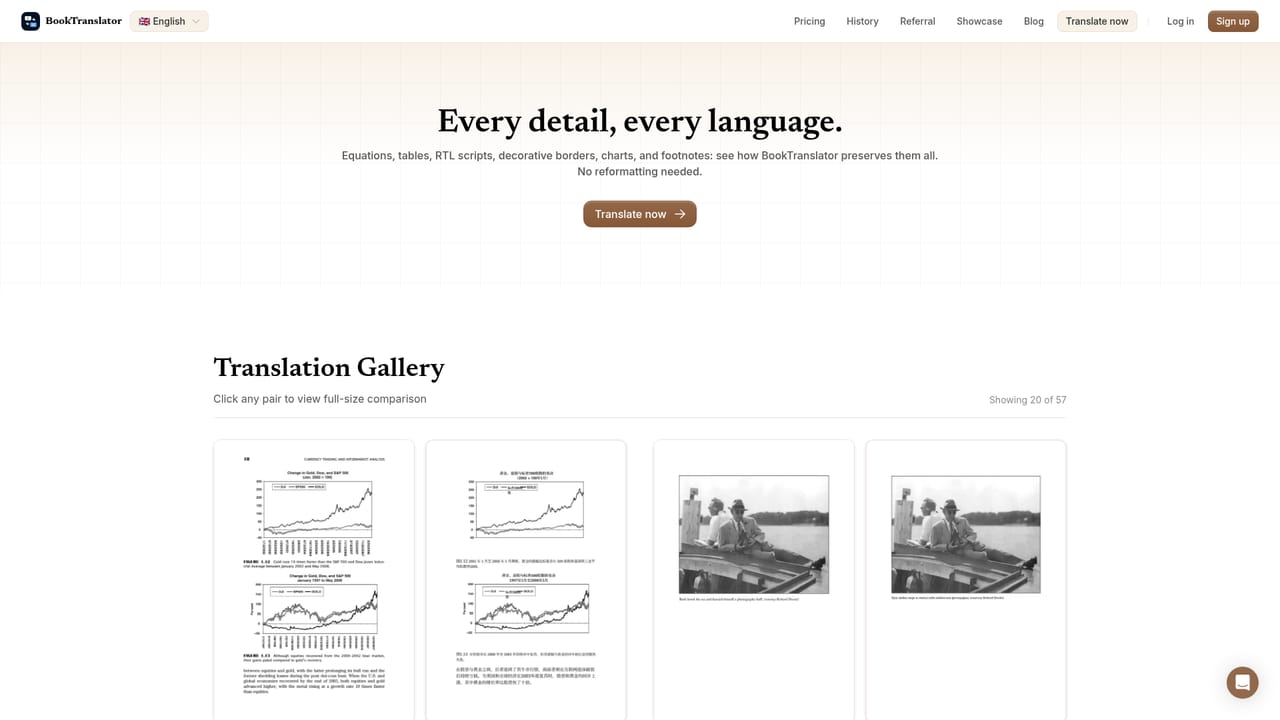
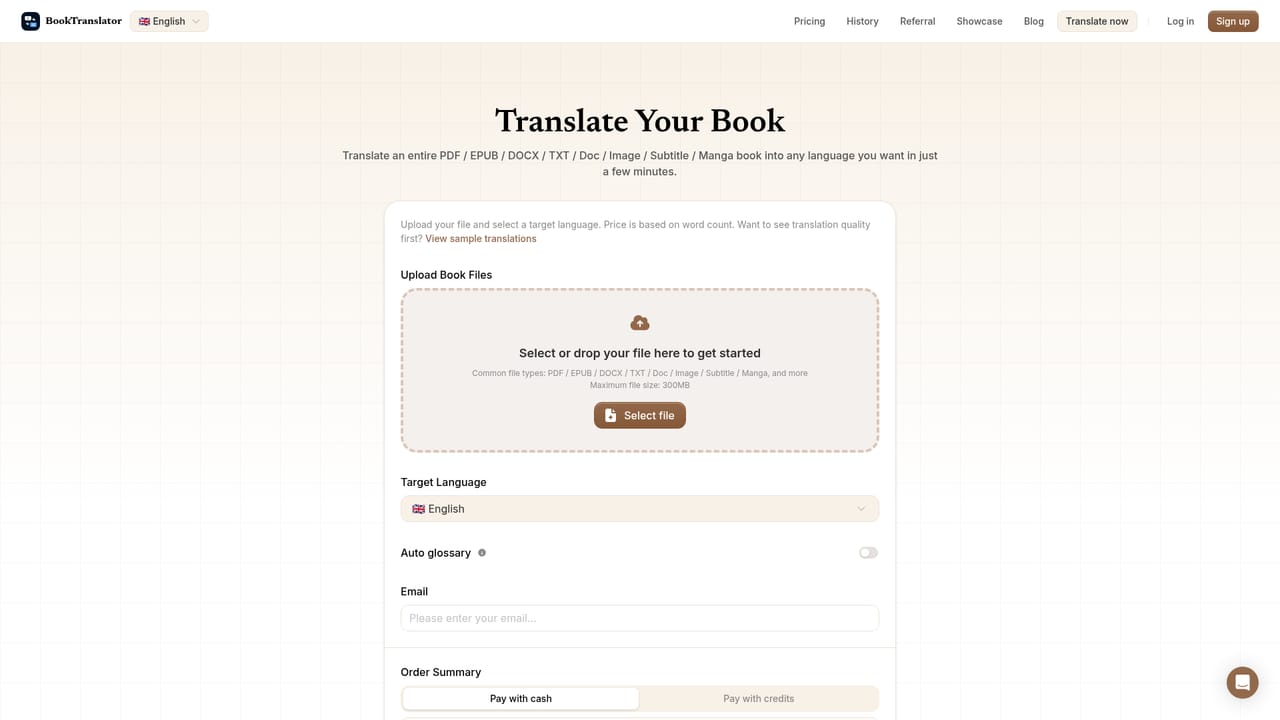
Screenshot of BookTranslator, Translate whole books into 168 languages while keeping the layout intact

What is BookTranslator?

BookTranslator is a long text translation tool that translates whole books into 168 languages while keeping the layout intact. A web tool that translates complete books and documents (PDF, EPUB, DOCX, MOBI, TXT, images, subtitles) into 168 languages, preserving page layout, images and terminology across the whole file.

BookTranslator is a web based service for turning a complete book or document into another language. Files are dropped onto the site and processed as a single unit rather than as pasted fragments of text, so a title, chapter structure and running terminology stay connected through the whole translation. The homepage lists support for PDF, EPUB, DOCX, MOBI, TXT, DOC, images, subtitles and manga, with a maximum file size of 300MB, and claims coverage of 168 languages. In practice the workflow is short: pick or drag a file, choose the target language and wait for the output. The main selling point is fidelity to the original design. BookTranslator states that page layout, images and other formatting survive the process, which matters for illustrated books, textbooks with tables and figures, and research papers where a typographic reference can carry meaning. Terminology consistency is handled across the full document, so a character name or a technical term does not drift between chapters. Separate landings for each format (pdf-translator, epub-translator, docx-translator, txt-translator, doc-translator, image-translator) plus paired language routes such as English to Japanese or Japanese to English suggest the product is aimed at common reading directions rather than obscure pairs alone. The audience is broad but specific: readers who want a foreign title that has never been published in their language, authors and small publishers preparing a manuscript for another market, and academics working through papers outside their native tongue. The trust logos on the homepage name universities, trade publishers and research organisations, and the site reports 834M+ words translated for 25,000+ readers. Alternatives fall into two camps. General chatbots and translation engines are fine for paragraphs but handle long structured files badly. Human literary translation remains the benchmark for voice, idiom and cultural nuance, and any AI output for a published edition still needs a human editor. BookTranslator sits in the middle: automated speed and low cost, with structure preserved, leaving the reviewer to focus on wording rather than rebuilding the file.

How do you use BookTranslator?

  1. 1Check translated samples before uploading anything
    The showcase page pairs source and translated pages side by side for PDFs and research papers. Reviewing a few pairs gives a realistic idea of how layout and typography come through for your language direction.
    BookTranslator — Check translated samples before uploading anything
  2. 2Open the translator and add your file
    Go to the translate page and select or drag your file onto the upload area. Accepted types include PDF, EPUB, DOCX, TXT, DOC, images, subtitles and manga, capped at 300MB per file.
    BookTranslator — Open the translator and add your file
  3. 3Pick the target language
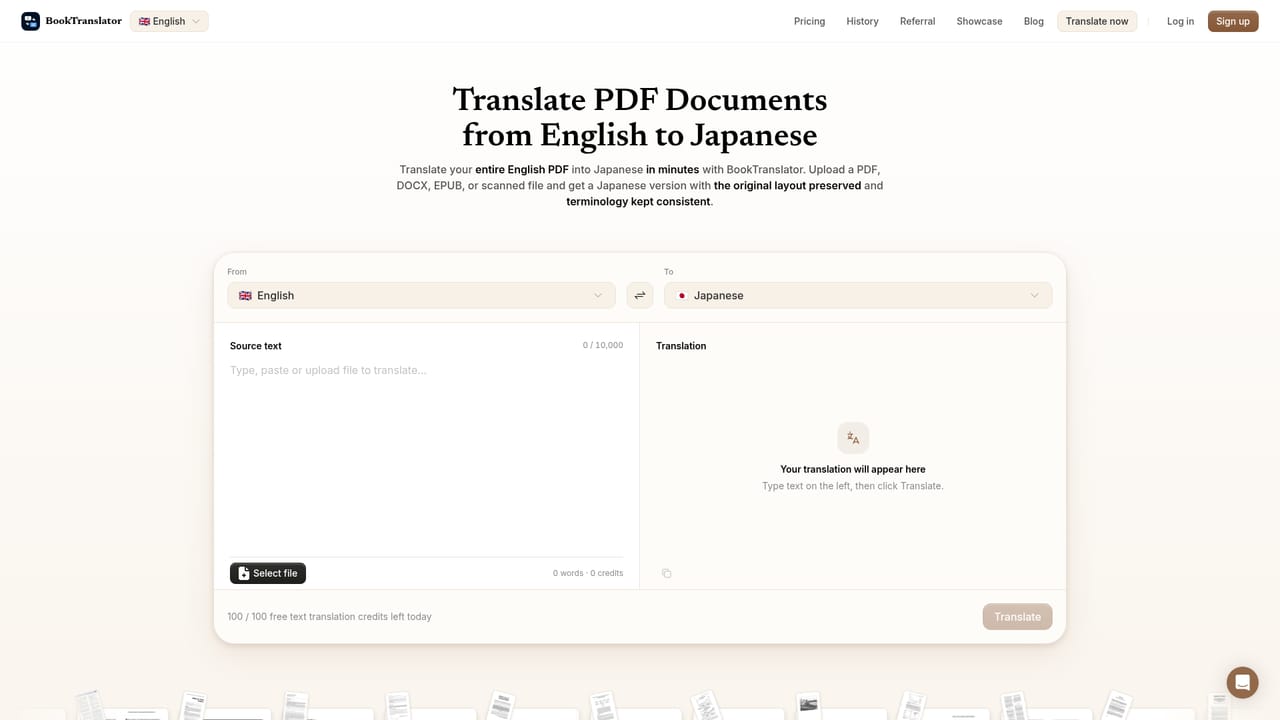
    If your pair has a dedicated page (for example English to Japanese or Russian to English), open it directly and the language selection is preconfigured. Otherwise set the source and target manually inside the tool.
    BookTranslator — Pick the target language
  4. 4Start the translation and wait for processing
    Processing time scales with file length and density. This stage happens inside the product after the file is uploaded, and the translated document is returned for download once finished.
  5. 5Review the output against the source
    Compare the downloaded file with the original, checking chapter breaks, image placement, tables and recurring terms. Correct names or technical vocabulary by hand where the automated pass chose poorly.

Pros and cons

Pros

  • Translates whole files, not pasted fragments, so chapter context and terminology stay consistentAI
  • Layout, images and formatting are preserved, which matters for illustrated and academic titlesAI
  • Wide input support: PDF, EPUB, DOCX, MOBI, TXT, DOC, images, subtitles and mangaAI
  • 168 languages claimed, with dedicated landing pages for many common source and target pairsAI
  • Maximum upload of 300MB covers most full length books and dense research documentsAI

Cons

  • No pricing, plan structure or usage limits are published on the homepage, so cost has to be confirmed before committingAI
  • The 168 language claim is broad; actual quality for low resource pairs is not evidenced on the siteAI
  • Literary voice, idiom and cultural nuance cannot be verified automatically, and no human editing service is offeredAI
  • No public API, plugin or workflow integration is described, so bulk publishing pipelines must upload manuallyAI
  • Output quality for scanned or image heavy sources depends on the recognition step, and the homepage does not explain how failures are handledAI

How much does BookTranslator cost?

Features

Full book and document translation across PDF, EPUB, DOCX, MOBI, TXT, DOC, images, subtitles and manga files up to 300MB. The homepage highlights 168 languages, preservation of the original layout and images, and consistent terminology across a whole document. Dedicated pages exist per format and for many specific language pairs in both directions.

Frequently asked questions about BookTranslator

  • How do you use BookTranslator?
    The walkthrough on this page covers 5 steps: 1. Check translated samples before uploading anything 2. Open the translator and add your file 3. Pick the target language 4. Start the translation and wait for processing 5. Review the output against the source.
  • What platforms does BookTranslator support?
    BookTranslator is available on Web App.
  • What are the limitations of BookTranslator?
    No pricing, plan structure or usage limits are published on the homepage, so cost has to be confirmed before committing. The 168 language claim is broad; actual quality for low resource pairs is not evidenced on the site. Literary voice, idiom and cultural nuance cannot be verified automatically, and no human editing service is offered.

Status

StatusActive
Views0
Outbound clicks0
Added10/21/2026

Platforms

Web App

Pricing

Freemium