BuddyBeep

AI sidebar for your browser: chat, summarize pages and videos, keep notes.

Beginner
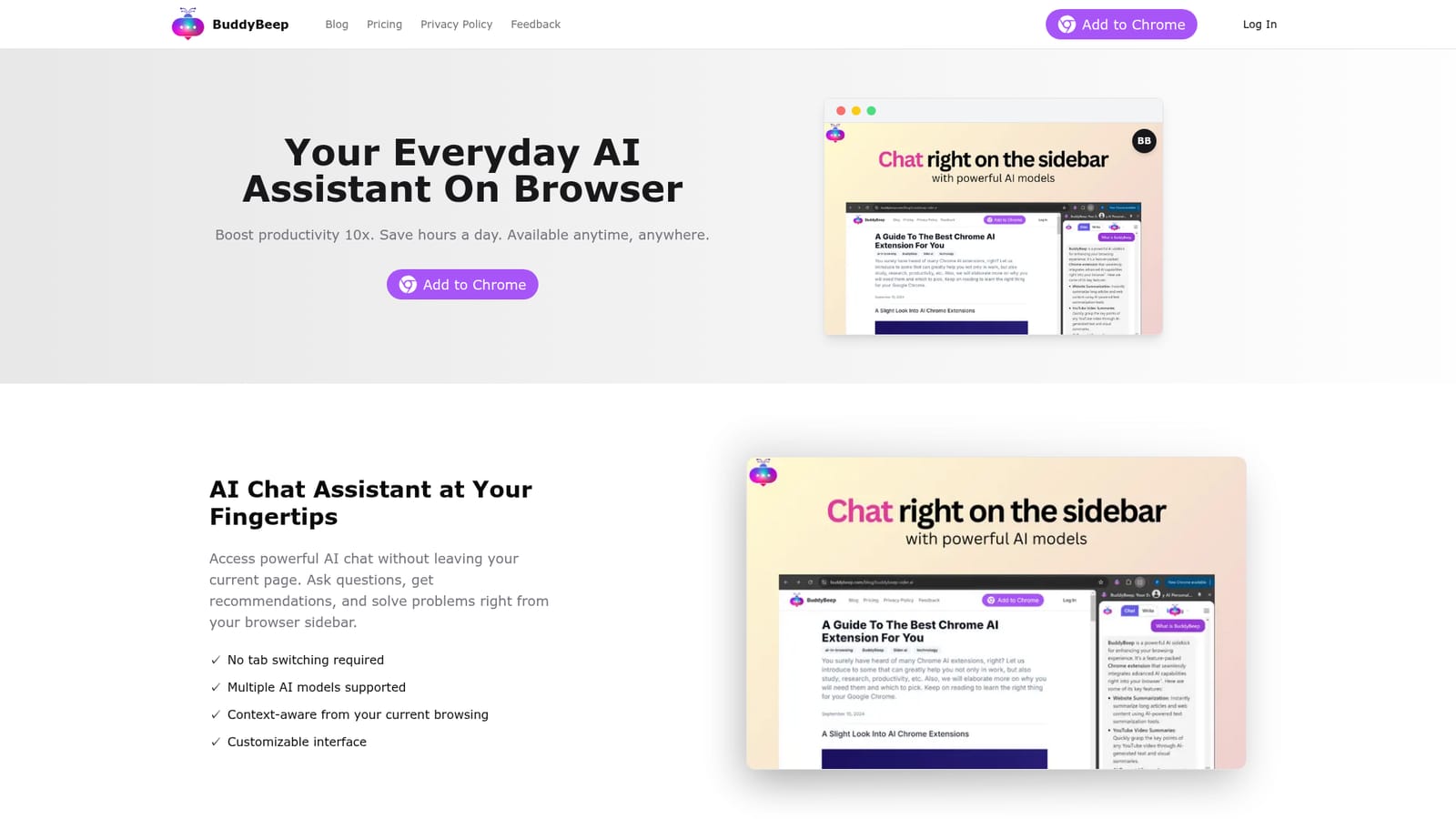
Screenshot of BuddyBeep, AI sidebar for your browser: chat, summarize pages and videos, keep notes

What is BuddyBeep?

BuddyBeep is a Chrome extension that adds an AI chat sidebar, one click article and document summaries, YouTube key point and timestamp extraction, and a searchable dashboard for saving what you learn. It targets students, researchers and heavy readers, and is desktop Chrome only for now.

BuddyBeep is a Chrome extension that puts an AI assistant in a browser sidebar, so questions, summaries and note capture happen on the page you are already reading instead of in a separate tab. The pitch is straightforward: read less, remember more, and keep everything you learn from the web in one searchable place. The extension bundles four things. First, sidebar chat that answers questions without leaving the current page and, according to the site, draws on the context of what you are browsing. Second, page summarization: articles, documents and research papers get condensed into main points in one click, with the option to edit a summary so it reflects what you actually care about and to share it with colleagues. Third, YouTube handling: rather than watching a full video, you request key points and timestamps, then jump to the moments that matter. Fourth, a personal dashboard that stores what you have saved, organized by topics, tags or projects, which the site describes as a second brain. The product is aimed at students, researchers, analysts and anyone who spends the day reading long material and watching explainer content. It sits in a crowded field of browser AI assistants (the company's own blog compares it against Sider.ai), and its differentiator is less the chat itself than the combination of video timestamp extraction and a persistent, searchable knowledge base. A mobile app is announced as coming soon, so the current build is desktop Chrome only. Pricing details are not published on the homepage, so check the extension listing before committing.

How do you use BuddyBeep?

  1. 1Install the Chrome extension
    Open the Chrome Web Store listing from the homepage and add BuddyBeep to Chrome. The sidebar assistant becomes available on any page once installation finishes.
    BuddyBeep — Install the Chrome extension
  2. 2Ask your first question in the sidebar
    Open the sidebar and type a question. Because the assistant sees the page you are on, you can ask it to explain or expand on what is currently on screen.
  3. 3Summarize a long page
    On an article, document or research paper, trigger the summarize action to pull out the main points, then edit the result down to the parts that matter to you.
  4. 4Pull key points from a YouTube video
    Open a video, request a summary, and use the returned timestamps to jump straight to the relevant sections instead of watching end to end.
  5. 5Save and organize what you learned
    Send summaries to your dashboard and sort them by topic, tag or project so the material stays findable later. Related ideas can be linked together.

Pros and cons

Pros

  • Sidebar chat keeps AI help on the page you are reading, with no tab switchingAI
  • YouTube summaries surface key points and timestamps so you can skip to the useful partAI
  • Saved summaries land in an organized, searchable dashboard rather than a flat bookmark listAI
  • Summaries can be edited and shared with colleagues, which suits research and team workAI
  • Covers articles, documents and research papers in one summarization flowAI

Cons

  • Requires a Chromium browser: there is no Firefox, Safari or desktop app versionAI
  • The mobile app is only announced as coming soon, so learning on a phone is not covered yetAI
  • No pricing information appears on the homepage, which makes cost hard to judge up frontAI
  • Multi model chat support and context awareness are claimed but not documented in any detailAI
  • Knowledge base features live in the vendor's dashboard, so notes are tied to the productAI

How much does BuddyBeep cost?

Features

Sidebar AI chat on the current page with support for multiple models, one click summaries of articles, documents and research papers, editable and shareable summaries, YouTube key point and timestamp extraction, and a personal dashboard that stores saved material by topic, tag or project with search.

Learn more

Frequently asked questions about BuddyBeep

  • How do you use BuddyBeep?
    The walkthrough on this page covers 5 steps: 1. Install the Chrome extension 2. Ask your first question in the sidebar 3. Summarize a long page 4. Pull key points from a YouTube video 5. Save and organize what you learned.
  • What platforms does BuddyBeep support?
    BuddyBeep is available on Browser extension.
  • What are the limitations of BuddyBeep?
    Requires a Chromium browser: there is no Firefox, Safari or desktop app version. The mobile app is only announced as coming soon, so learning on a phone is not covered yet. No pricing information appears on the homepage, which makes cost hard to judge up front.

Status

StatusActive
Views0
Outbound clicks0
Added10/21/2026

Platforms

Browser extension

Pricing

Freemium