Free trial
Building is free to try and the site states no credit card is required. A custom domain is included free for the first year; paid plan details are not listed on the homepage.
Learn moreDescribe your business, get a finished website in seconds

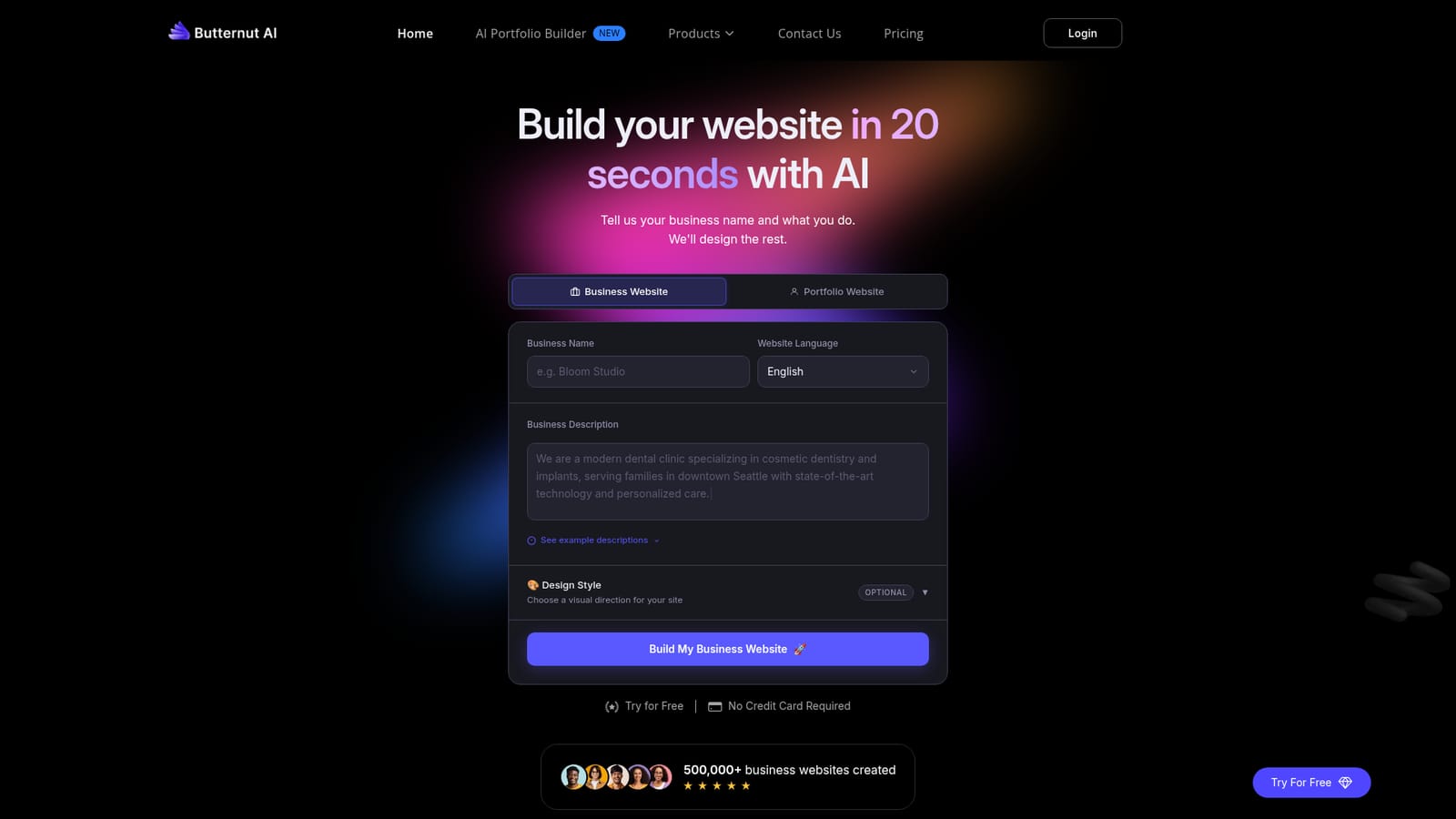
Butternut is an AI website builder for small businesses: enter a name, a business description and a design style, and it generates a complete site with layout, images and copy in seconds. Editing, free first year domain, SSL, hosting, automatic SEO, an AI blog writer and a one click chatbot are included.
Butternut is an AI website builder aimed at small businesses and solo operators who need a credible web presence without touching a template library or hiring a freelancer. The core workflow is a short form: a business name, a description of what the company does, a design style (options include Auto, Modern, Dark, Bold, Minimal, Pastel, Corporate, Retro, Playful and Illustration) and a language chosen from a long list that covers English, Spanish, French, German, Chinese, Japanese and many more. From that input the product generates a complete site with layout, imagery and written copy, which the site claims takes seconds. The company reports that more than 500,000 business websites have been created on the platform. After generation, the editing layer lets owners adjust colors, swap in videos, rewrite copy and add pages without leaving the builder. Publishing is handled end to end: Butternut manages domain linking, an SSL certificate, hosting and security after the owner presses Publish, and a custom domain is included free for the first year. Two features extend the site beyond a static brochure. SEO work such as meta tags and sitemaps is applied automatically, and an AI blog writer turns a topic into a full post. A one click AI chatbot can also be added to answer visitor questions and capture leads around the clock. Positioning is firmly on the simple end of the market. Compared with general site builders that hand you a canvas and a component set, Butternut leads with generated output and a short edit pass, which suits a dentist, coffee roaster, fitness studio, law firm or interior designer who wants a working site today rather than a design project. The tradeoff is depth: teams that need bespoke layouts, complex content models or fine grained control over every element will likely outgrow it. The site showcases example builds across plumbing, travel, education, healthcare, cargo, real estate, NGOs and hospitality, so prospective users can judge output quality before signing up. Building is free to try and no credit card is required, which makes the initial evaluation low risk.
Building is free to try and the site states no credit card is required. A custom domain is included free for the first year; paid plan details are not listed on the homepage.
Learn moreGenerates a complete site with layout, images and copy from a business description. Editing covers colors, video, copy and new pages. Publishing includes hosting, SSL, security and domain linking with a free first year domain. Automatic SEO (meta tags, sitemaps), an AI blog writer, a one click AI chatbot and multi-language generation round out the set.
 AI Angels400+ customizable AI girlfriends for NSFW chat, voice calls, and roleplay
 Candy AIExperience the future of companionship with AI friends who chat, role-play, and connect with you on a human level.
 ourdream.aiA vast AI roleplay platform with millions of characters for chat, images, video and voiceAI Angels400+ customizable AI girlfriends for NSFW chat, voice calls, and roleplayCandy AIExperience the future of companionship with AI friends who chat, role-play, and connect with you on a human level.ourdream.aiA vast AI roleplay platform with millions of characters for chat, images, video and voice


