Cadenza Music

Prompt-driven MIDI chord generator for DAW producers

Beginner
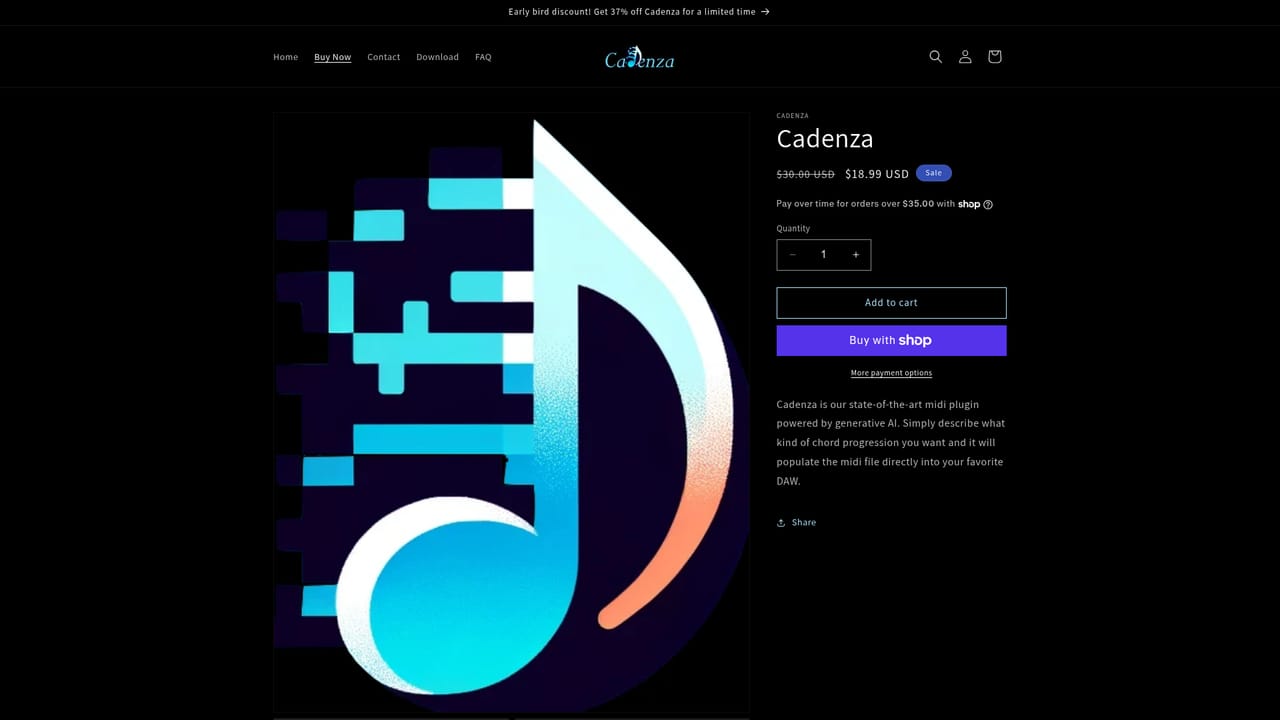
Screenshot of Cadenza Music, Prompt-driven MIDI chord generator for DAW producers

What is Cadenza Music?

Cadenza Music is a bass tab tool. Cadenza generates MIDI chord progressions from a text description and lets you drag the result into your DAW. A focused song-starting utility for producers who want a fast harmonic foundation, sold as a one-time product rather than a subscription.

Cadenza is a chord generation tool aimed at producers who have an idea for a song but stall on the harmonic foundation. Instead of browsing preset progressions or hunting through sample packs, you type a description of the sound you are after and the tool builds a MIDI chord progression from that prompt. The company positions it as song-starting software, with the pitch that amateur producers can move from idea to song using the AI rather than music theory knowledge. The workflow is deliberately narrow. You describe the vibe in plain language, asking for something as familiar as a radio pop progression or as dense as advanced jazz voicings. Pressing the Generate Midi control produces a progression that the site says is professional grade, and the interpretation of your words plays out in real time so you can see what the model made of the request. From there you drag the resulting MIDI file into your DAW and continue with sound design, arrangement and mixing using your own instruments. That narrowness is the point. Cadenza does not try to be a full production suite or an arrangement assistant. It slots in at the very beginning of a project, where the blank timeline is the obstacle, and hands control back to you once the chords exist. Producers who already have strong theory skills may find their own voicings faster, but beginners and hobbyists who want a credible harmonic starting point should get value from the prompt-and-drag loop. It sits alongside AI stem separators, melody generators and mixing assistants as a small, focused utility rather than a platform. Because the output is standard MIDI, it stays portable: nothing locks your chords to a proprietary player, and the material works with any DAW that accepts dragged MIDI files. The homepage does not list a catalog of supported hosts, so check your DAW's drag-and-drop behavior before buying. Pricing is a one-time product purchase rather than a subscription, and the site currently runs an early bird discount against a higher list price.

How do you use Cadenza Music?

  1. 1Buy Cadenza and open the tool
    Purchase Cadenza from the product page, apply any active early bird discount at checkout, then open the generator interface.
    Cadenza Music — Buy Cadenza and open the tool
  2. 2Describe the chords you want
    Type a prompt describing the vibe, style or specific chord character you are after, from straightforward pop to advanced jazz harmony.
  3. 3Generate the MIDI progression
    Click Generate Midi and watch your description get interpreted into a chord progression in real time.
  4. 4Audition and regenerate
    Play the result back to check the voicings and flow, then adjust your prompt or generate again until the progression fits the idea.
  5. 5Drag the MIDI into your DAW
    Drag the created MIDI file into your DAW timeline and assign your own instruments to begin building the track.

Pros and cons

Pros

  • Turns a plain-language description of a vibe into a usable chord progression without theory workAI
  • Output is standard MIDI, so chords move into any compatible DAW with a single dragAI
  • Handles both simple pop progressions and more advanced jazz-style voicings from the same prompt boxAI
  • One-time purchase rather than a recurring subscription, with a current early bird discountAI
  • Clearly scoped to the start of a project, which keeps the tool quick to learn and useAI

Cons

  • Only generates chords, so melody, bass, drums and arrangement remain entirely manualAI
  • No published list of tested DAWs, leaving drag-and-drop compatibility to be confirmed by the buyerAI
  • No free trial or demo version is mentioned on the homepage, so the purchase is effectively blindAI
  • Quality depends heavily on how well you phrase the prompt, and no prompt guidance library is describedAI
  • Single-purpose scope means most producers will still need separate tools for the rest of a trackAI

How much does Cadenza Music cost?

Pricing

Cadenza is sold as a one-time product priced at $18.99 USD, marked down from a regular price of $30.00 USD. The homepage advertises a limited early bird discount of 37 percent off. Installment payment options are offered on orders over $35.00.

Learn more

Integrations

Output is delivered as a MIDI file that you drag into your DAW, so it works with hosts that accept dropped MIDI. The homepage does not list specific DAWs or plugin formats.

Features

Prompt-based chord generation: describe the progression you want in plain language and the AI builds a MIDI chord progression, with smooth voice leading between chords. It handles simple pop progressions and advanced jazz voicings, interprets your description in real time, and exports MIDI that you drag directly into your DAW.

Learn more

Frequently asked questions about Cadenza Music

  • How much does Cadenza Music cost?
    Cadenza is sold as a one-time product priced at $18.99 USD, marked down from a regular price of $30.00 USD. The homepage advertises a limited early bird discount of 37 percent off. Installment payment options are offered on orders over $35.00.
  • How do you use Cadenza Music?
    The walkthrough on this page covers 5 steps: 1. Buy Cadenza and open the tool 2. Describe the chords you want 3. Generate the MIDI progression 4. Audition and regenerate 5. Drag the MIDI into your DAW.
  • What platforms does Cadenza Music support?
    Cadenza Music is available on Web App.
  • What does Cadenza Music integrate with?
    Output is delivered as a MIDI file that you drag into your DAW, so it works with hosts that accept dropped MIDI. The homepage does not list specific DAWs or plugin formats.
  • What are the limitations of Cadenza Music?
    Only generates chords, so melody, bass, drums and arrangement remain entirely manual. No published list of tested DAWs, leaving drag-and-drop compatibility to be confirmed by the buyer. No free trial or demo version is mentioned on the homepage, so the purchase is effectively blind.

Status

StatusActive
Views0
Outbound clicks0
Added10/21/2026

Platforms

Web App

Pricing

Paid