Candidate Screening

Screening candidates with video interviews, tests and AI scoring

Beginner
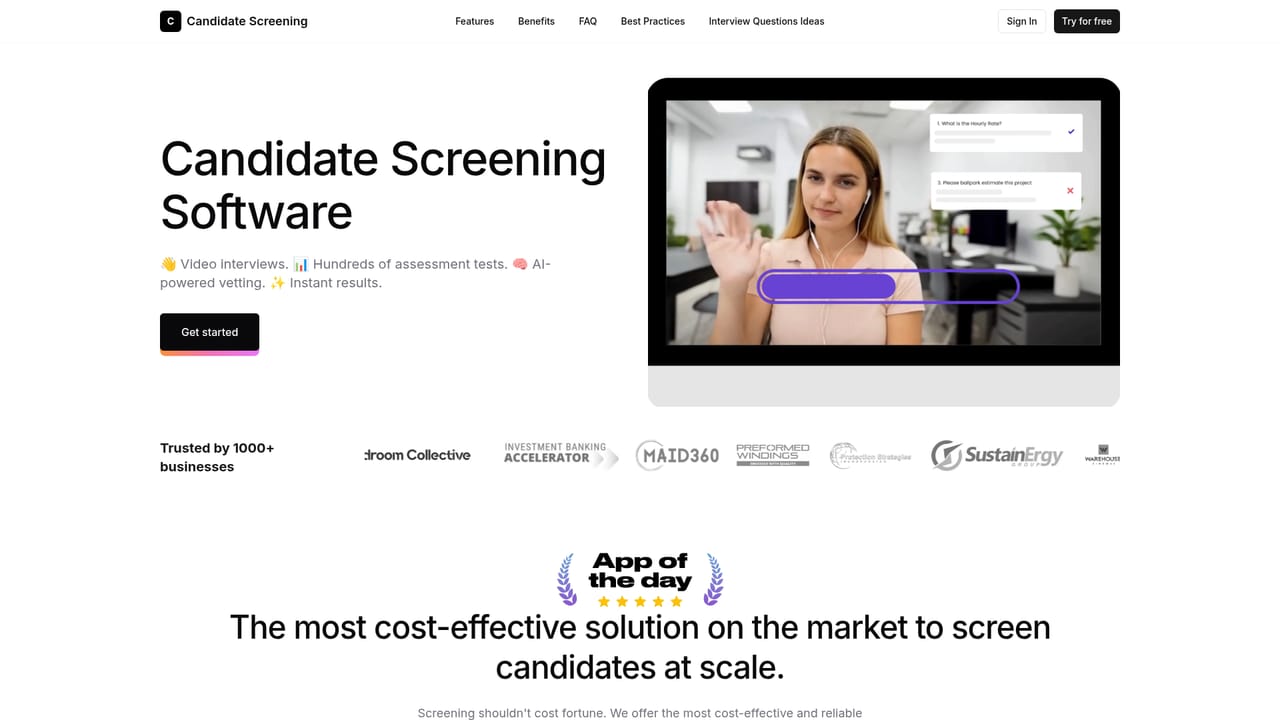
Screenshot of Candidate Screening, Screening candidates with video interviews, tests and AI scoring

What is Candidate Screening?

Candidate Screening is a bulk video generator tool. A candidate screening platform combining one-way video interviews, hundreds of pre-built skill and personality tests, AI-assisted response scoring and a basic ATS with optional integrations into Greenhouse, Workday and monday.com.

Candidate Screening is a hiring platform built around one goal: cut the time between an application arriving and a shortlist being ready. Recruiters paste a job link from Indeed, LinkedIn or any other job board into the tool, and applicants are scored as they apply. Responses can take three forms: recorded video, written answers, or a selection from a predefined list of options. An AI assistant reviews the responses first and scores them against screening criteria that the team defines itself. That means hiring managers can specify which signals matter for a given role rather than working from a generic rubric. Beyond the interview layer, the product ships with a library of hundreds of pre-built assessment tests covering personality and professional skills. Companies can pull a relevant test instead of building one from scratch, which matters most for high-volume roles such as customer support, sales or operations. A basic applicant tracking system is included: candidates get automatic notifications, and access control can be set at a granular level. Teams that already run Greenhouse, Workday, monday.com or a dozen other ATS tools can connect them and keep the existing workflow. The pricing is designed for scale. Even the entry plan caps monthly interviews at 30, and the ladder climbs to an unlimited tier, so the platform suits employers who screen many applicants per role rather than a handful. Video retention periods stretch from 90 days up to two years depending on the plan. The vendor describes the tool as a white-label underlying engine used by other brands, which implies the core screening logic is resold elsewhere. It fits best in mid-market and larger recruiting teams that want structured, repeatable first-round screening without paying for a full enterprise talent suite. Smaller businesses with occasional hires will find the plan tiers and interview caps limiting, and the published price points are high compared with basic assessment tools. Consider it when interview volume and consistency matter more than a polished candidate experience or deep interview analytics.

How do you use Candidate Screening?

  1. 1Sign in to the screening app
    Create an account through the sign-in link, then pick the plan that matches expected interview volume. The homepage lists monthly interview caps for each tier, so start one level above your current needs.
  2. 2Paste your job application link
    Drop in the application link from Indeed, LinkedIn or another job board. The platform reads incoming applications from that URL and begins scoring candidates against your criteria.
  3. 3Choose response types
    Decide whether candidates record video, type answers, or pick from a list. Mixed formats work for roles where both communication style and specific knowledge matter.
  4. 4Add assessment tests
    Browse the test library and attach personality or professional skills tests to the screening flow. Pick tests that map to the actual duties rather than adding a generic battery.
    Candidate Screening — Add assessment tests
  5. 5Set screening criteria for the AI assistant
    Define what a strong answer looks like for the role. The AI pre-screen uses these criteria to score responses, so vague criteria produce vague shortlists.
  6. 6Connect your ATS and review the shortlist
    If your team runs Greenhouse, Workday, monday.com or similar, connect the integration so scored candidates land in your existing pipeline. Otherwise work directly in the built-in ATS.

Pros and cons

Pros

  • Paste a link from Indeed, LinkedIn or any job board and candidates are scored on arrivalAI
  • Hundreds of pre-built tests for personality and professional skills are includedAI
  • AI assistant reviews responses before a recruiter does, saving first-pass reading timeAI
  • Screening criteria are customizable per role rather than fixed to a templateAI
  • Built-in ATS with automatic candidate notifications and granular access controlAI

Cons

  • Entry plan allows only 30 interviews a month, which is thin for real hiring volumeAI
  • Published tiers run from $1399 to $20999 per month when paid annually, so small teams are priced outAI
  • Video retention is capped at 90 days on the cheapest plan, limiting later reviewAI
  • The candidate experience is one-way video, which some applicants find impersonal and slow to completeAI
  • No free tier or public trial information on the site, so evaluation requires committing to a paid planAI

How much does Candidate Screening cost?

Pricing

Four annual plans: Starter at $1399/mo for 30 interviews with 90 day video retention, SME at $3499/mo for 60 interviews and 180 days, Business at $6299/mo for 150 interviews and 365 days, and Unlimited at $20999/mo with unlimited interviews and 730 day retention. All tiers list AI test validation, custom branding, analytics, ATS integration and premium support.

Learn more

Support

Premium support is listed as a feature on every plan tier, including Starter. No separate help centre or documentation site is published.

Integrations

Connects with Greenhouse, Workday, monday.com and a dozen other advanced ATS solutions, alongside the included basic ATS.

Features

Job board link import, candidate scoring against customizable criteria, three response types (video, text, list selection), an AI assistant that pre-screens responses, a library of hundreds of personality and professional skills tests, and a built-in ATS with automatic candidate notifications, granular access control and shared review tooling.

Frequently asked questions about Candidate Screening

  • How much does Candidate Screening cost?
    Four annual plans: Starter at $1399/mo for 30 interviews with 90 day video retention, SME at $3499/mo for 60 interviews and 180 days, Business at $6299/mo for 150 interviews and 365 days, and Unlimited at $20999/mo with unlimited interviews and 730 day retention. All tiers list AI test validation, custom branding, analytics, ATS integration and premium support.
  • How do you use Candidate Screening?
    The walkthrough on this page covers 6 steps: 1. Sign in to the screening app 2. Paste your job application link 3. Choose response types 4. Add assessment tests 5. Set screening criteria for the AI assistant 6. Connect your ATS and review the shortlist.
  • What platforms does Candidate Screening support?
    Candidate Screening is available on Web App.
  • What does Candidate Screening integrate with?
    Connects with Greenhouse, Workday, monday.com and a dozen other advanced ATS solutions, alongside the included basic ATS.
  • What are the limitations of Candidate Screening?
    Entry plan allows only 30 interviews a month, which is thin for real hiring volume. Published tiers run from $1399 to $20999 per month when paid annually, so small teams are priced out. Video retention is capped at 90 days on the cheapest plan, limiting later review.

Status

StatusActive
Views0
Outbound clicks0
Added10/21/2026

Platforms

Web App

Pricing

PaidSubscription