Pricing
Pay-per-caricature with no subscription, starting from 43 cents per image according to the homepage comparison table. Full plan details are not listed on the homepage.
Learn moreTurn a selfie into a funny, recognizable AI caricature in seconds
Own Caricature Maker? Verify ownership to get a dofollow link
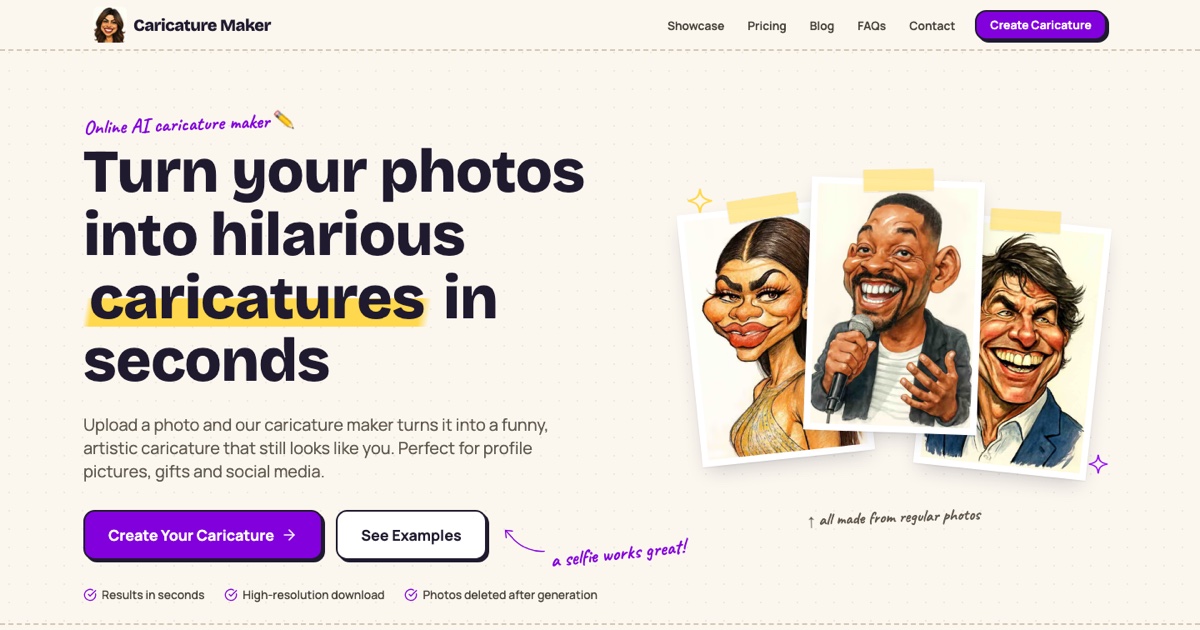
Caricature Maker is a caricature maker tool that turns a selfie into a funny, recognizable AI caricature in seconds. Caricature Maker is a web-based AI tool that turns a selfie, couple or group photo into a high-resolution caricature in seconds.
Caricature Maker is a web-based AI tool that converts an ordinary photo into a caricature: a stylized portrait that exaggerates a person's most noticeable features while keeping them recognizable. The site positions it as a quick alternative to commissioning an artist, aimed at people who want a distinctive profile picture, a birthday or wedding gift, or a harmless laugh with friends. In practice the flow is short. A user signs in, uploads a well-lit, front-facing photo (a normal selfie is the recommended input), and the model picks out standout traits such as a smile, eyebrows or hair and pushes them toward cartoon territory. The result arrives within seconds and can be downloaded as a high-resolution image. Group shots, couples, families, wide landscape frames and tall portraits are supported, with everyone in the picture included and the original shape preserved. If a result disappoints, the suggested remedy is simply trying a different photo. Uses covered on the site include avatars for LinkedIn, Instagram, YouTube or Discord, cards, mugs and cake toppers, wedding invitations and favors, and team pages or office events. Downloads are described as usable for personal or commercial purposes. On privacy, the site says uploaded photos are deleted after generation and are not sold or used for advertising. The founder, Atharv Tathe, describes tuning the system to avoid the over-distorted faces and plain filter effects common in similar apps. Pricing is pay-per-image rather than subscription-based, starting from 43 cents per caricature. Compared with general-purpose image generators, this is a narrow single-purpose product with no prompt writing or style menus mentioned, which keeps it approachable but limits control. Compared with live or commissioned caricature artists, it trades hand-drawn craft for speed, availability at any hour and lower cost per portrait. It suits casual users and small teams rather than professional illustrators who need precise art direction.
Pay-per-caricature with no subscription, starting from 43 cents per image according to the homepage comparison table. Full plan details are not listed on the homepage.
Learn moreAI caricature generation from a single photo, support for groups, couples and families, preserved photo shape, high-resolution downloads, results in seconds, commercial use permitted, and photos deleted after generation.
Learn more AI Angels400+ customizable AI girlfriends for NSFW chat, voice calls, and roleplay
 Candy AIExperience the future of companionship with AI friends who chat, role-play, and connect with you on a human level.
 ourdream.aiA vast AI roleplay platform with millions of characters for chat, images, video and voiceAI Angels400+ customizable AI girlfriends for NSFW chat, voice calls, and roleplayCandy AIExperience the future of companionship with AI friends who chat, role-play, and connect with you on a human level.ourdream.aiA vast AI roleplay platform with millions of characters for chat, images, video and voice


