Free trial
A 7-day free trial is offered, with cancellation available at any time and no long-term commitment required.
Learn moreContext-aware voice dictation that formats speech for each app automatically.

Contextli turns speech into formatted text for the app you are already using. Custom contexts reshape dictation into emails, Slack messages, bug reports, or meeting notes, then auto-paste the result at your cursor. It runs on desktop, emphasizes local and bring-your-own-key privacy options, and targets professionals who type for hours each day.
Contextli is a desktop dictation tool that converts spoken words into text and then reshapes that text to match the app you are working in. The core idea is that raw transcription is rarely useful on its own: a message meant for Slack should look like a Slack message, an email should read like an email, and a bug report should follow a structured format. Contextli introduces reusable "contexts", which are custom prompts that define tone, structure, and even product details for a given writing task. You set up a context once, assign it a hotkey, and from then on every dictation is processed through that lens before being pasted into the active window. The workflow is built around a global hotkey. Press it from any application, speak naturally, and the tool transcribes your audio, applies the selected context, and auto-pastes the result back where your cursor was. A support agent can answer a ticket without leaving the inbox, an engineer can file a structured bug report without opening a separate writing tool, and a founder can dictate a standup update that arrives already organized into Done, Blocker, and ETA. The site lists compatibility with a long roster of apps, including Gmail, Slack, Teams, Notion, Jira, VS Code, and many others, though the mechanism is simply that it works anywhere you can type. Contextli is aimed at professionals who type for hours a day and feel the cost of context switching. The pitch is that opening a chat tab for every small writing task adds friction that outweighs the benefit, and that speaking is faster than typing when the output is already formatted. Privacy is a central differentiator. The tool states that audio travels directly from your machine to the transcription provider, with Contextli's servers never in the path. For stricter requirements, a bring-your-own-key mode lets you route audio to OpenAI, Anthropic, or Deepgram yourself, and an air-gapped mode runs entirely offline. Among dictation tools, Contextli sits closer to a writing assistant than a pure transcriber. It competes with general voice typing features and with the habit of pasting rough speech into a chatbot for cleanup. Its bet is that formatting by context, plus a searchable feed of past dictations that external AI assistants can read, is more useful than raw accuracy alone.
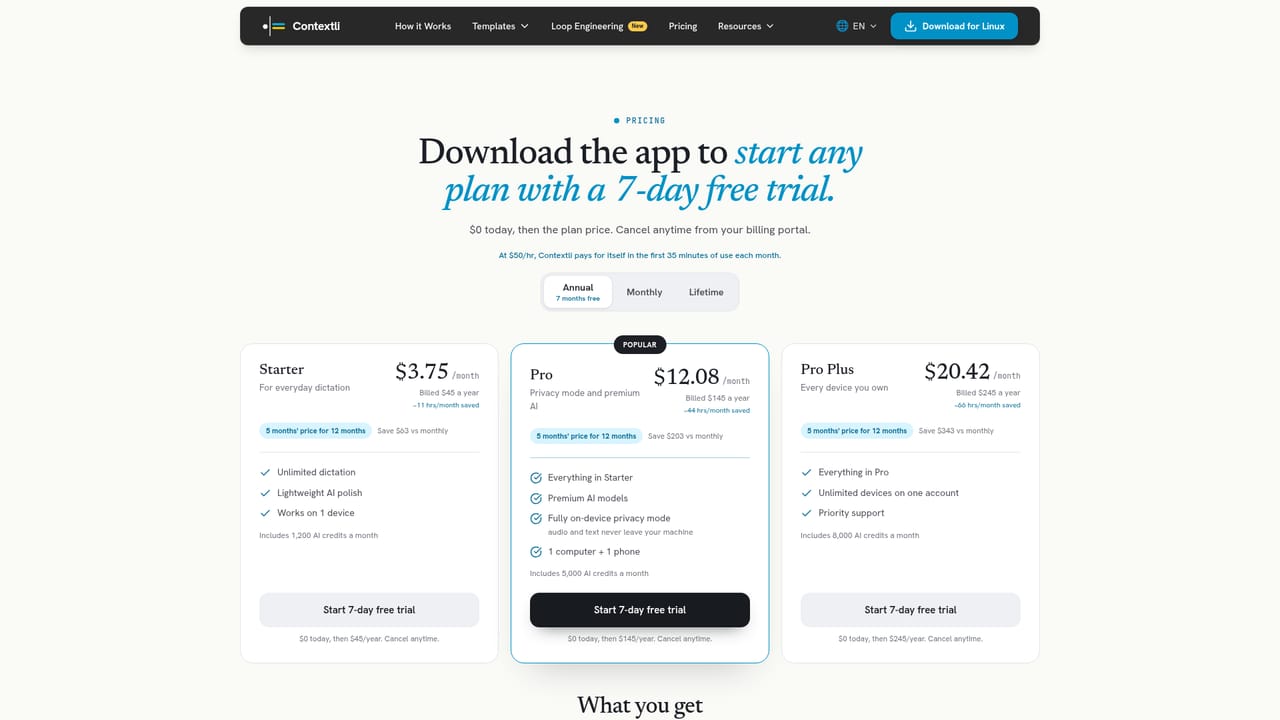
A 7-day free trial is offered, with cancellation available at any time and no long-term commitment required.
Learn moreThe tool works in any application with a text field. The site names Gmail, Slack, Teams, Notion, Jira, GitHub, VS Code, and many others. Bring-your-own-key mode connects to OpenAI, Anthropic, and Deepgram, and dictation history can be read by Claude, ChatGPT, Grok, and Perplexity.
Contexts are custom prompts that define tone and format for different writing tasks, each assignable to a hotkey. Dictation works from any text field, with automatic pasting of the formatted result. Privacy modes include direct-to-provider transcription, bring-your-own-key routing to OpenAI, Anthropic, or Deepgram, and a fully offline air-gapped mode. Past dictations form a searchable feed that external AI assistants can read.
 AI Angels400+ customizable AI girlfriends for NSFW chat, voice calls, and roleplay
 Candy AIExperience the future of companionship with AI friends who chat, role-play, and connect with you on a human level.
 ourdream.aiA vast AI roleplay platform with millions of characters for chat, images, video and voiceAI Angels400+ customizable AI girlfriends for NSFW chat, voice calls, and roleplayCandy AIExperience the future of companionship with AI friends who chat, role-play, and connect with you on a human level.ourdream.aiA vast AI roleplay platform with millions of characters for chat, images, video and voice


