Decopy

AI detection plus a full writing, summarizing and study workspace.

Beginner
Screenshot of Decopy, AI detection plus a full writing, summarizing and study workspace

What is Decopy?

Decopy is an AI detector tool. Decopy combines an AI content detector with a humanizer, document and video summarizer, transcription, text to speech and study tools in one web workspace aimed at students, marketers and writers.

Decopy is a web workspace that bundles AI content detection with a set of writing, transcription and study utilities. The detection tool analyzes text with NLP models and reports whether passages look machine written, including output from ChatGPT, GPT-4 and Claude. The vendor also states that it recognizes text that has been paraphrased, and that humanized output can still be flagged. Alongside detection sits a humanizer that rewrites stiff machine prose into something closer to natural writing, which is the pairing that defines the product: check a draft, then reshape it. The rest of the suite spreads well beyond detection. A summarizer condenses articles, PDFs, Word files and slide decks; a video module pulls transcripts and key points from uploads or YouTube links, and separate tools handle Instagram Reels and TikTok clips. Speech to text and text to speech round out the audio side, while OCR extracts words from images and the platform can also check whether a picture was AI generated. A study section covers step by step math solving, homework help, flashcards and worksheets. The audience is broad: students working through notes and assignments, marketers drafting product copy, writers looking for structure and freelance creators checking originality before publishing. Decopy presents itself as a single workflow rather than a point tool, and an organized workspace keeps uploads, history and favorites in one place. Outputs stay editable, and the site says uploaded material is used only for the chosen task and is not claimed as the vendor's property. Among AI detectors, Decopy competes less on pure accuracy claims than on bundling: buyers comparing single purpose detectors will find transcription, humanization and study helpers included here. Detection verdicts are probabilistic by nature, so treat results as a signal to review, not a certificate.

How do you use Decopy?

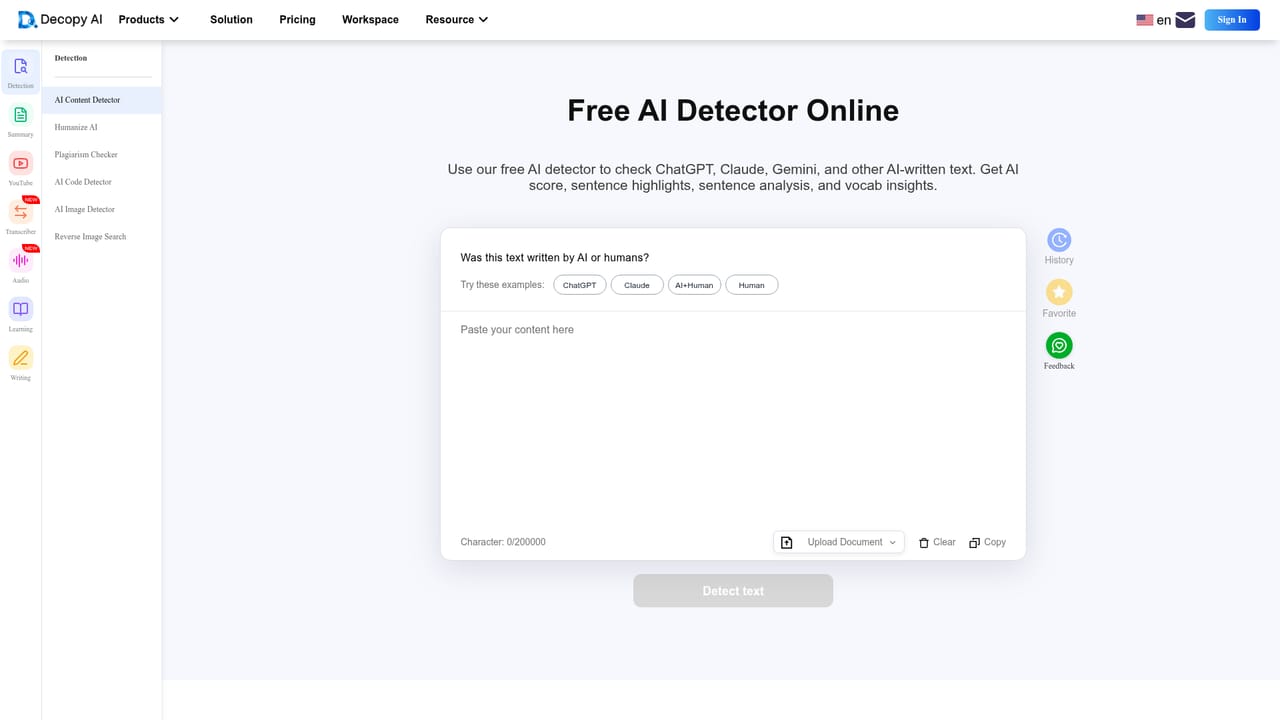
  1. 1Run a detection check
    Paste a draft into the AI content detector to see whether it reads as machine generated. The vendor says paraphrased and humanized text can still be caught.
    Decopy — Run a detection check
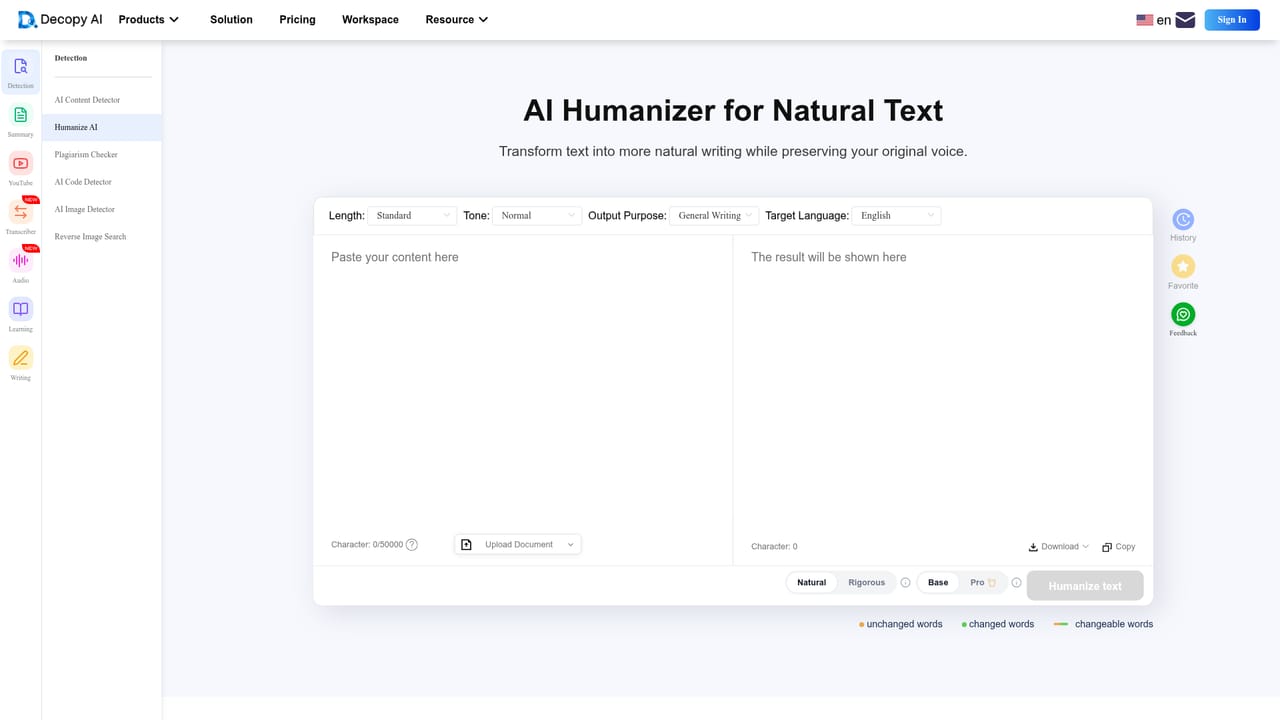
  2. 2Humanize the flagged passages
    Move the text into the humanizer and rewrite the sections that scored as AI. Review the output to confirm the meaning and your own phrasing survived.
    Decopy — Humanize the flagged passages
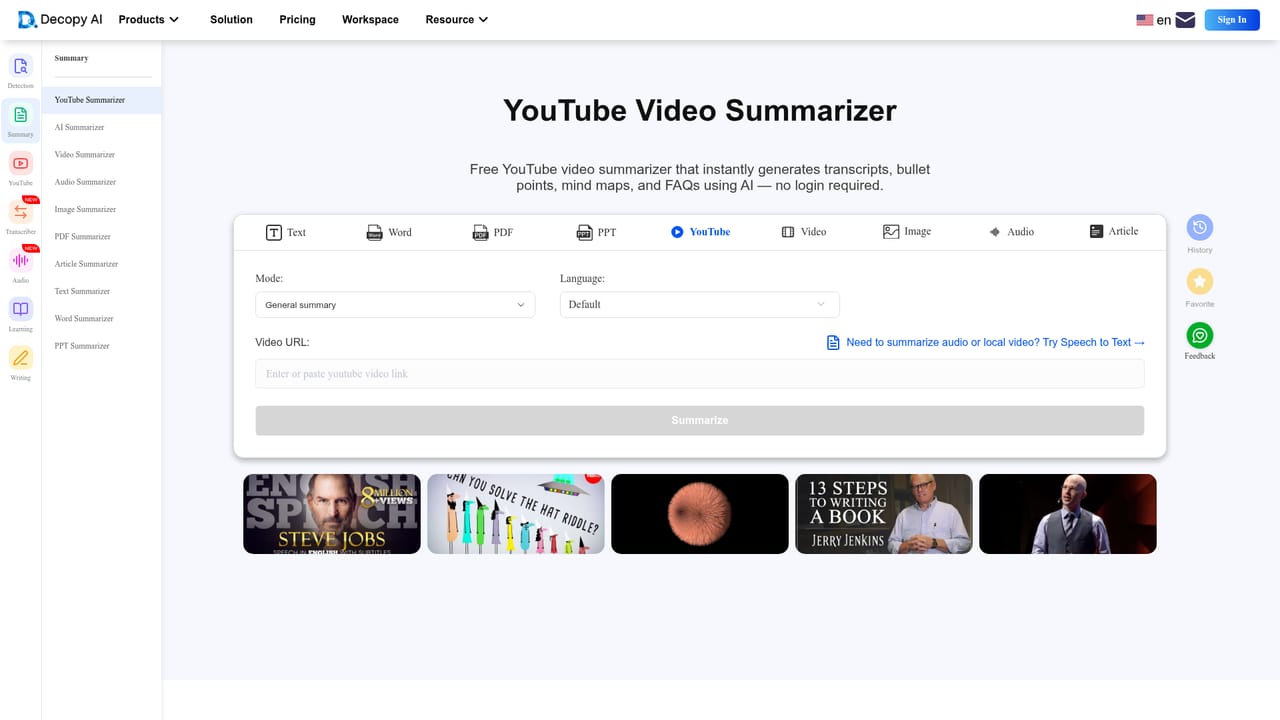
  3. 3Condense source material
    Drop a YouTube link or an article in for summarization to extract key points before writing. Transcript tools cover video, Reels and TikTok clips as well.
    Decopy — Condense source material
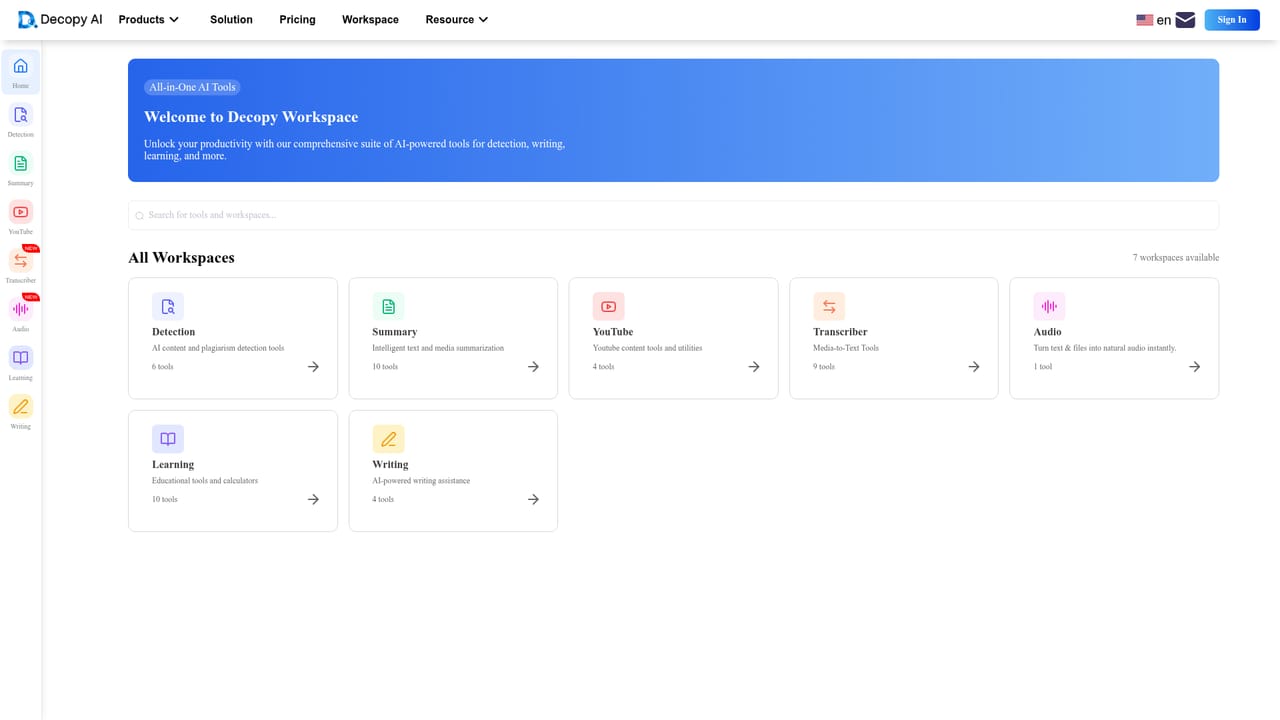
  4. 4Work inside the workspace
    Use the workspace to keep uploads, notes, history and favorites together. Results stay editable and can be saved or deleted at any time.
    Decopy — Work inside the workspace
  5. 5Check a document or image
    Upload a PDF, Word or PowerPoint file for summarization, or an image for OCR and AI image detection. This step runs inside the signed in product.

Pros and cons

Pros

  • Detection and humanization sit in the same workspace, so a flagged draft can be rewritten without switching toolsAI
  • Handles many input types: text, PDFs, Word and PowerPoint files, images, audio and video linksAI
  • Free to use with no login required for detection, summarization and plagiarism checks, per the siteAI
  • Humanizer output is presented as preserving the original meaning and quality rather than flattening itAI
  • Workspace keeps history and favorites so past results are easy to revisitAI

Cons

  • No published accuracy benchmarks for the detector, so flag rates cannot be compared against rivals before buyingAI
  • Only a web app is listed, which means no browser extension or desktop client for checking drafts in placeAI
  • Features are spread across many separate tools, so the workflow is less joined up than the one place pitch suggestsAI
  • The vendor's own claim about bypassing Turnitin detection raises integrity questions that academic users should weigh carefullyAI
  • Pricing tiers and usage limits are not described on the homepage, leaving cost unclear beyond the free tierAI

How much does Decopy cost?

Features

Detection of AI text from ChatGPT, GPT-4 and Claude, including paraphrased passages; a humanizer for natural sounding rewrites; summarization of articles, PDFs, Word and PPT files; image AI detection and OCR; speech to text and text to speech; YouTube, Instagram and TikTok transcripts; step by step math solving, homework help, flashcards and worksheets; an organized workspace with history and favorites.

Frequently asked questions about Decopy

  • How do you use Decopy?
    The walkthrough on this page covers 5 steps: 1. Run a detection check 2. Humanize the flagged passages 3. Condense source material 4. Work inside the workspace 5. Check a document or image.
  • What platforms does Decopy support?
    Decopy is available on Web App.
  • What are the limitations of Decopy?
    No published accuracy benchmarks for the detector, so flag rates cannot be compared against rivals before buying. Only a web app is listed, which means no browser extension or desktop client for checking drafts in place. Features are spread across many separate tools, so the workflow is less joined up than the one place pitch suggests.

Status

StatusActive
Views0
Outbound clicks0
Added10/22/2026

Platforms

Web App

Pricing

Freemium