Free trial
A free tier is available with a limited number of credits, so photos can be animated without paying until the limit is reached.
Learn moreTurns still family photos into short, lifelike animated videos
Own Deep Nostalgia AI? Verify ownership to get a dofollow link

Deep Nostalgia AI is an animation tool that turns still family photos into short, lifelike animated videos. Deep Nostalgia AI is a web tool that animates old family photos into short lifelike videos using deep learning. It is simple to use, free up to a credit limit, and aimed at keepsake and memorial projects rather than advanced video work.
Deep Nostalgia AI is a web-based photo animation tool that takes a still picture, usually an old family portrait, and turns it into a short video with subtle, natural movement. The site describes the technology as deep learning applied to faces, producing blinks, smiles and small head motions while trying to keep the people in the image looking like themselves. The tool is aimed at ordinary users rather than editors or motion designers. Typical uses are reviving portraits of grandparents, animating vintage snapshots for a family gathering, or making a memorial clip to share on social media. Nothing about the workflow requires technical knowledge: a person signs in, uploads a photo, optionally relies on a short text prompt such as a description of the expression wanted, and waits a few minutes for the result. The finished video can be downloaded or shared directly. Practical details matter here. The homepage says clear, high-resolution images give the best results, though weaker photos can still be animated. Batch processing is not available yet, so each photo is handled one at a time. Access is credit-based: basic use is free up to a credit limit, with premium options for heavier use. On privacy, photos uploaded without an account are deleted automatically, which is a useful detail for people working with sensitive family images. The team also runs a Discord community for feedback and feature requests, and support is available by email. Among alternatives, Deep Nostalgia AI sits in the narrow niche of portrait animation, in contrast with general image-to-video generators that handle scenes, camera moves and stylized content. That focus makes it quicker to learn and well suited to genealogy and keepsake projects, but it offers less creative control than broader generative video platforms. The original Deep Nostalgia feature from MyHeritage is also available in that company's mobile app, which is the closest comparison for people who prefer a native app over a browser workflow.
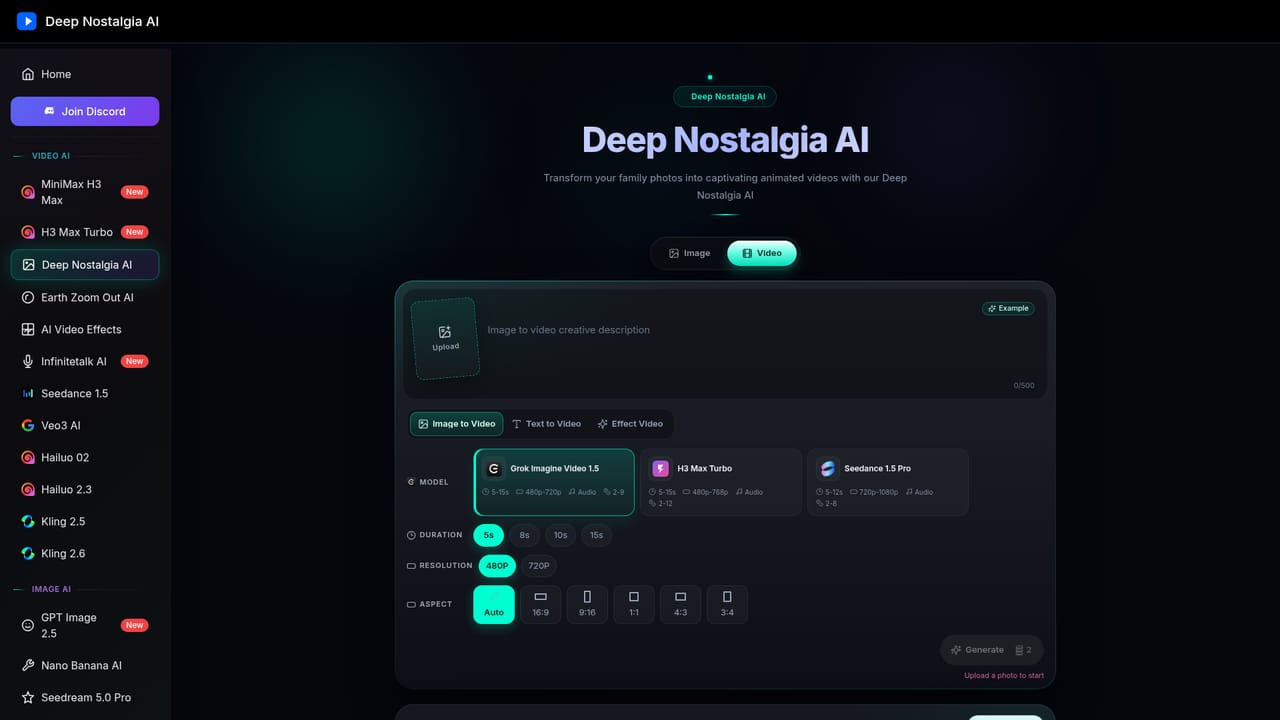
A free tier is available with a limited number of credits, so photos can be animated without paying until the limit is reached.
Learn moreBasic features are free up to a credit limit, with premium options for more extensive use. The homepage does not list premium prices.
Learn moreSupport is offered by email at support@deep-nostalgia-ai.com and through a Discord community for feedback, feature requests and early updates. The homepage also includes an FAQ.
No third-party integrations are listed. The homepage notes that Deep Nostalgia is also offered in the free MyHeritage mobile app on the App Store and Google Play.
Deep learning photo animation of facial expressions and movements, processing in a few minutes, preservation of the original appearance, a simple interface, downloadable and shareable videos, and automatic deletion of photos uploaded without an account.


