mimem.ai

Markerless motion capture from any camera, exported as FBX

Intermediate
Screenshot of mimem.ai, Markerless motion capture from any camera, exported as FBX

What is mimem.ai?

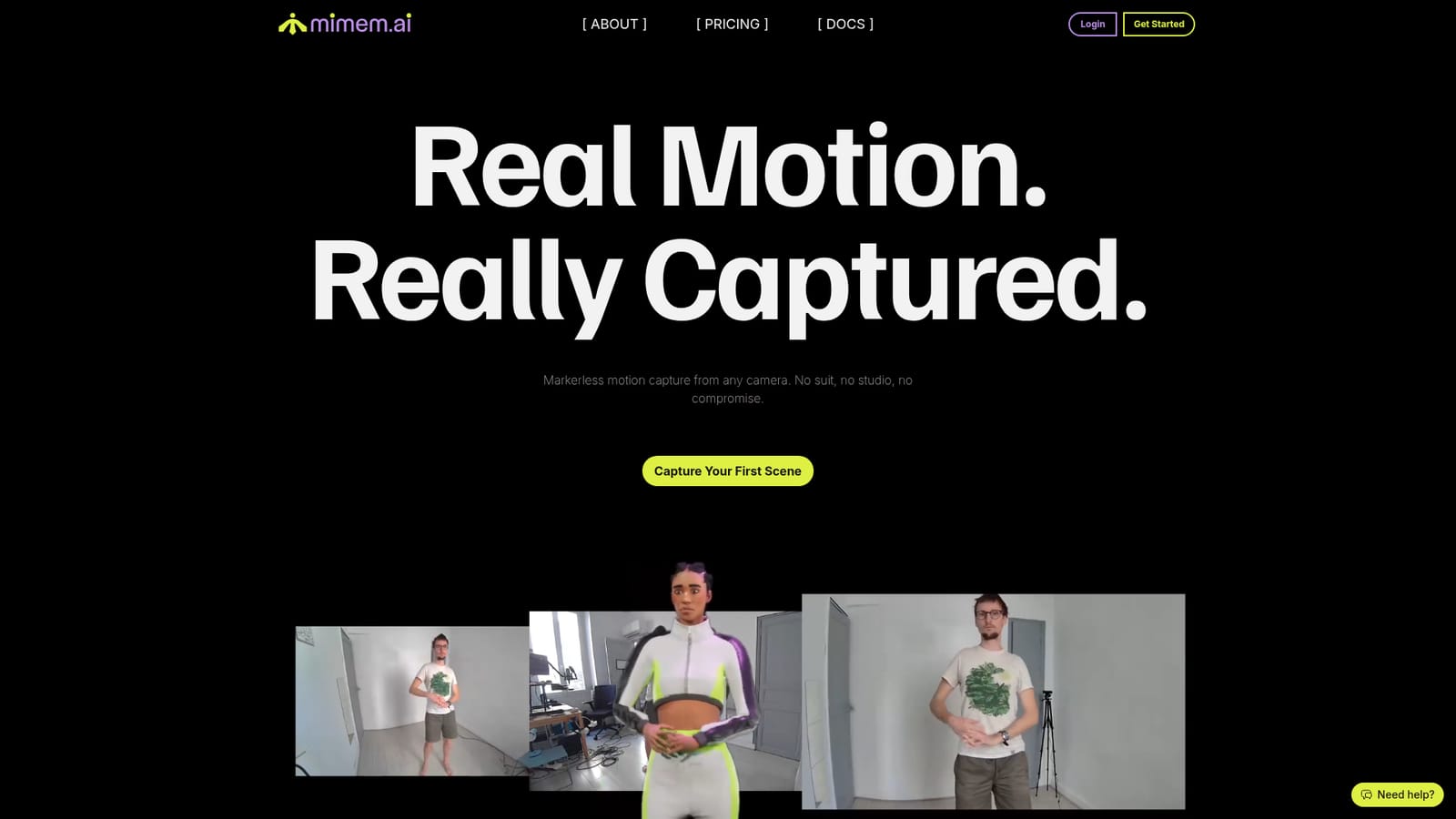
mimem.ai converts video from phones, GoPros, webcams or DSLRs into game-ready FBX animation using markerless AI capture. It needs no suit, calibration or studio, offers a free plan with commercial rights, and retargets motion onto custom characters.

mimem.ai is a cloud-based markerless motion capture service that turns ordinary video into 3D skeleton animation. Instead of mocap suits, reflective markers or a dedicated studio, it uses AI and computer vision to track a performer from footage shot on cameras the user already owns, including smartphones, GoPros, webcams, DSLRs and cinema cameras. The team describes itself as game developers who built the tool around their own animation workflow. In practice, the process has four stages. Cameras are positioned around the subject without precise placement or a calibration step, since the platform synchronizes multi-camera feeds automatically. The performance is recorded with the companion app or any other recording device, then uploaded to mimem's cloud, which reconstructs and smooths the motion. The result downloads as standard FBX that opens in Unity, Unreal Engine, Blender, Maya, MotionBuilder and Cascadeur. Users can also upload their own character, including stylized rigs, and have the take retargeted with IK for more accurate feet and hand placement. Camera count scales quality. One camera handles simple movements, two or three suit most projects, and four to six are positioned for professional-grade output. The free plan supports up to three cameras and the Pro plan up to twelve. A 30-second clip typically processes in two to five minutes, with priority processing on paid plans. A companion iOS and Android app pairs phones to a session by QR code so each one acts as a synchronized camera. The audience is indie game developers, filmmakers, animators and Unreal Engine creators who need believable body motion without the cost of optical or inertial systems. Commercial rights come with every plan, including the free one. Independent reviewers on the homepage compare it favorably with higher-priced systems and with Quick Magic, which positions mimem as a budget-friendly alternative in the markerless mocap field. Face and hand capture are not mentioned on the homepage.
How do you use mimem.ai?

  1. 1Set up your cameras
    Place cameras around the performer, using phones, GoPros, webcams or DSLRs. Precise placement is not required, and calibration is not needed.
    mimem.ai — Set up your cameras
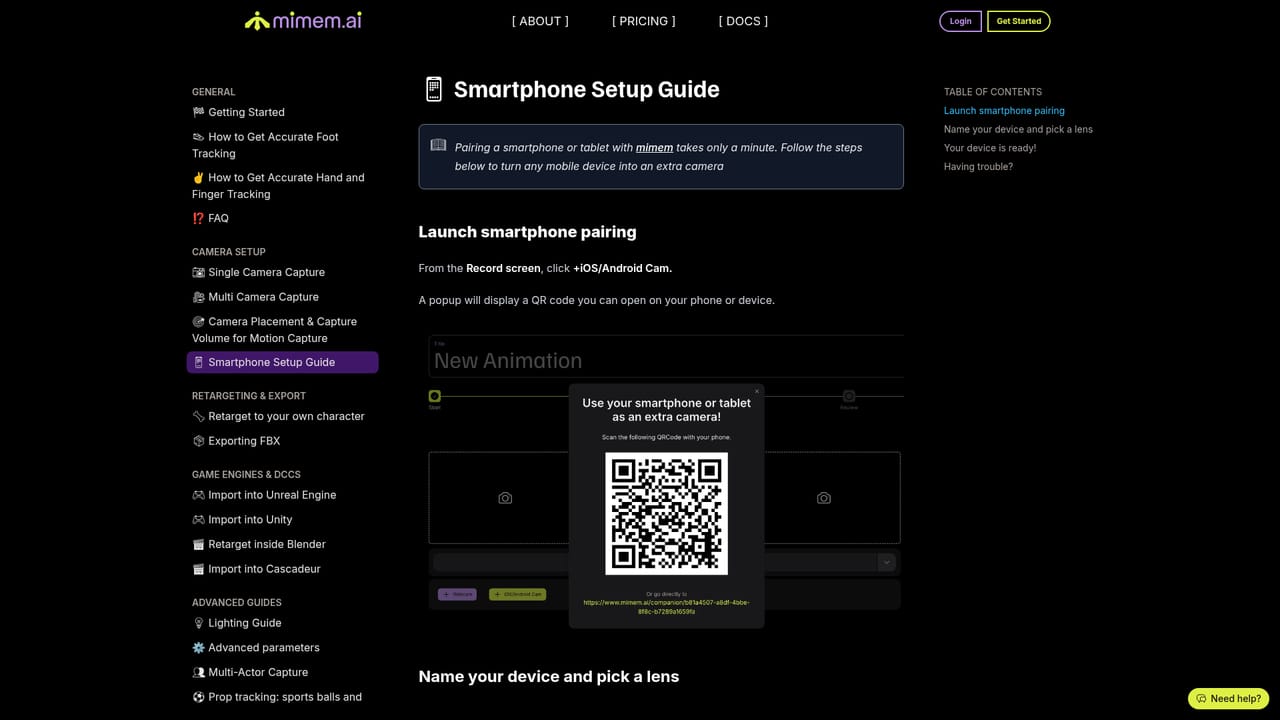
  2. 2Pair phones with the companion app
    Install the mimem app on iOS or Android and scan the QR code shown in your session. Each phone then acts as a synchronized camera.
  3. 3Record the performance
    Capture the motion with the app or any recording device in a space with decent lighting. Use more cameras for complex movement.
  4. 4Upload footage to mimem
    Send the clips to the cloud platform, which syncs the feeds, reconstructs the motion and smooths it. A 30-second clip typically takes 2 to 5 minutes.
    mimem.ai — Upload footage to mimem
  5. 5Download and import the FBX
    Export the animation as FBX and open it in Unity, Unreal, Blender, Maya or similar. Optionally upload your own character for IK retargeting.

Pros and cons

Pros

  • Works with cameras people already own, from smartphones to DSLRs, so no suits, markers or studio are neededAI
  • Automatic multi-camera sync removes calibration wands and precise camera placementAI
  • Free plan includes commercial rights and FBX export, with no royalties or attributionAI
  • Exports standard FBX for Unity, Unreal, Blender, Maya, MotionBuilder and CascadeurAI
  • Custom character upload with IK retargeting helps keep feet and hands accurate on stylized rigsAI

Cons

  • Processing happens in the cloud, so results are not instant: a 30-second clip takes roughly 2 to 5 minutesAI
  • Free plan caps at 3 cameras, and the best quality is described as needing 4 to 6 camerasAI
  • Single-camera capture is only recommended for simple movementsAI
  • Output is FBX only according to the homepage, with no other formats listedAI
  • Needs decent lighting and enough open space, and the homepage does not cover face or finger captureAI

How much does mimem.ai cost?

Free trial

No time-limited trial is described, but a permanent free plan allows up to 3 cameras, FBX export and full commercial rights.

Learn more

Pricing

A free plan covers up to 3 cameras, full commercial rights and FBX export. Paid plans add more cameras (Pro supports up to 12), priority processing and higher volume. One reviewer cites $25 per month; a pricing page holds the details.

Learn more

Support

A smartphone setup guide is published in the docs, and the homepage includes an FAQ and a "Need help?" prompt.

Learn more

Integrations

Exports standard FBX that works with Unity, Unreal Engine, Blender, Maya, MotionBuilder, Cascadeur and any other FBX-compatible 3D software.

Features

Markerless AI motion capture from any camera, automatic multi-camera sync without calibration, cloud reconstruction and smoothing, FBX export, custom character upload with IK retargeting, and an iOS and Android companion app that pairs by QR code.

Frequently asked questions about mimem.ai

  • How much does mimem.ai cost?
    A free plan covers up to 3 cameras, full commercial rights and FBX export. Paid plans add more cameras (Pro supports up to 12), priority processing and higher volume. One reviewer cites $25 per month; a pricing page holds the details.
  • Does mimem.ai offer a free trial?
    No time-limited trial is described, but a permanent free plan allows up to 3 cameras, FBX export and full commercial rights.
  • How do you use mimem.ai?
    The walkthrough on this page covers 5 steps: 1. Set up your cameras 2. Pair phones with the companion app 3. Record the performance 4. Upload footage to mimem 5. Download and import the FBX.
  • What platforms does mimem.ai support?
    mimem.ai is available on Web App, iOS and Android.
  • What does mimem.ai integrate with?
    Exports standard FBX that works with Unity, Unreal Engine, Blender, Maya, MotionBuilder, Cascadeur and any other FBX-compatible 3D software.
  • What are the limitations of mimem.ai?
    Processing happens in the cloud, so results are not instant: a 30-second clip takes roughly 2 to 5 minutes. Free plan caps at 3 cameras, and the best quality is described as needing 4 to 6 cameras. Single-camera capture is only recommended for simple movements.

Status

StatusActive
Views0
Outbound clicks0
Added10/18/2026

Platforms

Web AppiOSAndroid

Pricing

FreemiumSubscription