PixelLab

AI pixel art sprites, animations, tilesets and UI for indie game developers

Intermediate API
Screenshot of PixelLab, AI pixel art sprites, animations, tilesets and UI for indie game developers

What is PixelLab?

PixelLab generates game-ready pixel art: animated sprites, directional rotations, tilesets, maps and UI elements. It works in the browser or as an Aseprite plugin, with a free trial and paid monthly tiers aimed at indie developers.

PixelLab is a pixel art generator built around game production rather than single pictures. It covers the assets an indie project usually needs: animated characters, rotated sprite views, scenes, tilesets, game maps and interface pieces such as buttons, health bars and menu items. The service runs in the browser and also connects to Aseprite as a plugin, so artists can keep an existing editing workflow while handing repetitive work to the models. Animation is the core of the product. Characters can be animated from a text description, driven by a skeleton, or produced through an automatic character creator, with walking, running and attacking cycles aimed at sprite sheets. Rotation tools turn a single sprite or a piece of concept art into four or eight directional views, with isometric support. A style-consistency feature adapts to reference images so new characters and objects match the look of a game already in progress, and the inpainting editor is described as seeing the original image while it edits, which matters when swapping clothing or adding accessories without breaking the palette. Environment tools generate scenes from text, plus textures and tilesets for top-down and side-scrolling games. A UI tool produces pixel art interface components from reference images. Generations can be used commercially, with the user owning the output apart from training other models. The cloud-hosted models mean no powerful graphics card is required, and the site says it works on Windows, Mac and Linux. Developers who prefer automation get an API and an MCP toolkit for use with assistants such as Claude Code and Cursor. Access starts with a free trial that needs no credit card, followed by three monthly tiers that raise generation limits, image size, queue priority and concurrent jobs. An enterprise option exists on a separate page. Compared with general image generators, PixelLab narrows its focus to game-ready pixel assets and consistency across a whole project, which makes it most relevant to solo developers and small studios. Artists who want full manual control over every pixel may still treat it as an assistant alongside a traditional editor.

How do you use PixelLab?

  1. 1Create a free account
    Sign up without a credit card to receive the free trial with 40 fast generations. Daily slower generations follow once those are used.
    PixelLab — Create a free account
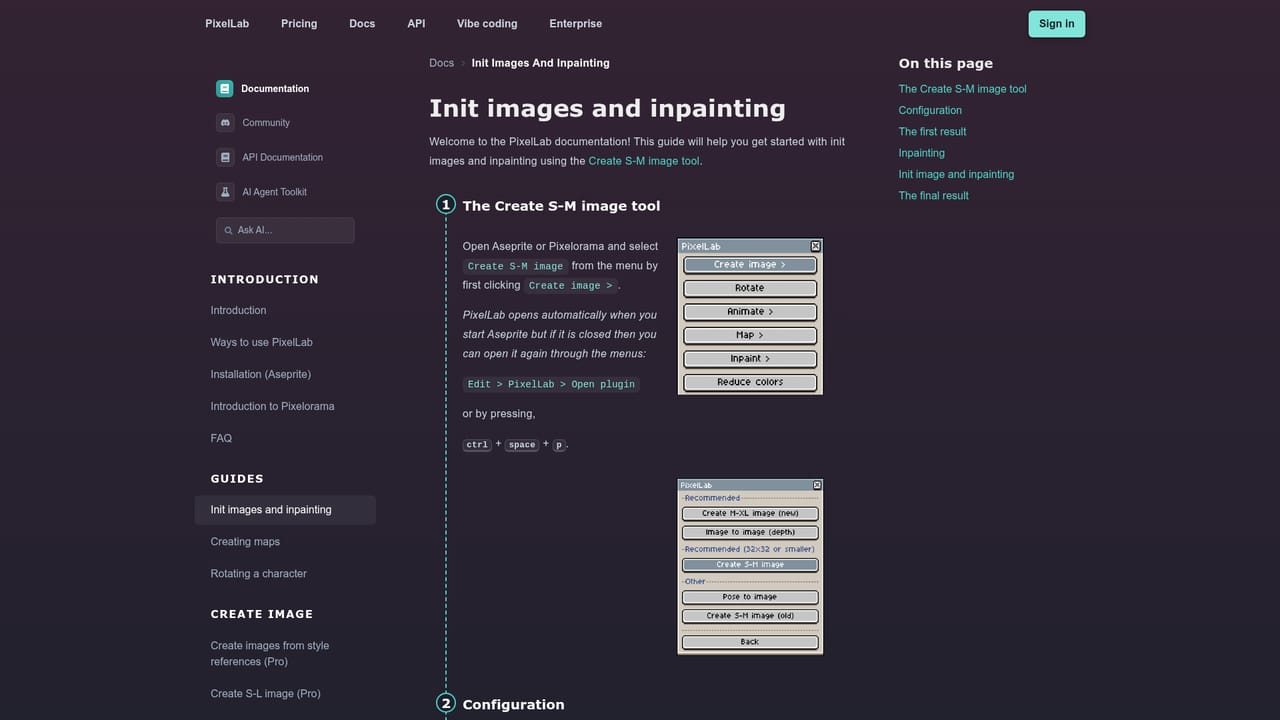
  2. 2Read the getting started guide
    The docs explain the editor, the Aseprite plugin option and how inpainting works. Review them before spending generations.
    PixelLab — Read the getting started guide
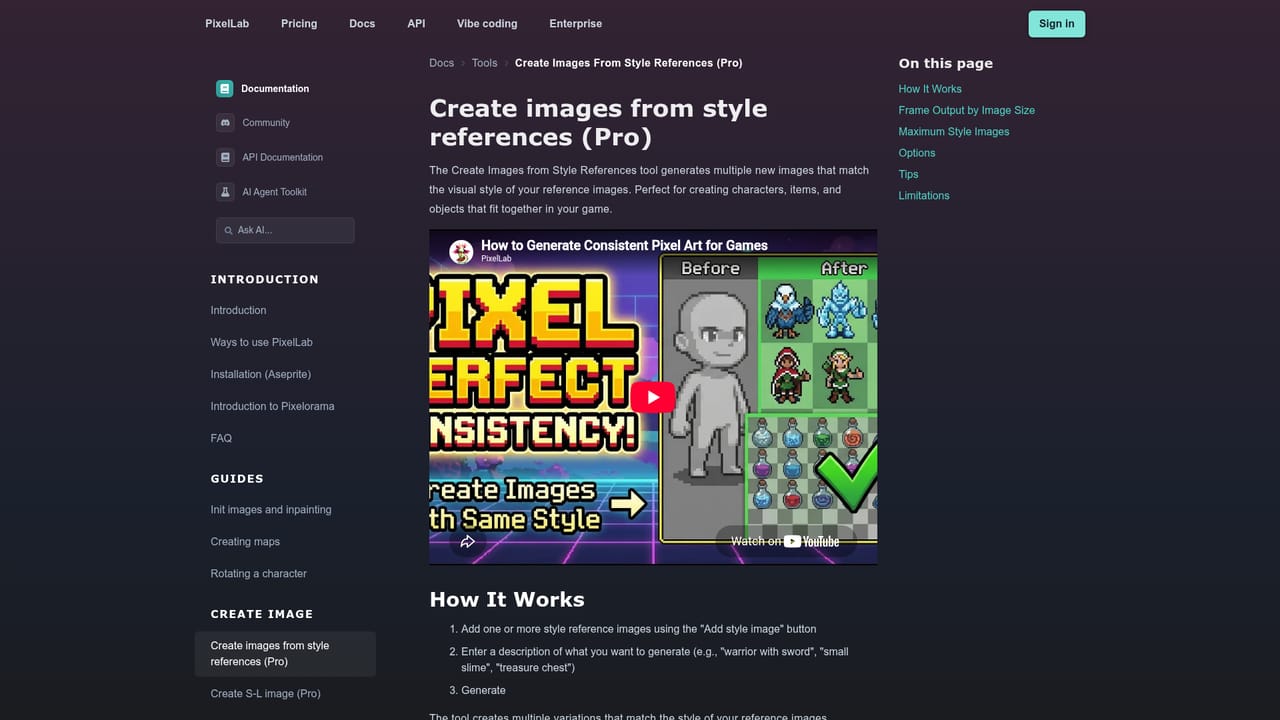
  3. 3Generate a base character
    Create a sprite from a text description, or upload concept art and an optional reference sprite so the result matches the intended style.
    PixelLab — Generate a base character
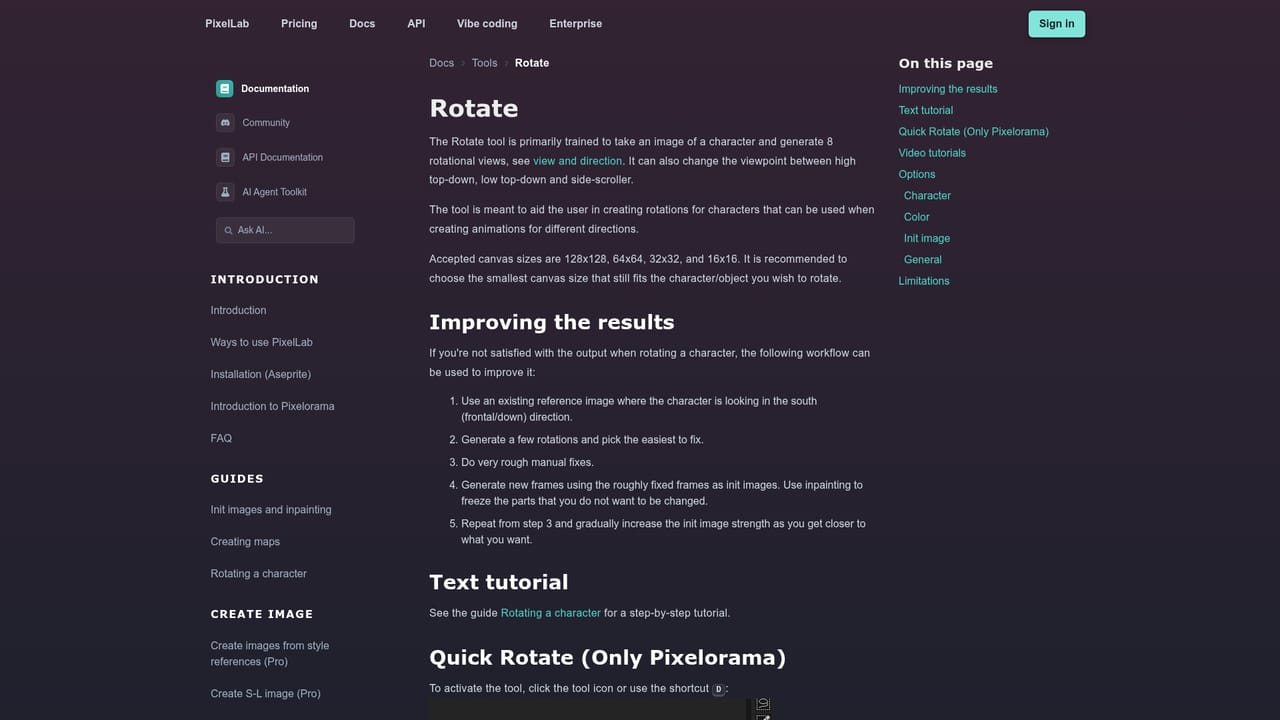
  4. 4Rotate and animate the sprite
    Produce four or eight directional views, then animate the character with a text prompt or a skeleton for walk, run or attack cycles.
    PixelLab — Rotate and animate the sprite
  5. 5Build environments and UI
    Use the map and UI tools to make tilesets, textures, buttons and health bars that share the style of the character art.

Pros and cons

Pros

  • Covers a full asset pipeline: characters, animation, rotation, tilesets, maps and UI in one serviceAI
  • Aseprite plugin lets artists keep their existing editing workflowAI
  • Style-consistency tools match new sprites to the reference look of a gameAI
  • Free trial needs no credit card and includes API and MCP accessAI
  • Cloud GPUs mean no powerful local hardware is neededAI

Cons

  • Free trial caps images at 200x200 pixels and excludes the map toolsAI
  • Larger images (512x512) and priority queues require the $24 or $50 tiersAI
  • Some tools consume more than one generation per image, so monthly quotas run down fasterAI
  • Service is unavailable in Russia, Belarus, Iran and VenezuelaAI
  • Generated output cannot be used to train other models under the license termsAI

How much does PixelLab cost?

Free trial

Free tier requires no credit card and includes 40 fast generations, then 5 slower daily generations (storing up to 20). It covers images up to 200x200, rotation, inpainting, basic text animation, API and MCP access, but not map tools.

Learn more

Pricing

Free trial at no cost, then Tier 1 Pixel Apprentice at $12 per month, Tier 2 Pixel Artisan at $24 per month and Tier 3 Pixel Architect at $50 per month. Yearly billing saves roughly 25%. Monthly generation limits are 2,000, 5,000 and 10,000. An enterprise plan has its own page.

Learn more

Support

Tier 1 includes support via Discord, Tier 2 adds priority support, and the site offers documentation for each tool plus video tutorials. A Discord community is open to users. Enterprise inquiries have a dedicated page.

Learn more

Integrations

Works as an Aseprite plugin or in the browser editor. An API and an MCP toolkit connect it to Claude Code, Cursor and other AI assistants. A Discord community is available for support and sharing.

Features

Text, skeleton and automatic character animation; 4 and 8 direction rotation with isometric support; true inpainting; style-consistent generation; scene, texture, tileset and game map creation; pixel art UI elements; API and MCP toolkit; Aseprite plugin.

Learn more

Frequently asked questions about PixelLab

  • How much does PixelLab cost?
    Free trial at no cost, then Tier 1 Pixel Apprentice at $12 per month, Tier 2 Pixel Artisan at $24 per month and Tier 3 Pixel Architect at $50 per month. Yearly billing saves roughly 25%. Monthly generation limits are 2,000, 5,000 and 10,000. An enterprise plan has its own page.
  • Does PixelLab offer a free trial?
    Free tier requires no credit card and includes 40 fast generations, then 5 slower daily generations (storing up to 20). It covers images up to 200x200, rotation, inpainting, basic text animation, API and MCP access, but not map tools.
  • Does PixelLab have an API?
    Yes, PixelLab offers an API.
  • How do you use PixelLab?
    The walkthrough on this page covers 5 steps: 1. Create a free account 2. Read the getting started guide 3. Generate a base character 4. Rotate and animate the sprite 5. Build environments and UI.
  • What platforms does PixelLab support?
    PixelLab is available on Web App, Windows, MacOS and Linux.
  • What does PixelLab integrate with?
    Works as an Aseprite plugin or in the browser editor. An API and an MCP toolkit connect it to Claude Code, Cursor and other AI assistants. A Discord community is available for support and sharing.

Status

StatusActive
Views0
Outbound clicks0
Added10/18/2026

Platforms

Web AppWindowsMacOSLinux

Pricing

FreemiumSubscription