Free trial
The first week is free. Payment details are handled through the App Store or Google Play when the subscription begins.
Learn moreAI meeting notes that remember who said what, without a bot in the room

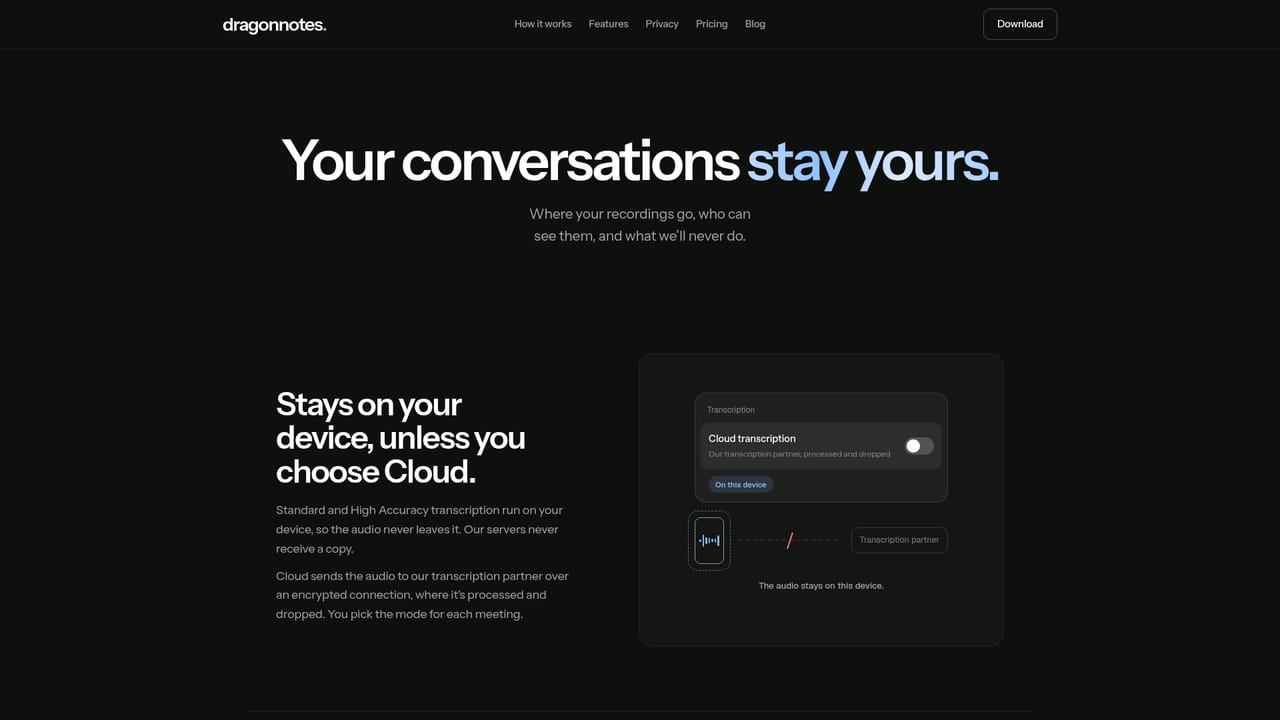
Dragon Notes records and summarises meetings on iPhone, Android, Mac and Windows without a bot joining the call. It identifies speakers by voice, remembers people and context across conversations, and keeps audio on the device with end to end encryption.
Dragon Notes is a meeting recorder and note taker that runs on your phone or computer rather than joining calls as a participant. You open the app, tap record, and it captures the conversation whether you are on a video call, in a conference room, or walking to a coffee catch-up. Audio is transcribed and summarised on the device itself, so nothing is uploaded during the recording. The output is a structured note with a short summary of decisions, a list of next steps tied to named people, and a timestamped transcript you can click to replay any line. The feature that separates Dragon from ordinary summarisers is speaker memory. Dragon uses voice to tell participants apart, including people sharing a single microphone. Name a voice once (the demo renames "Speaker 2" to Sam) and it is recognised in later meetings. It also carries context forward: when Sam reverses a hiring position three weeks after an earlier call, Dragon links the two statements, attributes the change to him, and asks whether to keep the observation in memory. A query box can then answer questions against a single meeting, all meetings, or that accumulated memory, with answers pointing back to the source notes. The practical workflow is edit, sync, and share. Notes can be corrected by typing directly into the summary, and audio can be replayed line by line. Records sync across devices, and a note can be shared through a read-only link. Recording is end to end encrypted, and the company states that conversations are not used to train models. Dragon suits people who take a lot of small, repeated meetings with the same colleagues or clients and want continuity rather than one-off minutes. It transcribes 99 languages but works best in English. Against bot-based notetakers, the trade-off is clear: no calendar bot to invite, but you have to remember to press record yourself.
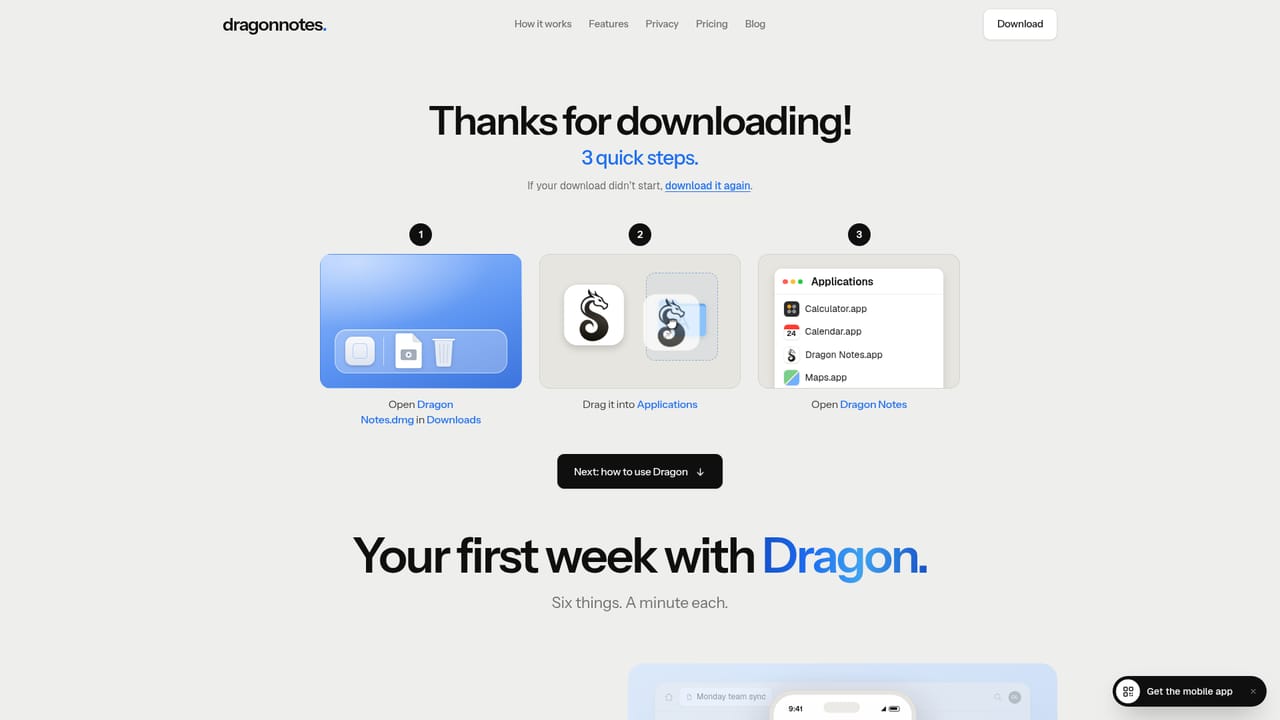
The first week is free. Payment details are handled through the App Store or Google Play when the subscription begins.
Learn moreFree for the first week, then $1.99 a month on the monthly plan. Yearly billing is offered as twelve months for the price of ten, and the site says yearly stays at $19.99. Everything is included, plans can be cancelled any time, and App Store or Google Play prices may differ slightly by currency.
Learn moreA security page explains the data handling model. The homepage does not describe help centre content, live chat or email support channels.
Learn moreDragon connects to compatible AI apps through an MCP connector, so notes can be used elsewhere without copy and paste. No native calendar or video conferencing integrations are described.
On-device recording and transcription, speaker identification by voice that persists across meetings, cross-conversation memory, per-meeting summaries with named next steps, timestamped transcripts you can replay, an Ask Dragon query box, manual note editing, device sync, read-only note sharing, a language list of 99, and an MCP connector for external AI apps.
 AI Angels400+ customizable AI girlfriends for NSFW chat, voice calls, and roleplay
 Candy AIExperience the future of companionship with AI friends who chat, role-play, and connect with you on a human level.
 ourdream.aiA vast AI roleplay platform with millions of characters for chat, images, video and voiceAI Angels400+ customizable AI girlfriends for NSFW chat, voice calls, and roleplayCandy AIExperience the future of companionship with AI friends who chat, role-play, and connect with you on a human level.ourdream.aiA vast AI roleplay platform with millions of characters for chat, images, video and voice


