EasyFill.ai

Form builder with fillable PDFs, e-signatures and client records

Beginner
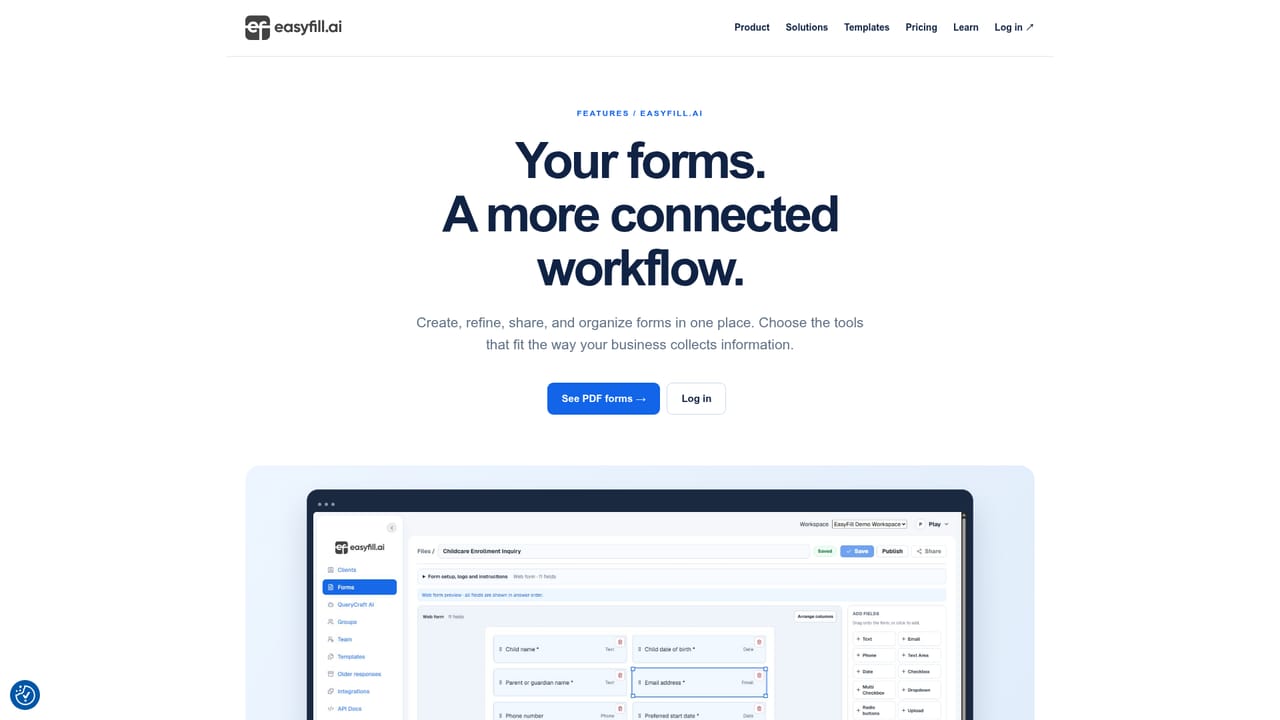
Screenshot of EasyFill.ai, Form builder with fillable PDFs, e-signatures and client records

What is EasyFill.ai?

EasyFill.ai turns existing PDFs and templates into online forms, adds e-signature collection and keeps client profiles and responses in one place. Web and Android, aimed at enrollment, intake and other everyday business paperwork.

EasyFill.ai is an online form builder built around documents people already use. Instead of forcing every question onto a blank canvas, it accepts an existing PDF, maps the areas that need input, and lets a reviewer confirm or adjust those fields before the file is shared as a working online form. The same account also holds fillable PDFs, electronic signatures and the answers that come back, so a single workspace covers the whole cycle from request to response. The starting point is flexible. Teams can bring in their own paperwork and keep the familiar layout, or pick a template for enrollment, client intake, business requests or events and then change the questions and field types. Client profiles sit alongside the forms, which makes it easier to organize related people, ask for the information still missing and revisit earlier submissions when follow-up work begins. Reviewing before publishing is treated as part of the workflow rather than an afterthought: fields get checked, changes saved, and only then does the form get a sharing link or an embed code for a website. It suits small operations that process a steady stream of personal details: childcare providers handling enrollment, service businesses running intake, and teams that mostly need repeatable forms rather than elaborate logic trees. Nonprofits get a page devoted to volunteer, program and participant paperwork, and new companies get a startup track with eligibility checks and the original application. Team access management is included, and the Android app lets owners manage forms, clients and responses away from a desk. The trade-off is scope. EasyFill.ai presents itself as a practical, document-first tool for everyday forms, not as a platform for marketing quizzes with branching logic or heavy data pipelines. The iPhone app is still listed as coming soon, so Apple users rely on the web interface for now. Compared with general purpose form builders, it leads with PDF conversion, e-signature capture and client records, which is exactly where a paper-bound office feels the difference first.

How do you use EasyFill.ai?

  1. 1Pick a starting point: your PDF or a template
    From the homepage, open the features tour or log in to the workspace, then either upload an existing PDF or browse the template library for enrollment, intake, request or event forms.
    EasyFill.ai — Pick a starting point: your PDF or a template
  2. 2Review and adjust the mapped fields
    Check how the document was mapped, change field types and labels, and confirm the questions read the way you want before anyone fills them in.
  3. 3Attach client records to the form
    Add or connect the people the form serves, so related contacts, requested details and earlier submissions stay grouped with the form.
  4. 4Save, publish and share the link
    Save your edits, publish the form, then use its current sharing link or the embed settings to place it on your website.
  5. 5Manage responses from the Android app
    Sign in to the mobile app with the same account to check submissions, update clients and follow up while away from a computer.

Pros and cons

Pros

  • Converts existing PDFs into fillable online forms instead of rebuilding them from scratchAI
  • Field mapping can be reviewed and corrected before a form is publishedAI
  • Client profiles sit beside forms, keeping people and their responses togetherAI
  • Templates cover common needs such as enrollment, intake, requests and eventsAI
  • Android app lets teams manage forms, clients and responses on a phoneAI

Cons

  • The iPhone app is listed as coming soon, so iOS users are limited to the web versionAI
  • No pricing figures appear on the homepage, so cost has to be confirmed elsewhereAI
  • Public information is thin on integrations with outside tools and storage servicesAI
  • Positioned for straightforward everyday forms, with no sign of deep branching logicAI
  • Support channels beyond the product itself are not described on the siteAI

How much does EasyFill.ai cost?

Features

The lineup covers online form creation, field mapping for fillable PDFs, electronic signature collection, template library, client profiles tied to forms, response management, team access controls, publishing by link or website embed, and a companion Android app. Startup and nonprofit pages add programs aimed at those audiences.

Learn more

Frequently asked questions about EasyFill.ai

  • How do you use EasyFill.ai?
    The walkthrough on this page covers 5 steps: 1. Pick a starting point: your PDF or a template 2. Review and adjust the mapped fields 3. Attach client records to the form 4. Save, publish and share the link 5. Manage responses from the Android app.
  • What platforms does EasyFill.ai support?
    EasyFill.ai is available on Web App and Android.
  • What are the limitations of EasyFill.ai?
    The iPhone app is listed as coming soon, so iOS users are limited to the web version. No pricing figures appear on the homepage, so cost has to be confirmed elsewhere. Public information is thin on integrations with outside tools and storage services.

Status

StatusActive
Views0
Outbound clicks0
Added10/21/2026

Platforms

Web AppAndroid

Pricing

Freemium