Fanfuel

An AI co-pilot for YouTube scripts, thumbnails, SEO and channel analytics

Beginner
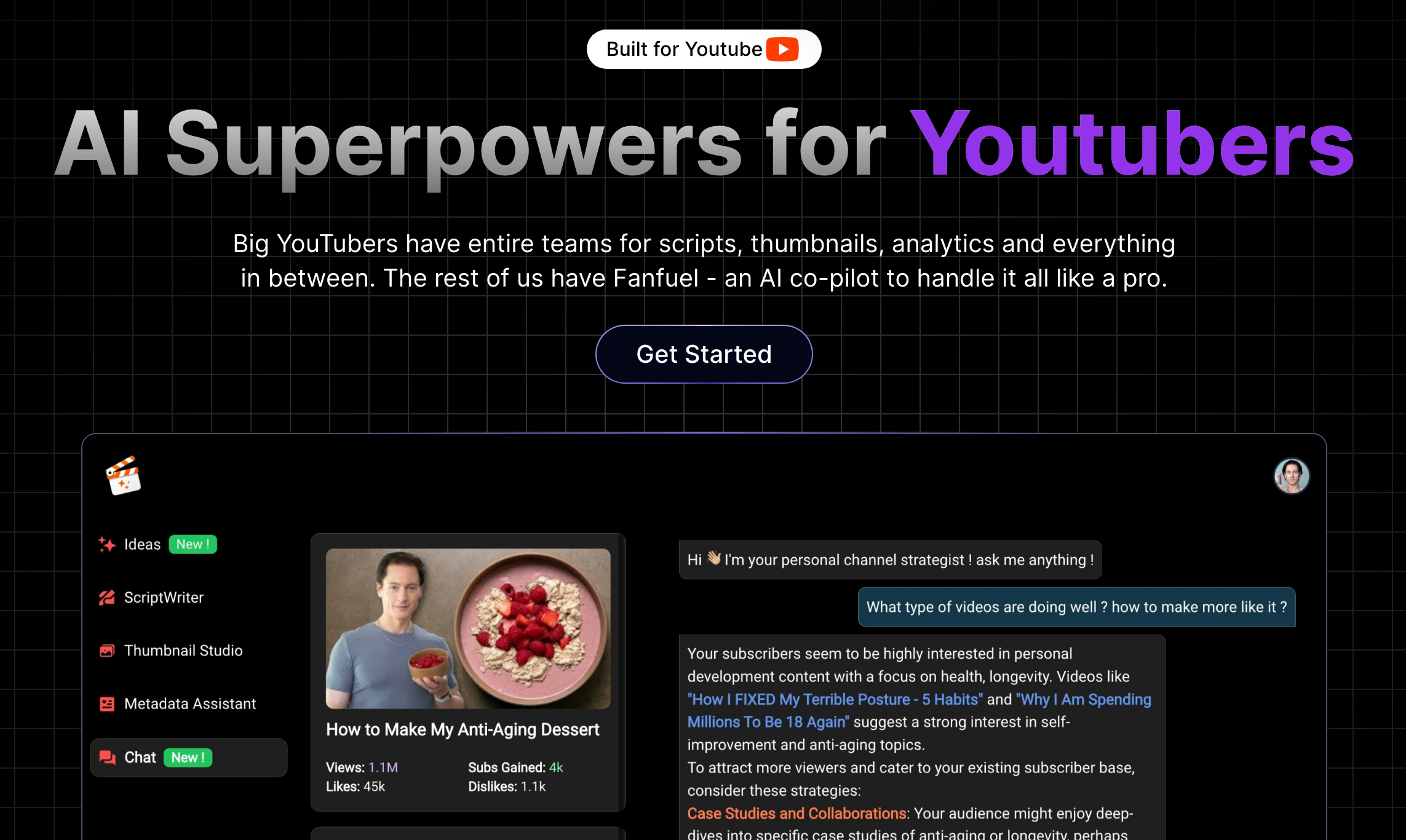
Screenshot of Fanfuel, An AI co-pilot for YouTube scripts, thumbnails, SEO and channel analytics

What is Fanfuel?

Fanfuel is an AI workspace for YouTube creators that drafts scripts in multiple languages, generates thumbnails with a face swap option, writes SEO titles and tags, and answers channel analytics questions in a chat interface. It targets solo creators who lack a production team.

Fanfuel bundles the tasks that a larger YouTube team would normally split between writers, designers and analysts into one workspace aimed at solo creators and small channels. The homepage frames it as an AI co-pilot for the jobs that sit around the video itself: drafting scripts, producing thumbnails, writing titles and tags, and reading channel statistics. The stated audience is creators who do not have staff for those roles, and the page reports more than 3000 creators already using the product. The four advertised tools map cleanly onto a production cycle. The Script Maker takes a topic and drafts a script intended to match the creator's voice, with support for languages beyond English. The AI Thumbnail Generator accepts a video idea or an image prompt and includes a face swap option, which lets a creator reuse a photo of themselves instead of scheduling a photoshoot. SEO Metadata handles titles, tags and descriptions, and AnalyticsChat puts channel statistics behind a conversational interface so numbers can be interrogated in plain language rather than through a dashboard. In practice the workflow is prompt driven. A creator describes a video idea, generates a thumbnail and script from it, fills in the metadata fields, then queries the analytics chat to understand how published videos performed. The homepage shows sample thumbnails across gaming topics, which suggests the visual style leans toward high saturation, reaction heavy imagery rather than restrained editorial design. Fanfuel competes less with full production suites and more with the habit of stitching together a general chatbot, an image generator and YouTube Studio. The appeal is consolidation and YouTube specific framing. Buyers should note that the homepage makes no claims about direct channel integrations beyond stating that credentials are not required, so anyone who needs automated publishing or deep data pipelines should confirm the details before paying.

How do you use Fanfuel?

  1. 1Pick a plan and create an account
    Open the pricing page from the site header, choose a plan and sign up. This is the entry point the homepage uses for all new users.
  2. 2Generate a thumbnail from your video idea
    Describe the video or supply an image prompt in the AI Thumbnail Generator, then apply the face swap feature so your own photo appears in the composition.
  3. 3Draft the script
    Give the Script Maker a topic and select your language. Review the draft and adjust wording so the final read matches how you actually speak on camera.
  4. 4Fill in SEO metadata
    Use the SEO Metadata tool to produce a title, tags and description for the same video, then tighten anything that reads generic before pasting into YouTube Studio.
  5. 5Query your channel analytics
    Open AnalyticsChat and ask questions about your statistics in plain language. Use the answers to compare recent uploads before deciding what to make next.

Pros and cons

Pros

  • Covers the four recurring jobs around a video (script, thumbnail, metadata, analytics) in one placeAI
  • Script Maker is pitched as matching the creator's voice and works across languagesAI
  • Face swap on thumbnails removes the need for repeated photoshootsAI
  • AnalyticsChat turns raw channel numbers into plain language answersAI
  • Reported user base of over 3000 creators gives some signal of adoptionAI

Cons

  • Homepage gives no concrete detail on how channel data is read, only that credentials are not requiredAI
  • No native editor, scheduling or publishing features are advertised, so it sits beside YouTube Studio rather than replacing itAI
  • Quality of voice matching and thumbnails is not evidenced beyond a small sample galleryAI
  • Pricing tiers and usage limits are not described on the homepage, only linked outAI
  • FAQ answers on data trust and SEO performance are not shown in the page content providedAI

How much does Fanfuel cost?

Features

Four tools are advertised: an AI Thumbnail Generator with face swap, a Script Maker that drafts scripts from a topic in your voice and any language, an SEO Metadata tool for titles, tags and descriptions, and AnalyticsChat, which lets you question your channel statistics through a chat interface.

Frequently asked questions about Fanfuel

  • How do you use Fanfuel?
    The walkthrough on this page covers 5 steps: 1. Pick a plan and create an account 2. Generate a thumbnail from your video idea 3. Draft the script 4. Fill in SEO metadata 5. Query your channel analytics.
  • What platforms does Fanfuel support?
    Fanfuel is available on Web App.
  • What are the limitations of Fanfuel?
    Homepage gives no concrete detail on how channel data is read, only that credentials are not required. No native editor, scheduling or publishing features are advertised, so it sits beside YouTube Studio rather than replacing it. Quality of voice matching and thumbnails is not evidenced beyond a small sample gallery.

Status

StatusActive
Views0
Outbound clicks0
Added10/21/2026

Platforms

Web App

Pricing

Subscription