Free trial
The homepage states Flownote is free for 14 days, with no card details or plan restrictions described.
Learn moreMeeting notes and next steps, without a bot in the call.

Flownote records and transcribes meetings without a bot joining the call, then turns the transcript into structured notes with decisions, follow-ups and open questions. It offers live chat during the conversation and post-meeting querying of notes, distributed as a Mac and iOS app.
Flownote is a meeting notepad that records and transcribes conversations in the background, then turns them into organised notes. It is built for people who spend their day in calls and want to stay present rather than type. The homepage positions it around a simple promise: no bot joins your call, and it works with every app. That covers the familiar meeting stack shown on the site, including Zoom, Google Meet, Microsoft Teams and Slack Huddles, plus any other conversation happening on the machine. In practice the workflow splits into two phases. During the meeting Flownote listens and transcribes live while you either take your own notes or just listen. A chat box sits alongside the running transcript, so you can ask questions while the discussion is still going. After the call, the tool takes both the raw conversation and anything you typed and reshapes it into structured notes: progress since the last check-in, this week's focus, items due before the next meeting, and open questions for the team. A resummarise option regenerates the result, and a note-level chat lets you query the content afterwards, with answers citing their source inside the note. That combination puts Flownote in the same bracket as AI meeting assistants, but the design choices lean toward individual note taking rather than enterprise meeting analytics. The absence of a visible bot is the main differentiator for people who find recorder joiners awkward in client calls. The site is aimed at knowledge workers, managers running one-to-ones and standups, and students, with one testimonial describing study use and another praising client communication. Distribution is app-first: a Mac download and an iOS app are offered, and the homepage centres its screenshots on desktop and mobile rather than a browser dashboard. The learning curve is minimal since the product mostly runs itself once installed. Anyone evaluating it should check the pricing page and confirm which apps it captures on their setup before relying on it.
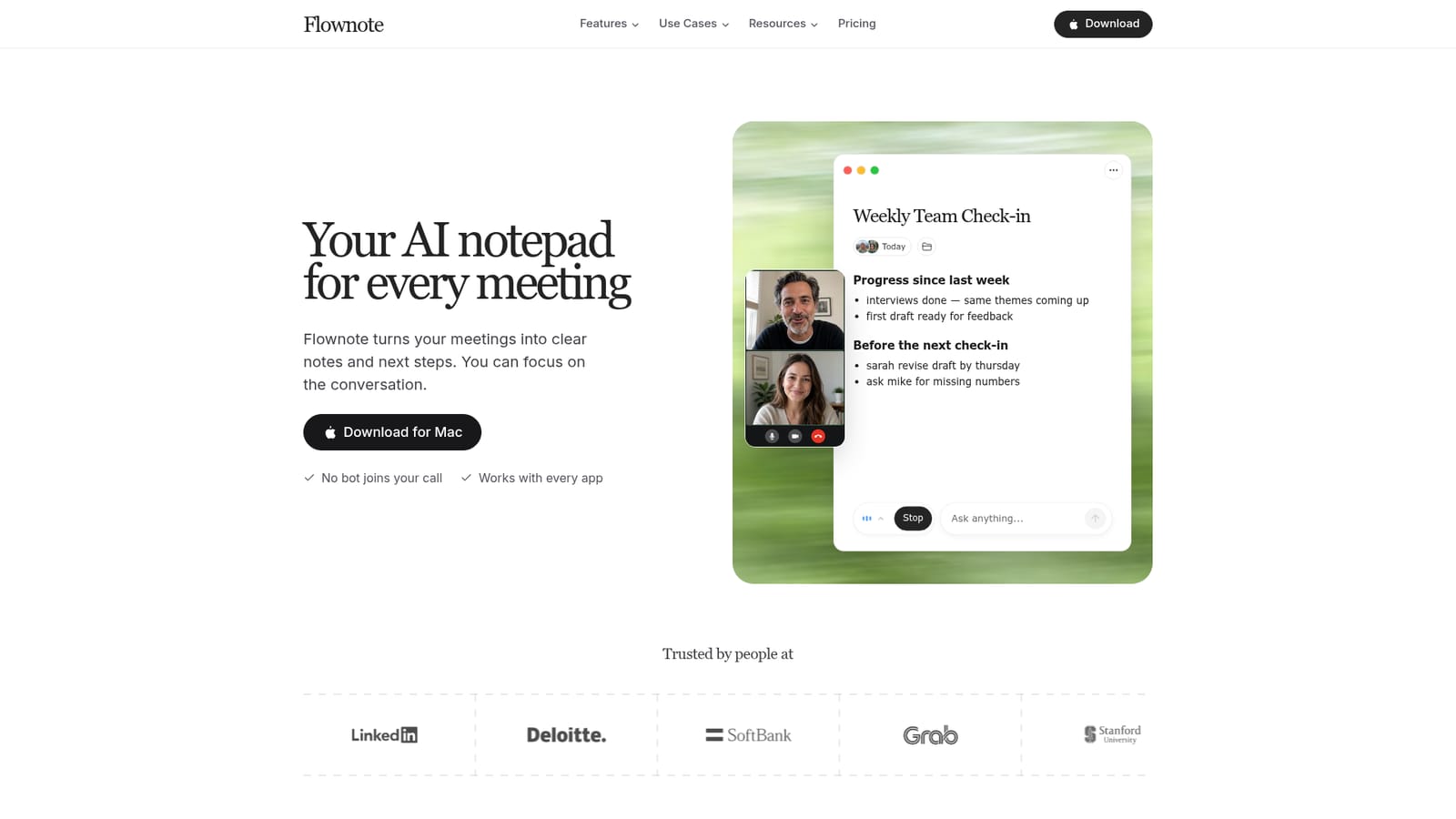
The homepage states Flownote is free for 14 days, with no card details or plan restrictions described.
Learn moreRecords and transcribes meetings in the background with no bot joining the call. Live chat runs against the transcript during the meeting, and afterwards the tool assembles structured notes with decisions, next steps and questions for the team. Notes can be resummarised and queried, with answers citing sources from the conversation. The site states it works with every app.
 AI Angels400+ customizable AI girlfriends for NSFW chat, voice calls, and roleplay
 Candy AIExperience the future of companionship with AI friends who chat, role-play, and connect with you on a human level.
 ourdream.aiA vast AI roleplay platform with millions of characters for chat, images, video and voiceAI Angels400+ customizable AI girlfriends for NSFW chat, voice calls, and roleplayCandy AIExperience the future of companionship with AI friends who chat, role-play, and connect with you on a human level.ourdream.aiA vast AI roleplay platform with millions of characters for chat, images, video and voice


