Free trial
A permanent free plan covers 5 swaps per day with a 3MB cap per GIF file. No separate time-limited trial is described on the site.
Learn moreSwap your face into animated GIFs and WebP clips in about ten seconds
Own GIF Face Swap? Verify ownership to get a dofollow link

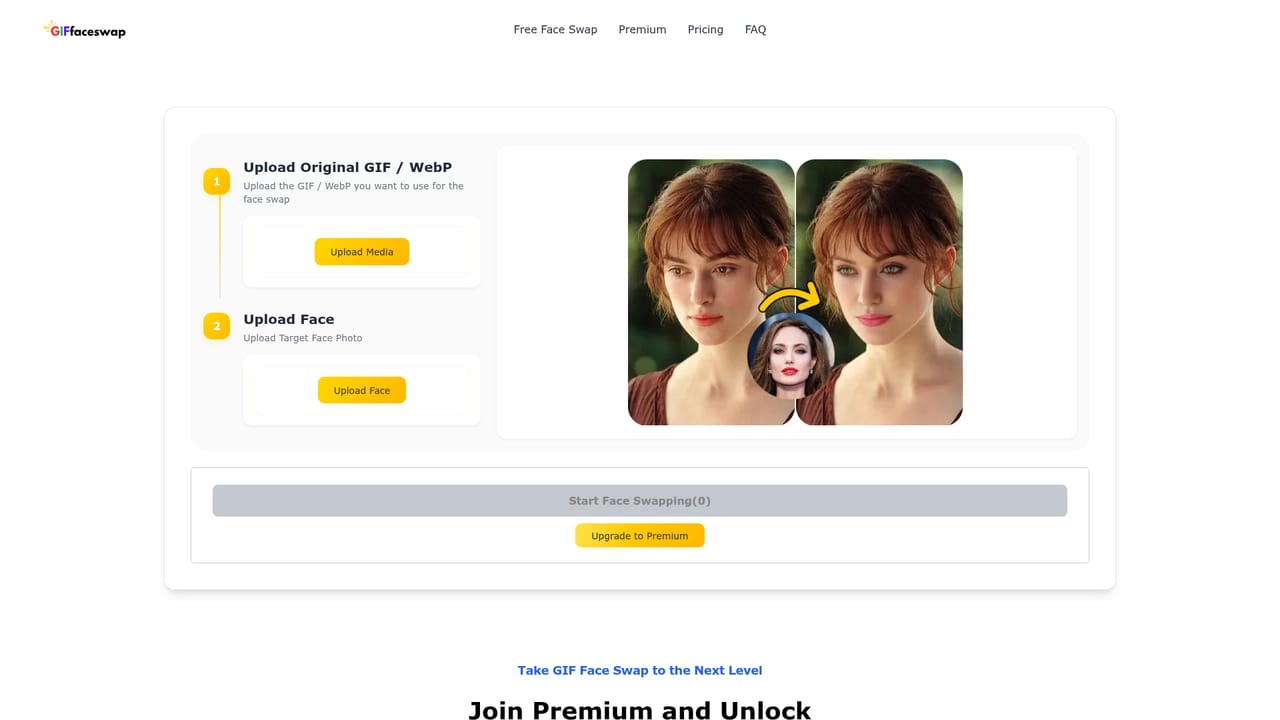
GIF Face Swap is a face swap tool. A focused browser tool that swaps a face from a photo into animated GIF and WebP files, with a three step upload flow, results in roughly ten seconds, and a free tier of five swaps per day.
GIF Face Swap is a browser based tool built around one specific job: replacing a face inside an animated GIF or WebP file with a face from a photo you supply. Most general face swap services treat animation as an afterthought, so the pitch here is narrower and more technical, keeping motion and frame consistency intact across the whole loop rather than pasting a static mask onto the first frame. The workflow is deliberately short. You upload the animation, upload a clear photo of the face you want to insert, and the AI aligns and blends it across every frame. The audience is mostly casual and semi professional creators: people building reaction GIFs for chat apps, social media managers who want branded animated content, and groups making joke clips for parties or gatherings. There is also a movie character angle, where users drop their own face into a famous scene and keep the result as a keepsake or share it. Because the tool runs in a desktop or mobile browser with no install, it suits users who need a quick file rather than a full editing suite. In practice the free tier is the real starting point: five swaps a day with a 3MB ceiling per GIF, which covers short reaction loops but not much else. Larger files, photo and video swapping, faster queues and support for mouth movement sit behind one-time payments rather than a recurring subscription, and the site states that refunds are not offered because computing resources are allocated at purchase. Uploaded files and finished creations are deleted after a set window, one day for free accounts and seven for premium. Face Enhance, which sharpens facial detail in output, is on by default and free for GIF and image work but costs 2 credits per second on video. Against broader AI video and image editing platforms, GIF Face Swap wins on focus and speed for this one format, and loses on flexibility: no timeline editing, no manual masking, no format beyond GIF and WebP animation for the core feature. It is a single-purpose utility rather than a production tool.
A permanent free plan covers 5 swaps per day with a 3MB cap per GIF file. No separate time-limited trial is described on the site.
Learn moreFree plan allows 5 face swaps per day with a 3MB limit per GIF. Paid premium tiers raise file size limits, add photo and video swapping, faster dedicated processing, unlimited concurrent tasks and mouth movement handling. Payment is one-time rather than a subscription, by major credit card or USDT, and refunds are not offered.
Learn moreFace swapping for GIF and WebP animations, AI frame alignment for natural blends, a three step upload and swap flow, Face Enhance for sharper facial detail (free on GIF and image, credit based on video), support for larger GIF, photo and video files on premium, faster queues, and automatic file deletion after one day for free users and seven days for premium.
Learn more AI Angels400+ customizable AI girlfriends for NSFW chat, voice calls, and roleplay
 Candy AIExperience the future of companionship with AI friends who chat, role-play, and connect with you on a human level.
 ourdream.aiA vast AI roleplay platform with millions of characters for chat, images, video and voiceAI Angels400+ customizable AI girlfriends for NSFW chat, voice calls, and roleplayCandy AIExperience the future of companionship with AI friends who chat, role-play, and connect with you on a human level.ourdream.aiA vast AI roleplay platform with millions of characters for chat, images, video and voice


