Pricing
Prepaid credit packs with no subscription: 20 credits for $3, 50 for $6, 100 for $10 and 500 for $45. Credits do not expire. 720p costs 2 credits per second and 1080p costs 4 credits per second, on clips of 3 to 15 seconds.
Learn morePay-as-you-go image-to-video clips up to 1080p and 15 seconds
Own ImageToClip.com? Verify ownership to get a dofollow link

ImageToClip.com animates a single photo into a 3 to 15 second MP4 at 720p or 1080p from a one-sentence motion prompt. It sells non-expiring prepaid credits instead of subscriptions and refunds credits when a render fails.
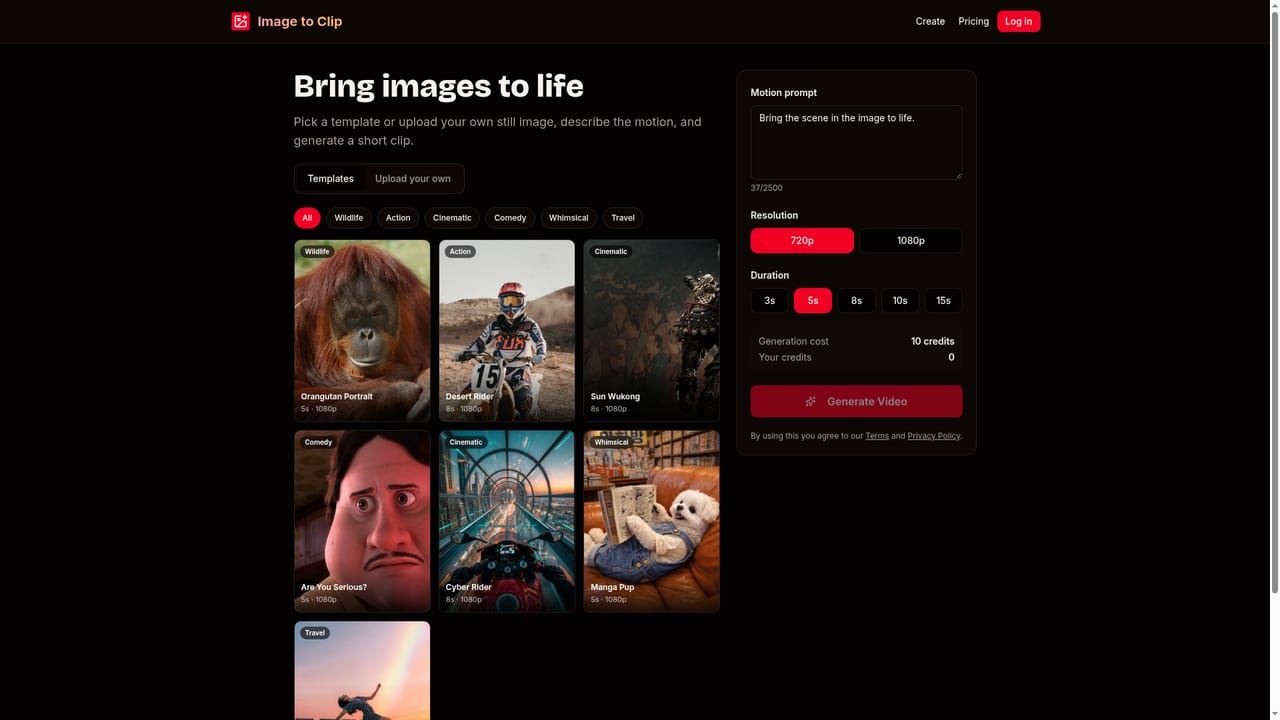
ImageToClip.com is a web-based image-to-video generator that turns a single still photo into a short MP4 clip. The user uploads a picture, writes one sentence describing the motion they want, and the service renders the result at 720p or 1080p. Clip length can be set anywhere from 3 to 15 seconds, so the written prompt, not a canned preset, determines what moves: the camera, the subject or the lighting. The workflow is deliberately short. A user either starts from one of the built-in templates (grouped into Wildlife, Action, Cinematic, Comedy and Whimsical, with the image and motion prompt already filled in) or uploads a JPEG, PNG, BMP or WebP file up to 10 MB. Images must be at least 300 pixels on each side, with an aspect ratio between 1:2.5 and 2.5:1. After choosing duration and resolution, the job is submitted, and most clips finish in under a minute, though longer 1080p renders can take a couple of minutes at peak load. Finished videos are saved to the account for download later. Billing is based on prepaid credits instead of a subscription. Credits are charged per output second, at 2 per second for 720p and 4 per second for 1080p. Packs run from 20 credits for $3 up to 500 credits for $45, and they do not expire. If a render fails, the credits are refunded automatically. Uploads and outputs stay private to the account, and there is no public gallery. The service is an independent interface built on third-party video models, and it says it is not affiliated with any model provider. Content rules are strict: no NSFW material, no deepfakes or animation of real people without consent, and no graphic violence or hate, with prompts screened before generation. It suits hobbyists, social content makers and anyone who wants occasional animated clips without committing to a monthly plan. Heavy daily users of subscription video suites may find broader editing tools elsewhere, since this product focuses on one task.
Prepaid credit packs with no subscription: 20 credits for $3, 50 for $6, 100 for $10 and 500 for $45. Credits do not expire. 720p costs 2 credits per second and 1080p costs 4 credits per second, on clips of 3 to 15 seconds.
Learn moreSupport is available by email at support@imagetoclip.com, and an FAQ on the homepage covers pricing, formats, timing, privacy and failures. An Acceptable Use Policy page lists prohibited content.
Image-to-video from JPEG, PNG, BMP or WebP, prompt-driven motion, 3 to 15 second clips at 720p or 1080p, MP4 download, templates by theme, private account history, automatic refunds on failed renders and prompt screening.


