Free trial
The homepage playground allows 10 anonymous trials without signup, plus a free tier of 1,000 credits per day once logged in.
Learn moreTyped AI decisions, not paragraphs, delivered as structured JSON for routing and gating.

JevModel is a typed decision API that converts plain text context into structured JSON (decision, confidence, reason, route) for triage, moderation, routing, scoring, and agent gating workflows.
JevModel is an API-first service that turns a plain text description of a situation into a structured decision object instead of a free-text answer. A request describes the current state once, then asks one or several narrow questions such as yes/no, choice, or score, and the API returns a stable JSON shape containing a decision label, confidence, reason, and an optional route. This replaces prompt engineering and text parsing with a typed contract that application code can execute directly. The tool targets developers and product teams building support triage, content moderation, chatbot intent routing, lead or risk scoring, and agent approval gates. Instead of asking a model to explain something, teams ask it to decide: approve, block, escalate, continue, or route to a queue. Each use case maps to a predefined schema (for example decision values of approve, block, review paired with route values like publish, remove, safety_review), which keeps responses predictable and auditable across high volume workflows. In practice, a user starts in the public playground, supplies a state description, defines up to several typed questions against that same context, and runs the decision to see the structured output before writing any integration code. Moving to production means signing in with Google, generating an API key, buying a one-time credit pack, and calling the same /api/v1/decisions endpoint that powers the demo, with each call consuming a single credit regardless of how many questions it contains. JevModel sits apart from conventional chatbot or general-purpose LLM APIs: it is explicitly positioned as a decision layer rather than a conversational one, and its credit, key, and Stripe checkout infrastructure is built so the endpoint itself can be resold or embedded inside another product. Teams already using an LLM for free-text generation but needing a narrow, machine-actionable verdict layered on top are the clearest fit.
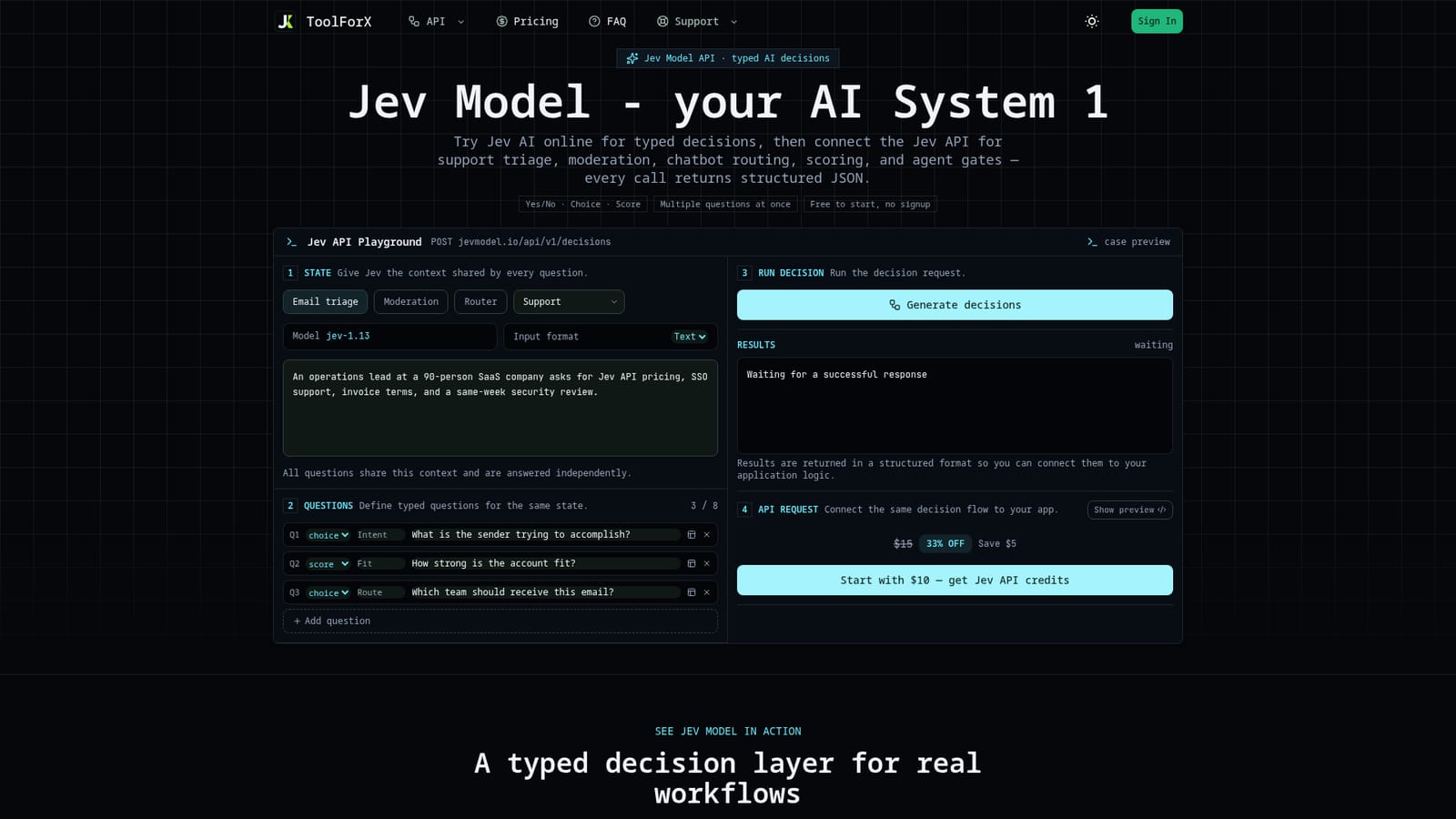

The homepage playground allows 10 anonymous trials without signup, plus a free tier of 1,000 credits per day once logged in.
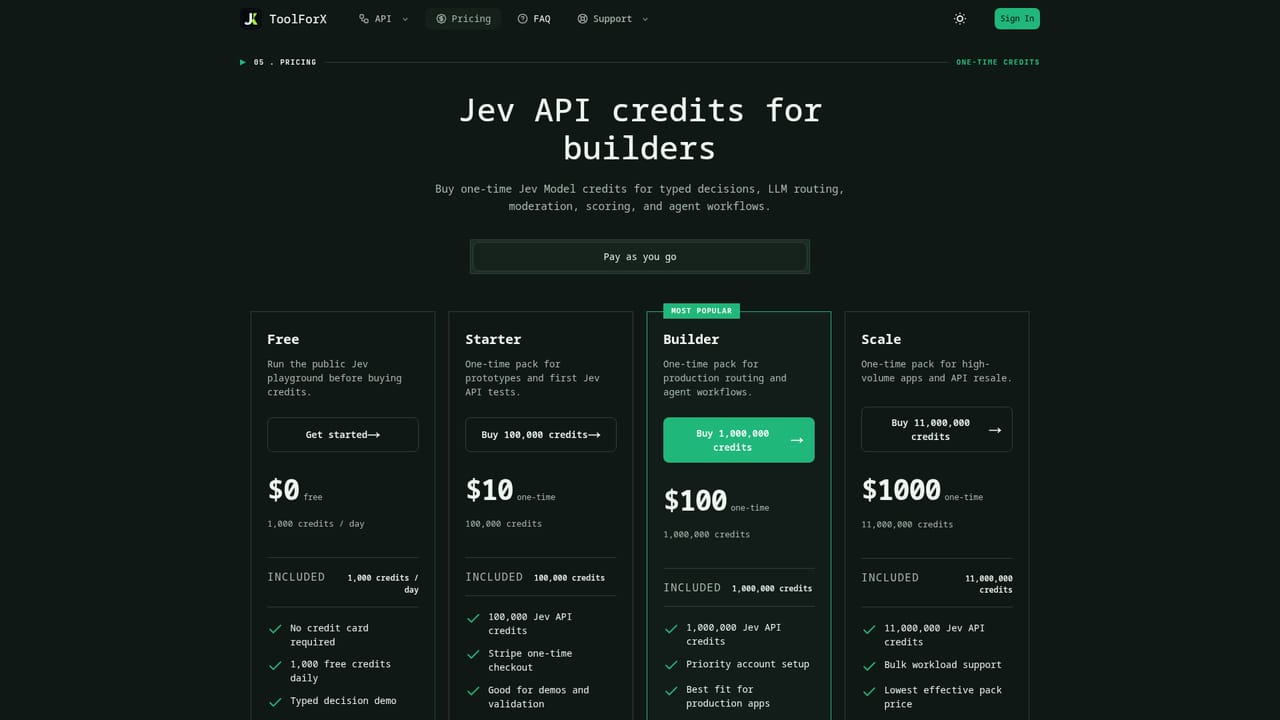
Learn moreFree tier gives 1,000 credits per day with no card required. Paid one-time packs: $10 for 100,000 credits, $100 for 1,000,000 credits, $1,000 for 11,000,000 credits, all via Stripe checkout and valid 365 days.
Learn moreSupport is available through a contact page and an FAQ covering API keys, credits, and playground usage.
Learn moreConnects via a REST endpoint (/api/v1/decisions), uses Google login for account access, and Stripe for credit pack checkout.
Typed JSON decisions with decision, confidence, reason, and route fields; predefined schemas for support triage, moderation, intent routing, and risk; multi-question requests against shared state; API key creation and credit metering for resale.
 AI Angels400+ customizable AI girlfriends for NSFW chat, voice calls, and roleplay
 Candy AIExperience the future of companionship with AI friends who chat, role-play, and connect with you on a human level.
 ourdream.aiA vast AI roleplay platform with millions of characters for chat, images, video and voiceAI Angels400+ customizable AI girlfriends for NSFW chat, voice calls, and roleplayCandy AIExperience the future of companionship with AI friends who chat, role-play, and connect with you on a human level.ourdream.aiA vast AI roleplay platform with millions of characters for chat, images, video and voice


