Pricing
Plans start at $29 for 40 headshots according to the homepage, with higher tiers listed on the packages page. The site frames this against legacy photoshoots that cost hundreds of dollars. Full usage rights come with the purchase.
Learn moreProfessional headshots from selfies, delivered in minutes for $29
Own KiraHeadshots? Verify ownership to get a dofollow link

KiraHeadshots turns roughly 15 selfies into a batch of professional headshots, with plans starting at $29 for 40 images and most results arriving in about 10 to 12 minutes. Output is 1024x1024 and buyers keep full usage rights. It targets LinkedIn profiles, personal branding and team photos.
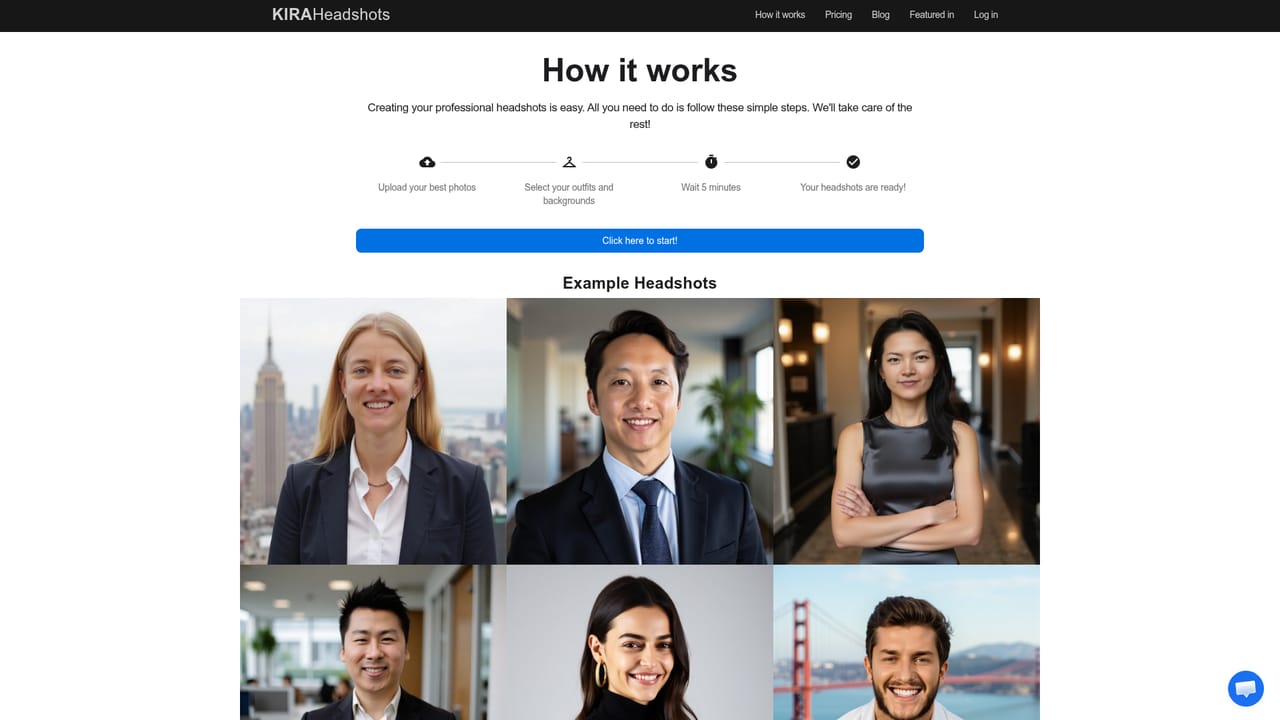
KiraHeadshots generates professional-looking headshots from a small set of selfies, skipping the photographer, studio booking and waiting period that a traditional shoot requires. The pitch is straightforward: upload photos of yourself, choose outfits and backgrounds from a curated list, and receive a large batch of finished portraits. The company quotes a starting price of $29 for 40 headshots and claims most users receive results within about 12 minutes, with 99% of users served inside that window. The workflow is aimed at people who need a decent portrait quickly and cheaply. Job seekers updating a LinkedIn profile, freelancers building a personal site, remote workers whose company wants consistent team photos and anyone who dislikes being photographed all fit the intended audience. The homepage recommends uploading around 15 high resolution photos with variety in background, lighting and facial expression, which gives the model enough signal to reproduce a face faithfully. After generation, users pick styles for clothing and setting, so the same face can appear in a business suit on a neutral backdrop or something more relaxed. Outputs are produced at 1024x1024 pixels (72 dpi). That is well above what LinkedIn asks for (it recommends 400x400), though it is not a resolution aimed at print or large format use. Buyers get full rights to the images and can post them, use them as profile pictures or sell them. The company states that uploaded photos are used only to generate the headshots and are not sold or shared with third parties. The obvious comparison is a local photographer, where cost runs into the hundreds and delivery can take days or weeks. Against other AI headshot services, KiraHeadshots competes on turnaround, a curated rather than free-form style selection, and a low entry price. It is a narrow, single-purpose product: there is no editing suite, no team dashboard and no broader image tooling around it.
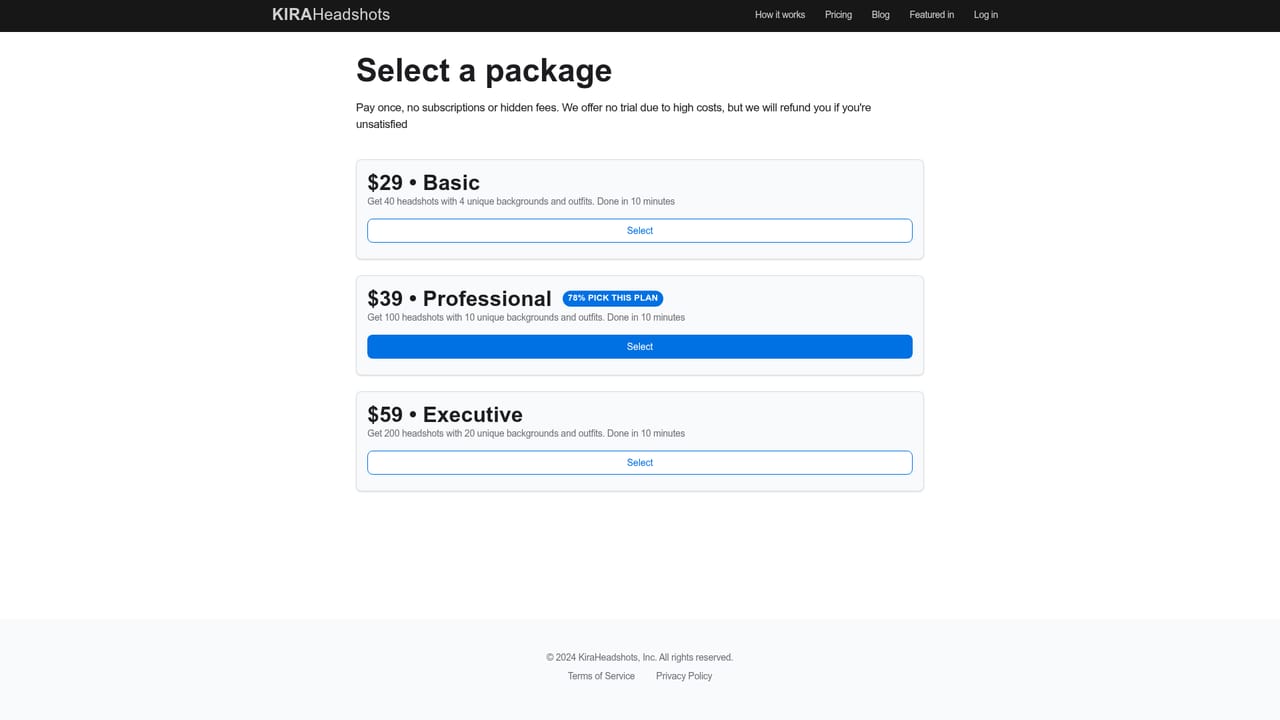
Plans start at $29 for 40 headshots according to the homepage, with higher tiers listed on the packages page. The site frames this against legacy photoshoots that cost hundreds of dollars. Full usage rights come with the purchase.
Learn moreThe homepage invites dissatisfied customers to reach out so the company can make it right, without naming a channel or response time. Terms and privacy pages cover usage rights and data handling.
Upload about 15 selfies, pick from curated outfit and background styles, and receive a batch of professional headshots. The homepage cites 40 headshots from $29 and 100+ images in some messaging, delivery within roughly 12 minutes for 99% of users, 1024x1024 pixel output at 72 dpi, full usage rights and a no-resale data policy.
Learn more AI Angels400+ customizable AI girlfriends for NSFW chat, voice calls, and roleplay
 Candy AIExperience the future of companionship with AI friends who chat, role-play, and connect with you on a human level.
 ourdream.aiA vast AI roleplay platform with millions of characters for chat, images, video and voiceAI Angels400+ customizable AI girlfriends for NSFW chat, voice calls, and roleplayCandy AIExperience the future of companionship with AI friends who chat, role-play, and connect with you on a human level.ourdream.aiA vast AI roleplay platform with millions of characters for chat, images, video and voice


