Lium AI

Agent-driven data analysis for technical teams

Intermediate
Screenshot of Lium AI, Agent-driven data analysis for technical teams

What is Lium AI?

Lium AI is a pattern recognition tool. A browser-based analytics workspace where you select an AI agent, connect data, and work through structured analyses such as clinical trial funnels, energy zone studies, calibration workflows and factor exposure decompositions. Aimed at technical and professional teams that want agent-assisted pipelines rather than dashboards.

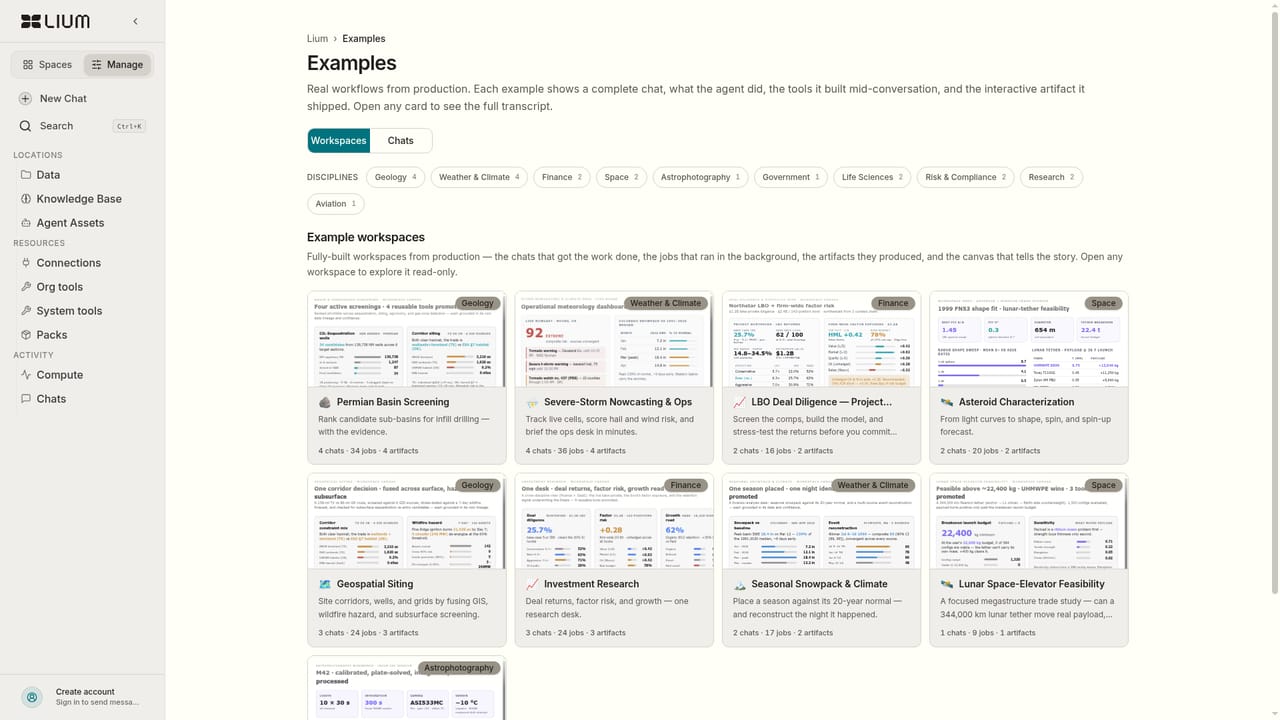
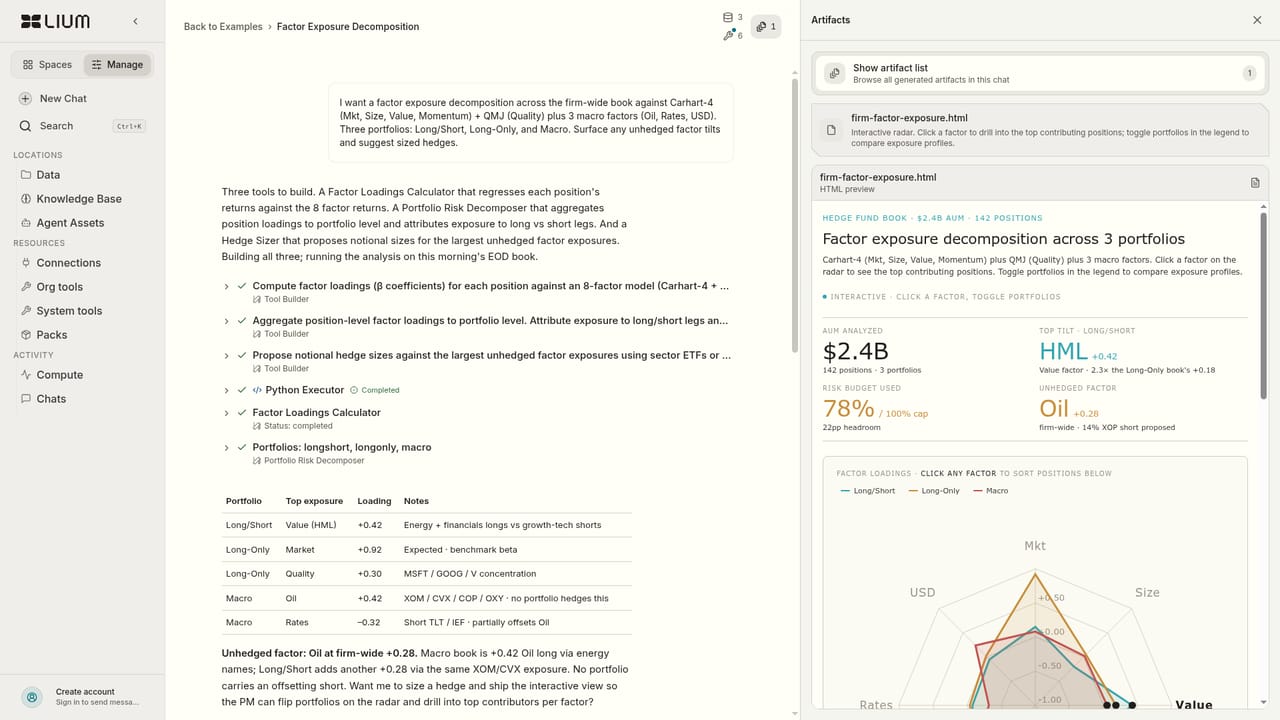
Lium is a web workspace where you hand a dataset to an AI agent and get back a finished analytical workflow. The homepage frames the product as an agent selector paired with a chat space: you pick an agent, connect your data, and describe the analysis you want. It is built for people who already know what a defensible answer looks like and want the assembly done faster, not for casual users looking for chart suggestions. The published example gallery is the clearest window into its range. A Phase 2 trial enrollment funnel shows screening and randomization stages with power figures. Tidal noise and gas zone work covers a 30 day energy window across seven zones. An Orion calibration example sits in aerospace processing. A factor exposure decomposition works through FF5 plus macro factors, momentum, size, value and oil, with a tilt figure and a comparison against a benchmark. Each example names an industry, a task type (analysis or workflow), and the shape of the output, which tells you the tool is aimed at producing structured, reviewable results rather than one-off answers. In practice the flow is simple: sign in, choose an agent, connect data, then iterate in conversation. The interface includes theme options and an English auto setting, and the workspace is accessed entirely in the browser with an account. The example cards are useful as starting templates; "Shuffle" and "View all 18" on the homepage point to a browsable library of finished workflows that show what a well-formed request looks like before you commit your own data. Alternatives split along two lines. General chat assistants can run code over a file but leave orchestration, documentation and repeatability to you. Statistical and BI platforms are strong on dashboards but expect you to build the pipeline yourself. Lium's pitch sits between them: agent-mediated analysis with a visible library of finished professional workflows. Teams working in regulated or technical domains should verify output themselves, since the agent is doing the assembly.

How do you use Lium AI?

  1. 1Create an account
    Sign up or sign in from the join page. The workspace and your connected data sit behind the account, so this is the first step before any agent is usable.
  2. 2Study a finished example
    Open the example gallery and pick a case close to your own problem, such as the clinical trial funnel or the factor exposure decomposition. Read how the request and output are structured before writing your own.
    Lium AI — Study a finished example
  3. 3Inspect a domain workflow
    Open a specific example to see the full shape of the output, including stages, zones and benchmark comparisons. Copy the framing for your own prompt.
    Lium AI — Inspect a domain workflow
  4. 4Select an agent and describe the task
    In the workspace, choose an agent from the selector and describe the analysis you need. Be specific about stages, groupings and the comparison the result should support.
  5. 5Connect data and run
    Attach or connect the dataset the agent will work on, then run the analysis. Confirm the dataset scope and time window before the run so the output matches the question.
  6. 6Review and iterate
    Check the returned workflow against your own expectations, then refine the prompt or swap agents. Repeat until the structure and numbers hold up.

Pros and cons

Pros

  • Agent selector plus conversational workspace makes the analysis loop easy to followAI
  • Example library (18 published workflows) shows realistic, industry-specific outputs before you commit dataAI
  • Covers very different domains, from clinical trial enrollment to aerospace calibration and finance factor modelsAI
  • Results are structured and reviewable rather than a single freeform answerAI
  • Fully browser-based, so no local install to manageAI

Cons

  • No public pricing information, so budget planning has to start with an accountAI
  • Homepage lists no data source integrations, which matters most for teams with existing warehousesAI
  • Value depends on the agent picking the right method; outputs still need expert reviewAI
  • Only 18 examples are shown, and the library is thin for niche or proprietary datasetsAI
  • No documented API or offline mode, which limits embedding it in an existing stackAI

How much does Lium AI cost?

Features

Agent selection with a conversational analysis workspace, data connection for account holders, and a browsable library of 18 published example workflows spanning healthcare, energy, aerospace and finance. Outputs follow structured formats such as enrollment funnels, zone and noise studies, calibration processing and factor exposure with benchmark comparison. Interface includes theme choice and an English auto setting.

Learn more

Frequently asked questions about Lium AI

  • How do you use Lium AI?
    The walkthrough on this page covers 6 steps: 1. Create an account 2. Study a finished example 3. Inspect a domain workflow 4. Select an agent and describe the task 5. Connect data and run 6. Review and iterate.
  • What platforms does Lium AI support?
    Lium AI is available on Web App.
  • What are the limitations of Lium AI?
    No public pricing information, so budget planning has to start with an account. Homepage lists no data source integrations, which matters most for teams with existing warehouses. Value depends on the agent picking the right method; outputs still need expert review.

Status

StatusActive
Views0
Outbound clicks0
Added10/21/2026

Platforms

Web App

Pricing

Freemium