LoomVid

AI storytelling tools that turn text and photos into cinematic video

Beginner
Screenshot of LoomVid, AI storytelling tools that turn text and photos into cinematic video

What is LoomVid?

LoomVid is an image to video tool. LoomVid bundles text to video, image to video and text to image generation with over 14 photo editing tools and 437+ styles, aimed at creators who want to build short visual narratives end to end in the browser.

LoomVid is a browser-based creative platform built around a narrative idea rather than a single generator. Instead of offering one model behind one box, it groups text to image, image to video and text to video creation together with a set of photo editing utilities, so a story can move from a written prompt to a finished clip without switching products. The site frames this as visual storytelling for people who care about how a sequence reads, not just how a single frame looks. The video side handles three routes. Text to Video takes a written scene description and renders it as a cinematic sequence. Image to Video accepts a reference photo and animates it across different visual styles, which suits creators who want their own material as the starting point. A third pipeline runs text to image first, lets the creator pick the frame that best matches the intent, then converts that choice into video. A separate library of video effects applies predefined looks and transformations to footage. The image side is broader. A text to image generator sits alongside more than 14 editing tools: background removal, object and watermark removal, recoloring, boundary expansion, photo restoration, colorization, clothes and hairstyle changes, expression edits, age progression, gender swap, virtual makeup and an ID photo maker. A style library of 437+ looks (Pixar 3D, manga line art, Van Gogh, pixel art and others) sets the visual tone, and the platform emphasizes preserving recognizable character features when a photo is restyled. The audience is storytellers, indie filmmakers, social creators and small marketing teams who need finished visuals without a design background. Compared with single-purpose generators, LoomVid trades depth in any one model for breadth: prompt to frame to clip to edit in one place. The homepage does not publish pricing tiers or named integrations, so those details need checking directly with the service.

How do you use LoomVid?

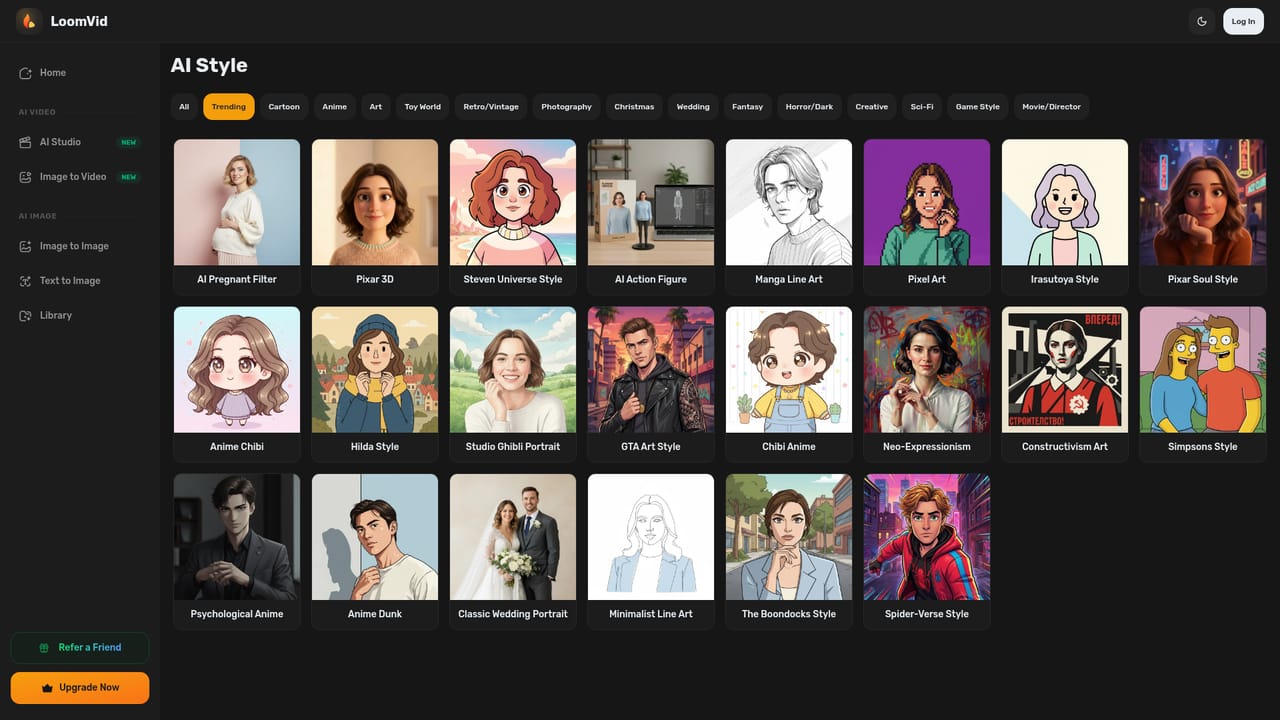
  1. 1Set the visual tone with a style
    Browse the style library and preview thumbnails to choose the look that fits your narrative before generating anything.
    LoomVid — Set the visual tone with a style
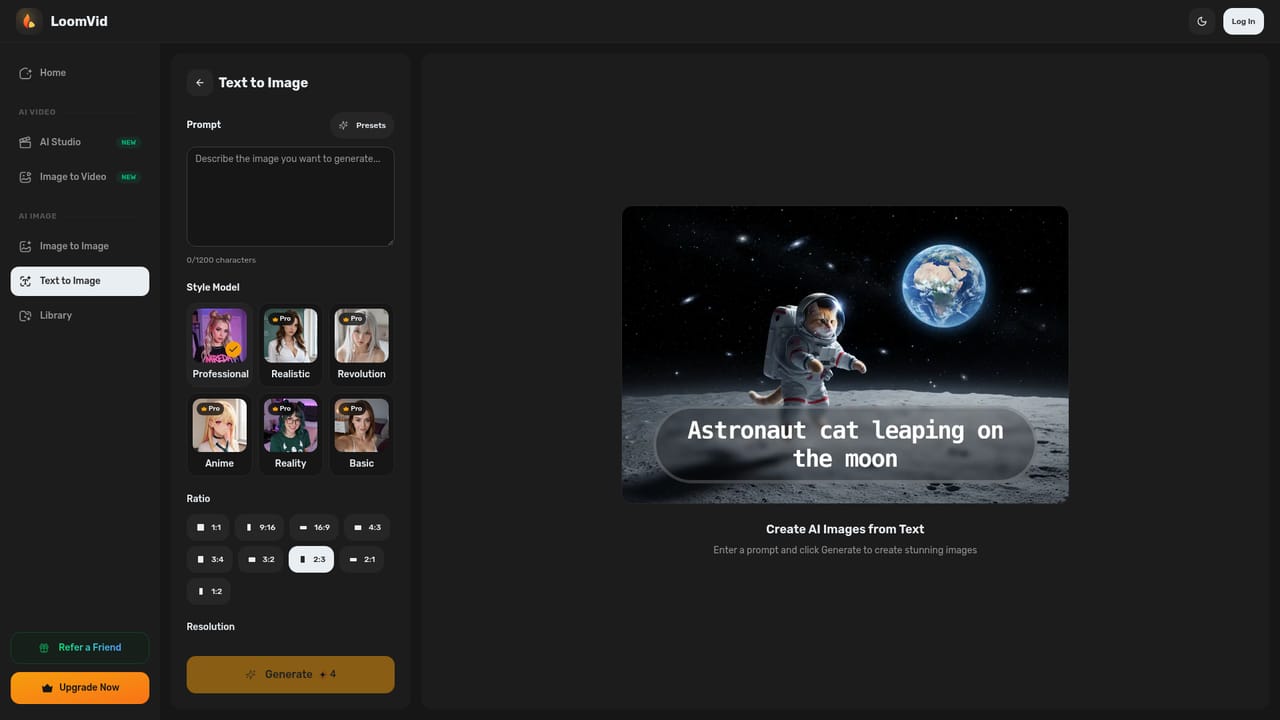
  2. 2Generate a first frame from text
    Open the text to image tool, describe the scene, and produce still frames you can review and refine.
    LoomVid — Generate a first frame from text
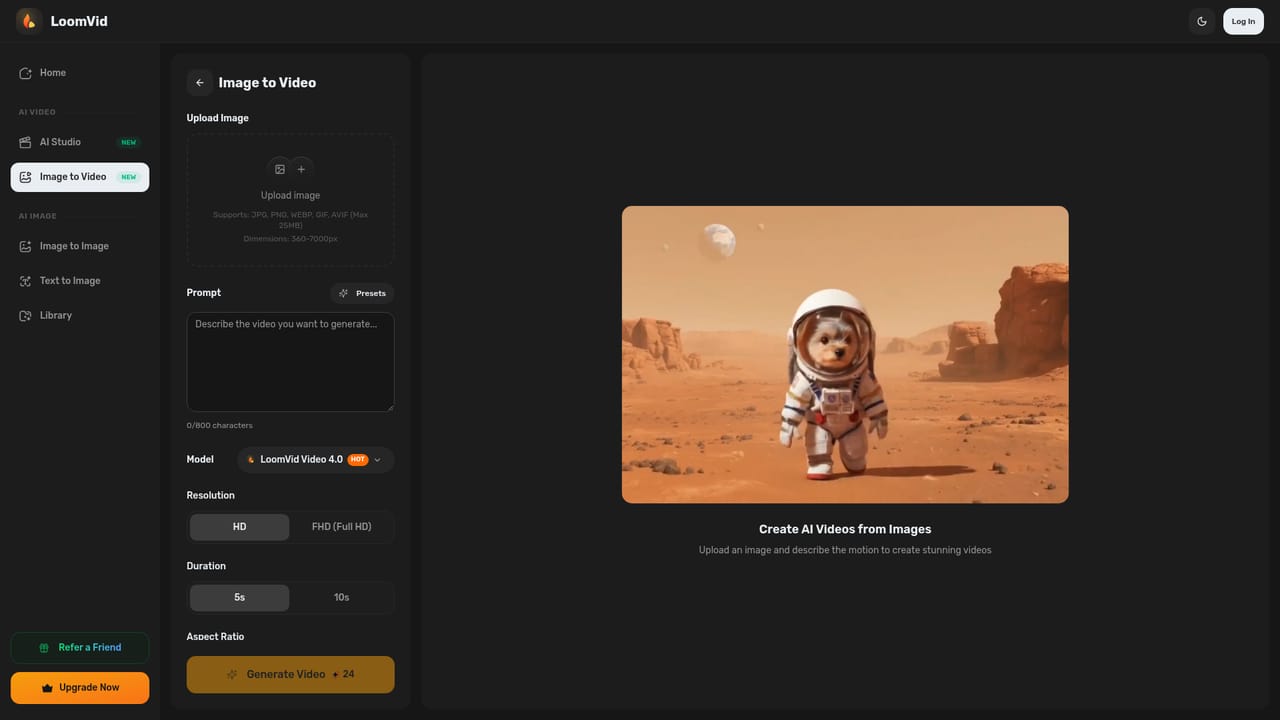
  3. 3Turn the chosen frame into video
    Take the image you selected and run it through image to video to animate it into a short cinematic sequence.
    LoomVid — Turn the chosen frame into video
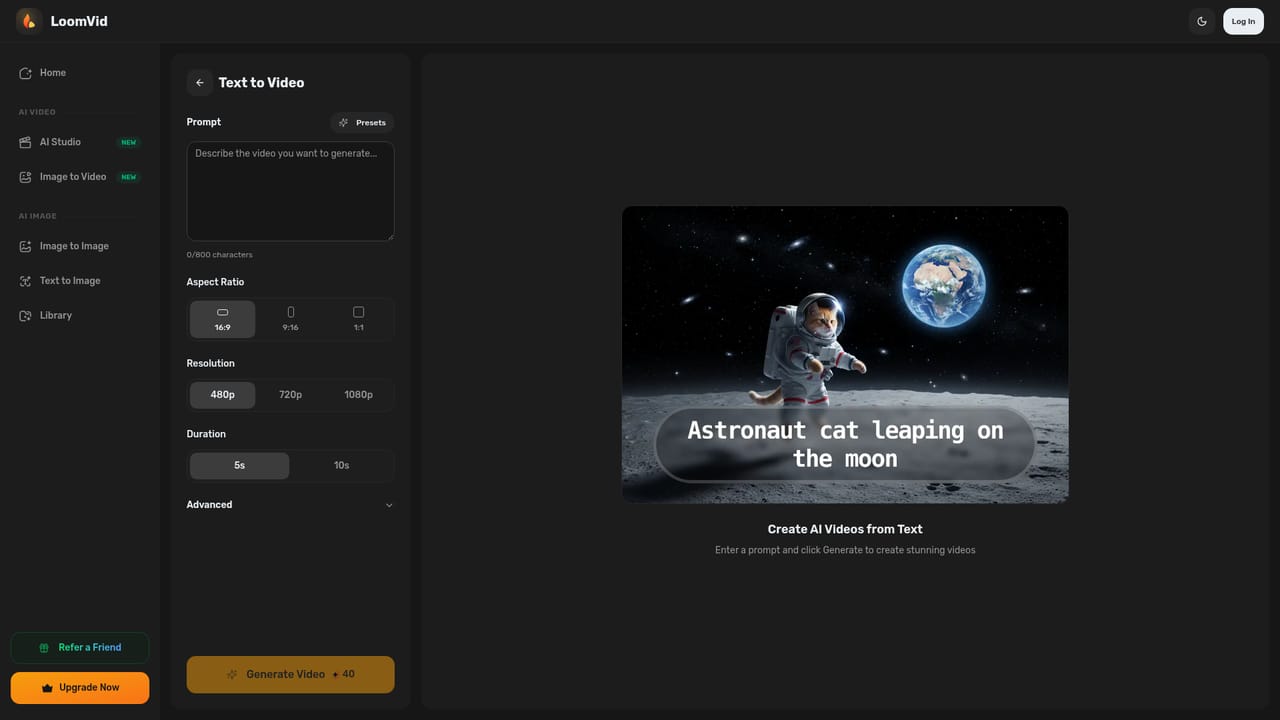
  4. 4Or go straight from script to clip
    Describe the scene directly in the text to video tool when you already know the shot you want.
    LoomVid — Or go straight from script to clip
  5. 5Clean up source photos
    Use background removal, object removal or restoration on your own images so they are ready to animate or restyle.

Pros and cons

Pros

  • Combines generation and editing in one workspace, so a story moves from prompt to frame to clip without exporting between appsAI
  • Text to image to video pipeline lets you approve the still frame before committing to a video renderAI
  • Image to video accepts your own photos as the starting point, which is useful for personal or brand materialAI
  • Style library of 437+ looks covers illustration, painterly and cinematic tones in one placeAI
  • More than 14 one-click editing tools require no design skills, lowering the barrier for non-designersAI

Cons

  • Homepage publishes no pricing tiers, credit limits or usage caps, so cost is hard to judge before signing upAI
  • No named integrations or export formats are documented, which matters if output must feed an existing editing suiteAI
  • Many features (gender swap, clothes changer, makeup) are novelty edits that may not hold up in serious production workAI
  • Breadth across many small tools can mean less control per tool than a dedicated generator offersAI
  • Style-heavy output risks a recognizable house look, and nothing on the site explains how to tune prompts for consistencyAI

How much does LoomVid cost?

Features

Text to video, image to video and a text to image to video pipeline; a text to image generator; 437+ visual styles with character preservation; 14+ one-click editors covering background, object and watermark removal, recolor, expand, restoration, colorize, clothes, hairstyle, expression, age progression, gender swap, makeup and ID photos; a library of video effects.

Learn more

Frequently asked questions about LoomVid

  • How do you use LoomVid?
    The walkthrough on this page covers 5 steps: 1. Set the visual tone with a style 2. Generate a first frame from text 3. Turn the chosen frame into video 4. Or go straight from script to clip 5. Clean up source photos.
  • What platforms does LoomVid support?
    LoomVid is available on Web App.
  • What are the limitations of LoomVid?
    Homepage publishes no pricing tiers, credit limits or usage caps, so cost is hard to judge before signing up. No named integrations or export formats are documented, which matters if output must feed an existing editing suite. Many features (gender swap, clothes changer, makeup) are novelty edits that may not hold up in serious production work.

Status

StatusActive
Views0
Outbound clicks0
Added11/3/2026

Platforms

Web App

Pricing

Freemium