Magictool.AI Chrome Extension

A ChatGPT productivity suite inside your browser

Beginner
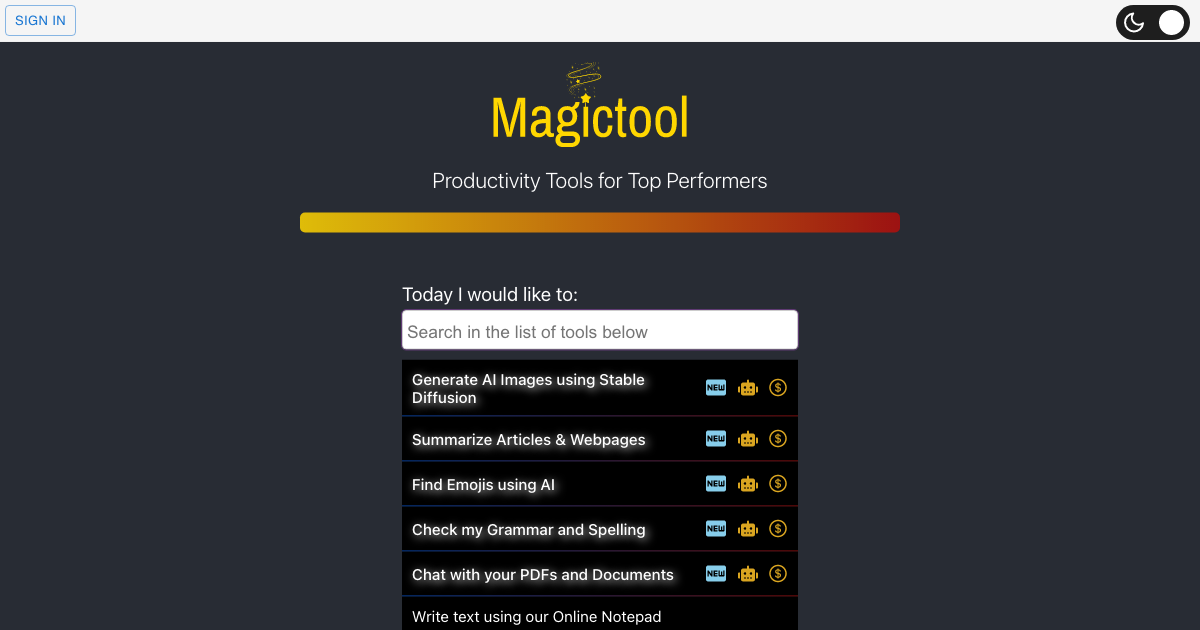
Screenshot of Magictool.AI Chrome Extension, A ChatGPT productivity suite inside your browser

What is Magictool.AI Chrome Extension?

Magictool.AI Chrome Extension is a ChatGPT overlay tool. Magictool.AI is a Chrome, Firefox and Edge extension that puts ChatGPT, GPT-4 and about 20 writing, summarizing, PDF chat, image generation and scraping tools into one sidebar. It suits students, writers and researchers who want many small AI utilities in a single install rather than separate apps.

Magictool.AI is a browser extension that bundles ChatGPT access with roughly 20 supporting utilities into a single toolbar. Rather than switching between a chat tab, a grammar checker, a summarizer and a scraper, users call the whole set from a sidebar or from the page they are already reading. It installs on Chrome, Firefox and Edge, and a smaller selection of the same tools is offered on the website without installing anything. The core of the product is an AI writing copilot. From any text field or the built-in editor, it can rewrite, explain, check grammar, simplify, shorten, lengthen, paraphrase, summarize, continue a draft, add emojis or translate. Beyond writing, the extension covers reading and research: ChatGPT and GPT-4 for open questions, one click article summaries, a YouTube summarizer that condenses transcripts and comments, chat and summarization for PDF files, a reader mode that strips ads and sidebars, and a forced dark mode for any page. A data scraper handles extraction either by manual selection or through AI, and CSV and Excel files can be analyzed conversationally. Smaller conveniences (notes, a timer, a todo list, custom prompt commands and a list of private domains where the extension stays silent) round out the package. The audience is broad: students working through PDFs and homework, writers and marketers drafting on the web, analysts pulling figures off pages, and anyone who wants summaries and translation without opening another app. Practical use looks like selecting text on a site, picking an action from the floating menu, and pasting the result back in place, or opening the side panel to ask a question while the source page stays visible. Among browser AI assistants, Magictool.AI leans toward breadth over depth. Extensions built around a single job, such as a dedicated grammar checker or summarizer, will usually go further on that one task. Magictool wins when the same person needs writing help, page cleanup, PDF chat and scraping in one install.

How do you use Magictool.AI Chrome Extension?

  1. 1Install the extension for your browser
    Pick the Chrome, Firefox or Edge listing from the homepage install buttons and add the extension. Sign in or create an account to unlock the AI features tied to your plan.
  2. 2Run your first writing action on a page
    Select text in any field, open the floating menu and choose an action such as paraphrase, make shorter or check grammar. The rewritten text replaces the selection.
  3. 3Summarize an article or a YouTube video
    On a long page or video, use the summarizer from the sidebar to condense the main content or transcript and skim the result before reading in full.
  4. 4Chat with a PDF
    Upload a PDF to the chat tool and ask questions about specific sections. This works well for assignments and dense reports where search alone fails.
  5. 5Extract data from a webpage
    Open the scraper, pick fields manually or let AI detect them, then export the rows. Use it for tables, listings and repeated page structures.
  6. 6Browse the full tool list
    The tools page shows every utility, including the free web versions and the tools bundled in the extension, so you can see what is included at each tier.

Pros and cons

Pros

  • Around 20 distinct tools share one extension and one interface, from paraphrasing to PDF chatAI
  • Works in place: actions run on selected text inside any text field, so drafts stay on the pageAI
  • Reader mode and forced dark mode are useful non-AI extras that many rival extensions skipAI
  • Free web version of the tools lets you test capabilities before installing anythingAI
  • Available on Chrome, Firefox and Edge, so switching browsers does not mean losing the toolsetAI

Cons

  • GPT-4 access and AI video dubbing are locked behind paid tiers, so the free experience is narrower than the feature list suggestsAI
  • Feature sprawl means each individual tool is shallower than a dedicated app for the same jobAI
  • Text handling, summaries and scraping send page content to a third party, which is a concern on confidential materialAI
  • No details on the homepage about data retention or how scraped and pasted content is storedAI
  • The value depends on third-party model access; outages or model changes affect every tool at onceAI

How much does Magictool.AI Chrome Extension cost?

Pricing

The homepage references paid tiers: AI video dubbing is limited to Pro+ plans and GPT-4 is described as a paid feature, implying a free entry level with paid upgrades. No prices or plan limits are stated on the homepage, so check the pricing page for current figures.

Learn more

Support

The homepage lists a support email address and links to a Discord community, a YouTube channel, a Twitter account and a newsletter, which are the documented channels for help and updates.

Learn more

Integrations

No named third party integrations are listed on the homepage. The extension connects to ChatGPT and GPT-4, uses Stable Diffusion for images and plugs into Chrome, Firefox and Edge through their add-on stores.

Features

Bundles ChatGPT and GPT-4 chat with a writing copilot (paraphrase, grammar, explain, simplify, shorten, lengthen, continue, emojis, translate), article and YouTube summarization, PDF chat and summarization, text to image via Stable Diffusion, AI data scraping, CSV and Excel analysis, an AI notepad, reader mode, dark mode, custom prompt commands, private domains, notes, a timer and a todo list.

Learn more

Frequently asked questions about Magictool.AI Chrome Extension

  • How much does Magictool.AI Chrome Extension cost?
    The homepage references paid tiers: AI video dubbing is limited to Pro+ plans and GPT-4 is described as a paid feature, implying a free entry level with paid upgrades. No prices or plan limits are stated on the homepage, so check the pricing page for current figures.
  • How do you use Magictool.AI Chrome Extension?
    The walkthrough on this page covers 6 steps: 1. Install the extension for your browser 2. Run your first writing action on a page 3. Summarize an article or a YouTube video 4. Chat with a PDF 5. Extract data from a webpage 6. Browse the full tool list.
  • What platforms does Magictool.AI Chrome Extension support?
    Magictool.AI Chrome Extension is available on Browser extension.
  • What does Magictool.AI Chrome Extension integrate with?
    No named third party integrations are listed on the homepage. The extension connects to ChatGPT and GPT-4, uses Stable Diffusion for images and plugs into Chrome, Firefox and Edge through their add-on stores.
  • What are the limitations of Magictool.AI Chrome Extension?
    GPT-4 access and AI video dubbing are locked behind paid tiers, so the free experience is narrower than the feature list suggests. Feature sprawl means each individual tool is shallower than a dedicated app for the same job. Text handling, summaries and scraping send page content to a third party, which is a concern on confidential material.

Status

StatusActive
Views0
Outbound clicks0
Added10/21/2026

Platforms

Browser extension

Pricing

FreemiumSubscription