Free trial
Free credits are issued at signup with no card required, letting new users test the rendering tools before choosing a paid plan.
Learn moreAI rendering studio built for architects, from sketch or model view to client-ready image

MNML is a drawing to image tool. An AI rendering and visualization studio for architects, turning sketches, photos and SketchUp, Revit or Rhino views into editable, upscalable renders, with a comparison board, free modeling plugins and credit-based pricing.
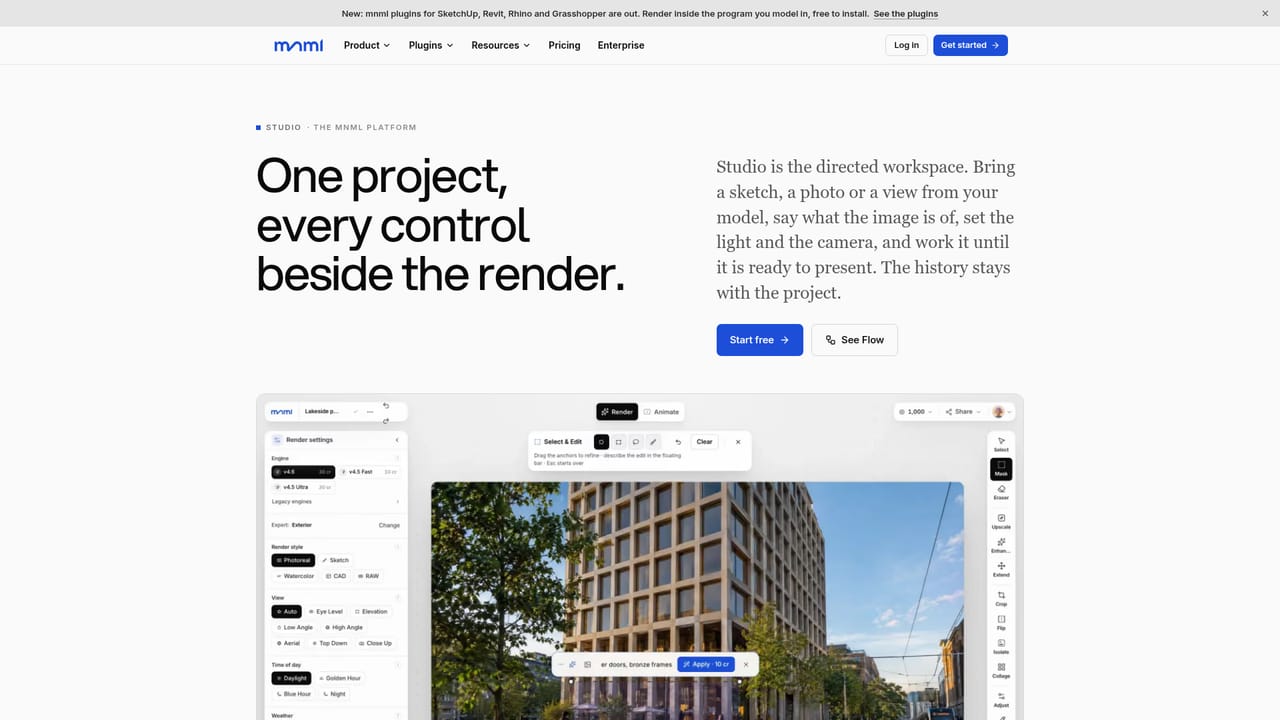
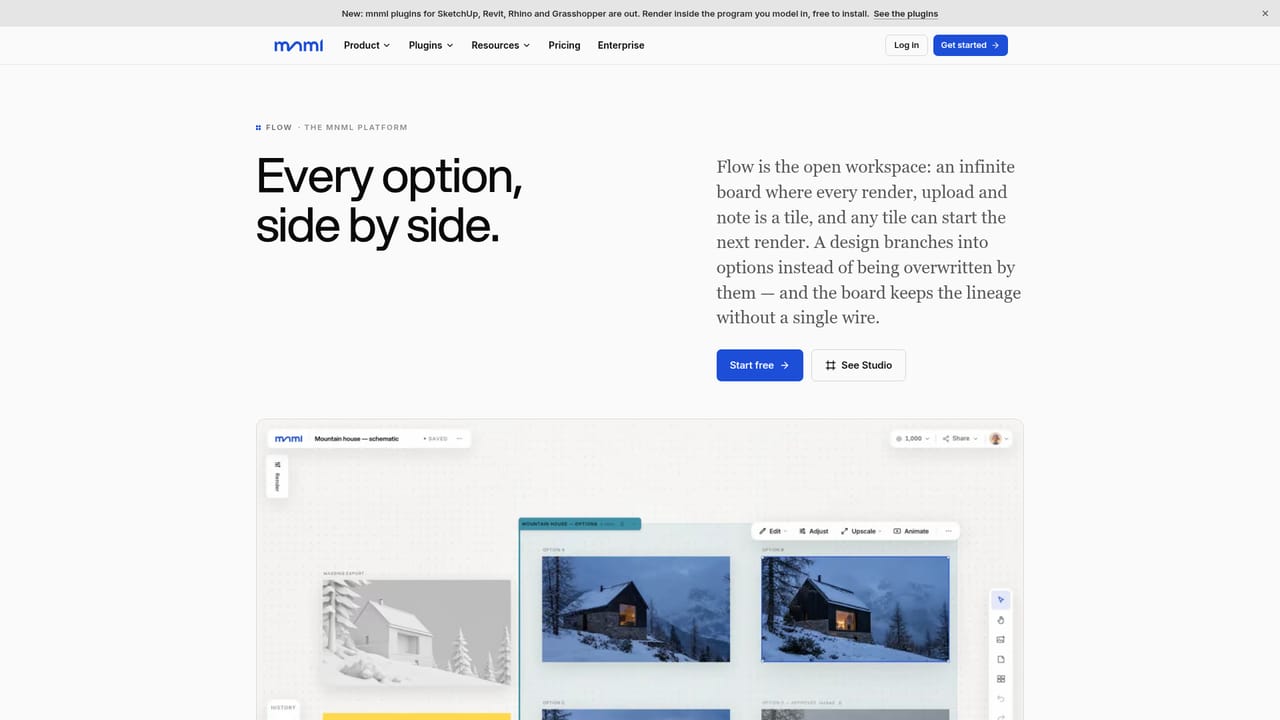
MNML is an AI rendering studio aimed squarely at architects and the people who work alongside them: visualization teams, competition crews, interior designers and landscape planners. The premise is narrow on purpose. Instead of a general image generator that needs a paragraph of prompt engineering, MNML takes what you already have (a sketch, a site photo, or a view exported from SketchUp, Revit, Rhino or Blender) and turns it into a photoreal image without lighting, material or render engine setup. The company reports 2.5 million registered users and use at more than 2,400 firms and 250 universities. The product splits into two workspaces that share one project, library and credit balance. Studio follows a single image through the whole arc: a guided render where light, season, materials and camera are controls rather than prompt text, then region-level edits with a mask, object removal, frame extension and upscaling to 8K, and finally an optional short clip with shots named the way an architect would brief them (walkthrough, drone view, hero shot). Flow is an infinite board where up to four variations land next to their source, each carrying a record of the references and prompt behind it, so options get compared rather than guessed at. Collaborators can join a board as viewers or editors, with sticky notes and live cursors for review sessions. Beyond the browser, free plugins put a MNML panel inside SketchUp 2026, Revit 2024 to 2027, Rhino 8 and Grasshopper, rendering the active viewport and placing the result back into the model in one undo. A connector also brings rendering and editing into ChatGPT, Claude and other assistants. Pricing runs on credits, with the cost shown on the button before any spend, and new accounts start with free credits and no card. Teams get pooled credits, per-member caps and role-based access. Where it fits: it competes with visualization-specific AI renderers and with generic image models, and it wins on architectural vocabulary and file lineage rather than on sheer stylistic range. Studios already deep in a traditional pipeline can use it as a fast concept and iteration layer, while solo architects may find the credit system and project structure heavier than a one-shot tool.

Free credits are issued at signup with no card required, letting new users test the rendering tools before choosing a paid plan.
Learn moreNew accounts start with free credits that do not expire and require no card. Paid plans add a monthly credit allowance, and every render displays its cost on the button before the credits are spent. Detailed plan tiers sit on the pricing page.
Learn moreA help centre is published on the site, alongside pages covering data trust and security for teams evaluating how uploads and renders are handled.
Learn moreFree plugins for SketchUp 2026, Revit 2024 to 2027, Rhino 8 and Grasshopper, plus an MCP connector for ChatGPT, Claude, Gemini, Copilot, Perplexity, Cursor and similar assistants.
Learn moreGuided rendering from sketches, photos and model views, with light, season, material and camera as controls. Up to ten role-assigned reference images. Region edits, object erase, frame extension and 8K upscaling, each saved as a new image. Studio for single-image work and Flow for side-by-side comparison and branching. Short clip animation, project libraries, team roles and spend caps.
Learn more AI Angels400+ customizable AI girlfriends for NSFW chat, voice calls, and roleplay
 Candy AIExperience the future of companionship with AI friends who chat, role-play, and connect with you on a human level.
 ourdream.aiA vast AI roleplay platform with millions of characters for chat, images, video and voiceAI Angels400+ customizable AI girlfriends for NSFW chat, voice calls, and roleplayCandy AIExperience the future of companionship with AI friends who chat, role-play, and connect with you on a human level.ourdream.aiA vast AI roleplay platform with millions of characters for chat, images, video and voice


