Free trial
The homepage invites visitors to start for free and offers a free sign up route, indicating a no cost entry point, but the scope of that free access is not stated on the page.
Learn moreAI rendering workspace built for architects and designers

Rendair is an AI rendering workspace for architects and designers. It converts sketches, floorplans, elevations, sections, CAD files and 3D model captures into photorealistic renders, then supports editing, upscaling and animation, with a chat interface for natural language changes.
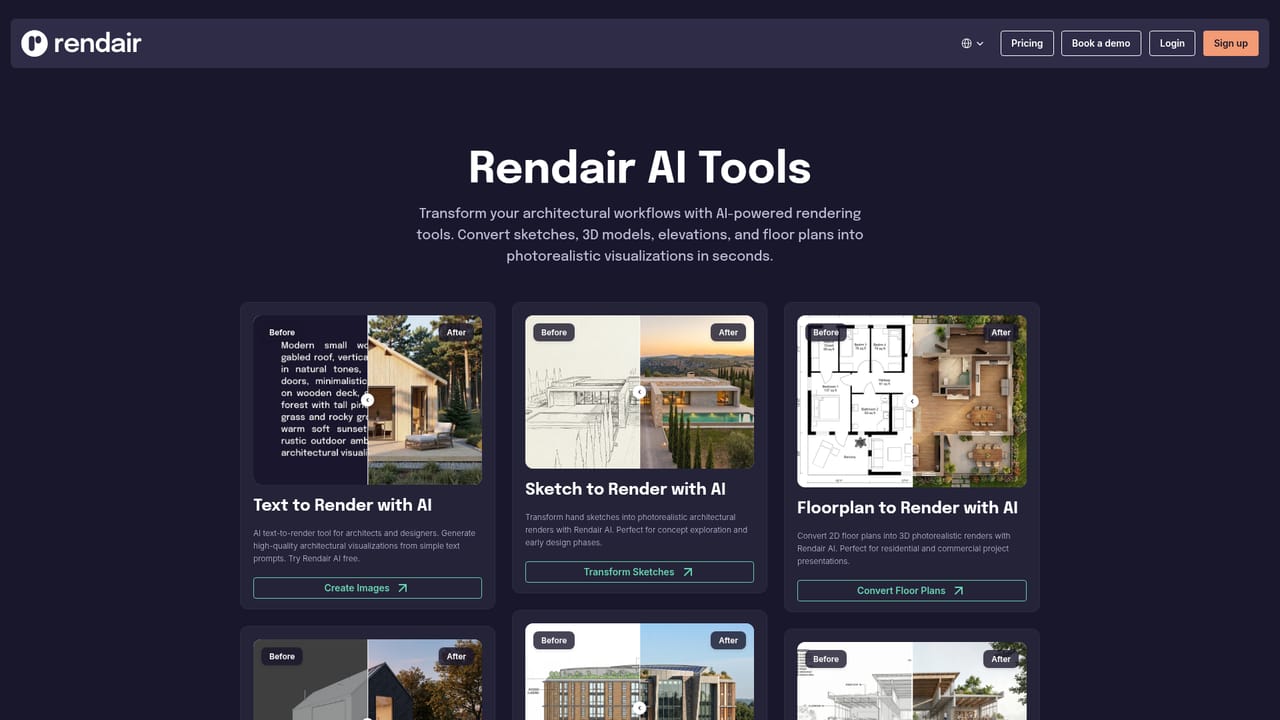
Rendair is a browser based rendering workspace aimed squarely at architects, interior designers and visualization specialists. Instead of one generator, it bundles a set of purpose built tools: text to render, sketch to render, floorplan to render, 3D model to render, elevation to render, section to render, CAD to render, an image to render converter, a landscape designer and an image upscaler. The pitch is practical rather than experimental: take the drawings, models or reference images a studio already produces and turn them into photorealistic stills in seconds, then refine them without restarting the workflow. In day to day use the process is straightforward. A designer uploads a sketch, plan, section, elevation or a viewport capture from software such as SketchUp, Rhino, Grasshopper, Blender, AutoCAD or Vectorworks, picks the appropriate tool and generates a rendered version. From there the edit and adjust stage allows changes to specific parts of an image, the upscale stage prepares it for presentation, and the video and animation stage converts a static frame into a moving clip. Rendair Chat adds a natural language layer on top, so revisions can be requested conversationally instead of through parameter panels. The audience is clearly professional rather than casual. The site cites more than 500,000 architects worldwide, testimonials from solo practitioners, small design studios and visualization firms, and dedicated use case pages for kitchens, bathrooms, living rooms, bedrooms, dining rooms, home offices, gardens, backyards, cafes, hotel rooms and hotel lobbies. That library suggests the tool is positioned for concept iteration and client approval cycles, where speed matters more than final frame accuracy. It does not replace a dedicated offline renderer for marketing grade stills, but it slots in earlier, when options are still being weighed. Compared with generic image generators, Rendair's advantage is that its inputs match architectural deliverables: plans, sections and CAD files rather than text prompts alone. Compared with traditional visualization pipelines, the trade off is control: the AI interprets geometry and materials, so fine detail can drift. Studios that need guaranteed fidelity will keep a conventional renderer in the stack alongside it.



The homepage invites visitors to start for free and offers a free sign up route, indicating a no cost entry point, but the scope of that free access is not stated on the page.
Learn moreSupport is reachable through a demo booking option and a frequently asked questions page; testimonials mention a responsive support team, but no live chat or ticket system is described on the homepage.
Learn moreThe site lists workflow pages for Rhino, Grasshopper, Vectorworks, Blender, AutoCAD and SketchUp, describing use with those 3D applications by way of images rather than native plugins.
Learn moreTools cover text to render, sketch to render, floorplan to render, 3D model to render, elevation to render, section to render, CAD to render, image to render, a landscape designer and image upscaling. Rendair Chat handles conversational generation and edits. Renders can be adjusted in place and animated into video.
Learn more AI Angels400+ customizable AI girlfriends for NSFW chat, voice calls, and roleplay
 Candy AIExperience the future of companionship with AI friends who chat, role-play, and connect with you on a human level.
 ourdream.aiA vast AI roleplay platform with millions of characters for chat, images, video and voiceAI Angels400+ customizable AI girlfriends for NSFW chat, voice calls, and roleplayCandy AIExperience the future of companionship with AI friends who chat, role-play, and connect with you on a human level.ourdream.aiA vast AI roleplay platform with millions of characters for chat, images, video and voice


