Free trial
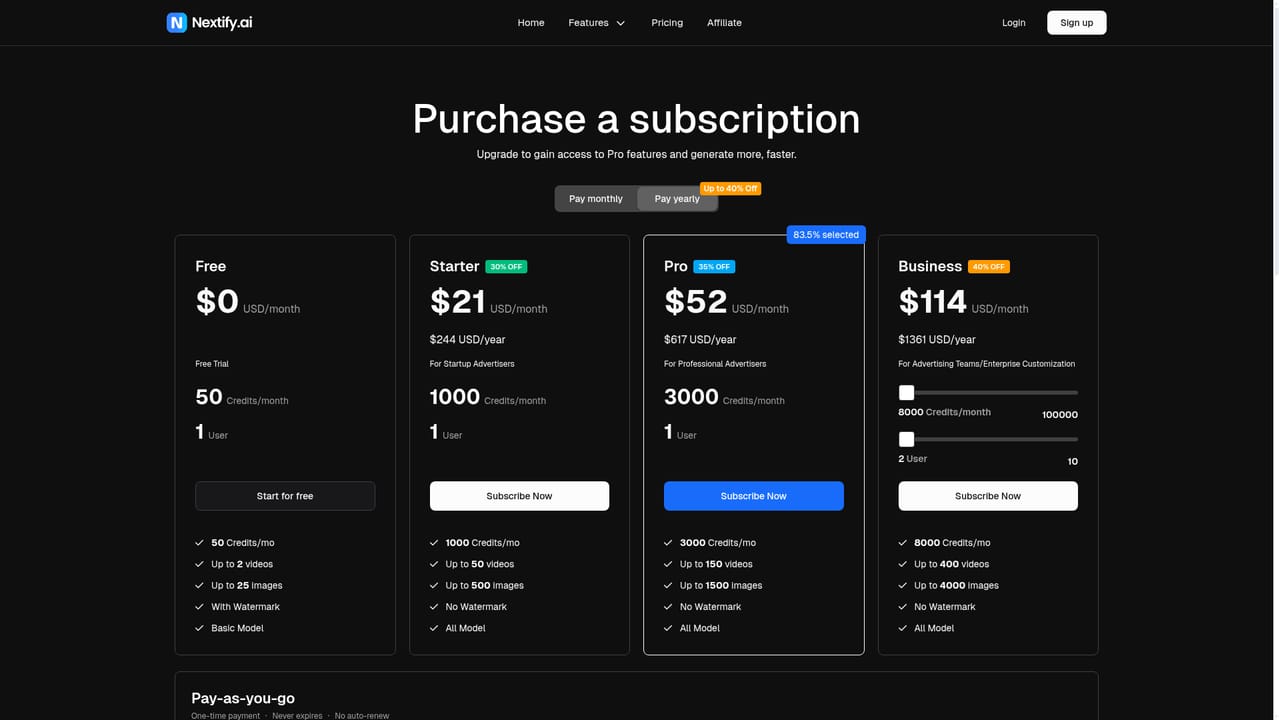
A free plan is listed at $0 per month with 50 credits, capped at roughly 2 videos or 25 images and watermarked output. Trial buttons across the homepage point to the same sign in flow.
Learn moreAI studio that turns a product image into ready to launch video ads

Nextify.ai generates video and static ad creative from a product image or description: AI UGC talking actors, product in hand demos, unboxing POV, B-roll and ready made templates for paid social campaigns.
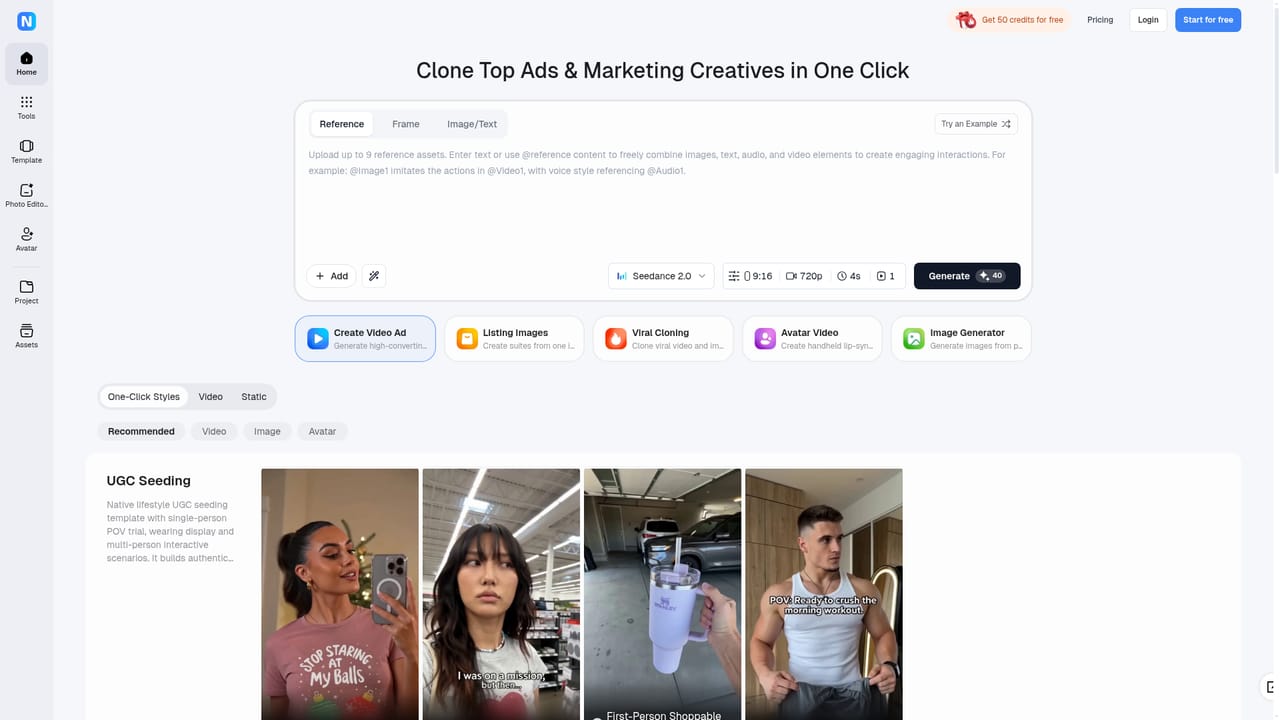
Nextify.ai is a browser based advertising studio built around one core promise: produce paid social video and static ads without actors, a studio or a production crew. The workflow starts with a product image or a short product description. The platform then writes the script and sales copy, generates the visuals, adds a synthetic presenter where needed, and exports the finished creative in sizes suited to TikTok, Instagram and Facebook. The product splits into several ad formats rather than a single generator. AI UGC style videos pair your product with a talking actor; the library is marketed as 1000+ avatars, 600+ of which are described as lifelike presenters, with lip sync across 40+ languages and a choice of 200+ to 400+ scenes. Product in hand, unboxing POV and app showcase formats place a real item or app screen into a generated scene with matched lighting and angles. B-roll generation produces 360 degree spins, close up detail shots and camera moves from a single upload. A separate static ad generator handles image based creative, and there are template slots for Sora 2 and Veo 3.1 style outputs. Commercial teams and performance marketers are the obvious audience: e-commerce brands, app marketers, small agencies and solo media buyers who need a steady stream of ad variations rather than one polished film. Batch creation is emphasised, so a single product input can fan out into A/B variants. Auto generated scripts, 10K+ templates and a clone winning ads option round out the production side, while voice cloning and avatar creation let a brand build a consistent presenter. Against alternatives, Nextify competes less with general text-to-video tools and more with UGC creator marketplaces and agency retainers. The pitch is speed and cost, with the platform itself claiming 10x faster output and 90% lower cost. The tradeoff is that everything depends on the avatar library and template catalogue, so the range of looks is bounded by what the platform ships. Testing the free tier first is the sensible route.
A free plan is listed at $0 per month with 50 credits, capped at roughly 2 videos or 25 images and watermarked output. Trial buttons across the homepage point to the same sign in flow.
Learn moreFree tier at $0 with 50 credits a month, up to 2 videos or 25 images and a watermark. Paid monthly tiers: Starter $21 (1000 credits, 50 videos), Pro $52 (3000 credits, 150 videos), Business $114 (8000 credits, 400 videos, 2 users). Yearly billing advertises up to 40% off. A one time $50 pack of 1,250 credits is also offered.
Learn moreThe homepage includes a questions and answers section and asks how to get help, but no help centre, documentation or contact channel is named on the listed pages.
AI UGC talking actor videos with 1000+ avatars (600+ described as lifelike), lip sync in 40+ languages and 200+ to 400+ scenes. Product in hand, unboxing POV and app showcase formats. B-roll generation with 360 degree spins and close ups. Static ad generator. Auto written scripts, 10K+ templates, batch A/B variants, ad cloning, avatar and voice cloning with 500+ voices and full commercial rights.
Learn more AI Angels400+ customizable AI girlfriends for NSFW chat, voice calls, and roleplay
 Candy AIExperience the future of companionship with AI friends who chat, role-play, and connect with you on a human level.
 ourdream.aiA vast AI roleplay platform with millions of characters for chat, images, video and voiceAI Angels400+ customizable AI girlfriends for NSFW chat, voice calls, and roleplayCandy AIExperience the future of companionship with AI friends who chat, role-play, and connect with you on a human level.ourdream.aiA vast AI roleplay platform with millions of characters for chat, images, video and voice


