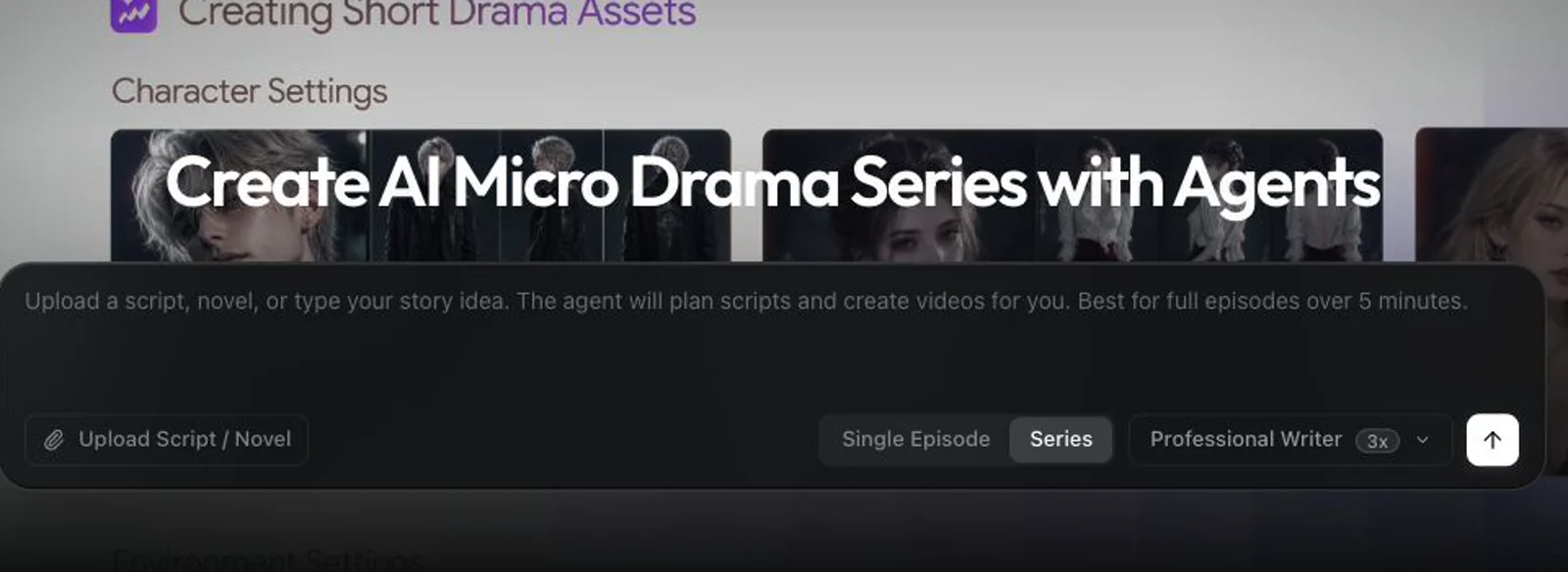
Free trial
No card is required to start. The free forever tier provides 2,500 credits per month for up to 7 slideshow videos with unlimited edits, before any upgrade.
Learn moreTurn a product link into a publish-ready marketing video in 30 minutes
Nodu AI is an AI drama tool that turns a product link into a publish-ready marketing video in 30 minutes. Nodu AI converts a product URL into a complete marketing video with script, voiceover, music and brand assets, ready for YouTube, TikTok, Instagram, Facebook or LinkedIn in about 30 minutes.
Nodu AI is a video production service built around a single input: a product page URL. Paste the link and the platform reads the page itself, pulling out brand details, product features, imagery and an apparent sense of tone. From there it assembles a finished marketing video rather than a set of raw clips. Script, on-screen characters, voiceover, music and scene sequencing are handled inside one automated pipeline, and the output is a complete story with a beginning and end. The format library is where the marketing intent lives. Nodu offers 12 or more narrative templates (Problem-Solution, Product Launch, Customer Testimonial, Explainer, Lifestyle and Promotional among them), each mapped to the placements it suits, such as TikTok and Reels for short-form attention or LinkedIn and YouTube for longer consideration. Portrait or landscape orientation is chosen per video at creation time. The homepage positions the product for e-commerce, SaaS, beauty and wellness, home and lifestyle, education and services businesses, and it explicitly targets teams that want top-of-funnel lead generation without hiring an editor. The practical distinction is between full motion and slideshow output. The free tier covers slideshow videos with unlimited edits, while AI animation and lip-sync, plus custom voices and avatars, sit behind the paid Creator plan. That split matters for anyone evaluating quality: the free experience is a reasonable way to judge scripts and pacing, but not the animated result. Nodu also leans on volume, encouraging multiple variations per audience segment for A/B testing rather than one hero video. Against clip generators, the pitch is workflow consolidation: no prompt engineering, no manual stitching, no separate soundtrack sourcing. Agencies and freelancers remain a fair comparison on craft and creative direction, where a human editor still adds judgment that template formats cannot.
No card is required to start. The free forever tier provides 2,500 credits per month for up to 7 slideshow videos with unlimited edits, before any upgrade.
Learn moreFree forever plan: 2,500 credits/month, up to 7 slideshow videos, free slideshow edits. Creator at $39/month: 8,000 credits, roughly 5 full motion or 15 slideshow videos, custom voices and avatars. Studio at $199/month: 120,000 credits, roughly 75 full motion or 225 slideshow videos. No contracts, hidden fees or minimums. Full details on the pricing page.
Learn moreProduct URL ingestion that extracts brand, features and imagery, plus a library of 12+ lead-focused formats (Problem-Solution, Launch, Testimonial, Explainer, Lifestyle, Promotional). Automated script, characters, voiceover, music and scene assembly produce one complete video. Full motion adds AI animation and lip-sync with customizable voices and avatars. Portrait or landscape per video, multiple variations for A/B testing, and downloads for five major social platforms.
 AI Angels400+ customizable AI girlfriends for NSFW chat, voice calls, and roleplay
 Candy AIExperience the future of companionship with AI friends who chat, role-play, and connect with you on a human level.
 ourdream.aiA vast AI roleplay platform with millions of characters for chat, images, video and voiceAI Angels400+ customizable AI girlfriends for NSFW chat, voice calls, and roleplayCandy AIExperience the future of companionship with AI friends who chat, role-play, and connect with you on a human level.ourdream.aiA vast AI roleplay platform with millions of characters for chat, images, video and voice