OpnForm

Open-source form builder with unlimited responses and self-hosting

Beginner API
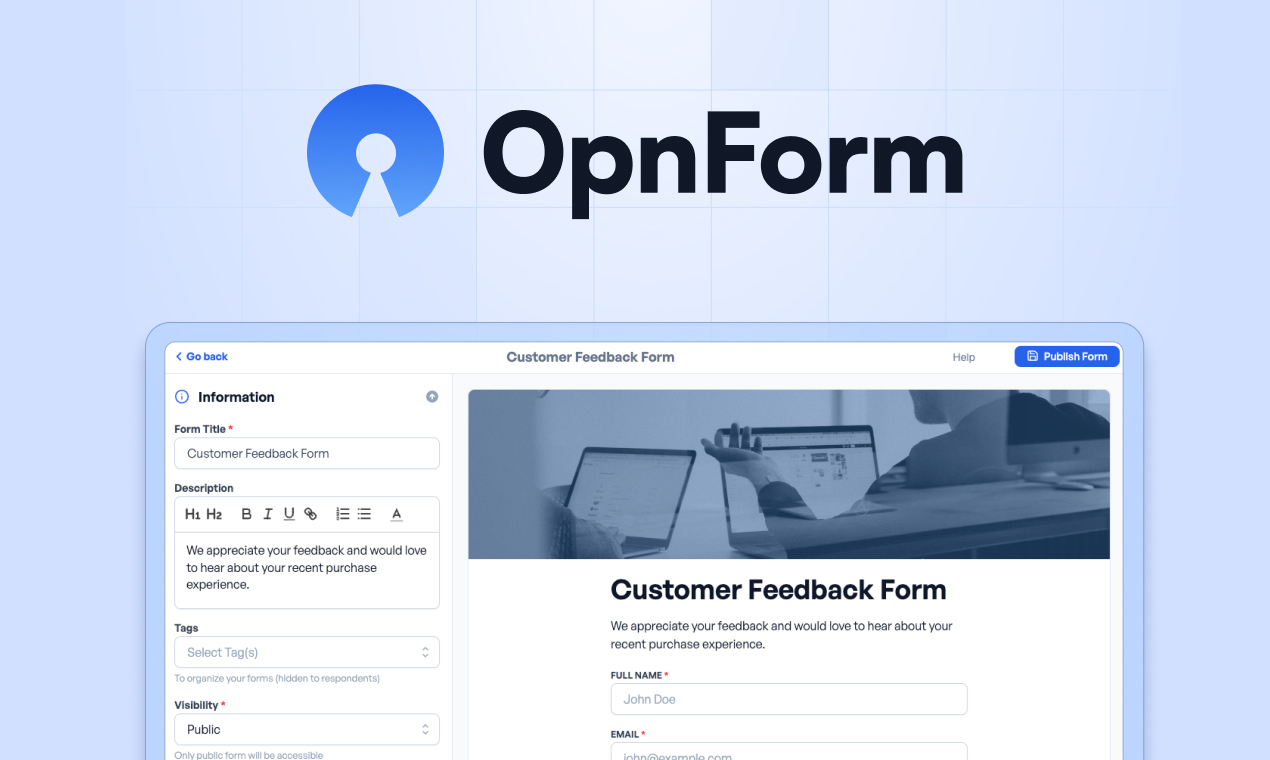
Screenshot of OpnForm, Open-source form builder with unlimited responses and self-hosting

What is OpnForm?

OpnForm is a google form filler tool. Open-source form builder with drag and drop editing, conditional logic, unlimited responses on the free tier, native Slack, Sheets and Stripe integrations, plus EU cloud or self-hosted deployment for teams that need data ownership.

OpnForm is an open-source form builder aimed at teams that want professional looking forms without per-response billing or vendor lock-in. Fields are assembled with drag and drop, then arranged as either a single page or a Typeform-style multi-step flow. Themes, brand colors and fonts can be customized, and paid plans remove the OpnForm branding entirely. Conditional logic, calculations and computed fields, answer piping, hidden fields and redirect-on-submit cover the more advanced survey and intake patterns, while conversational and classic layouts sit side by side in the same editor. Response collection is the core selling point. The free tier carries no submission cap and no per-response charges, which matters for surveys, event registrations and lead forms that can spike unexpectedly. Distribution is flexible: a plain link, an embed on a website or app, a form inside Notion, a custom domain, or a QR code for offline collection. Answers can be pushed into Slack, Discord, Telegram, Google Sheets or Zapier, Stripe handles payments, and webhooks plus a public REST API cover everything else. Ownership and compliance separate OpnForm from most hosted builders. The codebase is fully auditable, deployment is documented for Docker self-hosting and on-premise installs, and the hosted cloud runs in the EU with a GDPR-friendly architecture. Team features include shared workspaces, roles, audit logs, SSO and SAML, two factor authentication and white-label branding, with SOC2 compliance described as underway. It is a sensible fit for privacy-conscious organizations, agencies managing client forms and developers who would rather host their own infrastructure. Buyers who need a mature native app ecosystem or deep marketing automation built in should check the integration list against their stack before committing.

How do you use OpnForm?

  1. 1Create a free form as a guest
    Open the guest form creator from the homepage. You can start building without a paid plan, and the free tier allows unlimited submissions.
  2. 2Add fields and pick a layout
    Drag and drop the fields you need, then choose between a single page or a multi-step conversational layout and apply a theme with your brand colors.
  3. 3Add logic and computed fields
    Use conditional logic to show or hide questions, set up calculations and computed fields, pipe earlier answers into later questions and redirect respondents after submit.
  4. 4Connect your tools
    Open the integrations directory to link Slack, Discord, Telegram, Google Sheets, Zapier or Stripe, or set up webhooks and the REST API for anything not covered natively.
  5. 5Choose hosting and share the form
    Decide between the hosted cloud and a self-hosted Docker deployment if you need full data ownership, then share the form by link, embed, Notion, custom domain or QR code.

Pros and cons

Pros

  • No submission caps or per-response fees, including on the free planAI
  • Fully open-source with documented Docker self-hosting for on-premise controlAI
  • EU hosting, SSO and SAML, 2FA and audit logs suit privacy-conscious organizationsAI
  • Conditional logic, calculations, answer piping and redirects cover advanced form flowsAI
  • Distribution options include embeds, Notion, custom domains and QR codesAI

Cons

  • SOC2 compliance is still listed as underway, so certified buyers may need to waitAI
  • Self-hosting shifts backups, upgrades and uptime onto your own teamAI
  • No native mobile apps; forms are used through the browserAI
  • Branding removal and advanced team controls are gated behind paid plansAI
  • AI assistance is optional and thin compared with AI-first form toolsAI

How much does OpnForm cost?

Pricing

A free plan with unlimited submissions sits alongside paid tiers, and the homepage states there are no per-response fees. Branding removal and other controls are tied to paid plans. Check the pricing page for current tiers and limits before choosing a plan.

Learn more

Support

Priority support is listed as an enterprise benefit, and documentation covers deployment and self-hosting. A dedicated help centre page is not linked from the homepage.

Learn more

Integrations

Native connections include Slack, Discord, Telegram, Google Sheets, Zapier and Stripe payments. Webhooks, a public REST API and auto-notifications cover custom workflows and routing.

Learn more

Features

Drag and drop builder with multi-step or single-page layouts, custom themes and fonts, conditional logic, calculations, answer piping, hidden fields and redirect on submit. Sharing via link, embed, Notion, custom domain and QR code. Security features include SSO and SAML, 2FA, audit logs and end-to-end encryption, with team workspaces and white-label branding on higher tiers.

Learn more

Frequently asked questions about OpnForm

  • How much does OpnForm cost?
    A free plan with unlimited submissions sits alongside paid tiers, and the homepage states there are no per-response fees. Branding removal and other controls are tied to paid plans. Check the pricing page for current tiers and limits before choosing a plan.
  • Does OpnForm have an API?
    Yes, OpnForm offers an API.
  • How do you use OpnForm?
    The walkthrough on this page covers 5 steps: 1. Create a free form as a guest 2. Add fields and pick a layout 3. Add logic and computed fields 4. Connect your tools 5. Choose hosting and share the form.
  • What platforms does OpnForm support?
    OpnForm is available on Web App.
  • What does OpnForm integrate with?
    Native connections include Slack, Discord, Telegram, Google Sheets, Zapier and Stripe payments. Webhooks, a public REST API and auto-notifications cover custom workflows and routing.
  • What are the limitations of OpnForm?
    SOC2 compliance is still listed as underway, so certified buyers may need to wait. Self-hosting shifts backups, upgrades and uptime onto your own team. No native mobile apps; forms are used through the browser.

Status

StatusActive
Views0
Outbound clicks0
Added10/21/2026

Platforms

Web App

Pricing

FreeFreemium