Free trial
Free to start, and a free download is offered for the iOS app. The homepage does not specify how many free generations or exports are included.
Learn moreCollage layouts and cartoon portrait styles in one browser editor

Vizbull is an anime generator tool. Vizbull pairs a drag and drop collage editor (200+ layouts, shape collages, print ready export) with an AI Portrait Studio that turns photos into cartoon, caricature, anime, sketch and headshot styles. Aimed at gift makers, social creators and small print sellers who want photo art without design software.
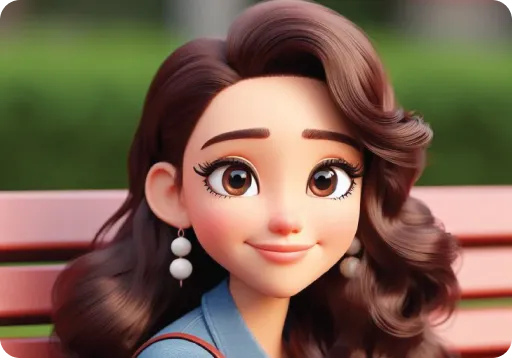
Vizbull is a browser based photo art studio that combines two jobs usually split across separate apps: building collage layouts and restyling portraits with AI. The collage editor works like a lightweight design canvas, with more than 200 templates tagged by region count and category, auto-fill frames for dropping in batches of photos, and a set of shape collages that clip images into hearts, numbers, silhouettes or a custom SVG outline. Text, stickers and frames are handled inside the same drag and drop workspace, and finished files export at high resolution for posters and gifts. The second half of the product is the AI Portrait Studio. A user uploads a photo, selects a style and receives a transformed image. The style list is unusually broad and leans heavily on cartoon and pop culture looks: Simpsons, Family Guy, Tintin, Ghibli, Pixar style 3D, Minecraft, LEGO, Ninjago, Barbie, comic book, clay figurine, blackboard sketch and neon glow, alongside anime kawaii and anime warrior variants. More conventional options cover caricature, pencil sketch, watercolor, pop art, stencil, coloring page line art and professional headshots. Each style has its own landing page with sample output, which makes it possible to judge results before spending credits. In practice the tool suits people who want finished photo art without learning design software: families assembling birthday or wedding collages, social media users after profile pictures and faceless avatars, small sellers producing print on demand items, and teachers or artists who need reference images and coloring pages. The combination is the differentiator, since a cartoon portrait can go straight into a collage frame rather than being exported and rebuilt elsewhere. Vizbull competes with general design platforms on layouts and with dedicated style transfer apps on portraits. Its edge is depth in both directions rather than breadth of features; there is no video, no animation and no template marketplace beyond the built in library. An iOS version of the cartoon photo editor is listed on the App Store, while the collage maker runs in the browser.
Free to start, and a free download is offered for the iOS app. The homepage does not specify how many free generations or exports are included.
Learn moreThe site uses a credits based system with free use to start and paid plans available. Exact credit costs per style or export, and the plan tiers themselves, are listed on the dedicated pricing page rather than the homepage.
Learn moreCollage editor with 200+ tagged templates, auto-fill photo collections, shape collages (heart, number, silhouette, custom SVG), text and sticker tools, and print ready export. AI Portrait Studio covers cartoon, caricature, anime, sketch, watercolor, pop art, line art and headshot styles, with a separate gallery page for each style.
Learn more AI Angels400+ customizable AI girlfriends for NSFW chat, voice calls, and roleplay
 Candy AIExperience the future of companionship with AI friends who chat, role-play, and connect with you on a human level.
 ourdream.aiA vast AI roleplay platform with millions of characters for chat, images, video and voiceAI Angels400+ customizable AI girlfriends for NSFW chat, voice calls, and roleplayCandy AIExperience the future of companionship with AI friends who chat, role-play, and connect with you on a human level.ourdream.aiA vast AI roleplay platform with millions of characters for chat, images, video and voice