Free trial
The homepage states the cartoon generator is completely free to use and the FAQ asks whether the tool is free, but no separate trial length or free credit allowance is published on the page.
Learn moreTurn any photo or prompt into a cartoon character in under a minute
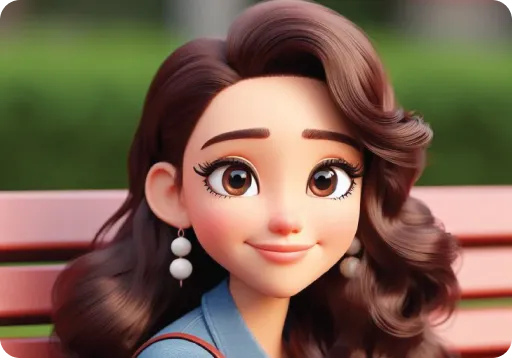
Phot.ai is an anime generator tool that turns any photo or prompt into a cartoon character in under a minute. Phot.ai's AI Cartoon Generator converts photos or text prompts into cartoon characters across styles such as anime, comic, sketch, and 3D, with high-resolution downloads and no design skills required.
Phot.ai's AI Cartoon Generator is a browser-based studio for converting photographs or written prompts into cartoon artwork. A single upload or a short text description is enough to produce a finished character; the tool is trained on cartoon imagery and the vendor states that no drawing or design experience is needed at any point. The workflow is deliberately short. Users either drop in a photo (a portrait, a pet, a landscape, or a group shot) or describe the character they want built from scratch. They then select a style: comic book, anime, Disney-inspired, sketch, watercolor, or caricature are the options named on the page. Generation completes in seconds, and the output can be downloaded at high resolution for social profiles, printed décor, gifts, or as source material for animation and game characters. The site also advertises a 3D cartoon mode for three-dimensional avatars and a set of customization controls for accessories, backgrounds, and expressions when building an avatar persona. The intended audience is broad rather than professional. Social media users building a distinctive avatar, pet owners and gift buyers, small creators working on channel art, and hobbyists experimenting with character design are the obvious fits. Phot.ai reports more than 600,000 users across its wider editing suite, and the cartoon tool sits alongside related generators for patterns and YouTube banners, so it works best as an entry point into a larger image toolkit rather than a standalone illustration application. Where it fits among alternatives: it competes with consumer photo-to-cartoon apps on speed and simplicity, not on fine control. There is no visible layer editing, pose rigging, or export pipeline for production animation, so users needing precise character sheets or consistent multi-frame output should look at dedicated illustration tools. The cartoon generator itself is promoted as free, while the broader Phot.ai studio is sold through monthly credit plans.
The homepage states the cartoon generator is completely free to use and the FAQ asks whether the tool is free, but no separate trial length or free credit allowance is published on the page.
Learn moreThe cartoon page promotes the generator as free and points to credit-based Phot.ai plans starting at $40.83 per month billed annually ($490 per year) for Starter with 500 credits, rising to Pro+ at $124.17 per month and Growth at $207.50 per month. Those plans are framed around ecommerce listings and ad creatives rather than cartoon art alone.
Learn moreGrowth plans include priority support with a 24 to 48 hour SLA, and the page offers a contact path for enterprise buyers; no public help centre or documentation link is listed on the source page.
Core features: photo-to-cartoon conversion and prompt-based character creation, six cartoon styles including anime, comic book, sketch, watercolor, and caricature, a 3D cartoon mode, avatar customization with accessories and backgrounds, high-resolution downloads, and more than 20 AI editing tools in the wider studio.
 AI Angels400+ customizable AI girlfriends for NSFW chat, voice calls, and roleplay
 Candy AIExperience the future of companionship with AI friends who chat, role-play, and connect with you on a human level.
 ourdream.aiA vast AI roleplay platform with millions of characters for chat, images, video and voiceAI Angels400+ customizable AI girlfriends for NSFW chat, voice calls, and roleplayCandy AIExperience the future of companionship with AI friends who chat, role-play, and connect with you on a human level.ourdream.aiA vast AI roleplay platform with millions of characters for chat, images, video and voice