Free trial
No separate trial is described. The two free removals (one anonymous, one after login) effectively act as the trial, and no card or paid plan is mentioned.
Learn moreErase text from images without touching the rest of the shot
Own PicTextRemover? Verify ownership to get a dofollow link
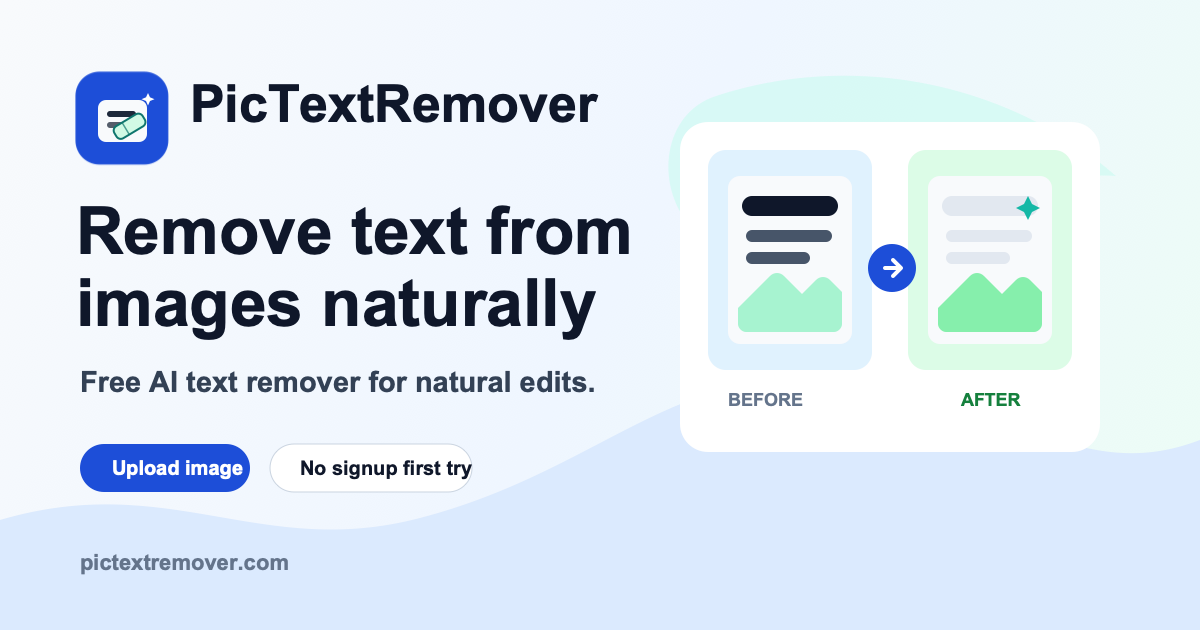
PicTextRemover is an edit pictures tool. A free-to-try web tool that removes captions, labels, dates and screenshot text from images, rebuilding the background so the rest of the picture stays intact. Upload up to 10MB, brush the text or let it auto-detect, then download a clean file without a watermark.
PicTextRemover is a browser based cleanup tool built around a single job: taking lettering out of a picture and rebuilding whatever sat behind it. Upload a JPG, PNG or WebP file, brush over the words that need to go, and the service reconstructs the background so outlines, textures, lighting and shadows stay close to the original. The site positions the tool for anyone who needs a fast edit without opening Photoshop, from marketplace sellers clearing supplier labels to presenters cleaning up screenshots before dropping in new copy. The workflow is deliberately thin. An image can be dragged into the workspace or picked from disk, capped at 10MB. Masking is optional: if a user does nothing, the system attempts to detect visible words across the whole frame, while a manual brush gives tighter control over a specific caption, price tag or date stamp. Processing is quoted at roughly 30 seconds, after which the finished file is available to download without a watermark. The homepage lists ecommerce product photos, poster and campaign artwork, slide assets and personal snapshots as the main use cases, and a separate tool handles people, props and clutter rather than text. Privacy is handled through retention limits rather than a heavy account system. Uploads are not published to galleries, results are deleted after 7 days by default, and signed in users can clear their history earlier from a My Creations area. Anonymous visitors get one free removal and one more after creating an account, which makes it a try-before-you-commit arrangement rather than an unlimited free tier. There is no stated subscription price on the homepage, so ongoing costs beyond those two runs are unclear. The tool sits in the same niche as generative object and watermark removers, and its pitch is precision: the comparison table argues that rival products smear, blur or repaint whole regions, while this one limits changes to the lettering. Whether that holds depends on source image quality, since the site itself advises clear pictures with visible text edges. It is a sensible pick for occasional, small-batch cleanup where speed matters more than layer-level control.
No separate trial is described. The two free removals (one anonymous, one after login) effectively act as the trial, and no card or paid plan is mentioned.
Learn moreFree to use in a limited form: anonymous visitors can clean one image, and logging in grants one additional free removal. The homepage does not list prices for further use, so paid tiers or credits beyond that are not documented.
Learn moreSupport is offered by email at support@pictextremover.com. The homepage also answers common questions about file limits, free usage, quality and privacy, with no live chat or help centre listed.
Text removal from JPG, PNG and WebP images up to 10MB, with optional brush masking or automatic detection of visible words. Background is rebuilt with matching colour, lighting and texture, results finish in around 30 seconds and download without a watermark. Separate tools cover object removal and watermark removal.
Learn more AI Angels400+ customizable AI girlfriends for NSFW chat, voice calls, and roleplay
 Candy AIExperience the future of companionship with AI friends who chat, role-play, and connect with you on a human level.
 ourdream.aiA vast AI roleplay platform with millions of characters for chat, images, video and voiceAI Angels400+ customizable AI girlfriends for NSFW chat, voice calls, and roleplayCandy AIExperience the future of companionship with AI friends who chat, role-play, and connect with you on a human level.ourdream.aiA vast AI roleplay platform with millions of characters for chat, images, video and voice