Support
The homepage mentions a dedicated support team and comprehensive resources, but no specific channels or documentation pages are listed.
Convert PDFs, text, and scripts into natural-sounding AI podcasts.

PodMind is an AI narration tool that converts PDFs, text, and scripts into natural-sounding AI podcasts. PodMind converts PDFs, text, blogs, and scripts into AI-narrated podcast episodes with multi-host conversations, a library of natural voices, and support for several languages.
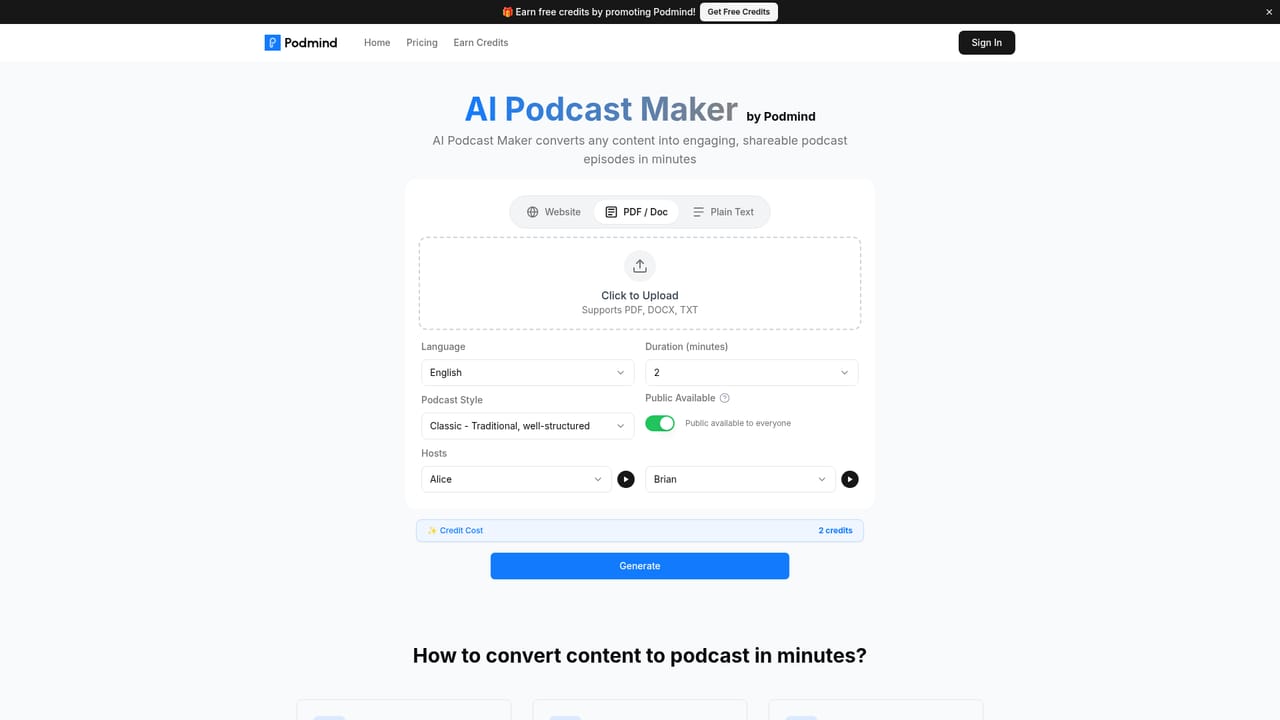
PodMind is an AI podcast generator that turns written material into audio episodes. It accepts PDFs, plain text, blog posts, articles, newsletters, and custom scripts, then builds a conversation around the source material. The output is not a flat read-aloud: the platform distills key points and structures a narrative, with multi-host formats for shows that need back-and-forth discussion. Episodes are rendered with a library of AI voices, and the system handles pacing, tone, and emphasis on its own. Language coverage includes English, Spanish, French, German, and others, so the same input can produce versions for different audiences. In practice the workflow is short. A creator pastes text or uploads a PDF, chooses a voice and language, and generates the episode in a single click. PodMind states that content is encrypted during processing and removed afterward. Outputs can be exported in standard audio formats and published to podcast platforms such as Spotify and Apple Podcasts, or shared directly. The homepage pitches cost savings of up to 90 percent against conventional production and a turnaround of minutes rather than hours, which matters most for teams that publish regularly and would otherwise book studio time and voice talent. The tool fits content marketers, educators, publishers, and solo creators who already have a body of written material and want an audio version without a recording setup. It is less suited to people who want to host interviews, capture live conversation, or fine-tune every breath and pause; this is a generation engine, not an editing suite. Compared with generic text-to-speech services, PodMind adds the narrative layer and multi-host structure. Compared with human production, it trades personality and editorial judgment for speed, scale, and predictable cost. PodMind also runs a promo program that grants free credits to users who promote the product. Pricing tiers are not detailed on the homepage, so buyers should confirm plan limits and credit costs before committing. Support is described as a dedicated team with resources, and the interface is designed for first-time users with no technical background required.


The homepage mentions a dedicated support team and comprehensive resources, but no specific channels or documentation pages are listed.
PodMind converts PDFs and text into podcasts using a library of natural-sounding AI voices. It distills key points into a narrative, supports multi-host shows, and offers one-click generation. Output can be produced in multiple languages (English, Spanish, French, German, and more) and exported in standard audio formats for distribution. Content is encrypted during processing and removed afterward.
 AI Angels400+ customizable AI girlfriends for NSFW chat, voice calls, and roleplay
 Candy AIExperience the future of companionship with AI friends who chat, role-play, and connect with you on a human level.
 ourdream.aiA vast AI roleplay platform with millions of characters for chat, images, video and voiceAI Angels400+ customizable AI girlfriends for NSFW chat, voice calls, and roleplayCandy AIExperience the future of companionship with AI friends who chat, role-play, and connect with you on a human level.ourdream.aiA vast AI roleplay platform with millions of characters for chat, images, video and voice


