Free trial
The homepage invites users to try Podsuite for free with no credit card required, though the length and limits of the free access are not stated.
Learn moreOne podcast upload becomes transcripts, show notes, clips and social copy.

Podsuite turns one podcast upload into a transcript with speaker diarization, SRT captions, show notes, chapters, title and keyword ideas, timestamped highlight clips, a blog article, social posts and a newsletter. Built for podcasters, marketers and agencies that want a repeatable review-and-export workflow rather than blank AI prompts.
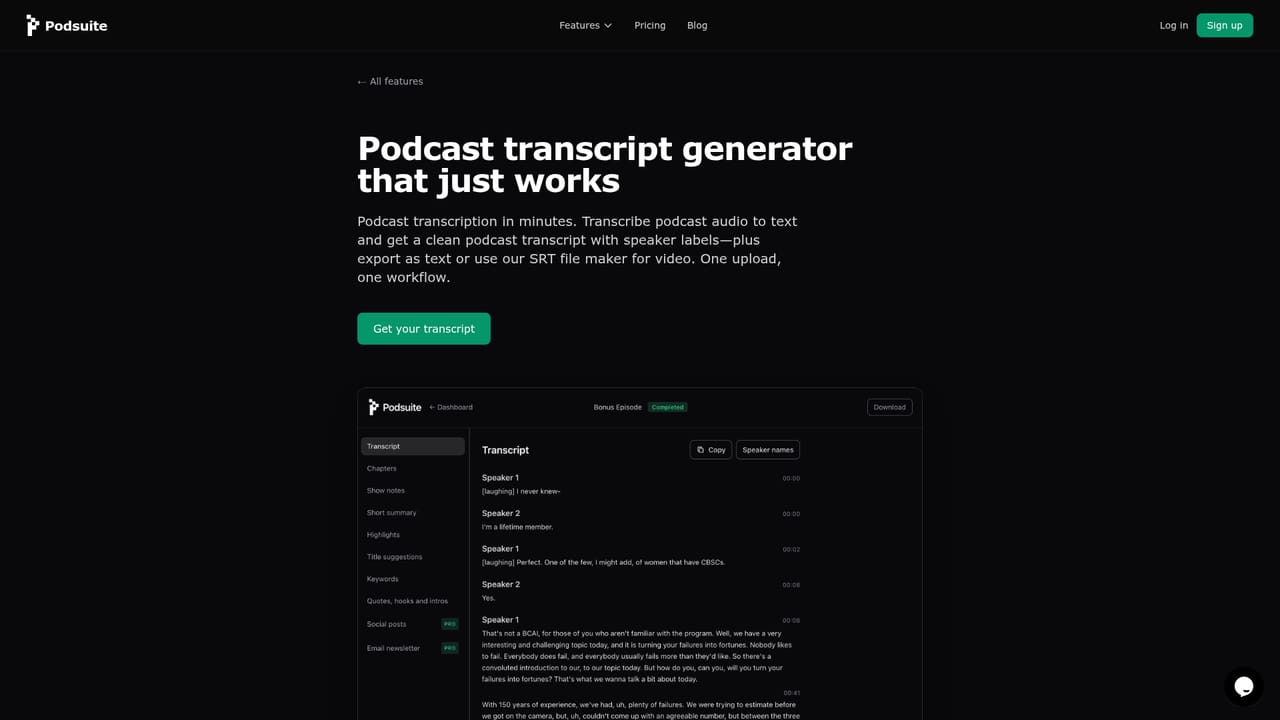
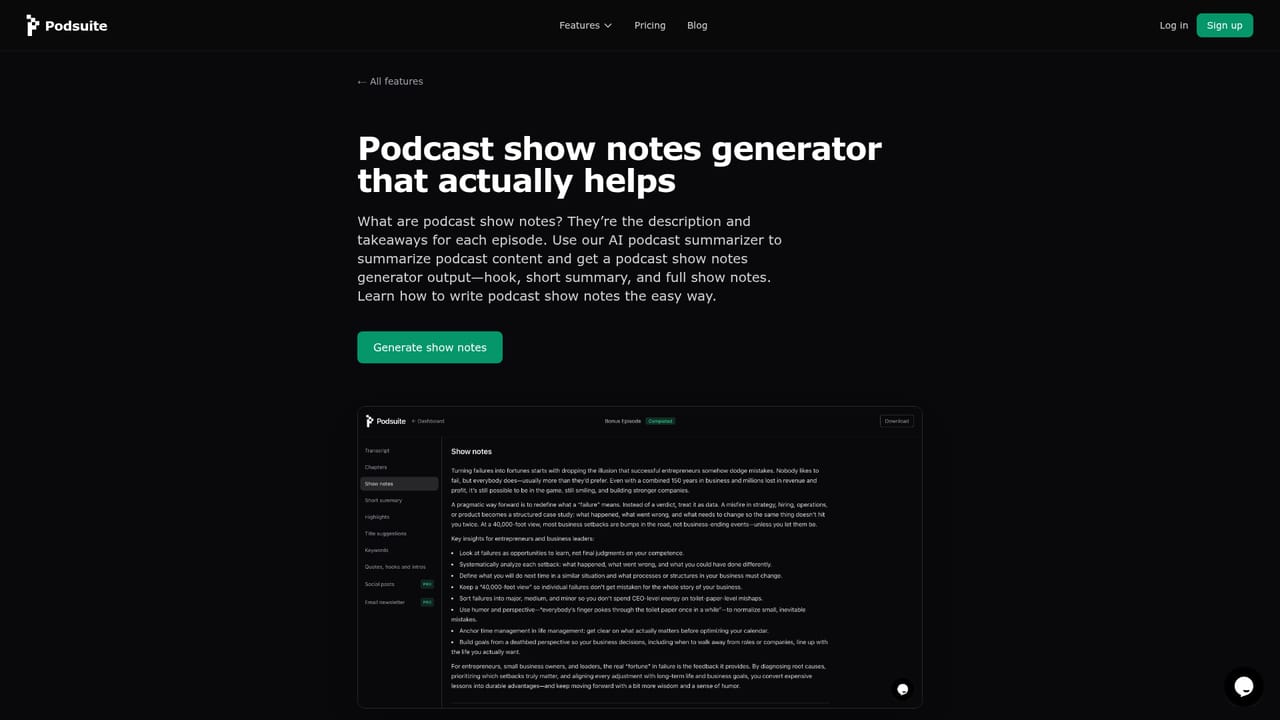
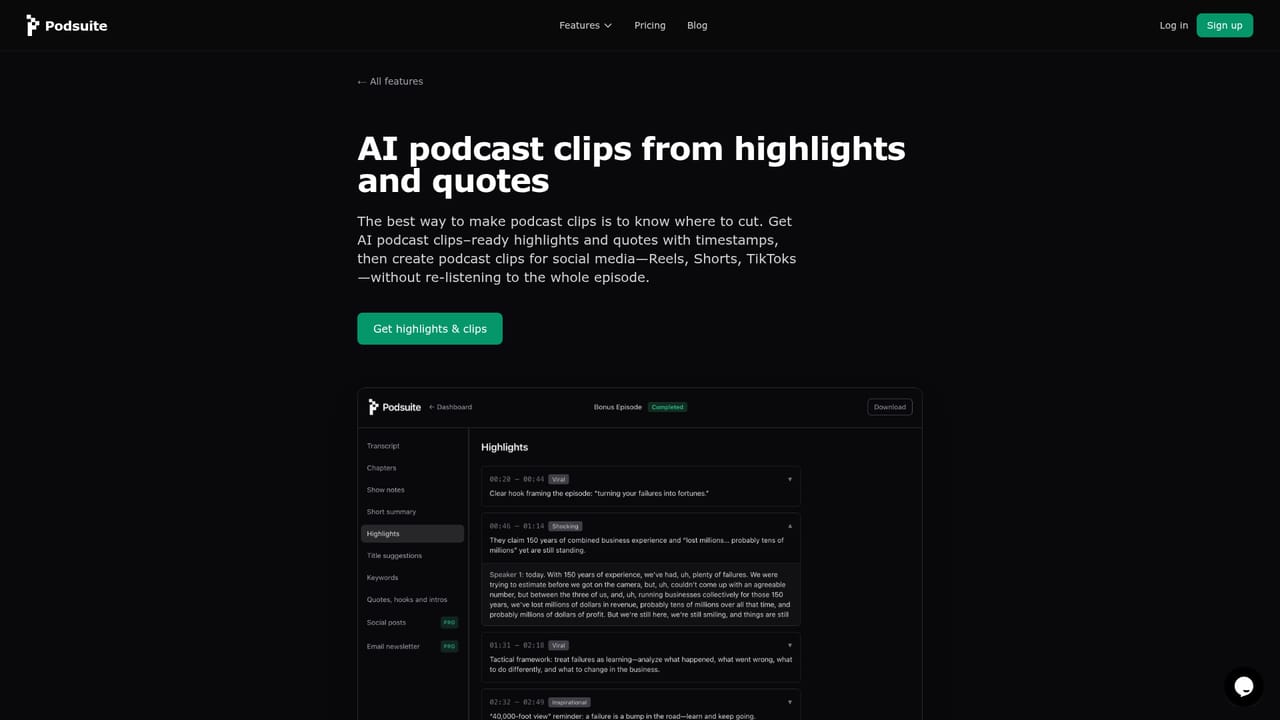
Podsuite is a podcast repurposing workspace that takes a single episode upload and returns a full set of publishable assets. Transcripts come with speaker diarization and can be exported as plain text or as SRT files for video captions and YouTube. From the same recording the tool produces show notes with a summary, AI-generated chapters segmented by topic for Spotify and YouTube, title ideas with SEO keyword suggestions, highlight clips with exact timestamps and quote hooks, a first-person blog article, platform-native posts for LinkedIn and X, and an email newsletter. The workflow is deliberately structured rather than conversational. You upload an episode or link it from your host, Podsuite analyzes and structures the audio, and you download or copy finished content. There is no blank prompt to fill in: the output is shaped around how podcast episodes are actually built, so chapters inform the writing and clip suggestions stay tied to real moments in the recording. Tone and style are meant to follow the show rather than a generic template, and the generated social posts are written in the speaker's voice. Transcript corrections, including fixed speaker names, propagate into everything else that gets generated. The product targets podcasters, marketers, agencies and content creators who want each episode to feed a wider content library. Its own comparison puts tasks that took six to eight hours of manual work into roughly ten minutes, covering transcription, show notes, blog conversion, social drafts and clip hunting. Video podcasts are supported by extracting the audio for transcription, with SRT export for captions. Against generic AI transcription services, Podsuite's argument is specialization: a fixed review-and-export pipeline, episode-tailored output and timestamp intelligence instead of open-ended prompting. It competes less on transcription accuracy claims and more on the breadth of the repurposing chain around the transcript.
The homepage invites users to try Podsuite for free with no credit card required, though the length and limits of the free access are not stated.
Learn moreSupport runs through a homepage FAQ covering transcription accuracy, supported audio formats, content privacy, editability of outputs and video podcast handling. No help centre or contact channel is listed.
Upload from your computer or link an episode from your podcast host. No named third-party integrations are listed on the homepage.
Transcript with speaker diarization and SRT export, show notes and summary, AI chapters for Spotify and YouTube, title and SEO keyword suggestions, highlight clips with timestamps and quote hooks, a first-person blog article, LinkedIn and X posts, and an email newsletter, all generated from one episode upload.
Learn more AI Angels400+ customizable AI girlfriends for NSFW chat, voice calls, and roleplay
 Candy AIExperience the future of companionship with AI friends who chat, role-play, and connect with you on a human level.
 ourdream.aiA vast AI roleplay platform with millions of characters for chat, images, video and voiceAI Angels400+ customizable AI girlfriends for NSFW chat, voice calls, and roleplayCandy AIExperience the future of companionship with AI friends who chat, role-play, and connect with you on a human level.ourdream.aiA vast AI roleplay platform with millions of characters for chat, images, video and voice


